Category Archives: SAP B1

SAP Business One Partner in Gujarat

SAP Business One Partner in Gujarat

SAP Business One Partner in Gujarat – Industry-Focused ERP Solutions for Growing Businesses
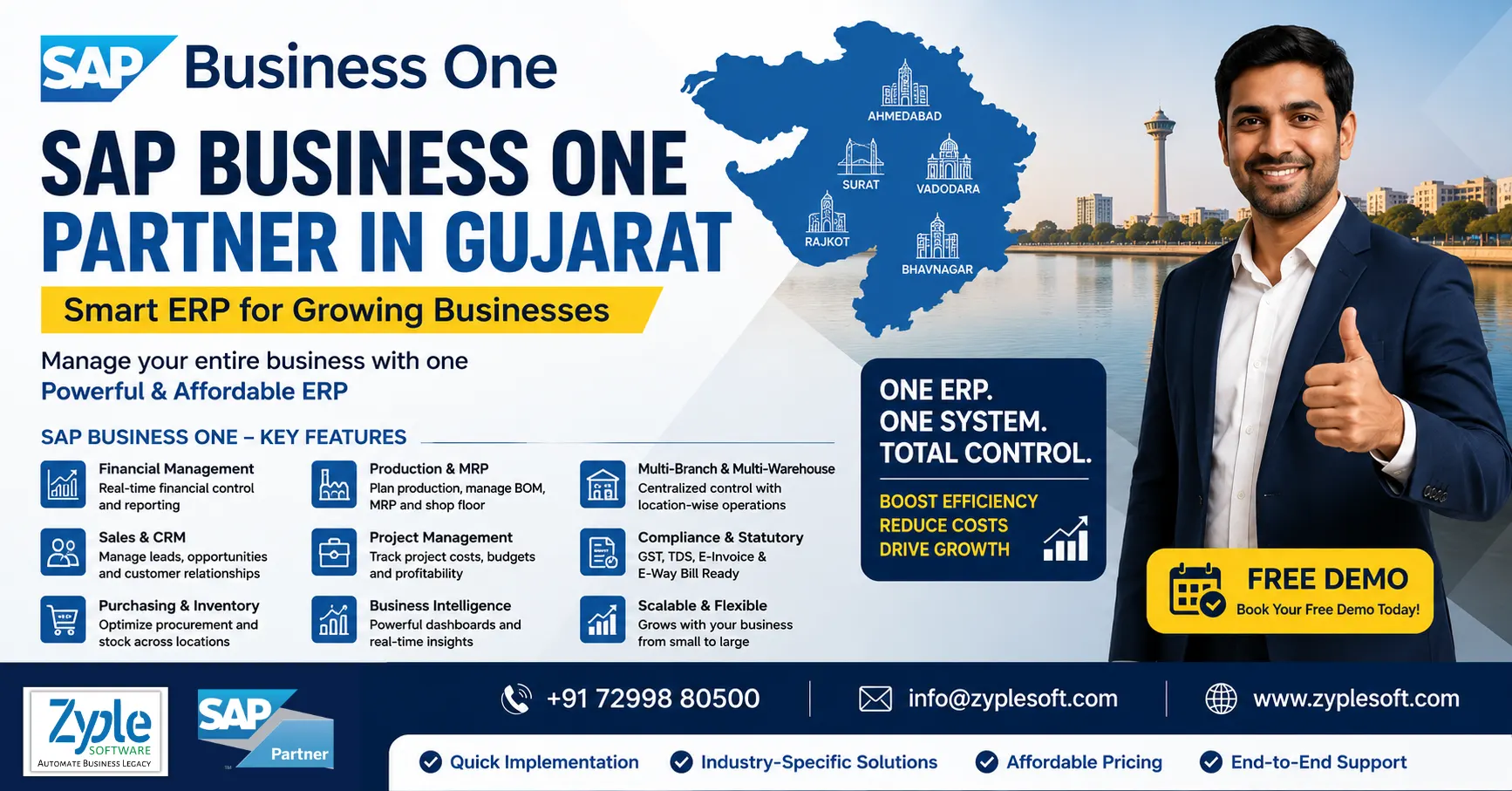
SAP Business One Partner in Gujarat

Businesses across Gujarat are expanding rapidly across manufacturing, engineering, chemicals, pharmaceuticals, textiles, trading, food processing, construction, renewable energy and other sectors. As operations become more complex, managing finance, inventory, production, purchasing, sales and projects through disconnected systems can make business control increasingly difficult.

SAP Business One provides a unified ERP platform that brings critical business processes together. With the right implementation partner, Gujarat-based companies can use SAP Business One to improve operational visibility, financial control, process automation and decision-making.

Zyple Software – SAP Business One Partner for Gujarat Businesses

Zyple Software helps businesses implement, customize, integrate and support SAP Business One according to their operational requirements.

Rather than treating ERP implementation as a standard software installation, our approach focuses on understanding the company’s existing processes, reporting requirements, industry challenges and future growth plans.

From initial consultation and SAP Business One licensing to implementation, customization, integration, migration and ongoing support, Zyple provides an end-to-end ERP engagement.

Why Gujarat Businesses Need a Business-Centric ERP?

Gujarat has a strong ecosystem of manufacturing and industrial businesses, including SMEs and mid-sized enterprises. Many organizations operate across multiple locations, warehouses, production units, branches, dealers and project sites.

Common challenges include:
  • Limited visibility into inventory across warehouses
  • Manual purchase and sales processes
  • Production planning difficulties
  • Delayed financial reporting
  • Difficulties tracking job work and subcontracting
  • Inaccurate product costing
  • Lack of real-time business dashboards
  • Multiple Excel files and disconnected applications
  • Complex GST and statutory processes
  • Difficulty monitoring receivables and payables
  • Limited visibility into project profitability
SAP Business One can connect these processes within a single ERP environment.

SAP Business One Solutions for Gujarat Industries

Zyple Software can help configure SAP Business One for different business models and industry requirements.

Manufacturing & Engineering

Manufacturing companies can manage BOMs, production orders, MRP, inventory, purchasing, costing, quality processes and production reporting.

SAP Business One can help management understand:
  1. What needs to be produced?
  2. Which materials are available?
  3. What materials need to be purchased?
  4. Production costs
  5. Inventory consumption
  6. Pending production orders
  7. Finished goods availability

Pharmaceutical & Chemical Businesses

Pharma and chemical companies often require stronger batch, inventory, traceability and quality controls.

SAP Business One can support processes involving batch management, inventory tracking, purchasing, sales, production, quality-related workflows and financial management.

Textile & Garment Businesses

Textile companies can manage purchasing, inventory, production, sales, customers, suppliers and financial transactions from a centralized ERP system.

Industry-specific customization can also support business requirements around product variants, processes, subcontracting and inventory management.

Food & Beverage

Food businesses need better control over raw materials, production, batches, inventory and product movement.

SAP Business One can connect purchasing, production, inventory, sales and finance to provide better visibility from raw material procurement through finished-goods sales.

Construction & EPC

Construction and EPC companies need visibility into project budgets, procurement, site inventory, subcontractors, billing and project profitability.

With suitable add-ons and customization, SAP Business One can support:
  • Project costing
  • BOQ management
  • Site inventory
  • Contractor billing
  • Purchase management
  • Budget control
  • Project profitability
  • Subcontracting
  • Expense tracking

Trading & Distribution

Trading companies can use SAP Business One to manage purchasing, sales orders, inventory, warehouses, customer credit, receivables, payables and financial reporting.

This helps management obtain a consolidated view of business operations instead of relying on multiple spreadsheets and standalone applications.

SAP Business One Implementation Services in Gujarat

Zyple Software can provide a complete SAP implementation lifecycle, including:

1. Business Process Study

We understand your current workflows, operational challenges and reporting requirements.

2. ERP Planning & Solution Design

Business processes are mapped to SAP Business One and required industry-specific solutions.

3. SAP Business One Implementation

Core modules and relevant processes are configured according to business requirements.

4. Data Migration

Relevant master and transactional data can be migrated from legacy ERP systems, accounting software or spreadsheets.

5. Customization & Add-ons

Where standard functionality does not fully meet the requirement, suitable customization and add-on solutions can be introduced.

6. Integration

SAP Business One can be integrated with selected third-party applications, portals, payment systems, e-commerce platforms and other business systems.

7. User Training

Employees receive role-based training to help them effectively use the ERP.

8. Go-Live & Support

The implementation team supports the transition to the new ERP environment and provides ongoing assistance.

SAP Business One Modules

Depending on the organization’s modules requirements, SAP Business One can bring together:
  • Financial Management
  • Sales & CRM
  • Purchasing
  • Inventory & Distribution
  • Production
  • MRP
  • Project Management
  • Service Management
  • Banking
  • Reporting & Analytics
  • Business Intelligence
  • Fixed Assets
  • Document Management
The objective is to create one connected business environment instead of separate systems for different departments.

Industry-Specific SAP Business One Add-ons

Businesses often require functionality beyond the standard ERP.

Zyple offers industry-focused solutions and add-ons for areas such as:
  • Contractor Billing
  • Tender & Bid Management
  • Weighbridge Management
  • CCTV Integration
  • Budget Management
  • Plant Maintenance
  • Quality Management
  • Health & Safety
  • Subcontracting
  • Fleet Management
  • MES
  • E-Invoice & E-Way Bill
  • WhatsApp Integration
  • Payroll
These solutions can help extend SAP Business One around specific operational requirements.

SAP Business One HANA for Gujarat Businesses

For organizations looking for faster analytics and real-time reporting, SAP Business One on SAP HANA can provide an advanced platform for business intelligence and decision-making.

Management can gain better visibility into areas such as:
  • Sales performance
  • Inventory positions
  • Gross margins
  • Customer receivables
  • Supplier payables
  • Production performance
  • Purchasing trends
  • Cash-flow indicators
  • Project profitability
Instead of waiting for reports to be manually prepared, decision-makers can work with more timely business information.

Why Choose Zyple Software as Your SAP Business One Partner?

Choosing an ERP partner is as important as choosing the ERP itself. A successful implementation requires understanding both the software and the customer’s business.

Zyple focuses on:
  • Industry Understanding: ERP processes are aligned with the operational realities of different industries.
  • End-to-End Services:  SAP Business One integration, Implementation, customization, licensing, add-ons, migration and support can be handled through one partner.
  • Scalable ERP Approach: The solution can be designed around the organization’s current requirements while keeping future growth in mind.
  • Management Visibility: Dashboards, reports and analytics can help business leaders make informed decisions.
  • Post-Implementation Support: Ongoing ERP support helps businesses resolve issues and continuously improve their processes.

Who Should Consider SAP Business One in Gujarat?

SAP Business One can be suitable for growing companies that have outgrown basic accounting software, spreadsheets or disconnected applications.

It can be particularly relevant for:
  • Manufacturing companies
  • Engineering companies
  • Chemical companies
  • Pharmaceutical businesses
  • Textile manufacturers
  • Food & beverage companies
  • Trading companies
  • Distribution businesses
  • Construction companies
  • EPC companies
  • Renewable energy companies
  • Jewellery businesses
  • Automobile component manufacturers
  • Electrical equipment manufacturers
  • Industrial product companies

Take Control of Your Business with SAP Business One

ERP implementation should not simply replace existing software. It should create a more connected, transparent and scalable way of running the business.

If your Gujarat-based company is struggling with fragmented data, manual processes, inventory challenges, production planning, project-cost visibility or delayed management reporting, SAP Business One could provide a structured platform for digital transformation.

Looking for an SAP Business One Partner in Gujarat?

Connect with Zyple Software for SAP Business One implementation, licensing, integration, customization, industry-specific add-ons and ongoing support.

Contact:
Call: +91 72998 80500
Mail: info@zyplesoft.com
Website: www.zyplesoft.com

Book a Free SAP Business One Demo and discover how a connected ERP can help your business improve control, visibility and scalability.
    SAP Business One Total Cost of Ownership TCO breakdown for Indian SMEs

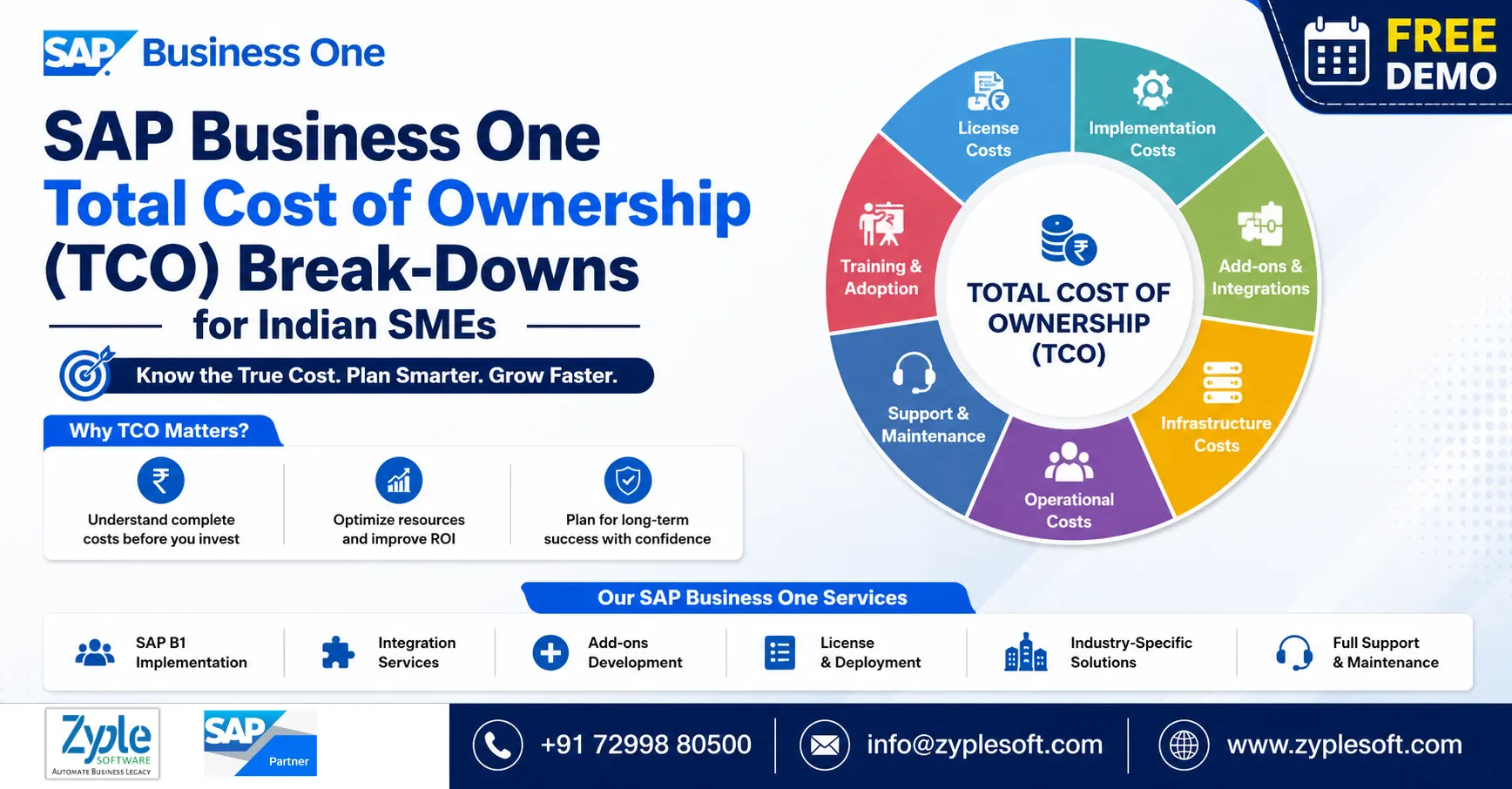
    SAP Business One Total Cost of Ownership (TCO) Break-Downs for Indian SMEs

    SAP Business One Total Cost of Ownership (TCO) Break-Downs for Indian SMEs

    SAP Business One Total Cost of Ownership TCO breakdown for Indian SMEs

    For most Indian small and medium-sized enterprises (SMEs), investing in an ERP solution is one of the essential decisions of their existence. When it comes to ERP, it is hard to ignore SAP Business One ERP or SAP B1 ERP. However, before making a commitment to SAP Business One, the question that certainly arises for almost every company is, what is the SAP B1 price in India?

    Unfortunately, there isn’t any standard SAP Business One ERP price in India. There are too many factors that determine the price you end up paying. These may cover factors like the number of users, license model, implementation strategy, degree of customization, and more. Here, we’ll discuss SAP Business One total cost of ownership (TCO) break-downs for Indian SMEs.

    Why Understanding the SAP Business One Price in India Is Crucial

    It happens quite often that Indian SMEs limit themselves to evaluating the SAP Business One price in India in terms of license fees when budgeting an ERP investment. As practice shows, the actual SAP B1 total cost requires more components, including but not limited to SAP implementation, integration, support, digital transformation, and add-ons. Failing to budget these extra elements of the cost structure means risking unexpected financial hits in the future.

    Zyple Software provides SAP Business One for Indian small and medium-sized enterprises (SMEs) with ERP functionalities coupled with a commercially convenient price structure for the Indian SME market. Compared to international benchmarks, the SAP B1 licensing cost in India is relatively lower, which contributes to the widespread acceptance of SAP B1.

    Key Elements of the SAP Business One Total Cost of Ownership (TCO) Structure for Indian SMEs

    The total cost of ownership structure of SAP B1 for Indian SMEs includes different components. Here are the elements and how they impact the total cost of ownership for Indian SMEs in SAP software.

    1. License Fees

    The price that you are to pay for SAP B1 licenses is influenced by various factors.

    • Type of License:It includes professional, limited, starter package, or indirect access.
    • Type of License Agreement: It includes perpetual vs. subscription.
    • Number of Users.
    • Volume discounts (available for large-scale orders).

    Every type of license is intended for a certain category of users who have specific access rights to SAP Business One ERP modules. Using the proper license structure is the main driver that makes it possible to reduce the SAP Business One licensing cost in India to the minimum level. Inadequate allocation of user licenses is one of the most common reasons behind unnecessarily high costs of SAP B1 implementation.

    2. SAP Business One Implementation Cost

    Implementation is an essential part of SAP B1 deployment that often gets underestimated. The SAP B1 implementation cost includes multiple steps and activities like business process mapping, software configuration, migration of data, system customization, integration with third-party solutions, user training, user acceptance testing, and controlled go-live. The complexity of the process differs based on the characteristics of your business.

    3. Annual Maintenance Charges (AMC)

    In the contecxt of perpetual license agreements, the SAP B1 licensing cost in India generally includes a part of the fee designated for AMC which covers software updates, bug fixes, and access to additional modules using SAP solutions.

    4. Hosting and Infrastructure

    SAP Business One supports both on-premises and cloud deployment models that vary in cost structure. While choosing cloud hosting, the overall cost of SAP B1 is split into the SAP Business One price in India and monthly subscription fees.

    On-premises deployment involves the deployment of an in-house server, database licensing, and a corresponding infrastructure. Though the upfront cost is higher, it is generally accompanied by lower variability in operational expenses.

    5. Add-Ons, Customizations, and Training

    The SAP B1 licensing cost in India doesn’t account for the price that you need to pay for purchasing SAP Business One add-ons, which are essential for industries like construction, manufacturing, pharmaceuticals, automobiles, or electronics. Also, depending on the customization that you require, the SAP Business One implementation cost will differ. Training sessions also impact the total price you will pay for SAP B1.

    SAP Business One Total Cost of Ownership in India Based on Business Size

    Though individual cases of SAP Business One cost calculation may differ, the rule is quite clear: as a company expands, both the SAP B1 incensing cost and SAP Business One implementation cost in India increase. The number of users is certainly not the only factor impacting the increase in the total cost of ownership, as more complex integration and greater customization needs are expected at later stages.

    1. Micro or Startup

    Limited user count, standard configuration, and cloud-first.

    2. Small Business

    Moderate user count, light customization needs, and cloud-first.

    3. Medium-Sized Business

    Multi-department structure, multiple integrations, and multi-location.

    4. Large SME or Group

    Complex processes, integration, group accounting, and multi-channel.

    Rather than trying to find out some standard figures, it is much more effective to contact a certified SAP Business One partner like Zyple Software with your details and request a quote for the SAP Business One ERP price in India.

    Perpetual vs. Subscription Licenses and Their Impact on SAP B1 Total Cost of Ownership (TCO)

    Depending on whether you choose a perpetual license or subscribe to SAP B1, the long-term SAP Business One price in India will differ considerably.

    1. Perpetual License Agreement (CAPEX)

    With a perpetual license agreement, you gain ownership of software, which means that you pay one time to buy licenses. This model enables saving money on SAP Business One cost over time since you only pay one for licenses.

    Benefits of Perpetual Licenses:

    • Ideal for those who need a perpetual software license.
    • No license escrow needed.

    Disadvantages of Perpetual Licenses:

    • Requirement forrenewing the license for additional users.
    • More expensive compared to subscriptions.

    2. Subscription License Agreement (OPEX)

    Subscription licenses enable subscribing to the software instead of buying. With a subscription license, you regularly pay a recurring fee in exchange for regular updates and extra features.

    Benefits of Subscription Licenses:

    • Lower upfront SAP B1 total cost.
    • Easy to scale in case of growth.

    Disadvantages of Subscription Licenses:

    • Renewal every year.

    Is It Worth Buying SAP Business One at an Offered Price in India?

    SAP Business One is one of the best ERP solutions on the market that is capable of helping businesses to handle their operations more efficiently. For most Indian companies, the return on investment in SAP B1 occurs one to two years after deployment. This is when advantages of the product become evident thanks to improvements in:

    • Order-to-cash cycles.
    • Inventory control and management.
    • Working capital management.
    • Financial reporting capabilities.
    • Compliance with local legislation, including GST and e-invoicing.
    • Integration opportunities.

    If compared to a traditional ERP alternative like Tally integrated with Excel, Google Sheets, and other add-ons, the cost of owning SAP B1 in India is considerably lower.

    Conclusion of SAP Business One TCO

    As a most reliable SAP Business One partners, Zyple Software is delivering services like SAP B1 implementation, integration, migration, licensing, add-ons, digital transformation, and support to different industries, like construction, manufacturing, solar, food and beverage, aerospace, oil and gas, healthcare, retail,  jewellery, pharma, and textiles. 

    SAP Business One is an ERP software customized for small and medium-sized enterprises that connects finance, production, inventory, material requirements planning (MRP), procurement, sales, CRM, and reporting and analytics into one platform. For all businesses, it can improve project costing, procurement, subcontractor billing, and inventory management.

    Do you claim the SAP B1 ERP system for your business or industry?

    Finish all the details in the demonstrated contact form; our team will get back to you.

      FAQs

      1.What is the total cost of ownership (TCO) of SAP Business One for Indian SMEs?

      The total cost of ownership (TCO) of SAP Business One for Indian SMEs generally includes software licensing, implementation, customization, training, and ongoing support. Depending on business size and deployment type (cloud and on-premise), the cost can differ significantly.

      SAP Business One TCO includes multiple components such as license fees, infrastructure (servers or cloud subscription), implementation charges, add-ons, integration costs, and annual maintenance. Businesses should also consider hidden costs like user training, upgrades, and internal resource allocation.

      Yes, SAP Business One is designed specifically for SMEs and provides flexible pricing models to suit different budgets. With options like subscription-based cloud deployment, Indian SMEs can minimize upfront investment and handle costs efficiently while gaining access to enterprise-grade ERP capabilities.

      Businesses can minimize total cost of ownership (TCO) by choosing the right implementation partner like Zyple Software, opting for cloud deployment, minimizing unnecessary customizations, and selecting only essential add-ons. Proper planning, phased implementation, and user training also help prevent costly errors and delays.

      The ROI of SAP Business One often outweighs its TCO by improving operational efficiency, reducing manual errors, and improving decision-making with real-time insights. For Indian SMEs, this leads to better cost control, increased productivity, and faster business growth, making it a valuable long-term investment.

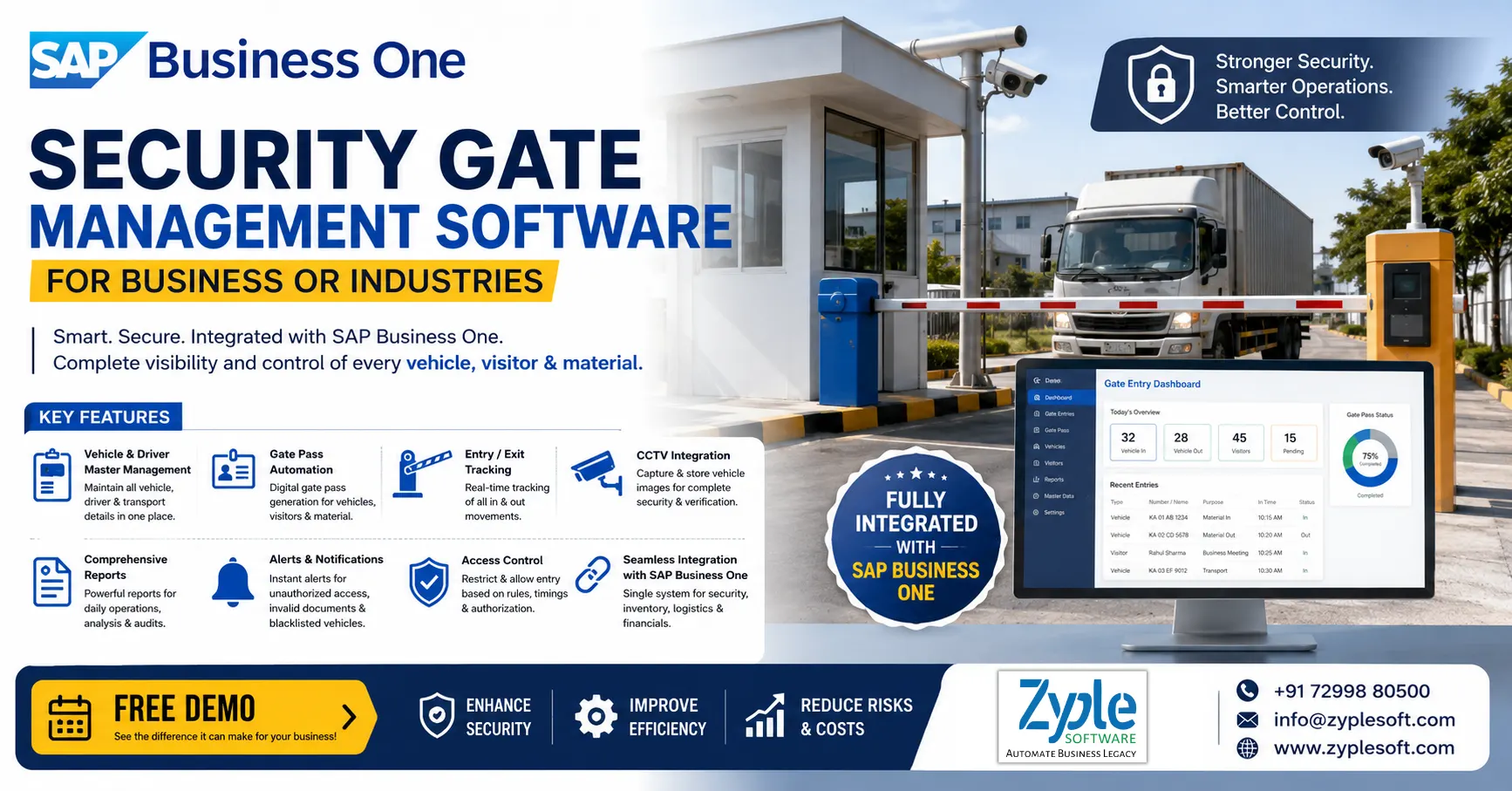
      Security Gate Management Software for business and industries integrated with SAP Business One

      Security Gate Management Software

      Security Gate Management Software for Business or Industry

      Security Gate Management Software for business and industries integrated with SAP Business One

      Moving materials is an integral aspect of supply chain and logistics operations. Three factors that improve such business activities are better security, optimization, and integration. It connects with other logistics functions such as ERPs and WeighBridge automation to improve efficiency and strengthen security controls. Security gate management software is a digital system that replaces paper logs to monitor visitors, vehicles, and staff at entry points.

      Which Is the Best Software for Security Gate Management?

      SAP Business One is the best software for security gate management. It functions as a security gate management system by using specialized add-ons or mobile apps to manage visitor logs, vehicle passes, and material gate passes in real-time. While native SAP B1 focuses on core ERP data, partners like Zyple Software develop integrated gate extensions to bridge the physical security checkpoint with inventory and purchasing records.

      Features of Security Gate Management Software

      1. Visitor and Entry Management

      • Digital visitor registration, like manual or kiosk-based.
      • It includes pre-approved visitor scheduling by employees.
      • Gate pass generation, like a QR code or barcode.
      • It includes visitor ID card and badge printing.
      • It includes check-in and check-out tracking with timestamps.
      • It includes blacklists and watchlist management.

      2. Vehicle Gate Entry Management

      • Inward and outward vehicle tracking like trucks and employee vehicles.
      • It includes integration with delivery notes and purchase orders.
      • Vehicle number plate capture like manual and ANPR integration.
      • It includes driver details and documentation tracking.
      • It includes entry validation based on delivery schedules.
      • It includes queue management for incoming vehicles.

      3. Material Inward and Outward Control

      • It includes gate entry linked with GRPO (Goods Receipt PO) and delivery documents.
      • It includes an outward material gate pass-approved workflow.
      • It includes real-time validation against SAP B1 inventory.
      • It includes unauthorized material movement prevention.
      • It includes integration with warehouse and inventory modules.
      • It includes an audit trail of all material movements.
      • SAP Business One already connects inventory and procurement data across the system, allowing real-time validation and reporting.

      4. Security Staff and Shift Management

      • It includes security guard attendance and shift allocation.
      • It includes duty roster planning.
      • It includes guard performance tracking.
      • It includes incident reporting by security staff.
      • It includes integration with HR and payroll.

      5. Access Control and Authorization

      • It includes role-based access control (RBAC) for gate operations.
      • Defines permissions for security guards, supervisors, and admins.
      • Restricts access to sensitive data and functions.
      • It includes approval-based overrides for exceptions.
      • SAP B1 delivers strong authorization controls where users only access assigned data and functions.

      6. Authentication and Security Integration

      • It includes single sign-on (SSO) for users.
      • Integration with identity providers like OIDC and Windows AD.
      • It includes secure login for gate terminals.
      • It includes device-level authentication for kiosks.
      • SAP software supports identity and authentication management, including SSO and external identity providers.

      7. Real-Time Monitoring and Dashboards

      • It includes a live gate activity dashboard.
      • It includes the number of visitors and vehicles inside the premises.
      • It includes pending approvals and alerts.
      • It includes peak traffic analysis.
      • It includes drill-down reports for audits.
      • SAP Business One delivers real-time analytics and dashboards for decision-making.

      8. Mobile and Remote Access

      • Mobile app for approvals like entry, exit, and material pass.
      • It includes security supervisors who can monitor remotely.
      • It includes instant alerts on mobile devices.
      • It includes cloud and on-premises access.

      9. Alerts and Notifications

      • It includes entry alerts for unauthorized access.
      • It includes notifications for pending approvals.
      • It includes SMS and alerts for visitor arrival.
      • Exception alerts like overstays and mismatched documents.

      10. Document Management and Compliance

      • It includes store visitor ID proofs and vehicle documents.
      • Attaches delivery challans, invoices, and gate passes.
      • Maintains digital logs for audits.
      • It includes compliance with security policies and ISO standards.

      11. Workflow Automation

      • Approval workflows for visitor entry, material outward, and vendor entry.
      • It includes auto-trigger based on business rules.
      • It includes escalation workflows for delays.

      12. Integration Capabilities

      • Integration with biometric systems, RFID and smart cards, CCTV systems, and weighbridge systems.
      • It includes API-based integration with third-party security systems.
      • Seamless connection with SAP B1 modules like finance, inventory, and procurement.

      13. Reporting and Audit Trail

      • It includes daily gate register reports.
      • It includes visitor history repeats.
      • It includes vehicle movement reports.
      • It includes material movement reports.
      • It includes security incident reports.
      • SAP Business One supports complete reporting and customizable analytics across all modules.

      14. Customization and Add-Ons

      • Industry-specific gate management SAP Business One add-ons.
      • Custom fields like visitor type, purpose, and vehicle type.
      • It includes custom workflows and UI screens.
      • It includes localization based on company policies.

      Importance of Security Gate Management Software

      The ERP software, SAP Business One (SAP B1), serves as an essential security gate management system by providing real-time vehicle tracking, automated document matching, and error-free inventory updates. It connects physical gate movements directly to backend resource planning.

      1. Real-Time Tracking

      Tracks inbound and outbound vehicle logs instantly with the SAP implementation process.

      2. Weight Recording

      Captures accurate gross, tare, and net weights for cargo trucks.

      3. Queue Reduction

      Accelerates vehicle turnaround times at busy industrial hubs.

      4. Document Linking

      Matches gate entries directly to active purchase orders or delivery challans.

      5. Discrepancy Elimination

      Avoids unauthorized material movement or unverified dispatches.

      6. Audit Trails

      Maintains complete, unalterable digital records of every vehicle and driver using SAP solutions.

      Benefits of Security Gate Management System

      Using SAP Business One (SAP B1) as a gate management system provides core benefits, including real-time material tracking, minimized manual entry errors, and improved audit control.

      1. Real-Time Tracking

      Evaluates gate inward and outward movement instantly.

      2. Order Matching

      Verifies incoming trucks directly against active purchase orders or sales returns.

      3. Fewer Mistakes

      Reduces human error by cutting down manual paperwork at the guard house.

      4. Controlled Access

      Keeps a transparent digital log of all visitors, vehicles, and goods.

      5. Shrinkage Reduction

      Avoids unverified material movement and inventory loss.

      6. User Permissions

      Restricts system actions so that only approved guards or staff can clear entries.

      7. Clear Audit Trails

      Logs exact timestamps and user IDs for each gate transaction.

      8. Centralized Data

      Integrates gate logs instantly with inventory and warehouse teams.

      Conclusion of Security Gate Management ERP

      As a certified SAP Business One partner, Zyple Software is delivering services like SAP B1 implementation, integration, migration, licensing, add-ons, digital transformation, and support to different industries, like construction, manufacturing, solar, food and beverage, aerospace, healthcare, retail,  jewellery, pharma, and textiles. 

      SAP Business One is an ERP software customized for small and medium-sized enterprises that connects finance, production, procurement, sales, CRM, inventory, and reporting into one platform. For security gate management or any other businesses, it can improve project costing, procurement, subcontractor billing, and inventory management.

      Do you ask for the SAP B1 ERP solution for your business or industry?

      Finish all the details in the placed contact form; our team will reach out to you.

        FAQs

        1.How can SAP Business One automate security gate operations in my company?

        SAP Business One automates gate entry processes, such as visitor logging, vehicle tracking, and material movement with real-time approvals and digital records. This helps minimize manual errors and improves overall security efficiency.

        Yes, SAP Business One can be customized with add-ons and workflows to suit industries like construction, manufacturing, logistics, and infrastructure, ensuring it fits your exact gate security requirements.

        SAP Business One connects gate entries with purchase orders, delivery notes, and inventory data, ensuring that only approved materials are allowed in or out, minimizing theft and operational risks.

        Yes, you can request a personalized demo to see how SAP Business One can facilitate your gate operations, improve security, and integrate with your current business processes.

        The cost of SAP B1 implementation depends on your business size, required customizations, and integrations. You can connect with an SAP Business One partner like Zyple Software to get a customized quote based on your security and operational needs.

        Are you interested in Security Gate management system with SAP Business One ERP?

        As per your suitable timings, Book SAP Business One Demo with an experienced Zyple Software team.

        SAP Business One Partner in Kolhapur zyple software

        SAP Business One Partner in Kolhapur

        SAP Business One (B1) Partner in Kolhapur

        SAP Business One Partner in Kolhapur zyple software

        SAP Business One is a powerful ERP software for small and medium-sized enterprises. This world-class ERP solution helps in facilitating end-to-end operations and boosts company growth. It provides centralized information that allows real-time access to data across all departments. It is a scalable solution that promotes organizational expansion to support business growth. Zyple Software is an SAP Business One partner in Kolhapur known for deep industry experience and customer satisfaction.

        Why is SAP Business One Best for your ERP requirements?

        SAP Business One ERP is a leading choice for small and medium-sized businesses because it provides complete integration, real-time data, and easy growth. It brings your core departments together into one system.

        1. Single Source of Truth

        Integrates finance, sales, inventory, and CRM data so your teams can stop using disconnected spreadsheets.

        2. Real-Time Insights

        Uses live dashboards powered by SAP Business One to help you monitor cash flow and make fast choices.

        3. Local Compliance

        Manages regional tax rules like automated GST calculations, e-invoicing, and TDS easily for Indian businesses.

        4. Built to Scale

        Expands seamlessly as you hire more workers or open new locations without system slowdowns.

        Features of SAP Business One Partner in Kolhapur

        1. Financial Management

        • It includes general ledger, journal entries, and chart of accounts.
        • It includes accounts payable and receivable.
        • It includes bank reconciliation and cash flow tracking.
        • It includes fixed asset management.
        • It includes multi-currency and multi-branch support.
        • It includes budgeting and financial forecasting.
        • It includes real-time financial reporting and analytics.

        2. Sales and Customer Relationship Management (CRM)

        • It includes lead and opportunity management.
        • It includes customer database and contract management.
        • It includes sales quotations and orders.
        • It includes customer interaction tracking.
        • It includes after-sales service management.
        • It includes sales pipeline and forecasting.
        • It includes integration with marketing campaigns.

        3. Purchasing and Procurement

        • It includes purchase requests and orders.
        • It includes supplier and vendor management.
        • It includes goods receipt and returns.
        • It includes invoice processing.
        • It includes approval workflows.
        • It includes procurement planning and analytics.

        4. Inventory and Warehouse Management

        • It includes item master data management.
        • It includes multi-warehouse tracking.
        • It includes batch and serial number tracking.
        • Inventory valuation methods like FIFO and moving average.
        • It includes stock transfers and cycle counting.
        • It includes barcode and bin location management.

        5. Production and Material Requirements Planning

        • It includes bill of materials (BOM).
        • It includes production orders and scheduling.
        • It includes material requirements planning (MRP).
        • It includes resource capacity planning.
        • It includes issue and receipt of components.
        • It includes production cost tracking.

        6. Business Intelligence and Reporting

        • It includes real-time dashboards and KPIs.
        • It includes custom report generation.
        • It includes interactive analytics tools.
        • It includes Excel and Power BI integration.
        • It includes predictive analytics capabilities.

        7. Integration and Platform Capabilities

        • Integration with third-party applications like CRM, e-commerce, and more.
        • It includes API and SDK support for customization.
        • It includes web client and mobile app access.
        • It includes on-premise and cloud deployment options.
        • Integration with SAP B1 HANA for high-speed processing.

        8. Human Resource Management

        • It includes employee master data management.
        • It includes attendance and time tracking.
        • It includes payroll integration (via add-ons).
        • It includes employee performance tracking.

        9. Project Management

        • It includes project planning and execution.
        • It includes budgeting and cost tracking.
        • It includes resource allocation.
        • It includes project profitability analysis.
        • It includes milestone tracking.

        10. Security and Administration

        • It includes role-based user access control.
        • It includes data security and encryption.
        • It includes approval procedures.
        • It includes an audit trail and compliance tracking.
        • It includes system configuration and administration.

        11. Localization and Compliance

        • It includes country-specific tax and legal compliance.
        • It includes GST, VAT, and other tax structures.
        • It includes multi-language and multi-currency support.
        • It includes regulatory reporting.

        12. Customization and Add-Ons

        • It includes industry-specific add-ons.
        • It includes custom workflows and forms.
        • It includes user-defined fields and tables.
        • It includes scalable architecture for business growth.

        Importance of SAP Business One Partner in Kolhapur

        As an SAP B1 ERP partner in Kolhapur, Zyple Software helps local small and medium-sized enterprises (SMEs) achieve digital growth by delivering ERP services in Kolhapur, localized tax compliance, and customized industry setups. Major aspects include regional manufacturing expertise, seamless deployment, and ongoing technical care.

        1. Manufacturing and Foundry

        Handles complex bill of materials (BOM), shop floor control, and production planning.

        2. Textiles and Construction

        Facilitates project costing, inventory tracking, and subcontractor workflows.

        3. Compliance

        Configures Indian statutory requirements like GST and TDS properly into financial ledgers.

        4. System Setup

        Outlines standard software modules to match unique regional business practices using SAP solutions.

        5. Staff Training

        Trains local teams to minimize transition friction and cut down operational errors.

        6. Continuous Maintenance

        Delivers prompt troubleshooting and software upgrades to avoid costly downtime.

        Benefits of SAP Business One ERP Partner in Kolhapur

        Zyple Software delivers local businesses customized digital transformation, facilitated manufacturing and inventory tracking, and localized regulatory compliance.

        1. Local Expertise and Support

        Fast on-site visits, face-to-face consultation, and prompt troubleshooting customized for Kolhapur’s industrial sectors (such as manufacturing, engineering, and trading).

        2. Process Integration

        Integrates finance, sales, inventory, and purchasing into a single platform to remove data storage.

        3. Regulatory Compliance

        SAP software simplifies Indian tax and statutory requirements, including automated GST calculations and audit trails.

        4. Inventory and Production Control

        Handles bill of materials (BOM), shop floor activities, and batch traceability for regional manufacturing plants.

        5. Scalability

        Expands system capacity and user licenses as your local business grows.

        SAP Business One Services Provided by Zyple in Kolhapur

        1. Implementation

        End-to-end deployment for small and medium-sized enterprises (SMEs) mapping business operations to SAP B1 HANA or SAP B1 SQL with the SAP B1 implementation process.

        2. Migration

        Moving your business data, software systems, or workloads to a new environment.

        3. Integration

        Connecting third-party tools and applications so that they can share information automatically.

        4. Licensing

        Purchasing authorized access rights based on a named-user model, like professional user, limited user, and starter package.

        5. Consulting

        Delivering expert guidance, setup, and support for the SAP B1 ERP software build for small and medium-sized enterprises (SMEs).

        6. Add-Ons

        SAP Business One add-ons are extra software modules or extensions created by SAP B1 partners like Zyple Software or third-party developers to plug into the core SAP Business One ERP system.

        7. Digital Transformation

        Using SAP Business One ERP software to replace old paper or manual tasks with smart, connected digital tools.

        8. Support

        It includes continuous maintenance, troubleshooting, and 24/7 online help desk assistance.

        Conclusion of SAP B1 ERP Partner in Kolhapur

        As a certified SAP Business One ERP partner in Kolhapur, Zyple Software is delivering services like SAP B1 implementation and integration, licensing, add-ons, digital transformation, and support to different industries, like construction, manufacturing, solar, food and beverage, aerospace, retail,  jewellery, pharma, and textiles. 

        SAP Business One is an ERP software customized for small and medium-sized enterprises that connects finance, production, procurement, sales, CRM, inventory, and reporting into one platform. For all the industries in Kolhapur, it can improve project costing, procurement, subcontractor billing, and inventory management.

        Do you search for the SAP B1 ERP system for your business or industry?

        Complete all the details in the displayed contact form; our team will return to you.

          FAQs

          1.How can SAP Business One help my business grow in Kolhapur?

          SAP Business One helps facilitate your core operations like finance, inventory, sales, and production in one system. With real-time insights and automation, businesses in Kolhapur can improve efficiency, minimize costs, and scale faster with better decision-making.

          Yes, most SAP Business One partners provide a free demo customized for your business processes. This helps you understand how the ERP system works for your specific industry before making a decision.

          SAP B1 implementation timelines depend on your business size and requirements, but with the right partner, deployment can be completed efficiently within a few weeks to a few months.

          Absolutely. Certified SAP B1 partners like Zyple Software deliver continuous support, including training, troubleshooting, system updates, and performance optimization, to ensure your ERP runs smoothly.

          Getting started is simple. Connect with a certified SAP Business One partner like Zyple Software, discuss your business requirements, and request a consultation or demo. Based on your needs, they will guide you through the SAP B1 implementation process and deliver a customized solution.

          Are you interested in SAP Business one product? Book Free SAP B1 Demo with Zyple’s Team as per your suitable time.

          SAP Business One integration service by zyple software

          What is SAP Business One Integration Services?

          SAP Business One Integration Services for Industries

          SAP Business One integration service by zyple software

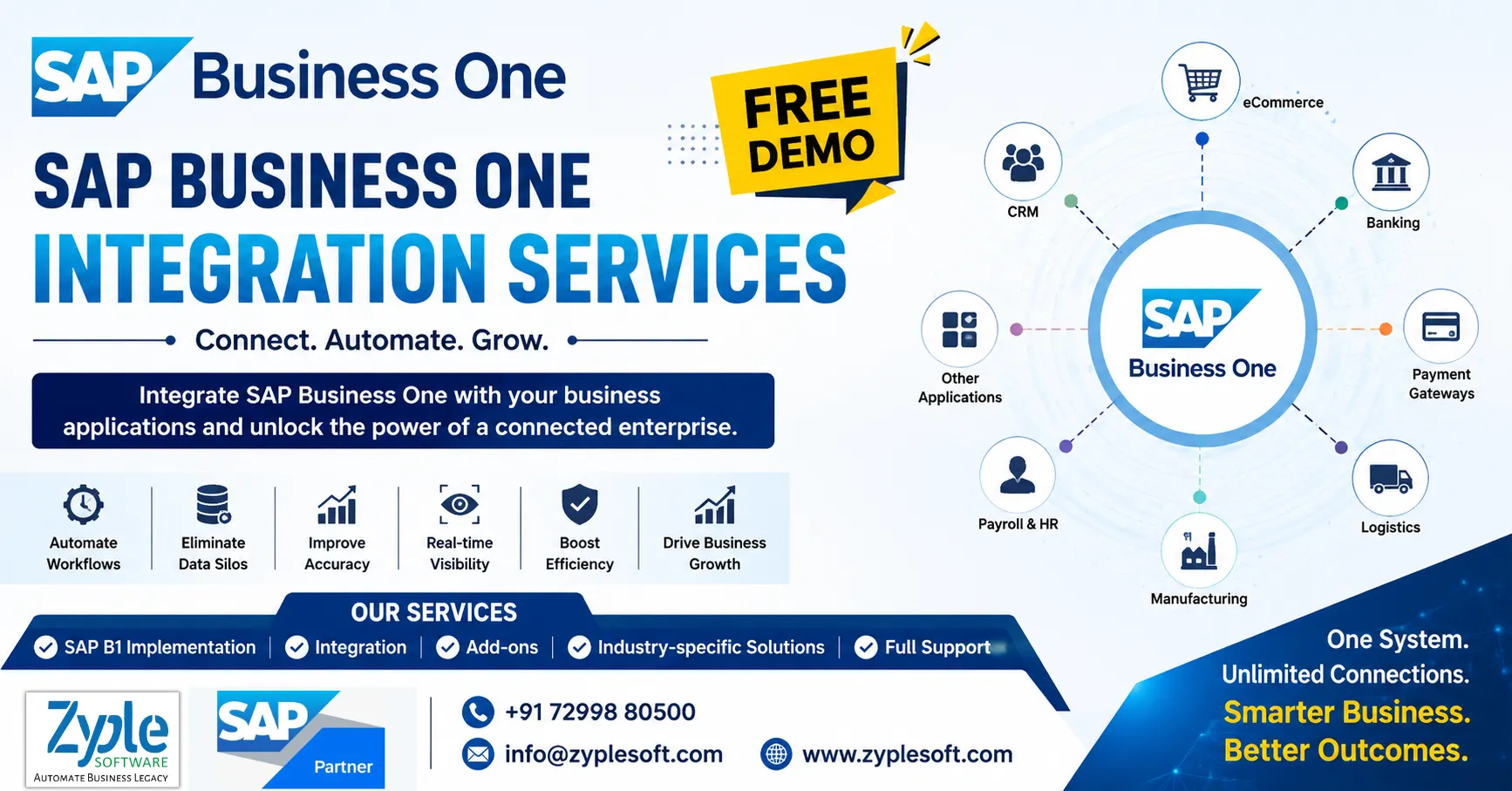
          SAP Business One Integration enables businesses to connect their ERP system with the applications, platforms, databases, and operational systems they use every day. Zyple Software provides SAP Business One integration services to help organizations create a connected digital ecosystem where business information can move accurately and efficiently between SAP Business One and third-party applications.

          From eCommerce and CRM platforms to payment gateways, payroll systems, manufacturing solutions, logistics applications, banking platforms, and custom software, our team helps businesses integrate SAP Business One with the systems that support their operations.

          With the right integration strategy, businesses can reduce duplicate data entry, improve data accuracy, automate workflows, and gain better visibility across departments.

          Looking for SAP Business One integration for your business? Talk to Zyple Software for a customized integration assessment and SAP Business One demo.

          What Is SAP Business One Integration?

          SAP Business One Integration is the process of connecting SAP Business One ERP with external software, applications, databases, websites, or business platforms so that information can be exchanged between systems.

          For example, when a customer places an order through an eCommerce website, integration can automatically transfer the order information to SAP Business One. Similarly, inventory, customer information, invoices, payment status, and shipment details can be synchronized between connected systems.

          Instead of maintaining separate information in multiple applications, integration creates a connected flow of data.

          A typical SAP Business One integration can connect:

          • SAP Business One with CRM software
          • SAP Business One with eCommerce websites
          • SAP Business One with WooCommerce
          • SAP Business One with payment gateways
          • SAP Business One with banking systems
          • SAP Business One with payroll software
          • SAP Business One with manufacturing applications
          • SAP Business One with warehouse management systems
          • SAP Business One with logistics and transportation systems
          • SAP Business One with third-party APIs
          • SAP Business One with mobile applications
          • SAP Business One with custom business applications

          Why Integrate SAP Business One With Other Systems?

          Modern businesses rarely operate with ERP alone. Sales, finance, manufacturing, eCommerce, logistics, HR, customer service, and management teams often use different applications.

          Without integration, employees may have to enter the same information into multiple systems. This can increase manual work and create inconsistent or outdated data.

          SAP Business One integration helps create a connected environment where information can flow between systems based on defined business rules.

          Key benefits include:

          Reduce Manual Data Entry

          Automate the transfer of information between SAP Business One and other applications.

          Improve Data Accuracy

          Reduce errors caused by repeatedly entering customer, product, order, inventory, or financial information.

          Automate Business Processes

          Create automated workflows for sales orders, invoices, payments, inventory updates, production processes, and other activities.

          Improve Real-Time Visibility

          Give management and employees access to more consistent business information across connected systems.

          Connect Different Departments

          Bring sales, finance, inventory, purchasing, production, logistics, and service processes closer together.

          Increase Operational Efficiency

          Reduce repetitive administrative activities and allow employees to focus on higher-value work.

          Support Business Growth

          Build an integration architecture that can accommodate new applications and business requirements as the organization grows.

          SAP Business One Integration Services by Zyple Software

          SAP Business One Partner – Zyple Software provides end-to-end SAP Business One integration services based on the organization’s applications, workflows, data requirements, and industry processes.

          Our integration approach can include requirement analysis, solution architecture, API integration, data mapping, development, testing, deployment, monitoring, and ongoing support.

          1. SAP Business One API Integration

          Connect SAP Business One with external applications using APIs and integration technologies.

          API-based integration can be used for:
          • Customer synchronization
          • Product and item synchronization
          • Sales order integration
          • Purchase order integration
          • Inventory synchronization
          • Invoice integration
          • Payment updates
          • Business partner information
          • Shipment information
          • Custom workflows

          2. SAP Business One eCommerce Integration

          Connect your online store with SAP Business One to synchronize critical business information.

          An eCommerce integration can connect:

          Website → Orders → SAP Business One → Inventory → Invoice → Shipment

          Depending on the business requirement, information such as products, prices, customers, stock availability, orders, invoices, and shipment status can be exchanged between the systems.

          This is particularly useful for businesses managing high volumes of online orders.

          3. SAP Business One WooCommerce Integration

          For businesses using WooCommerce, SAP Business One integration can help connect the online store with ERP operations.

          Possible integration areas include:
          • Product master synchronization
          • Customer synchronization
          • Stock availability
          • Sales orders
          • Order status
          • Pricing
          • Tax information
          • Invoices
          • Shipping information
          • Payment status
          The objective is to reduce manual order processing and maintain better synchronization between the online store and ERP.

          4. SAP Business One CRM Integration

          Connect SAP Business One with CRM platforms to improve the flow of customer and sales information.

          CRM integration can help synchronize:
          • Leads
          • Customers
          • Contacts
          • Opportunities
          • Sales activities
          • Quotations
          • Orders
          • Customer communication data
          This enables sales teams and finance teams to work with connected customer information.

          5. SAP Business One Payment Gateway Integration

          Payment gateway integration can connect online payment transactions with SAP Business One.

          Depending on the solution architecture, payment information can be transferred to the ERP for reconciliation, order processing, customer account updates, and financial reporting.

          This can be valuable for businesses processing payments through online channels.

          6. SAP Business One Banking Integration

          Banking integration can help businesses connect financial transactions and banking processes with SAP Business One.

          Integration possibilities may include:
          • Bank transaction synchronization
          • Payment processing
          • Collection information
          • Bank reconciliation
          • Customer payment updates
          • Vendor payment information
          The exact functionality depends on the banking platform, APIs, security requirements, and business process.

          7. SAP Business One Payroll and HRMS Integration

          Organizations using dedicated HRMS or payroll applications can integrate relevant employee and financial information with SAP Business One.

          Integration can help reduce repetitive data entry between HRMS, payroll, accounting, and ERP systems.

          Possible integration areas include:
          • Employee information
          • Salary-related accounting information
          • Attendance data
          • Payroll transactions
          • Department information
          • Cost centers

          8. SAP Business One Manufacturing Integration

          Manufacturing organizations may need SAP Business One to communicate with production systems, machines, MES platforms, quality systems, or other manufacturing applications.

          Integration can support information exchange involving:
          • Production orders
          • Bill of Materials
          • Material consumption
          • Production status
          • Inventory
          • Work-in-progress
          • Machine or production data
          • Quality information
          Zyple Software can design integration solutions around the organization’s manufacturing workflow.

          9. SAP Business One Warehouse and Logistics Integration

          Connect SAP Business One with warehouse, transportation, logistics, barcode, fleet, or third-party logistics applications.

          Possible integration areas include:
          • Inventory movements
          • Goods receipt
          • Goods issue
          • Stock transfers
          • Barcode information
          • Delivery status
          • Shipment information
          • Vehicle or fleet information
          • Warehouse transactions
          This can help improve coordination between ERP, warehouse, and logistics operations.

          SAP Business One Integration for Different Industries

          Integration requirements differ from one industry to another. Zyple Software develops integration solutions around the business processes and applications used by each organization.

          Manufacturing

          Integrate SAP Business One with production, MES, quality, warehouse, machine, and planning systems.

          Construction & Infrastructure

          Connect SAP Business One with project management, contractor billing, procurement, inventory, finance, and specialized construction applications.

          EPC

          Integrate ERP with project systems, procurement platforms, inventory applications, subcontracting systems, and financial processes.

          Trading & Distribution

          Connect SAP Business One with eCommerce, CRM, logistics, warehouse, payment, and marketplace platforms.

          Retail

          Integrate ERP with POS, eCommerce, inventory, payment, customer loyalty, and retail applications.

          Pharmaceutical

          Connect SAP Business One with quality, inventory, compliance, distribution, and specialized pharmaceutical systems.

          Food and Beverage

          Integrate production, batch management, quality, warehouse, sales, distribution, and logistics applications.

          Textile

          Connect SAP Business One with production, inventory, sales, purchase, warehouse, and textile-specific applications.

          SAP Business One Integration Process

          At Zyple Software, we follow a structured approach to SAP Business One integration.

          Step 1: Business Requirement Analysis

          We understand your existing applications, business processes, data flows, integration requirements, and operational challenges.

          Step 2: System & Data Assessment

          Our team identifies the systems that need to communicate with SAP Business One and determines the information that needs to be exchanged.

          Step 3: Integration Architecture

          We define the integration approach, APIs, data mapping, authentication, workflows, synchronization frequency, and error-handling mechanisms.

          Step 4: Development & Configuration

          The required integration components are developed and configured according to the approved solution architecture.

          Step 5: Data Mapping

          Fields and business objects between SAP Business One and the external system are mapped according to business requirements.

          Step 6: Testing

          The integration is tested for data accuracy, workflow functionality, performance, security, and exception handling.

          Step 7: Deployment

          After successful testing and approval, the integration solution is deployed into the production environment.

          Step 8: Support & Optimization

          Zyple Software provides ongoing support and helps optimize integrations as applications, APIs, and business processes evolve.

          SAP Business One Integration With APIs

          APIs are an important component of modern ERP integration. They allow applications to communicate and exchange information through defined interfaces.

          Depending on the integration requirement, SAP Business One can be connected with external applications using appropriate SAP integration technologies and APIs.

          A properly designed API integration should consider:
          • Authentication
          • Authorization
          • Data mapping
          • Request and response handling
          • Error management
          • Data validation
          • Synchronization frequency
          • Logging
          • Security
          • Scalability
          Zyple Software evaluates these requirements before designing the integration architecture.

          SAP Business One Integration With SAP HANA

          Businesses running SAP Business One on HANA may have integration requirements involving external applications, databases, reporting platforms, analytics systems, and custom solutions.

          Zyple Software can help organizations evaluate their SAP Business One HANA environment and determine the appropriate integration approach based on their technical and business requirements.

          Custom SAP Business One Integration

          Every organization has a different technology environment. Standard integrations may not always address specific business requirements.

          Zyple Software develops custom SAP Business One integration solutions for organizations that need specialized workflows or connections with proprietary applications.

          Custom integration can be considered when you need:
          • Custom API connectivity
          • Industry-specific workflows
          • Legacy system integration
          • Custom application integration
          • Multi-system data synchronization
          • Specialized reporting integration
          • Automated business workflows
          • Mobile application integration

          SAP Business One Integration Challenges We Help Solve

          Businesses often approach us when they experience problems such as:
          • Duplicate data entry
          • Disconnected business applications
          • Manual order processing
          • Inventory synchronization issues
          • Delayed financial information
          • Multiple customer databases
          • Manual invoice creation
          • Lack of system-to-system automation
          • Data inconsistencies
          • Legacy software limitations
          • Difficulty connecting custom applications
          • Limited visibility across business processes
          Our goal is to identify the root cause and design an integration solution that fits the organization’s actual workflow.

          Why Choose Zyple Software for SAP Business One Integration?

          Zyple Software combines SAP Business One implementation, integration, add-ons, customization, and support to provide businesses with a complete ERP technology solution.

          Our capabilities include:
          • SAP Business One implementation
          • SAP Business One integration
          • SAP B1 API integration
          • SAP Business One customization
          • SAP Business One add-on development
          • Third-party application integration
          • Data migration
          • ERP process automation
          • Industry-specific solutions
          • SAP Business One support
          Our team focuses on understanding the business process first and then selecting the appropriate technology and integration approach.

          SAP Business One Integration FAQs

          What is SAP Business One integration?

          SAP Business One integration connects the ERP with external applications, platforms, databases, websites, APIs, and business systems so that information can be exchanged between them.

          Businesses use integration to reduce manual data entry, automate workflows, improve information accuracy, connect different applications, and create better visibility across operations.

          Yes. SAP Business One can be integrated with eCommerce platforms to exchange information such as products, customers, orders, inventory, invoices, payments, and shipping information.

          Yes. A customized WooCommerce and SAP Business One integration can synchronize relevant online-store and ERP information based on the business requirements.

          Yes. CRM integration can connect leads, customers, contacts, opportunities, quotations, sales orders, and other relevant information between systems.

          Yes. Zyple Software can design custom integration solutions for proprietary applications, legacy systems, industry-specific software, and other business platforms.

          Yes. Zyple Software provides integration implementation, customization, troubleshooting, maintenance, and ongoing SAP Business One support.

          Build a Connected Business With SAP Business One

          Your ERP should not operate as an isolated system.

          By connecting SAP Business One with CRM, eCommerce, banking, payroll, warehouse, manufacturing, logistics, payment, and custom applications, your organization can create a more connected and automated business environment.

          Zyple Software helps businesses plan, develop, implement, and support SAP Business One integration solutions based on their technology environment and industry requirements.

          Ready to Integrate SAP Business One With Your Business Applications?

          Book a Free SAP Business One Integration Consultation with Zyple Software.

          Zyple Software – SAP Business One Partner
          Call Us: +91 72998 80500
          Mail: info@zyplesoft.com
          Website: www.zyplesoft.com

          Services: SAP Business One Implementation | Integration | Add-ons | Customization | Industry Solutions | Support

          Are you looking for any SAP Business One Integration? Kindly fill your details in below given form; Our team will contact you with better solutions.

            What is ERP implementation – ERP implementation process, benefits, cost and best practices

            What is ERP Implementation? A Complete Guide to ERP Implementation, Process, Cost, Benefits and Best Practices

            What is ERP Implementation? A Complete Guide

            What is ERP implementation – ERP implementation process, benefits, cost and best practices

            ERP implementation is the process of planning, configuring, customizing, testing, deploying, and continuously supporting an Enterprise Resource Planning (ERP) system so that it fits an organization’s business processes and helps manage operations from a centralized platform.

            For businesses evaluating ERP software, understanding what ERP implementation means, how the implementation process works, how much it costs, how long it takes, and what can cause an ERP project to fail is just as important as choosing the ERP product itself.

            An ERP system can connect finance, sales, purchasing, inventory, production, projects, customer management, service, reporting, and other business functions. But buying ERP software alone does not create business value. The real value comes from implementing it correctly.

            This guide explains ERP implementation from the perspective of business owners, CEOs, CFOs, CIOs, IT managers, and operational teams.

            What is ERP Implementation?

            ERP implementation is the structured process of introducing an ERP software system into a business and making it operational.

            It typically includes:

            • Understanding current business processes
            • Defining ERP requirements
            • Selecting the appropriate ERP solution
            • Designing future business processes
            • Configuring the ERP system
            • Developing required customizations
            • Integrating other applications
            • Migrating existing data
            • Setting up users and permissions
            • Testing business processes
            • Training employees
            • Going live
            • Providing post-implementation support
            • Continuously improving the ERP environment

            In simple terms:

            ERP software is the technology. ERP implementation is the process of making that technology work for the business.

            A successful ERP implementation should not simply replace spreadsheets or old software. It should improve how information flows through the organization.

            Why is ERP Implementation Important?

            As companies grow, information often becomes fragmented across spreadsheets, accounting software, CRM applications, emails, production systems, and department-specific tools.

            This can create problems such as:

            • Duplicate data entry
            • Inaccurate reports
            • Inventory discrepancies
            • Delayed financial information
            • Poor visibility into profitability
            • Manual approvals
            • Difficulties tracking projects
            • Limited production visibility
            • Lack of real-time business information
            • Dependency on spreadsheets
            • Poor coordination between departments

            ERP implementation addresses these problems by creating a connected business environment.

            For example, when a sales order is entered into an ERP system, it can potentially affect inventory availability, purchasing requirements, production planning, delivery, invoicing, receivables, and financial reporting.

            Instead of asking different departments for separate reports, management can work from a common source of business information.

            How Does ERP Implementation Work?

            Although every ERP project is different, a typical ERP implementation follows several stages.

            1. Business Requirement Analysis

            The implementation begins by understanding the organization.

            The implementation team studies:

            • Company structure
            • Industries and business models
            • Existing applications
            • Current workflows
            • Approval processes
            • Reporting requirements
            • Financial processes
            • Inventory processes
            • Sales processes
            • Purchasing processes
            • Production requirements
            • Project management requirements
            • Integration requirements
            • Compliance requirements

            The objective is to understand what the business actually needs, rather than simply configuring software based on assumptions.

            2. ERP Planning and Project Definition

            Once requirements are understood, the organization defines the implementation scope.

            The project plan normally identifies:

            • Implementation objectives
            • Modules required
            • Locations and branches
            • Number of users
            • Data migration requirements
            • Integrations
            • Custom development
            • Project milestones
            • Responsibilities
            • Training requirements
            • Testing strategy
            • Go-live strategy
            • Support requirements

            A clearly defined scope helps prevent uncontrolled expansion of the project.

            3. ERP Configuration

            ERP configuration involves setting up the system according to the organization’s approved business processes.

            Configuration may include:

            • Company settings
            • Financial periods
            • Chart of accounts
            • Tax configuration
            • Warehouses
            • Items
            • Customers
            • Vendors
            • Price lists
            • Approval workflows
            • User roles
            • Numbering series
            • Inventory settings
            • Purchasing rules
            • Sales processes
            • Production parameters
            • Reporting structures

            Good configuration uses the ERP’s standard capabilities wherever practical.

            ERP Customization vs Configuration

            One of the most important decisions during ERP implementation is determining what should be configured and what should be customized.

            1. Configuration: Configuration means using the existing ERP functionality to meet business requirements.
            2. Customization: Customization involves modifying or extending the standard ERP functionality through development, add-ons, extensions, or specialized solutions.

            Businesses should avoid unnecessary customization.

            A useful principle is:

            Configure where possible. Customize where necessary.

            Excessive customization can increase implementation cost, testing requirements, maintenance effort, and future upgrade complexity.

            4. Data Migration

            Data migration involves transferring relevant information from existing systems into the new ERP.

            Typical data may include:

            • Customer master data
            • Vendor master data
            • Item master data
            • Opening balances
            • Inventory balances
            • Price lists
            • Bills of materials
            • Outstanding receivables
            • Outstanding payables
            • Fixed assets
            • Historical transactions where required

            Data migration should not be treated as a simple copy-and-paste exercise.

            Before importing data, organizations should:

            1. Identify required data.
            2. Remove duplicate records.
            3. Correct inaccurate information.
            4. Standardize formats.
            5. Validate mandatory fields.
            6. Map old fields to new ERP fields.
            7. Test the migration.
            8. Reconcile migrated information
            9. Poor-quality master data can damage an otherwise successful ERP implementation.

            5. ERP Integration

            Most modern businesses use multiple applications.

            An ERP system may need to communicate with:

            • CRM systems
            • E-commerce platforms
            • Banking systems
            • Payroll applications
            • Manufacturing systems
            • Warehouse management systems
            • Point-of-sale systems
            • Payment gateways
            • Logistics platforms
            • Tax systems
            • Business intelligence tools
            • Mobile applications

            ERP integration allows information to move between systems without unnecessary manual data entry.

            For example, an e-commerce order could potentially flow into the ERP, where inventory, customer information, invoicing, and fulfillment processes are updated.

            6. ERP Testing

            Testing is one of the most critical stages of ERP implementation.

            The objective is to verify that the system works correctly before employees depend on it for daily operations.

            Testing may include:

            1. Unit Testing: Individual functions or configurations are tested.
            2. Integration Testing: Different modules and connected applications are tested together.
            3. User Acceptance Testing: Actual business users test real-world scenarios and confirm whether the system meets their requirements
            4. Data Validation: Migrated information is checked for accuracy and completeness.
            5. Performance Testing: The system is evaluated under expected operational conditions.

            A practical ERP test should follow actual business scenarios rather than testing isolated screens only.

            For example:

            Quotation → Sales Order → Delivery → Invoice → Payment → Financial Reporting

            This validates the complete business flow.

            7. Employee Training

            ERP implementation changes how employees perform their jobs.

            Therefore, employee training should happen before go-live.

            Training can cover:

            • Daily transactions
            • Approvals
            • Reporting
            • Inventory processes
            • Purchasing
            • Sales
            • Finance
            • Production
            • Project management
            • User roles
            • Error handling
            • Standard operating procedures

            Training should be role-based.

            A warehouse employee does not need the same training as a CFO.

            8. ERP Go-Live

            Go-live is the point at which the organization begins using the new ERP system for actual business operations.

            There are several go-live approaches.

            Big Bang

            The organization moves to the new ERP across the business at one time.

            Advantage: Faster transition.

            Risk: Higher operational pressure if major problems occur.

            Phased Implementation

            Different departments, locations, or processes move to the ERP in stages.

            Advantage: Lower transition risk.

            Risk:The implementation can take longer.

            Pilot Implementation

            The ERP is first introduced in a limited business environment.

            The organization learns from the pilot before expanding the implementation.

            The right approach depends on business complexity, risk tolerance, locations, users, and project scope.

            What Happens After ERP Go-Live?

            ERP implementation does not end on the day of go-live.
             
            The post-go-live period is often called hypercare.
             
            During this period, the implementation team closely monitors:
            • User issues
            • Transaction errors
            • Reports
            • Integrations
            • Data problems
            • Performance
            • Workflow issues
            • Configuration gaps
            After stabilization, the organization enters ongoing ERP support and optimization.
             
            This may include:
            • System upgrades
            • New integrations
            • Additional reports
            • New add-ons
            • Process improvements
            • User training
            • Performance optimization
            • Security reviews

            How Long Does ERP Implementation Take?

            There is no universal ERP implementation timeline.
             
            A small and relatively straightforward implementation may take a few months, while a complex multi-location or highly customized implementation can take significantly longer.
             
            The timeline depends on factors such as:
            • Number of users
            • Number of branches
            • Number of warehouses
            • Modules required
            • Business complexity
            • Data volume
            • Data quality
            • Integrations
            • Customizations
            • Reporting requirements
            • User availability
            • Decision-making speed
            • Training requirements
            • Scope changes
            A better approach than asking “How many months does ERP implementation take?” is to ask:
             
            “What scope are we implementing, and what dependencies determine the timeline?”
             

            How Much Does ERP Implementation Cost?

            ERP implementation cost varies significantly from company to company.
             
            The total investment can include:
            • ERP software licenses
            • Cloud subscription
            • Implementation services
            • Consulting
            • Data migration
            • Customization
            • Integration
            • Add-ons
            • Infrastructure
            • Training
            • Testing
            • Support
            • Annual maintenance
            • Future upgrades
            Therefore, the ERP license price alone should not be considered the total ERP project cost.
             
            A useful way to evaluate the investment is through Total Cost of Ownership (TCO).
             
            ERP TCO can include:
             
            Software + Implementation + Infrastructure + Integration + Customization + Training + Support + Upgrades
             
            Businesses should compare the expected total cost with measurable business benefits.
             

            What Are the Benefits of ERP Implementation?

            A well-planned ERP implementation can provide several benefits.

            1. Centralized Business Data

            Instead of maintaining information across disconnected systems, organizations can work from a centralized business platform.

            2. Better Financial Visibility

            Management can gain improved visibility into:
            • Revenue
            • Expenses
            • Receivables
            • Payables
            • Cash flow
            • Budgets
            • Profitability

            3. Improved Inventory Management

            ERP can help businesses monitor:
            • Stock levels
            • Warehouse movements
            • Batch information
            • Serial numbers
            • Reorder requirements
            • Inventory valuation

            4. Better Decision-Making

            Management dashboards and reports can provide faster access to business information.

            5. Reduced Manual Work

            Automating repetitive processes can reduce unnecessary data entry.

            6. Improved Process Control

            Approval workflows and standardized processes can create better operational control.

            7. Better Scalability

            A properly implemented ERP can support business growth by creating standardized processes across departments and locations.

            8. Improved Customer Service

            Sales, inventory, delivery, invoicing, and customer information can be connected to improve customer visibility.
             

            What Are the Biggest ERP Implementation Challenges?

            ERP implementation can fail even when the software itself is capable.
             
            Common challenges include:

            1. Unclear Requirements

            If the organization does not clearly define its requirements, the project can become difficult to control.

            2. Poor Data Quality

            Incorrect or duplicate master data can create problems after go-live.

            3. Employee Resistance

            Employees may resist changing familiar processes.

            4. Excessive Customization

            Too much customization can increase cost and complexity.

            5. Lack of Management Involvement

            ERP implementation is a business transformation project, not merely an IT project.

            6. Scope Creep

            Adding requirements continuously without adjusting the project plan can affect budget and timeline.

            7. Inadequate Testing

            Insufficient testing can cause operational problems after go-live.

            8. Weak Training

            Employees need to understand not only which buttons to click but also how the new processes work.
             

            Who Should Be Involved in an ERP Implementation?

            ERP implementation requires collaboration between business and technology teams.
             
            A typical implementation team may include:
            • CEO or business sponsor
            • CFO or finance lead
            • CIO/IT manager
            • Project manager
            • Functional consultants
            • Technical consultants
            • Department heads
            • Key users
            • Data migration team
            • Integration specialists
            • ERP vendor/implementation partner
            The most successful ERP projects have strong involvement from business users.
             

            What Is the Role of an ERP Implementation Partner?

            An ERP implementation partner helps the organization plan, configure, customize, test, deploy, and support the ERP system.
             
            A good implementation partner like Zyple software should understand both:
             
            ERP technology + the customer’s business processes.
             
            Depending on the project, the partner may provide:
            • Requirement analysis
            • Solution design
            • ERP configuration
            • Customization
            • Integration
            • Data migration
            • Testing
            • Training
            • Go-live support
            • Post-go-live support
            • ERP optimization
            When selecting a partner, businesses should evaluate experience, industry knowledge, implementation methodology, technical capabilities, support model, references, and long-term availability.
             

            ERP Implementation Best Practices

            The following practices can significantly improve ERP project outcomes.

            1. Define measurable objectives

            Do not implement ERP simply because competitors are using ERP.
             
            Define business outcomes such as:
            • Reduce manual data entry
            • Improve inventory accuracy
            • Shorten reporting time
            • Improve project profitability visibility
            • Reduce order processing time

            2. Get executive sponsorship

            Senior management should actively support the project.

            3. Keep requirements business-focused

            Focus on business outcomes instead of requesting customization for every existing habit.

            4. Clean data before migration

            Do not move unnecessary problems from the old system into the new system.

            5. Involve key users early

            Key users can identify practical process issues before go-live.

            6. Test real business scenarios

            Testing should reflect actual operations.

            7. Invest in training

            User adoption is a major component of ERP success.

            8. Control scope

            Every new requirement should be evaluated for business value, cost, timeline, and risk.

            9. Plan post-go-live support

            Employees need support while they become comfortable with the new system.

            10. Measure ERP performance

            After implementation, track whether the project is producing the expected business improvements.
             

            ERP Implementation for Different Industries

            ERP implementation is not identical across industries.

            Manufacturing

            Manufacturing organizations may require:
            • Bill of materials
            • Production planning
            • MRP
            • Shop-floor processes
            • Quality management
            • Inventory management
            • Subcontracting
            • Production costing

            Construction and EPC

            Construction and EPC businesses may focus on:
            • Project-wise accounting
            • Budget management
            • Procurement
            • Subcontracting
            • Contractor billing
            • Material tracking
            • Project profitability
            • Site-wise expenses
            • Project reporting

            Pharma and Process Industries

            These organizations may require:
            • Batch management
            • Expiry tracking
            • Quality processes
            • Traceability
            • Inventory controls
            • Production planning
            • Compliance-oriented reporting

            Trading and Distribution

            Key requirements can include:
            • Inventory
            • Purchasing
            • Sales
            • Warehouse management
            • Pricing
            • Distribution
            • Customer management
            • Financial control
            This is why an ERP implementation should be designed around the company’s industry and processes rather than using a one-size-fits-all approach.
             

            What Is SAP Business One Implementation?

            SAP Business One implementation is the process of deploying and configuring SAP Business One for small and midsize businesses.
             
            SAP Business One can bring together business areas such as:
            • Financial Management
            • Sales and CRM
            • Purchasing
            • Inventory and Distribution
            • Production
            • MRP
            • Project Management
            • Service Management
            • Reporting and Analytics
            An implementation can also include integrations, industry-specific solutions, add-ons, data migration, user training, and ongoing support.
             
            For organizations evaluating SAP Business One, the implementation partner’s industry experience and understanding of business processes can be as important as the software itself.
             

            ERP Implementation Checklist

            Before going live, an organization should confirm:
            • Business requirements are documented
            • ERP scope is approved
            • Master data is cleaned
            • Data migration has been tested
            • User roles are configured
            • Workflows are tested
            • Integrations are working
            • Reports are validated
            • Business scenarios are tested
            • Users are trained
            • Opening balances are reconciled
            • Backup and recovery procedures are established
            • Support responsibilities are defined
            • Go-live plan is approved
            • Post-go-live support is available

            How Do You Measure ERP Implementation Success?

            ERP success should be measured using business outcomes rather than simply asking whether the software went live.
             
            Useful KPIs include:
            • Inventory accuracy
            • Order processing time
            • Purchase cycle time
            • Month-end closing time
            • Report generation time
            • Accounts receivable days
            • Accounts payable processing time
            • Production efficiency
            • Forecast accuracy
            • Employee productivity
            • Customer response time
            • Project profitability visibility
            For example, if management previously waited several days for consolidated reports and can now access reliable information much faster, that is a measurable ERP benefit.
             

            ERP Implementation vs ERP Software: What’s the Difference?

            These terms are often confused.
             
            ERP Software ERP Implementation
            The technology platform The process of deploying the platform
            Provides functionality Makes functionality relevant to the business
            Purchased or subscribed to Planned, configured, and deployed
            Includes modules Includes configuration, migration, testing, and training
            Can be standardized Must consider business-specific requirements

            Buying ERP software is only the beginning. Implementation determines how effectively the organization can use it.

            Final Conclusion: ERP Implementation is a Business Transformation Project

            ERP implementation should not be treated as simply installing software.

            It is a business transformation initiative that can affect finance, sales, procurement, inventory, manufacturing, projects, customer service, reporting, and management decision-making.

            The best ERP implementations combine:

            Right ERP + Clear Requirements + Clean Data + Practical Processes + Strong Implementation Partner + User Adoption + Continuous Improvement

            Before selecting an ERP system, businesses should therefore evaluate not only “Which ERP should we buy?” but also:

            “How will this ERP improve our business, and who will help us implement it successfully?”

            For companies considering SAP Business One, a structured implementation assessment can help identify the right modules, integrations, industry-specific requirements, implementation approach, and expected business outcomes before the project begins.

            Frequently Asked Questions About ERP Implementation

            What is ERP implementation in simple words?

            ERP implementation is the process of setting up an ERP system, moving business data into it, configuring business processes, training employees, testing the system, and putting it into daily use.

            The timeline depends on company size, users, modules, locations, data, integrations, customization, and business complexity. There is no single timeline that applies to every organization.

            Cost depends on software licensing or subscription, implementation services, customization, integrations, migration, training, infrastructure, and support.

            Common causes include unclear requirements, poor data, weak project management, excessive customization, insufficient testing, inadequate training, scope creep, and lack of management involvement.

            No. ERP affects multiple departments and business processes, so finance, operations, sales, procurement, management, IT, and other stakeholders should participate.

            There is no single factor, but clear business requirements, strong executive sponsorship, clean data, user involvement, disciplined project management, and effective training are critical.

            Customization should be used when there is a genuine business requirement that cannot be addressed effectively through standard configuration or suitable extensions.

            Evaluate industry experience, ERP expertise, implementation methodology, project team, references, integration capability, customization approach, training, support model, and long-term service capability.

            Looking for SAP Business One Implementation?

            Zyple Software – SAP Business One Partner provides SAP Business One implementation, integration, migration, add-ons, industry-specific solutions, and ongoing support for businesses.

            Book a Free SAP Business One Demo

            Call: +91 72998 80500
            Mail:  info@zyplesoft.com
            website: www.zyplesoft.com

            If you are intereted in ERP implementation for your business, fill your details in form, Zyple Software will contact you.

              ERP for Cosmetics Industry – SAP Business One ERP for Cosmetics Manufacturing | Zyple Software

              SAP Business One ERP for Cosmetics Industry

              SAP Business One ERP for Cosmetics Industry

              ERP for Cosmetics Industry – SAP Business One ERP for Cosmetics Manufacturing | Zyple Software

              The cosmetics market requires tight cost control, regulatory compliance, and scalable operations. The cosmetics industry is essential in today’s world, with a growing emphasis on beauty trends. To achieve customer demands, products must be innovative, organic, and cost-effective. SAP Business One ERP for cosmetics industry is an essential consideration for manufacturers and brands evaluating a trusted ERP system that supports batch tracking, quality management, and efficient production without overspending.

              Challenges Faced by the Cosmetics Industry

              The cosmetics industry faces serious pressures from tight global regulations, consumer demand for absolute transparency, intense market saturation, and complex supply chain sustainability requirements.

              1. Strict Global Rules

              Governments are tightening safety limits on specific raw materials, heavy metals, and possible endocrine disruptors.

              2. Claims Validation

              Authorities are cracking down on unverified clean, green, or non-toxic marketing terms that lack scientific proof.

              3. Complex Cross-Border Standards

              Navigating disparate regional frameworks, such as FDA mandates, EU compliance, and local standards, increases operational costs and slows product launches.

              4. Raw Material Vulnerabilities

              Sourcing high-quality, ethically harvested botanical extracts or oils creates obstacles and ethical risks in fragmented supply networks.

              5. Sustainability Mandates

              Transitioning from non-recyclable plastic packaging and fossil-fuel-derived ingredients is costly and technically demanding.

              6. Inventory Expiry Management

              Handling a high volume of SKUs with limited shelf lives requires meticulous batch tracking across multiple retail channels.

              7. Market Saturation

              A flood of new indie and direct-to-consumers (D2C) brands makes customer acquisition expensive and brand loyalty hard to maintain.

              8. Greenwashing Scrutiny

              Consumers actively reject unsubstantiated, eco-friendly claims, forcing brands to completely verify their supply ethics.

              9. Trend Fatigue

              Rapidly micro-trends demand constant, expensive R&D, and quick adaptation to avoid dead stock.

              Features of SAP Business One ERP for Cosmetics Industry

              1. Formulation and Recipe Management

              • Multi-level formula and recipe management for creams, lotions, perfumes, and more.
              • It includes version control for product formulations and revisions.
              • It includes potency-based adjustments and ingredient substitutions.
              • It supports R&D and product innovation workflows.
              • It ensures consistency across batches.
              • It helps maintain product quality and standardization across batches.

              2. Batch Manufacturing and Production Control

              • It includes batch-wise production planning and execution.
              • It includes digital batch manufacturing records like BMR and BPR.
              • It includes real-time monitoring of mixing, heating, and blending processes.
              • It includes batch yield, variance, and rework tracking.
              • It includes production scheduling with MRP.
              • Allows efficient large-scale cosmetic production with minimal errors.

              3. Batch Traceability and Ingredient Tracking

              • It includes end-to-end batch and lot traceability.
              • It includes forward and backward tracking of ingredients.
              • It includes allergen and sensitive ingredient tracking.
              • It includes batch split, merge, and reclassification.
              • It includes barcode and serial number integration.
              • Ensures complete transparency and quick recall management.

              4. Regulatory Compliance and GMP Support

              • It includes compliance with FDA, GMP, ISO, IFRA, and GHS standards.
              • Automated documentation like COA, MSDS, and audit trails.
              • It includes labeling compliance with ingredient disclosures.
              • It includes safety and hygiene management workflows.
              • It includes regulatory reporting and audit readiness.
              • It helps cosmetic brands achieve strict global regulatory requirements.

              5. Quality Control and Compliance

              • It includes QC checks for raw materials, in-process, and finished goods.
              • Testing parameters like pH, viscosity, stability, and microbial tests.
              • It includes COA (Certification of Analysis) generation.
              • It includes deviation tracking and quality alerts.
              • It includes batch release and approval workflows.
              • It ensures safe, consistent, and high-quality cosmetic products.

              6. Inventory and Warehouse Management

              • It includes real-time inventory visibility across warehouses.
              • It includes batch-wise stock tracking with expiry dates.
              • It includes FEFO and FIFO stock rotation.
              • It includes quarantine, rejected, and approved stock segregation.
              • It includes multi-warehouse and bin location management.
              • Minimizes wastage and ensures proper storage of sensitive products.

              7. Shelf-Life and Expiry Management

              • It includes automated expiry tracking and alerts.
              • It includes shelf-life monitoring for raw materials and finished goods.
              • It includes expiry-based stock allocation (FEFO).
              • It includes recall management and compliance support.
              • Essential for maintaining product safety and regulatory compliance.

              8. Costing and Profitability Analysis

              • Batch-wise costing like material, labor, and overhead.
              • It includes standard vs. actual cost comparison.
              • It includes multi-level margin analysis.
              • It includes product-wise profitability tracking.
              • It includes cost simulation for new formulations.
              • Allows better pricing and profitability decisions.

              9. Sales, CRM, and Distribution Management

              • It includes end-to-end sales lifecycle management.
              • It includes customer segmentation and CRM tracking.
              • It includes pricing, discount, and promotion management.
              • Multi-channel sales like retail, e-commerce, and distributors.
              • It includes demand forecasting and order management.
              • It improves customer experience and boosts sales performance.

              10. Procurement and Supply Chain Management

              • It includes vendor management and sourcing optimization.
              • It includes purchase planning and approval workflows.
              • It includes import and export compliance tracking.
              • It includes supplier quality and performance analysis.
              • It includes integrated supply chain visibility.
              • It strengthens supplier collaboration and minimizes delays.

              11. Real-Time Analytics and Reporting

              • It includes interactive dashboards and KPIs.
              • It includes real-time production, sales, and financial insights.
              • It includes custom report generation.
              • It includes drill-down analytics for decision-making.
              • It includes predictive insights using SAP B1 HANA.
              • Allows faster and smarter business decisions.

              12. Integration and Extensibility

              • Integration with LIMS, SCADA, e-commerce, and CRM systems.
              • It includes API-based connectivity with external applications.
              • It includes add-ons for cosmetic-specific needs.
              • It includes mobile and web-based access.
              • Delivers a scalable ecosystem for growing cosmetic businesses.

              13. Core ERP Functionality Modules

              • Financial management like GL, AP, AR, and banking.
              • It includes fixed asset management.
              • It includes production and operations management.
              • It includes human resource integration.
              • It includes a document management system (DMS).
              • Includes all business functions in a single unified platform.

              14. Scalability and Industry Adaptability

              • It supports global operations and multi-currency.
              • Handles multiple product variants like shade, size, and packaging.
              • It adapts to changing cosmetic trends and regulations.
              • Ideal for startups to large cosmetic manufacturers.
              • It ensures long-term growth and flexibility.

              Importance of SAP Business One ERP for Cosmetics Industry

              SAP Business One is essential for the cosmetics industry because it centralizes formula management, ensures batch traceability, and automates regulatory compliance. It helps cosmetic brands minimize material waste, control production costs, and maintain optimal inventory levels from raw ingredients to finished retail goods.

              1. Recipe Management

              Stores complex, multi-level bills of materials for safe and repeatable cosmetic mixing with the SAP implementation process.

              2. Batch Tracking

              Evaluates expiration dates and lot numbers for raw ingredients and finished products.

              3. Quality Assurance

              Tracks testing data and maintains audit trails to achieve health and safety standards.

              4. Real-Time Stock View

              Avoids stockouts of popular items and overstocking of perishable ingredients using SAP solutions.

              5. Material Requirements Planning

              Forecasts ingredient requirements based on active sales trends and production plans.

              6. Warehouse Control

              Facilitates picking, packing, and shipping across multiple storage sites.

              7. Financial Clarity

              Integrates accounting, local tax rules, and multi-currency transactions in a single place.

              8. Sales and CRM

              The SAP software connects customer orders directly to inventory availability for faster fulfillment.

              9. Ease of Use

              Enables growing cosmetic brands to add users and functions as they expand into new markets.

              Benefits of SAP B1 ERP for Cosmetics Industry

              SAP Business One helps cosmetic and personal care brands handle complex chemical formulations, track ingredient batch numbers and expiration dates, ensure strict regulatory compliance, and optimize raw material inventory to minimize waste.

              1. Batch and Expiry Tracking

              Traces raw materials and finished cosmetic items by lot number to handle quality control and recalls safely.

              2. Formulation Management

              Facilitates product development, bill of materials (BOM), and scaled mixing processes for skin care or makeup lines using SAP B1 add-ons.

              3. Regulatory Compliance

              Maintains documentation for safety standards and regional cosmetic laws to lower legal risks.

              4. Inventory Control

              Monitor raw stock and packaged goods in real time to avoid shortages or expired stock waste.

              5. Unified Data

              Integrates sales, production, and accounting into one dashboard to remove data silos.

              6. Fast Order Processing

              Accelerates order-to-cash cycles with automated pricing, shipping, and billing.

              7. Scalable Growth

              Expands user counts and multi-warehouse distribution as your beauty brand scales up.

              Conclusion of Cosmetics ERP

              As a reliable SAP Business One partner, Zyple Software is delivering services like SAP B1 implementation, integration, migration, licensing, consulting, add-ons, digital transformation, and support and training to different sectors, like construction, manufacturing, solar, food and beverage, real estate, aerospace, oil and gas, healthcare, retail,  jewellery, pharma, and textiles. 

              SAP Business One is an ERP solution customized for small and medium-sized enterprises that connects finance, production, inventory, material requirements planning (MRP), HRMS, procurement, sales, CRM, and reporting and analytics into one platform. For cosmetics, it can improve project costing, procurement, subcontractor billing, and inventory management.

              If you’re engaged, reserve a SAP Business One demo with Zyple Software.

              Do you assure the SAP B1 ERP solution for your business or industry?

              Finish all the details in the quoted contact form; our team will reach out to you.

                FAQs

                How can SAP Business One help minimize operational costs in a cosmetics business?

                SAP Business One automates key processes like inventory, procurement, and production, minimizing manual errors and optimizing resource usage, leading to significant cost savings.

                Yes, it delivers end-to-end batch tracking and ingredient traceability, ensuring product safety, faster recalls, and compliance with industry regulations.

                Absolutely. SAP Business One can be customized with industry-specific add-ons and workflows to match your unique production, formulation, and distribution requirements.

                Most cosmetics businesses start seeing ROI within months through enhanced efficiency, better inventory control, and faster decision-making.

                You can request a free demo or consultation from an SAP Business One partner like Zyple Software to understand how the solution fits your business needs and goals.

                SAP Business One FEFO Expiry Tracking Configuration

                SAP Business One FEFO Expiry Tracking Configuration

                SAP Business One FEFO Expiry Tracking Configuration

                SAP Business One FEFO Expiry Tracking Configuration

                Inventory control is one of the most essential tasks for companies dealing with perishable or regulated products. Businesses such as pharmaceutical, food and beverage, cosmetics, and chemical companies must track product batches and expiry dates thoroughly to maintain compliance and minimize losses. This is where SAP Business One FEFO expiry tracking configuration becomes extremely crucial. SAP Business One provides built-in tools that enable businesses to track batch numbers, handle expiration dates, and monitor inventory movement from procurement to delivery.

                Why Does FEFO Expiry Tracking Matter?

                In FEFO expiry tracking, a quantity and a location are enough. For batch-controlled goods, they are not, because two units of the same item are not interchangeable, because one may be fresh and one may be days from expiry, one may have passed inspection, and and one may be on hold. The lot layer logs the difference. Every lot or batch carries its own batch number, production date, expiry date, and status, and its own quantity and rate, so the system knows not only how much you have but also which stock it is.

                1. Ordered Consumption

                Issues the right lot first, so shelf life is used before it expires.

                2. Traceability

                Traces a dispatched or consumed lot back to the receipt and supplier batch it came from.

                3. Segregation

                Hold, quarantines, or blocks a suspect lot without touching the rest of the stock.

                Features of SAP Business One FEFO Expiry Tracking Configuration

                1. FEFO-Based Inventory Issue Management

                • It automatically prioritizes items with the earliest expiry date during picking, delivery, and production.
                • It ensures stock rotation follows FEFO logic instead of FIFO and LIFO.

                2. Batch and Serial Number Tracking

                • It tracks batch expiry dates at the batch and serial level.
                • It maintains complete visibility of the product lifecycle from receipt to consumption.

                3. Automated Batch Selection

                • System suggests the correct batch based on expiry during sales orders, deliveries, and production issues.
                • Minimizes manual errors and improves operational efficiency.

                4. Expiry Date Alerts and Notifications

                • Configurable alerts for near-expiry stock and expired items.
                • Helps businesses take timely action like discounting, returns, and disposal.

                5. Inventory Aging Analysis

                • Provides complete reports on shelf life remaining and aging inventory.
                • Helps improve stock turnover and minimize waste.

                6. Quality Control Integration

                • Connects FEFO tracking with quality inspection processes.
                • Avoids expired or near-expiry items from being used in production or sales.

                7. Compliance and Regulatory Support

                • Ensures compliance with industries like pharma, food and beverage, and chemicals.
                • It maintains audit trails for expiry-controlled inventory.

                8. Warehouse-Level FEFO Configuration

                • FEFO rules can be applied globally and warehouse-wise.
                • Supports multi-warehouse operations with different expiry policies.

                9. Real-Time Stock Visibility

                • Displays expiry dates in real-time across inventory reports, item master data, and batch management screens.

                10. Expired Stock Blocking

                • Automatically restricts sales, transfers, and production usage of expired inventory.

                11. Flexible Shelf-Life Configuration

                • Defines default shelf life per item and minimum remaining shelf life for dispatch.
                • It ensures only acceptable stock is delivered to customers.

                12. Integration with MRP (Material Requirements Planning)

                • It considers expiry dates in planning.
                • Prevents overstocking items that may expire before usage.

                13. Returns and Recall Management

                • Allows traceability for product recalls and customer returns.
                • It quickly identifies impacted batches.

                14. Barcode and Scanning Support

                • Integrates with barcode systems to scan batch numbers and validate expiry during picking.
                • It improves warehouse accuracy and speed.

                15. Customizable Reports and Dashboards

                • Generates insights like expiry-wise stock summary and near-expiry inventory list.
                • It supports better decision-making.

                Importance of SAP Business One FEFO Expiry Tracking Configuration

                Configuring first expired, first out (FEFO) expiry tracking in SAP Business One is necessary for businesses handling perishable goods like food, pharmaceuticals, or chemicals. It ensures stock with the closest expiration date is chosen and shipped first, reducing waste, preventing expired deliveries, and maintaining regulatory compliance.

                1. Waste Reduction

                Prevents financial losses by automatically identifying and prioritizing older, near-expiry batches before they spoil or become unsaleable with the SAP implementation process.

                2. Strict Compliance

                Fulfills safety and traceability mandates required for regulated sectors like healthcare and food production.

                3. Accurate Allocation

                Overrides standard FIFO (First In, First Out) rules when latest shipments carry a shorter shelf life than older warehouse stock.

                4. Customer Safety

                Protects brand reputation by ensuring end-users never receive compromised or expired items.

                5. Working Capital Control

                The SAP software keeps inventory moving efficiently so that capital isn’t tied up in dead or write-off stock.

                6. Traceability Integration

                Connects batch genealogy seamlessly from purchasing to sales delivery, accelerating potential recall management.

                7. Data-Driven Purchasing

                Highlights slow-moving products early, enabling managers to adjust future order volumes accurately.

                Benefits of SAP B1 ERP FEFO Expiry Tracking Configuration

                Configuring first expired, first out (FEFO) expiry tracking in SAP Business One (SAP B1) ERP automates stock rotation by issuing items with the earliest expiration dates first. This setup minimizes waste, improves regulatory compliance, and protects profit margins for businesses handling perishable goods like food, chemicals, and pharmaceuticals.

                1. Automated Stock Rotation

                Directs warehouse staff to pick and ship batches closest to expiry rather than depending on manual choices or standard FIFO using SAP solutions.

                2. Real-Time Visibility

                Displays clear dashboard warnings and item age reports so that teams can spot slow-moving inventory before it spoils.

                3. Fewer Human Errors

                Replaces error-prone manual spreadsheets and guesswork with system-enforced batch allocations using SAP Business One add-ons.

                4. Lower Write-Off Costs

                Prevents dead stock and expired product losses, improving inventory value and working capital.

                5. Stronger Traceability

                Connects specific batch numbers and expiration dates to every sale, receipt, and transfer for instant audit readiness.

                6. Faster Recalls

                Locates impacted batches and customer shipping records in minutes if a safety or quality issue occurs.

                Conclusion of SAP B1 ERP FEFO Expiry Tracking Configuration

                As a trusted SAP Business One partner, Zyple Software is delivering services like SAP B1 implementation, integration, migration, licensing, consulting, add-ons, digital transformation, and support and training to different industries, like construction, manufacturing, solar, food and beverage, aerospace, oil and gas, healthcare, retail, real estate, jewellery, pharma, and textiles. 

                SAP Business One is an ERP software customized for small and medium-sized enterprises that connects finance, production, inventory, material requirements planning (MRP), procurement, sales, CRM, and reporting and analytics into one platform. For food and beverage, pharma, and chemical businesses, it can improve project costing, procurement, subcontractor billing, and inventory management.

                If you’re interested, reserve a SAP Business One demo.

                Do you stipulate the SAP B1 ERP system for your business or industry?

                Finish all the details in the illustrated contact form; our team will return to you.

                  FAQs

                  1.What is FEFO in SAP Business One and why is it important?

                  FEFO (First Expiry, First Out) is an inventory management technique that ensures items with the earliest expiry dates are issued or sold first. In SAP Business One, FEFO is essential for industries like pharmaceuticals, food and beverage, and chemicals, as it helps minimize wastage, ensures regulatory compliance, and maintains product quality.

                  SAP Business One allows FEFO through batch and serial number management. By configuring expiry dates at the batch level, the system automatically recommends or enforces the use of items nearing expiration first during sales, production, or delivery processes, ensuring accurate stock rotation.

                  Yes, SAP Business One enables customization of FEFO rules through configuration settings and add-ons. Businesses can define how strictly FEFO is applied, integrate alerts for expiring stock, and customize workflows based on industry-specific compliance or operational needs.

                  Implementing FEFO helps businesses reduce inventory losses due to expired products, improve stock visibility, enhance compliance with industry regulations, and facilitate warehouse operations. It also increases customer satisfaction by ensuring the delivery of fresh and safe products.

                  To implement FEFO, businesses need to allow batch management, define expiry dates during goods receipt, and configure inventory issue rules. Working with an experienced SAP Business One partner like Zyple Software can simplify the setup, ensure proper configuration, and align the system with business processes for maximum efficiency.

                  SAP Business One Expert ERP solution infographic by Zyple Software with finance, CRM, inventory, production, analytics and business management features

                  SAP Business One Expert

                  SAP Business One Expert for Industries/Businesses

                  SAP Business One Expert ERP solution infographic by Zyple Software with finance, CRM, inventory, production, analytics and business management features

                  SAP Business One provides robust ERP capabilities for small and medium-sized businesses seeking facilitated operations. Our specialized experts help you maximize the platform’s potential, delivering customized solutions that align with your unique business requirements and growth objectives. We guide you through implementation, configuration, and optimization to ensure you gain the full benefit of your SAP Business One investment.

                  We specialize in:

                  1. System Implementation and Integration

                  Launching SAP Business One with minimal disruption while connecting to your current business systems.

                  2. Process Optimization

                  Facilitating workflows and automating manual tasks to boost operational efficiency.

                  3. Customization and Development

                  Creating advanced modules and functionalities that handle your specific business challenges.

                  4. Data Migration and Management

                  Securely moving your business data while ensuring accuracy and consistency.

                  5. Reporting and Analytics

                  Developing complete dashboards that deliver actionable insights for better decision-making.

                  6. Technical Support and Training

                  Delivering ongoing assistance and knowledge to empower your team.

                  An SAP Business One expert combines technical expertise with industry knowledge to deliver solutions that drive tangible business outcomes. Whether implementing from the beginning, optimizing a current deployment, or improving functionality with custom modules, we ensure your SAP Business One environment completely supports your operational requirements and strategic goals.

                  Securing the Right SAP Business One Expertise for Your Business

                  SAP Business One (SAP B1) is a powerful enterprise resource planning (ERP) solution that helps small and medium-sized enterprises (SMEs) facilitate their operations, gain real-time insights, and drive profitable growth. However, increasing the return on your SAP Business One investment relies heavily on having the right technical and functional expertise on board. Whether you’re in the middle of an implementation, planning an upgrade, or require ongoing support, the challenge often lies in identifying and securing qualified professionals. The success of your system depends on the skills of the people who handle, customize, and support it. This is a common obstacle for many organizations looking to fully use their ERP capabilities.

                  Roles and Responsibilities of an SAP Business One Expert

                  An SAP B1 expert is responsible for implementing, customizing, supporting, and optimizing the SAP Business One ERP system to meet business needs. Their role spans technical, functional, and strategic responsibilities across the organization.

                  The roles and responsibilities generally include:

                  1. Implementation and Deployment

                  • Evaluate business requirements and map them to SAP B1 functionalities.
                  • Plan and execute end-to-end SAP implementation projects.
                  • Configure key modules like finance, sales, purchasing, inventory, CRM, and production.
                  • Handle data migration from legacy systems to SAP B1.
                  • Ensure seamless system go-live with minimal disruption.

                  2. Business Process Analysis

                  • Study current workflows and identify inefficiencies.
                  • Suggest process improvements using SAP B1 capabilities.
                  • Organize ERP system with industry-specific best practices.
                  • Create functional specifications and documentation.

                  3. System Configuration and Customization

                  • Modify company settings, workflows, and approval procedures.
                  • Design forms, fields, dashboards, and reports.
                  • Work with SDKs, SAP B1 add-ons, or integrations to expand functionality.
                  • Ensure customization aligns with future expansion.

                  4. Integration Management

                  • Integrate SAP B1 with third-party systems such as CRM tools, e-commerce platforms, banking systems, and payroll and HR software.
                  • Handle APIs, middleware, and data synchronization.

                  5. User Training and Support

                  • Train end-users across departments.
                  • Create user manuals and SOPs.
                  • Deliver ongoing technical and functional support.
                  • Troubleshoot system issues and resolve tickets quickly.

                  6. Reporting and Analytics

                  • Design and generate business reports using Crystal Reports, SQL queries, and SAP dashboards.
                  • Deliver insights for decision-making.
                  • Ensure live data visibility across departments.

                  7. Database and Technical Management

                  • Handle databases (like SQL Server or SAP B1 HANA).
                  • Evaluate system performance and optimize queries.
                  • Ensure data integrity, security, and backups.
                  • Oversee upgrades, patches, and version control.

                  8. Project Management

                  • Plan project timelines, budgets, and deliverables.
                  • Coordinate with stakeholders, clients, and internal teams.
                  • Handle risks and ensure timely project completion.
                  • Follow SAP B1 implementation methodologies (like ASAP or Agile).

                  9. Compliance and Security

                  • Ensure the system adheres to financial and legal regulations.
                  • Define user roles and authorization controls.
                  • Maintain audit trails and reporting compliance.

                  10. Continuous Improvement and Optimization

                  • Find opportunities for automation and efficiency.
                  • Suggest and install new SAP B1 features or add-ons.
                  • Improve system usage as business scales.
                  • Stay updated with the latest SAP releases and trends.

                  11. Industry-Specific Responsibilities

                  Depending on the domain, responsibilities may cover:

                  Manufacturing

                  Production planning, BOM, and MRP (Material Requirements Planning).

                  Construction

                  Project costing and subcontractor management.

                  Retail

                  POS integration and inventory tracking.

                  Pharma

                  Batch traceability and compliance validation.

                  12. Client and Stakeholder Communication

                  • Act as a bridge between business users and technical teams.
                  • Collect feedback and translate it into system improvements.
                  • Deliver strategic ERP implementation.

                  Skills and Expertise of an SAP Business One Expert

                  An SAP B1 expert specializes in implementing, configuring, and improving the SAP Business One system for small and medium-sized enterprises (SMEs). They combine key functional accounting and supply chain knowledge with technical reporting and project management skills to align software capabilities with company goals.

                  • Proficiency in core modules of SAP B1 like financial accounting, banking, fixed assets, sales, purchasing, inventory control, and production.
                  • Deep understanding of business processes and localization and compliance.
                  • Technical skills like SAP Crystal Reports, SQL, and SAP Business One SDK (Software Development Kit).
                  • Strong requirement analysis and project management abilities.
                  • Experience in training and support.

                  Benefits of Hiring an SAP B1 Expert

                  Hiring an SAP Business One (SAP B1) expert helps your company set up the software right, save money, and prevent costly system errors. They match the tool to your exact daily requirements, clean and move your old data safely, and connect SAP B1 with your other apps like e-commerce or CRM.

                  1. Proper Setup

                  They develop workflows that fit how your business actually works.

                  2. Safe Data Migration

                  They transfer old records into SAP B1 without losing details using SAP Business One solutions.

                  3. Custom Add-ons

                  They develop special tools or reports using the SAP SDK if standard options fall short.

                  4. System Integration

                  They connect your ERP with outside platforms like payment gateways or shipping tools.

                  5. Staff Training

                  They teach your team how to use the system well so work moves faster.

                  6. Ongoing Support

                  They resolve bugs quickly and handle system updates safely in SAP support.

                  When You Should Hire an SAP B1 Expert

                  Hiring an SAP Business One (SAP B1) expert is necessary when starting a new system setup, migrating old data, upgrading software versions, or fixing chronic workflow gaps. You also need professional help for custom reports, third-party software connections, and training your team.

                  1. New Implementation

                  Develop and configure the software to match your exact business rules.

                  2. Data Migration

                  Transfer old spreadsheets and legacy data safely without losing records.

                  3. System Upgrades

                  Move to the latest versions without breaking current operations.

                  4. Custom Reports and Add-Ons

                  Develop specialized Crystal Reports or custom SQL queries.

                  5. Software Integration

                  Connect SAP B1 with e-commerce sites or third-party apps via APIs.

                  6. Staff Training

                  Teach your team how to use specific modules properly.

                  Choosing the Right SAP B1 Expert

                  Choosing the right SAP Business One (SAP B1) expert is essential for a smooth ERP setup. Look for official SAP Business One partnership tiers, verified industry track records, certified in-house consultants, and robust local or regional compliance knowledge.

                  1. Industry Experience

                  Ensure the expert or partner knows your specific sector (such as manufacturing, construction, retail, and pharma) to handle unique workflows and compliance needs.

                  2. Certifications

                  Check for formal SAP B1 credentials and certified consultants who understand the latest versions of SAP B1 and SAP B1 HANA.

                  3. Customization and Integration

                  Verify their technical ability to modify the system and connect it seamlessly with third-party software like e-commerce platforms or Microsoft 365.

                  4. Post-Implementation Support

                  Confirm they deliver ongoing training, troubleshooting helpdesk services, and system updates after your go-live date.

                  Conclusion of SAP B1 Expert

                  As a leading SAP Business One partner, Zyple Software is delivering services like SAP B1 implementation, integration, migration, licensing, consulting, add-ons, digital transformation, and support and training to different industries, like construction, manufacturing, solar, food and beverage, aerospace, oil and gas, healthcare, retail, real estate, jewellery, pharma, and textiles. 

                  SAP Business One is an ERP solution customized for small and medium-sized enterprises that connects finance, production, inventory, material requirements planning (MRP), procurement, sales, CRM, and reporting and analytics into one platform. For food and beverage, pharma, and chemical businesses, it can improve project costing, procurement, subcontractor billing, and inventory management.

                  If you’re involved, reserve a demo of SAP Business One.

                  Do you assure the SAP B1 ERP system for your business or industry?

                  Finish all the details in the quoted contact form; our team will return to you.

                    FAQs

                    1.How can an SAP Business One Expert improve my business operations?

                    An SAP Business One expert helps facilitate your processes by integrating finance, sales, inventory, and operations into one system, improving efficiency and decision-making.

                    Yes, SAP Business One is highly flexible and can be customized for industries like construction, manufacturing, retail, and distribution with the help of an expert.

                    The cost depends on project scope, customization needs, and implementation complexity. A consultation can deliver a clear estimate based on your business requirements.

                    Most businesses start seeing improvements in efficiency, reporting, and cost control within a few months of proper SAP B1 implementation by an SAP B1 expert.

                    You can begin with a free consultation to evaluate your business needs, followed by a customized implementation plan tailored to your goals.

                    SAP Business One ERP for Managing Multi-Level BOMs

                    Best ERP for Managing Multi-Level BOMs

                    Best ERP for Managing Multi-Level BOMs - SAP Business One

                    SAP Business One ERP for Managing Multi-Level BOMs

                    A bill of materials is crucially the complete recipe for a finished product, including every raw material, sub-component, assembly, and purchased part required to develop it. In a simple manufacturing environment, a single-level BOM may be adequate. But in discrete manufacturing, where products require multiple sub-assemblies, each containing their own components, you are handling a multi-level BOM structure. In this blog, we are going to discuss about the best ERP for managing multi-level BOMs.

                    Why Manual BOM Management Always Fails at Scale?

                    Manual BOM management tends to work until it doesn’t. The failure is occasionally sudden. It gathers quietly through minor version discrepancies, overlooked change notices, and data entered inconsistently across departments. Here is how the breakdown usually happens:

                    1. Version Control Becomes Unmanageable

                    When engineering issues a design change, that update needs to flow through procurement, production, costing, and inventory simultaneously. In a manual environment, some teams receive the update late, and some don’t receive it at all. Production ends up running against an obsolete BOM while engineering has already moved to the next revision.

                    2. Data Storage Drives Costly Disconnects

                    Engineering maintains a single version of the BOM. Procurement operates from a different export. Production uses a printed copy from the previous quarter. Finance uses yet another alternative version for costing. These storages are not theoretical; they are standard operating procedure in companies that have not yet adopted ERP BOM management. Each storage creates a risk of inconsistency, and inconsistency at the BOM level translates directly into production errors.

                    3. Change Management is Reactive, Not Proactive

                    Engineering change orders in manual systems are frequently communicated through email chains or shared documents. There is no automated propogation, no impact analysis, and no system-imposed approval workflow. Teams identify changes after the fact, sometimes after materials have already been ordered or components machined to the wrong specification.

                    SAP Business One As Best ERP For Managing Multi-Level BOMs

                    SAP Business One (SAP B1) handles multi-level bills of materials (BOMs) efficiently by embedding sub-assemblies within a parent production BOM. It connects structural layers to real-time inventory, accurate material requirements planning (MRP), and integrated shop-floor routing, making it an ideal ERP for small and medium-sized manufacturing enterprises.

                    How SAP Business One ERP Solves Multi-Level BOM Complexity

                    The SAP Business One system does not simply digitize your current BOM spreadsheets. It primarily changes how BOM data is created, maintained, and consumed across your organization.

                    1. A Single, Centralized BOM Repository

                    Every department, like engineering, procurement, production, and finance, works from the same BOM. There is one version of SAP B1, always current, accessible in real-time. When a change is approved, it generates automatically for every function that depends on that data. This is the cornerstone of accurate SAP B1 ERP BOM management.

                    2. Multi-Level BOM Expansion and Breakdown

                    Modern ERP systems like SAP B1 support complete multi-level BOM expansion, the ability to trace a finished product down through every sub-assembly and component, and calculating total material requirements at every level. They also support breakdown, identifying where a specific component is used across all products. This is essential for manufacturing resource planning, specifically when a common component is shared across multiple product lines and a shortage needs to be evaluated for impact.

                    3. Automated Engineering Change Management

                    When an engineering change is initiated, the SAP B1 ERP system imposes a structured workflow, like approval routing, impact evaluation, effective dating, and automatic update of all impacted BOMs. There are no more email chains and version confusions. The SAP software ensures every stakeholder is notified and every downstream document is updated.

                    4. Real-Time Integration with Production and Inventory

                    SAP Business One ERP for production planning connects BOM data directly to work orders, material requirements planning (MRP), and inventory transactions. When a production order is released, the system automatically tracks current inventory against BOM requirements, creates material requisitions for shortfalls, and schedules production based on component availability. This integration eliminates the lag between planning and execution that is indigenous in manual environments.

                    5. Accurate Costing At Every Level

                    Because the SAP B1 ERP maintains accurate BOMs with current component costs, standard costing and actual costing both reveal reality. Operations heads and finance teams can see product margins with confidence, allowing better pricing decisions and more effective cost control.

                    How Zyple Software Helps Manufacturers Take Control of BOM Complexity?

                    Zyple Software specializes in the SAP implementation process for manufacturing businesses, from initial assessment and system design to go-live and post-implementation support. The company brings deep expertise in SAP B1 ERP for discrete manufacturing, having worked with production-intensive organizations across industries, including industrial equipment, engineered components, and process-adjacent manufacturing.

                    1. BOM Configuration

                    Zyple Software works directly with your engineering and operations teams to map current BOM structures into the ERP, clean historical data, and establish governance standards that prevent data quality issues from recurring. This is challenging work, but it is foundational, and doing it correctly from the start defines the success of every downstream function.

                    2. Manufacturing Process Automation

                    Beyond BOM management, Zyple Software modifies manufacturing process automation across work order management, capacity planning, quality control, and inventory tracking. The goal is a connected operation where every process from order receipt to shipment runs on accurate, live data.

                    3. Continuous Support and Optimization

                    Manufacturing businesses evolve as products change, volumes scale, and new product lines are added. Zyple Software delivers continuous support to ensure your ERP continues to reflect your actual operations and proactively suggests improvements as your business grows.

                    Benefits of Using SAP Business One for Managing Multi-Level BOMs

                    The ERP software, SAP Business One, handles multi-level Bills of Materials (BOMs) by creating a clear, nested hierarchy of parent items, sub-assemblies, and raw materials. This structure facilitates production planning, automates material requirements, rolls up exact product costs, and tracks inventory across every single tier of assembly.

                    1. Accurate Material Requirements Planning (MRP)

                    The system looks at multi-level dependencies to calculate exact raw material needs and sub-assembly counts based on current demand using SAP solutions.

                    2. Sub-Assembly Stock Tracking

                    You can evaluate work-in-progress (WIP) and semi-finished goods independently as they move through various production stages.

                    3. Precise Cost Roll-Ups

                    Costs automatically aggregate from raw materials up through sub-assemblies to define the true standard cost of the final product.

                    4. Step-by-Step Routing Control

                    You can group line items by stages and map distinct machine and labor requirements to specific assembly tiers using SAP Business One add-ons.

                    5. Mass Updates

                    You can add, remove, or change component lines across different dependent BOM structures at the same time.

                    6. Integrated Financials

                    Every stock issue, receipt, and production step automatically connects to the general ledger for real-time margin tracking.

                    7. Reduced Obstacles

                    Clear visibility into lower-level component availability avoids unexpected production delays on the main assembly line.

                    Conclusion of SAP Business One for Handling Multi-Level BOMs

                    As a trusted SAP Business One partner, Zyple Software is delivering services like SAP B1 implementation, integration, migration, licensing, add-ons, digital transformation, and support to different industries, like construction, manufacturing, solar, food and beverage, aerospace, healthcare, retail,  jewellery, pharma, and textiles. 

                    SAP Business One is an ERP software customized for small and medium-sized enterprises that connects finance, production, inventory, procurement, sales, CRM, and reporting into one platform. For manufacturing businesses, it can improve project costing, procurement, subcontractor billing, and inventory management.

                    If you’re available, register a demo of SAP Business One.

                    Do you insist on the SAP B1 ERP software for your business or industry?

                    Finish all the details in the classified contact form; our team will get back to you.

                      FAQs

                      1.How does SAP Business One handle multi-level Bills of Materials (BOMs)?

                      SAP Business One efficiently handles multi-level BOMs by allowing businesses to define complex product structures with multiple sub-assemblies and components. It delivers complete visibility into each level of production, ensuring accurate planning, costing, and material requirements across all stages.

                      Yes, SAP Business One supports version control and engineering change management for BOMs. This enables manufacturers to update components, revise structures, and maintain historical records without disrupting ongoing production processes.

                      With consolidated MRP (Material Requirements Planning), SAP Business One automatically calculates demand for raw materials and sub-assemblies across all BOM levels. This helps minimize shortages, avoid overstocking, and ensures smooth production workflows.

                      Absolutely. SAP Business One is widely used in industries like construction, automotive, electronics, machinery, and industrial manufacturing where multi-level BOMs are necessary. It ensures precise control over production, costing, and inventory at every level.

                      Using SAP Business One for multi-level BOMs offers benefits such as improved production accuracy, real-time inventory tracking, minimized operational costs, better decision-making, and seamless integration with finance, procurement, and sales modules.