SAP Business One Expert for Industries/Businesses
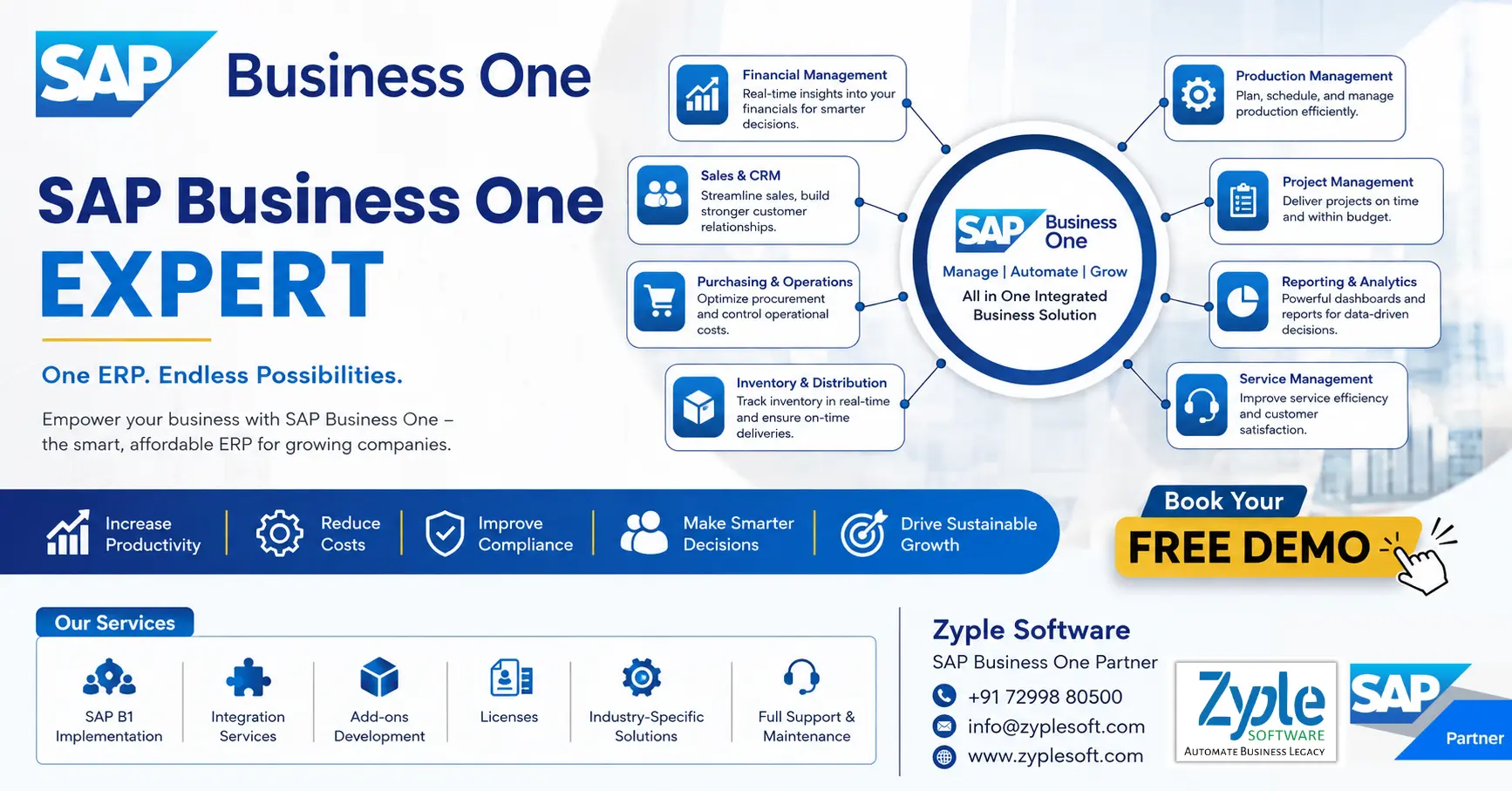
SAP Business One provides robust ERP capabilities for small and medium-sized businesses seeking facilitated operations. Our specialized experts help you maximize the platform’s potential, delivering customized solutions that align with your unique business requirements and growth objectives. We guide you through implementation, configuration, and optimization to ensure you gain the full benefit of your SAP Business One investment.
We specialize in:
1. System Implementation and Integration
Launching SAP Business One with minimal disruption while connecting to your current business systems.
2. Process Optimization
Facilitating workflows and automating manual tasks to boost operational efficiency.
3. Customization and Development
Creating advanced modules and functionalities that handle your specific business challenges.
4. Data Migration and Management
Securely moving your business data while ensuring accuracy and consistency.
5. Reporting and Analytics
Developing complete dashboards that deliver actionable insights for better decision-making.
6. Technical Support and Training
Delivering ongoing assistance and knowledge to empower your team.
An SAP Business One expert combines technical expertise with industry knowledge to deliver solutions that drive tangible business outcomes. Whether implementing from the beginning, optimizing a current deployment, or improving functionality with custom modules, we ensure your SAP Business One environment completely supports your operational requirements and strategic goals.
Securing the Right SAP Business One Expertise for Your Business
SAP Business One (SAP B1) is a powerful enterprise resource planning (ERP) solution that helps small and medium-sized enterprises (SMEs) facilitate their operations, gain real-time insights, and drive profitable growth. However, increasing the return on your SAP Business One investment relies heavily on having the right technical and functional expertise on board. Whether you’re in the middle of an implementation, planning an upgrade, or require ongoing support, the challenge often lies in identifying and securing qualified professionals. The success of your system depends on the skills of the people who handle, customize, and support it. This is a common obstacle for many organizations looking to fully use their ERP capabilities.
Roles and Responsibilities of an SAP Business One Expert
An SAP B1 expert is responsible for implementing, customizing, supporting, and optimizing the SAP Business One ERP system to meet business needs. Their role spans technical, functional, and strategic responsibilities across the organization.
The roles and responsibilities generally include:
1. Implementation and Deployment
- Evaluate business requirements and map them to SAP B1 functionalities.
- Plan and execute end-to-end SAP implementation projects.
- Configure key modules like finance, sales, purchasing, inventory, CRM, and production.
- Handle data migration from legacy systems to SAP B1.
- Ensure seamless system go-live with minimal disruption.
2. Business Process Analysis
- Study current workflows and identify inefficiencies.
- Suggest process improvements using SAP B1 capabilities.
- Organize ERP system with industry-specific best practices.
- Create functional specifications and documentation.
3. System Configuration and Customization
- Modify company settings, workflows, and approval procedures.
- Design forms, fields, dashboards, and reports.
- Work with SDKs, SAP B1 add-ons, or integrations to expand functionality.
- Ensure customization aligns with future expansion.
4. Integration Management
- Integrate SAP B1 with third-party systems such as CRM tools, e-commerce platforms, banking systems, and payroll and HR software.
- Handle APIs, middleware, and data synchronization.
5. User Training and Support
- Train end-users across departments.
- Create user manuals and SOPs.
- Deliver ongoing technical and functional support.
- Troubleshoot system issues and resolve tickets quickly.
6. Reporting and Analytics
- Design and generate business reports using Crystal Reports, SQL queries, and SAP dashboards.
- Deliver insights for decision-making.
- Ensure live data visibility across departments.
7. Database and Technical Management
- Handle databases (like SQL Server or SAP B1 HANA).
- Evaluate system performance and optimize queries.
- Ensure data integrity, security, and backups.
- Oversee upgrades, patches, and version control.
8. Project Management
- Plan project timelines, budgets, and deliverables.
- Coordinate with stakeholders, clients, and internal teams.
- Handle risks and ensure timely project completion.
- Follow SAP B1 implementation methodologies (like ASAP or Agile).
9. Compliance and Security
- Ensure the system adheres to financial and legal regulations.
- Define user roles and authorization controls.
- Maintain audit trails and reporting compliance.
10. Continuous Improvement and Optimization
- Find opportunities for automation and efficiency.
- Suggest and install new SAP B1 features or add-ons.
- Improve system usage as business scales.
- Stay updated with the latest SAP releases and trends.
11. Industry-Specific Responsibilities
Depending on the domain, responsibilities may cover:
Manufacturing
Production planning, BOM, and MRP (Material Requirements Planning).
Construction
Project costing and subcontractor management.
Retail
POS integration and inventory tracking.
Pharma
Batch traceability and compliance validation.
12. Client and Stakeholder Communication
- Act as a bridge between business users and technical teams.
- Collect feedback and translate it into system improvements.
- Deliver strategic ERP implementation.
Skills and Expertise of an SAP Business One Expert
An SAP B1 expert specializes in implementing, configuring, and improving the SAP Business One system for small and medium-sized enterprises (SMEs). They combine key functional accounting and supply chain knowledge with technical reporting and project management skills to align software capabilities with company goals.
- Proficiency in core modules of SAP B1 like financial accounting, banking, fixed assets, sales, purchasing, inventory control, and production.
- Deep understanding of business processes and localization and compliance.
- Technical skills like SAP Crystal Reports, SQL, and SAP Business One SDK (Software Development Kit).
- Strong requirement analysis and project management abilities.
- Experience in training and support.
Benefits of Hiring an SAP B1 Expert
Hiring an SAP Business One (SAP B1) expert helps your company set up the software right, save money, and prevent costly system errors. They match the tool to your exact daily requirements, clean and move your old data safely, and connect SAP B1 with your other apps like e-commerce or CRM.
1. Proper Setup
They develop workflows that fit how your business actually works.
2. Safe Data Migration
They transfer old records into SAP B1 without losing details using SAP Business One solutions.
3. Custom Add-ons
They develop special tools or reports using the SAP SDK if standard options fall short.
4. System Integration
They connect your ERP with outside platforms like payment gateways or shipping tools.
5. Staff Training
They teach your team how to use the system well so work moves faster.
6. Ongoing Support
They resolve bugs quickly and handle system updates safely in SAP support.
When You Should Hire an SAP B1 Expert
Hiring an SAP Business One (SAP B1) expert is necessary when starting a new system setup, migrating old data, upgrading software versions, or fixing chronic workflow gaps. You also need professional help for custom reports, third-party software connections, and training your team.
1. New Implementation
Develop and configure the software to match your exact business rules.
2. Data Migration
Transfer old spreadsheets and legacy data safely without losing records.
3. System Upgrades
Move to the latest versions without breaking current operations.
4. Custom Reports and Add-Ons
Develop specialized Crystal Reports or custom SQL queries.
5. Software Integration
Connect SAP B1 with e-commerce sites or third-party apps via APIs.
6. Staff Training
Teach your team how to use specific modules properly.
Choosing the Right SAP B1 Expert
Choosing the right SAP Business One (SAP B1) expert is essential for a smooth ERP setup. Look for official SAP Business One partnership tiers, verified industry track records, certified in-house consultants, and robust local or regional compliance knowledge.
1. Industry Experience
Ensure the expert or partner knows your specific sector (such as manufacturing, construction, retail, and pharma) to handle unique workflows and compliance needs.
2. Certifications
Check for formal SAP B1 credentials and certified consultants who understand the latest versions of SAP B1 and SAP B1 HANA.
3. Customization and Integration
Verify their technical ability to modify the system and connect it seamlessly with third-party software like e-commerce platforms or Microsoft 365.
4. Post-Implementation Support
Confirm they deliver ongoing training, troubleshooting helpdesk services, and system updates after your go-live date.
Conclusion of SAP B1 Expert
As a leading SAP Business One partner, Zyple Software is delivering services like SAP B1 implementation, integration, migration, licensing, consulting, add-ons, digital transformation, and support and training to different industries, like construction, manufacturing, solar, food and beverage, aerospace, oil and gas, healthcare, retail, real estate, jewellery, pharma, and textiles.
SAP Business One is an ERP solution customized for small and medium-sized enterprises that connects finance, production, inventory, material requirements planning (MRP), procurement, sales, CRM, and reporting and analytics into one platform. For food and beverage, pharma, and chemical businesses, it can improve project costing, procurement, subcontractor billing, and inventory management.
If you’re involved, reserve a demo of SAP Business One.
Do you assure the SAP B1 ERP system for your business or industry?
Finish all the details in the quoted contact form; our team will return to you.
FAQs
1.How can an SAP Business One Expert improve my business operations?
An SAP Business One expert helps facilitate your processes by integrating finance, sales, inventory, and operations into one system, improving efficiency and decision-making.
2.Is SAP Business One suitable for my industry?
Yes, SAP Business One is highly flexible and can be customized for industries like construction, manufacturing, retail, and distribution with the help of an expert.
3.What is the cost of hiring an SAP Business One Expert?
The cost depends on project scope, customization needs, and implementation complexity. A consultation can deliver a clear estimate based on your business requirements.
4.How quickly can I see ROI after implementing SAP Business One?
Most businesses start seeing improvements in efficiency, reporting, and cost control within a few months of proper SAP B1 implementation by an SAP B1 expert.
5.How do I get started with an SAP Business One Expert?
You can begin with a free consultation to evaluate your business needs, followed by a customized implementation plan tailored to your goals.