Tag Archives: Financial Management ERP

SAP Business One Expert ERP solution infographic by Zyple Software with finance, CRM, inventory, production, analytics and business management features

SAP Business One Expert

SAP Business One Expert for Industries/Businesses
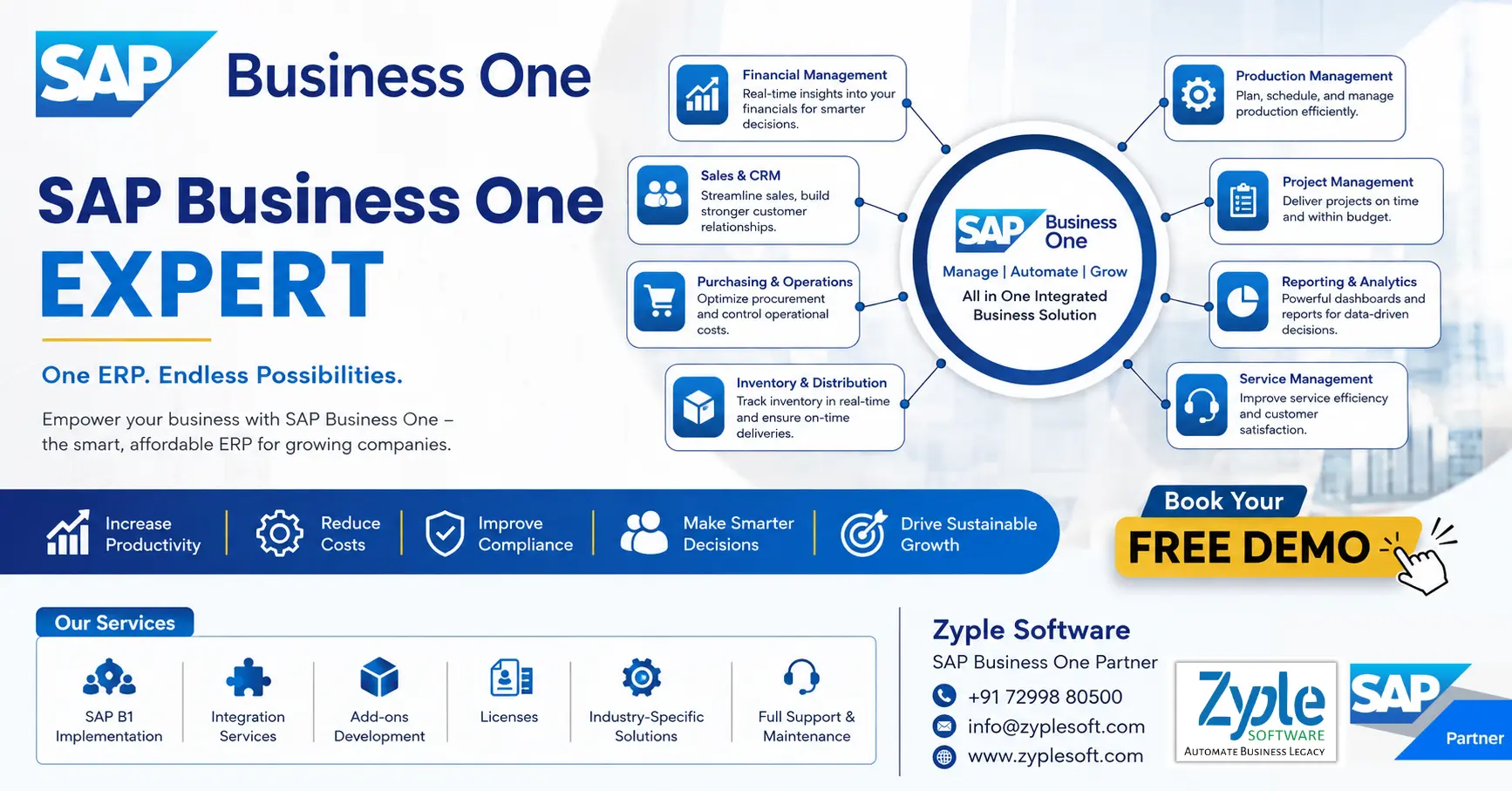
SAP Business One Expert ERP solution infographic by Zyple Software with finance, CRM, inventory, production, analytics and business management features

SAP Business One provides robust ERP capabilities for small and medium-sized businesses seeking facilitated operations. Our specialized experts help you maximize the platform’s potential, delivering customized solutions that align with your unique business requirements and growth objectives. We guide you through implementation, configuration, and optimization to ensure you gain the full benefit of your SAP Business One investment.

We specialize in:

1. System Implementation and Integration

Launching SAP Business One with minimal disruption while connecting to your current business systems.

2. Process Optimization

Facilitating workflows and automating manual tasks to boost operational efficiency.

3. Customization and Development

Creating advanced modules and functionalities that handle your specific business challenges.

4. Data Migration and Management

Securely moving your business data while ensuring accuracy and consistency.

5. Reporting and Analytics

Developing complete dashboards that deliver actionable insights for better decision-making.

6. Technical Support and Training

Delivering ongoing assistance and knowledge to empower your team.

An SAP Business One expert combines technical expertise with industry knowledge to deliver solutions that drive tangible business outcomes. Whether implementing from the beginning, optimizing a current deployment, or improving functionality with custom modules, we ensure your SAP Business One environment completely supports your operational requirements and strategic goals.

Securing the Right SAP Business One Expertise for Your Business

SAP Business One (SAP B1) is a powerful enterprise resource planning (ERP) solution that helps small and medium-sized enterprises (SMEs) facilitate their operations, gain real-time insights, and drive profitable growth. However, increasing the return on your SAP Business One investment relies heavily on having the right technical and functional expertise on board. Whether you’re in the middle of an implementation, planning an upgrade, or require ongoing support, the challenge often lies in identifying and securing qualified professionals. The success of your system depends on the skills of the people who handle, customize, and support it. This is a common obstacle for many organizations looking to fully use their ERP capabilities.

Roles and Responsibilities of an SAP Business One Expert

An SAP B1 expert is responsible for implementing, customizing, supporting, and optimizing the SAP Business One ERP system to meet business needs. Their role spans technical, functional, and strategic responsibilities across the organization.

The roles and responsibilities generally include:

1. Implementation and Deployment

  • Evaluate business requirements and map them to SAP B1 functionalities.
  • Plan and execute end-to-end SAP implementation projects.
  • Configure key modules like finance, sales, purchasing, inventory, CRM, and production.
  • Handle data migration from legacy systems to SAP B1.
  • Ensure seamless system go-live with minimal disruption.

2. Business Process Analysis

  • Study current workflows and identify inefficiencies.
  • Suggest process improvements using SAP B1 capabilities.
  • Organize ERP system with industry-specific best practices.
  • Create functional specifications and documentation.

3. System Configuration and Customization

  • Modify company settings, workflows, and approval procedures.
  • Design forms, fields, dashboards, and reports.
  • Work with SDKs, SAP B1 add-ons, or integrations to expand functionality.
  • Ensure customization aligns with future expansion.

4. Integration Management

  • Integrate SAP B1 with third-party systems such as CRM tools, e-commerce platforms, banking systems, and payroll and HR software.
  • Handle APIs, middleware, and data synchronization.

5. User Training and Support

  • Train end-users across departments.
  • Create user manuals and SOPs.
  • Deliver ongoing technical and functional support.
  • Troubleshoot system issues and resolve tickets quickly.

6. Reporting and Analytics

  • Design and generate business reports using Crystal Reports, SQL queries, and SAP dashboards.
  • Deliver insights for decision-making.
  • Ensure live data visibility across departments.

7. Database and Technical Management

  • Handle databases (like SQL Server or SAP B1 HANA).
  • Evaluate system performance and optimize queries.
  • Ensure data integrity, security, and backups.
  • Oversee upgrades, patches, and version control.

8. Project Management

  • Plan project timelines, budgets, and deliverables.
  • Coordinate with stakeholders, clients, and internal teams.
  • Handle risks and ensure timely project completion.
  • Follow SAP B1 implementation methodologies (like ASAP or Agile).

9. Compliance and Security

  • Ensure the system adheres to financial and legal regulations.
  • Define user roles and authorization controls.
  • Maintain audit trails and reporting compliance.

10. Continuous Improvement and Optimization

  • Find opportunities for automation and efficiency.
  • Suggest and install new SAP B1 features or add-ons.
  • Improve system usage as business scales.
  • Stay updated with the latest SAP releases and trends.

11. Industry-Specific Responsibilities

Depending on the domain, responsibilities may cover:

Manufacturing

Production planning, BOM, and MRP (Material Requirements Planning).

Construction

Project costing and subcontractor management.

Retail

POS integration and inventory tracking.

Pharma

Batch traceability and compliance validation.

12. Client and Stakeholder Communication

  • Act as a bridge between business users and technical teams.
  • Collect feedback and translate it into system improvements.
  • Deliver strategic ERP implementation.

Skills and Expertise of an SAP Business One Expert

An SAP B1 expert specializes in implementing, configuring, and improving the SAP Business One system for small and medium-sized enterprises (SMEs). They combine key functional accounting and supply chain knowledge with technical reporting and project management skills to align software capabilities with company goals.

  • Proficiency in core modules of SAP B1 like financial accounting, banking, fixed assets, sales, purchasing, inventory control, and production.
  • Deep understanding of business processes and localization and compliance.
  • Technical skills like SAP Crystal Reports, SQL, and SAP Business One SDK (Software Development Kit).
  • Strong requirement analysis and project management abilities.
  • Experience in training and support.

Benefits of Hiring an SAP B1 Expert

Hiring an SAP Business One (SAP B1) expert helps your company set up the software right, save money, and prevent costly system errors. They match the tool to your exact daily requirements, clean and move your old data safely, and connect SAP B1 with your other apps like e-commerce or CRM.

1. Proper Setup

They develop workflows that fit how your business actually works.

2. Safe Data Migration

They transfer old records into SAP B1 without losing details using SAP Business One solutions.

3. Custom Add-ons

They develop special tools or reports using the SAP SDK if standard options fall short.

4. System Integration

They connect your ERP with outside platforms like payment gateways or shipping tools.

5. Staff Training

They teach your team how to use the system well so work moves faster.

6. Ongoing Support

They resolve bugs quickly and handle system updates safely in SAP support.

When You Should Hire an SAP B1 Expert

Hiring an SAP Business One (SAP B1) expert is necessary when starting a new system setup, migrating old data, upgrading software versions, or fixing chronic workflow gaps. You also need professional help for custom reports, third-party software connections, and training your team.

1. New Implementation

Develop and configure the software to match your exact business rules.

2. Data Migration

Transfer old spreadsheets and legacy data safely without losing records.

3. System Upgrades

Move to the latest versions without breaking current operations.

4. Custom Reports and Add-Ons

Develop specialized Crystal Reports or custom SQL queries.

5. Software Integration

Connect SAP B1 with e-commerce sites or third-party apps via APIs.

6. Staff Training

Teach your team how to use specific modules properly.

Choosing the Right SAP B1 Expert

Choosing the right SAP Business One (SAP B1) expert is essential for a smooth ERP setup. Look for official SAP Business One partnership tiers, verified industry track records, certified in-house consultants, and robust local or regional compliance knowledge.

1. Industry Experience

Ensure the expert or partner knows your specific sector (such as manufacturing, construction, retail, and pharma) to handle unique workflows and compliance needs.

2. Certifications

Check for formal SAP B1 credentials and certified consultants who understand the latest versions of SAP B1 and SAP B1 HANA.

3. Customization and Integration

Verify their technical ability to modify the system and connect it seamlessly with third-party software like e-commerce platforms or Microsoft 365.

4. Post-Implementation Support

Confirm they deliver ongoing training, troubleshooting helpdesk services, and system updates after your go-live date.

Conclusion of SAP B1 Expert

As a leading SAP Business One partner, Zyple Software is delivering services like SAP B1 implementation, integration, migration, licensing, consulting, add-ons, digital transformation, and support and training to different industries, like construction, manufacturing, solar, food and beverage, aerospace, oil and gas, healthcare, retail, real estate, jewellery, pharma, and textiles. 

SAP Business One is an ERP solution customized for small and medium-sized enterprises that connects finance, production, inventory, material requirements planning (MRP), procurement, sales, CRM, and reporting and analytics into one platform. For food and beverage, pharma, and chemical businesses, it can improve project costing, procurement, subcontractor billing, and inventory management.

If you’re involved, reserve a demo of SAP Business One.

Do you assure the SAP B1 ERP system for your business or industry?

Finish all the details in the quoted contact form; our team will return to you.

    FAQs

    1.How can an SAP Business One Expert improve my business operations?

    An SAP Business One expert helps facilitate your processes by integrating finance, sales, inventory, and operations into one system, improving efficiency and decision-making.

    Yes, SAP Business One is highly flexible and can be customized for industries like construction, manufacturing, retail, and distribution with the help of an expert.

    The cost depends on project scope, customization needs, and implementation complexity. A consultation can deliver a clear estimate based on your business requirements.

    Most businesses start seeing improvements in efficiency, reporting, and cost control within a few months of proper SAP B1 implementation by an SAP B1 expert.

    You can begin with a free consultation to evaluate your business needs, followed by a customized implementation plan tailored to your goals.
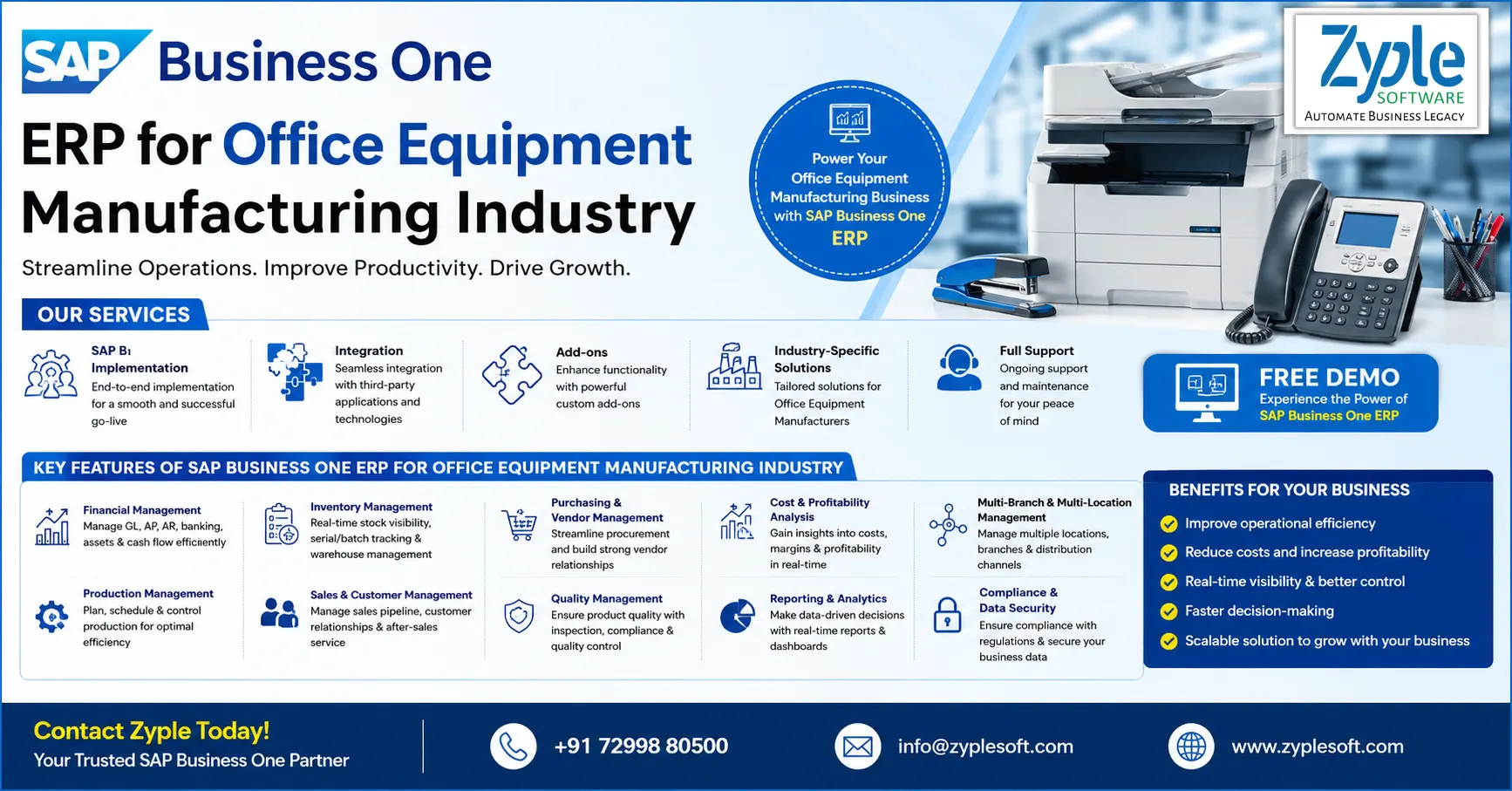
    SAP Business One ERP for Office Equipment Manufacturing industry provide by zyple software

    SAP Business One ERP for Office Equipment Manufacturing Industry

    SAP Business One (B1) ERP for Office Equipment Manufacturing Industry

    SAP Business One ERP for Office Equipment Manufacturing industry provide by zyple software

    Running an office equipment manufacturing business is a hassle to facilitate the business’s operations. So, until you have a proper check on all the processes like production, planning, batch costing, costing of raw material, and other things, it becomes a problem to decide.SAP Business One ERP for office equipment manufacturing helps office equipment manufacturing businesses handle different aspects of the business operations seamlessly.

    Now, the main question, how SAP business one can help for industry? Because every industry have different opertaions.

    So, Zyple Software Team is a good into SAP Business One implementation as per industry operation’s needs.

    Challenges Faced By The Office Equipment Manufacturing Industry

    Office equipment makers face stiff price competition and supply chain delays that hinder profits. They struggle with outdated technologies becoming obsolete quickly. They also face pressure to build eco-friendly products. Finally, they need to deal with a worker shortage for skilled technical jobs.

    1. Fast Tech Changes

    Gadgets get old very fast. Think of this like upgrading your phone every year; companies have to continuously refresh their product lines.

    2. Supply Chain Snarls

    Missing parts, like computer chips or plastics, can stop whole factories. This happens because parts come from all over the world. Delays cause a loss of revenue and delay shipments to buyers.

    3. Green Pressures

    Companies are pushed to minimize their carbon footprint. They must use recycled materials and save energy to achieve strict laws. If they fail, they might face fines or lose customers.

    4. Worker Shortage

    There are not enough people who know how to build or fix smart, modern office machines. Factories require workers trained in robotics and computers.

    5. Price Wars

    Many makers provide similar basic products. This forces prices down and hinders profit margins. Companies must find ways to make their items special.

    Features of SAP Business One ERP for Office Equipment Manufacturing Industry

    1. Production Planning and Control

    • It includes production orders with real-time status tracking.
    • It includes capacity planning and scheduling.
    • It includes routing and work center management.

    2. Inventory and Warehouse Management

    • It includes real-time inventory tracking across warehouses.
    • Batch and serial number tracking is essential for office electronics.
    • It includes bin location management.
    • It includes automated stock replenishment.
    • Inventory valuation methods like FIFO and moving average.

    3. Procurement and Supplier Management

    • It includes purchase requisitions and purchase orders.
    • It includes supplier or vendor evaluation and management.
    • It includes blanket agreements for recurring purchases.
    • It includes automated procurement workflows.
    • Landed cost calculation is essential for imported components.

    4. Sales and Customer Relationship Management (CRM)

    • It includes lead and opportunity management.
    • It includes quotation and sales order purchasing.
    • It includes customer service and support tracking.
    • It includes pricing management and discount structures.
    • It includes integration with service contracts for office equipment maintenance.

    5. Financial Management and Accounting

    • It includes fixed asset accounting.
    • It includes multi-currency support.
    • It includes budgeting and financial reporting.
    • It includes GST compliance and statutory reporting.

    6. Quality Control and Compliance

    • It includes non-conformance and corrective action tracking.
    • It includes quality certificates and compliance documentation.
    • It includes audit trails for regulatory compliance.

    7. Service Management (After-Sales Support)

    • It includes service call management for equipment repairs.
    • It includes warranty and AMC (Annual Maintenance Contract) tracking.
    • It includes spare parts management.
    • It includes technician scheduling and dispatch.
    • Installed base management for tracking customer equipment.

    8. Bill of Materials (BOM) and Product Data Management

    • It includes multi-level and variant BOMs.
    • It includes engineering change management (ECM).
    • It includes version control of product structures.
    • It includes product lifecycle tracking.

    9. Reporting and Business Intelligence

    • It includes real-time dashboards and KPIs.
    • It includes customizable reports.
    • It includes integration with analytics tools.
    • It includes predictive insights for demand and production.

    10. Project Management

    • It includes project planning and execution.
    • It includes cost tracking and budgeting.
    • It includes resource allocation.
    • It includes milestone and timeline tracking.

    11. Integration and Automation

    • It includes API-based integration with third-party tools.
    • It includes EDI integration for suppliers and distributors.
    • It includes workflow automation and approvals.
    • It includes IoT integration for smart manufacturing.

    12. Mobility and Cloud Access

    • It includes cloud deployment options.
    • It includes remote access to ERP data.
    • It includes real-time alerts and notifications.

    Importance of SAP Business One ERP for Office Equipment Manufacturing

    The ERP software, SAP Business One (SAP B1) system, is a complete, centralized ERP for office equipment manufacturing that drives efficiency in the office equipment manufacturing industry by tightly integrating financials, inventory, and supply chain management. It enables businesses to optimize complex production processes, minimize operational costs, and accurately track production margins.

    1. Optimized Bill of Materials (BOMs)

    Accurately handles multi-level BOMs required for complex office machines, ensuring exact raw material tracking for everything from heavy-duty printers to ergonomic furniture with SAP implementation process.

    2. Automated Material Requirements Planning (MRP)

    Prevents expensive production delays and inventory shortages by automatically calculating material needs based on sales forecasts and production schedules.

    3. Accurate Costing and Margin Analysis

    Links shop-floor actions, labor, and material usage directly to the general ledger, providing real-time insight into the true Cost of Goods Sold (COGS).

    4. Real-Time Inventory and Supply Chain Visibility

    Tracks stock levels across different warehouses to reduce carrying costs and accelerate order fulfillment using SAP solutions.

    5. Quality Assurance and Traceability

    Incorporates quality control checkpoints throughout the manufacturing cycle to achieve compliance standards and minimize defects.

    Benefits of SAP Business One for Office Equipment Manufacturing

    SAP Business One acts as a centralized ERP solution designed to facilitate production, inventory, and finances. For office equipment manufacturers, it eliminates data storage by connecting procurement, shop-floor production, sales, and accounting, which dramatically minimizes manual work and improves operational efficiency.

    1. Material Requirements Planning (MRP)

    The SAP software automatically calculates exactly what raw materials (metals, plastics, electronics) and components are required for production based on sales forecasts, reducing over-purchasing and production delays.

    2. Bill of Materials (BOM) Management

    Standardizes multi-level assemblies, ensuring consistency across complex products like office chairs, desks, and automated filing systems.

    3. Real-Time Inventory Control

    Tracks stock movements across different warehouses, using serial and batch tracking to monitor high-value components or finished office hardware, thereby preventing stockouts and overstocking.

    4. Accurate Production Costing

    Ties every shop floor action (labor, machine time, and materials) directly to the general ledger, eliminating month-end surprises and ensuring accurate, profitable pricing using SAP B1 add-ons.

    5. Integrated CRM and Sales Order Management

    Links customer orders directly to the production line, accelerating delivery times and improving customer satisfaction.

    Conclusion of Office Equipment Manufacturing ERP

    As a certified SAP Business One partner, Zyple Software is providing services like SAP B1 implementation, integration, licensing, add-ons, and support to different industries like construction, manufacturing, retail, pharma, jewellery, solar, food and beverage, aerospace, and textile industries. 

    SAP Business One is an ERP customized for small and medium-sized businesses that integrates finance, procurement, sales, inventory, production, CRM, and reporting into a single platform. For office equipment manufacturing or any other companies, it can improve project costing, procurement, subcontractor billing, and inventory management.

    If you’re active, reserve a demo of SAP Business One.

    Do you necessitate the SAP B1 ERP solution for your business or industry?

    Finish all the details in the described contact form; our team will reach out to you.

      FAQ (Frequently Asked Question)

      1.How can SAP Business One minimize operational costs in office equipment manufacturing?

      SAP Business One facilitates production, inventory, and procurement processes, reducing waste, minimizing manual errors, and lowering overall operational costs.

      Yes, SAP Business One can be customized with industry-specific add-ons and customizations to match your unique production workflows, reporting needs, and business processes.

      SAP B1 implementation timelines vary based on business size and complexity, but most office equipment manufacturers can go live within a few weeks to a few months with the right partner.

      Absolutely. SAP Business One delivers real-time dashboards and reports, helping you monitor production status, stock levels, and order fulfillment instantly.

      You can request a free demo or consultation from a qualified SAP Business One partner like Zyple Software to understand how the solution fits your business and calculate ROI before implementation.

      Budget Management ERP Software - sap business one

      Budget Management ERP Software

      Budget Management ERP Software for Business

      Budget Management ERP Software - sap business one

      Handling budgets and tracking expenses can be a difficult task, but the emergence of enterprise resource planning (ERP) has made it easier and more accessible. With the budget management ERP software, businesses can efficiently handle their finances and ensure efficient resource management. Also, this ERP software is designed to help businesses stay on top of their budgeting needs and all the necessary calculations.

      What is Budget Management Software?

      Budget management software is software that integrates financial planning, forecasting, and real-time expense tracking to control costs and prevent budget overruns.

      Which is the Best ERP Software for Budget Management?

      SAP Business One is the best ERP software for budget management. The SAP Business One system serves as a powerful ERP software for budget management, allowing small and medium-sized enterprises (SMEs) to define, track, and control budgets in real-time. It enables annual or monthly budgeting, automated distribution methods, and proactive budget alerts or blocking of transactions that exceed predefined limits, ensuring financial control.

      Features of Budget Management ERP Software

      Here are the features of SAP Business One as budget management software:

      1. Budget Planning and Scenario Definition

      • Creates budget scenarios for different financial plans (annual, quarterly, and project-based).
      • Assigns budgets to general ledger accounts, departments, or cost centers.
      • Defines distribution methods (equal, percentage-based, and seasonal allocation).

      2. Budget Allocation and Distribution

      • Allocates budgets across time periods (monthly or yearly) and business units or branches.
      • It includes flexibility to distribute funds based on business priorities or historical data.

      3. Budget Control and Enforcement

      • Strong control mechanisms to avoid overspending, like blocking transactions that exceed budget, warning alerts before exceeding limits, and enabling transactions without warning (if configured).
      • Applies to purchase requests and orders, goods receipt, and accounting entries (invoices and journal entries).

      4. Real-Time Budget Monitoring

      • Tracks budget vs. actual spending in real-time.
      • Instant visibility into over-utilized budgets and remaining balances.
      • It helps improve financial discipline and forecasting accuracy.

      5. Integration with Financial Management

      • Entirely integrated with general ledger, accounts payable and receivable, and cost accounting.
      • It ensures every financial transaction is automatically validated against the budget.

      6. Multi-Level Budgeting

      • It supports department-wise budgets, project-based budgets, and company-wide budgets.
      • Allows hierarchical budget control across multiple entities.

      7. Budget Revision and Adjustments

      • Modifies budgets through updates, transfers between accounts, and supplementary allocations.
      • Maintains flexible budgets for changing business conditions.

      8. Budget Reporting and Analytics

      • Creates reports, such as budget vs. actual reports, profit and loss accounts with budget comparison, and variance analysis.
      • Uses dashboards and analytics for data-driven decision-making.

      9. Alerts and Workflow Automation

      • Automated notifications for budget overruns and threshold breaches.
      • It includes workflow-based approvals for budget-related transactions.

      10. Project and Cost Control Integration

      • Links budgets with projects and cost centers.
      • Monitors project profitability and cost deviations effectively.

      11. Multi-Currency and Global Budgeting

      • Handles budgets across multiple currencies and international operations.
      • Suitable for companies operating in different regions.

      12. Audit Trail and Compliance

      • Full traceability of budget creation and changes and approvals.
      • It ensures financial transparency and compliance.

      Importance of Budget Management Software

      The enterprise resource planning (ERP) software, SAP Business One (SAP B1) solution, is essential for increasing financial accuracy, allowing real-time tracking, and automating forecasting, which helps businesses prevent overspending and align resources with strategic goals. By replacing manual spreadsheets, SAP B1 improves collaboration, delivers data-driven insights for decision-making, and increases overall financial efficiency.

      1. Increased Accuracy and Efficiency

      Automates data entry and calculations, eliminating human error inherent in manual budgeting processes using SAP implementation.

      2. Real-Time Monitoring and Control

      Delivers live, instant access to financial data and expenses, allowing teams to spot overspending immediately and make adjustments.

      3. Improved Forecasting and Planning

      Utilizes historical data and predictive analytics for accurate financial modeling and strategic planning, rather than depending on guesswork.

      4. Improved Collaboration

      The SAP Business One system allows multiple team members to work on a single, shared, and secure version of the budget, breaking down organizational storage.

      5. Strategic Resource Allocation

      SAP B1 helps managers identify areas of overspending and reallocate funds effectively to improve profitability and achieve business goals.

      6. Regulatory Compliance

      The SAP B1 solution ensures better documentation and reporting for auditing and regulatory purposes.

      Benefits of Budget Management ERP Software

      1. Increased Visibility and Control

      The SAP Business One software improves visibility and provides control to enterprises. With inbuilt real-time financial reporting, enterprises can find discrepancies or issues, which can help trigger immediate corrective action. Increased visibility and control also enable better decision-making, as finance teams can analyze financial data and make precise predictions about future spending.

      2. Time Saving

      Manual budgeting is a time-consuming process, but SAP Business One is fast and accurate and can also automate a number of repetitive and daily tasks. Users can quickly create budgets, evaluate expenses, and generate reports without manual interventions, freeing up strategic resources for essential tasks such as analysis and planning.

      3. Cost Savings

      The SAP Business One system can help enterprises create cost savings opportunities by identifying areas of overspending and reducing unnecessary expenses. SAP solutions also help procurement teams to negotiate better pricing with vendors and suppliers, further minimizing costs. Furthermore, SAP B1 also provides advanced features such as automated approvals and alerts, which can help enterprises avoid spending more than required and at the same time keep the budget management process on track.

      4. Improved Accuracy

      With automated processes and real-time reporting, the SAP B1 ERP system can eliminate many of the errors that can occur with manual budgeting, thereby improving accuracy and reducing the risk of financial discrepancies in reporting.

      5. Forecasting and Planning

      Most enterprises choose the SAP Business One system that can assist them with forecasting and planning. This software can analyze the enterprise’s historical spending patterns and identify trends and help the supply chain team to create accurate budget projections and ensure that financial resources are allocated appropriately. This can become accessible for companies with large and complex supply chains, where keeping track of budget and expenses can be a significant challenge.

      6. Enhanced Collaboration

      Other than keeping track of expenses, SAP software can help supply chain professionals to facilitate their workflows and improve supply chain collaboration. This software is capable of delivering a centralized platform for budget tracking and reporting, with which it virtually eliminates the need for multiple spreadsheets and documents. This can allow teams located across geographies to share data and insights in real time, exponentially increasing the scope for collaboration.

      7. Scalability

      What SAP Business One does is scale up with that growth, which makes such software a suitable tool for enterprises looking to expand their operations.

      Conclusion of Budget Management ERP

      Zyple Software is a trusted SAP B1 partner in India specializing in implementation, digital transformation, migration, licensing, integration, add-on solutions, and consulting for manufacturing, construction, real estate, agriculture, logistics, financial services, retail, technology, energy, healthcare, infrastructure, EPC, and professional services industries. It delivers increased visibility and control and  improved collaboration and forecasting and planning capabilities, as well as saves time, minimizes costs, and improves accuracy.

      If you’re active, book a demo of SAP Business One.

      Are you aiming to find the SAP Business One ERP software for your business or industry?

      Fill in all the details in the figured contact form; our team will reach out to you.