Tag Archives: erp software

What is ERP implementation – ERP implementation process, benefits, cost and best practices

What is ERP Implementation? A Complete Guide to ERP Implementation, Process, Cost, Benefits and Best Practices

What is ERP Implementation? A Complete Guide
What is ERP implementation – ERP implementation process, benefits, cost and best practices

ERP implementation is the process of planning, configuring, customizing, testing, deploying, and continuously supporting an Enterprise Resource Planning (ERP) system so that it fits an organization’s business processes and helps manage operations from a centralized platform.

For businesses evaluating ERP software, understanding what ERP implementation means, how the implementation process works, how much it costs, how long it takes, and what can cause an ERP project to fail is just as important as choosing the ERP product itself.

An ERP system can connect finance, sales, purchasing, inventory, production, projects, customer management, service, reporting, and other business functions. But buying ERP software alone does not create business value. The real value comes from implementing it correctly.

This guide explains ERP implementation from the perspective of business owners, CEOs, CFOs, CIOs, IT managers, and operational teams.

What is ERP Implementation?

ERP implementation is the structured process of introducing an ERP software system into a business and making it operational.

It typically includes:

  • Understanding current business processes
  • Defining ERP requirements
  • Selecting the appropriate ERP solution
  • Designing future business processes
  • Configuring the ERP system
  • Developing required customizations
  • Integrating other applications
  • Migrating existing data
  • Setting up users and permissions
  • Testing business processes
  • Training employees
  • Going live
  • Providing post-implementation support
  • Continuously improving the ERP environment

In simple terms:

ERP software is the technology. ERP implementation is the process of making that technology work for the business.

A successful ERP implementation should not simply replace spreadsheets or old software. It should improve how information flows through the organization.

Why is ERP Implementation Important?

As companies grow, information often becomes fragmented across spreadsheets, accounting software, CRM applications, emails, production systems, and department-specific tools.

This can create problems such as:

  • Duplicate data entry
  • Inaccurate reports
  • Inventory discrepancies
  • Delayed financial information
  • Poor visibility into profitability
  • Manual approvals
  • Difficulties tracking projects
  • Limited production visibility
  • Lack of real-time business information
  • Dependency on spreadsheets
  • Poor coordination between departments

ERP implementation addresses these problems by creating a connected business environment.

For example, when a sales order is entered into an ERP system, it can potentially affect inventory availability, purchasing requirements, production planning, delivery, invoicing, receivables, and financial reporting.

Instead of asking different departments for separate reports, management can work from a common source of business information.

How Does ERP Implementation Work?

Although every ERP project is different, a typical ERP implementation follows several stages.

1. Business Requirement Analysis

The implementation begins by understanding the organization.

The implementation team studies:

  • Company structure
  • Industries and business models
  • Existing applications
  • Current workflows
  • Approval processes
  • Reporting requirements
  • Financial processes
  • Inventory processes
  • Sales processes
  • Purchasing processes
  • Production requirements
  • Project management requirements
  • Integration requirements
  • Compliance requirements

The objective is to understand what the business actually needs, rather than simply configuring software based on assumptions.

2. ERP Planning and Project Definition

Once requirements are understood, the organization defines the implementation scope.

The project plan normally identifies:

  • Implementation objectives
  • Modules required
  • Locations and branches
  • Number of users
  • Data migration requirements
  • Integrations
  • Custom development
  • Project milestones
  • Responsibilities
  • Training requirements
  • Testing strategy
  • Go-live strategy
  • Support requirements

A clearly defined scope helps prevent uncontrolled expansion of the project.

3. ERP Configuration

ERP configuration involves setting up the system according to the organization’s approved business processes.

Configuration may include:

  • Company settings
  • Financial periods
  • Chart of accounts
  • Tax configuration
  • Warehouses
  • Items
  • Customers
  • Vendors
  • Price lists
  • Approval workflows
  • User roles
  • Numbering series
  • Inventory settings
  • Purchasing rules
  • Sales processes
  • Production parameters
  • Reporting structures

Good configuration uses the ERP’s standard capabilities wherever practical.

ERP Customization vs Configuration

One of the most important decisions during ERP implementation is determining what should be configured and what should be customized.

  1. Configuration: Configuration means using the existing ERP functionality to meet business requirements.
  2. Customization: Customization involves modifying or extending the standard ERP functionality through development, add-ons, extensions, or specialized solutions.

Businesses should avoid unnecessary customization.

A useful principle is:

Configure where possible. Customize where necessary.

Excessive customization can increase implementation cost, testing requirements, maintenance effort, and future upgrade complexity.

4. Data Migration

Data migration involves transferring relevant information from existing systems into the new ERP.

Typical data may include:

  • Customer master data
  • Vendor master data
  • Item master data
  • Opening balances
  • Inventory balances
  • Price lists
  • Bills of materials
  • Outstanding receivables
  • Outstanding payables
  • Fixed assets
  • Historical transactions where required

Data migration should not be treated as a simple copy-and-paste exercise.

Before importing data, organizations should:

  1. Identify required data.
  2. Remove duplicate records.
  3. Correct inaccurate information.
  4. Standardize formats.
  5. Validate mandatory fields.
  6. Map old fields to new ERP fields.
  7. Test the migration.
  8. Reconcile migrated information
  9. Poor-quality master data can damage an otherwise successful ERP implementation.

5. ERP Integration

Most modern businesses use multiple applications.

An ERP system may need to communicate with:

  • CRM systems
  • E-commerce platforms
  • Banking systems
  • Payroll applications
  • Manufacturing systems
  • Warehouse management systems
  • Point-of-sale systems
  • Payment gateways
  • Logistics platforms
  • Tax systems
  • Business intelligence tools
  • Mobile applications

ERP integration allows information to move between systems without unnecessary manual data entry.

For example, an e-commerce order could potentially flow into the ERP, where inventory, customer information, invoicing, and fulfillment processes are updated.

6. ERP Testing

Testing is one of the most critical stages of ERP implementation.

The objective is to verify that the system works correctly before employees depend on it for daily operations.

Testing may include:

  1. Unit Testing: Individual functions or configurations are tested.
  2. Integration Testing: Different modules and connected applications are tested together.
  3. User Acceptance Testing: Actual business users test real-world scenarios and confirm whether the system meets their requirements
  4. Data Validation: Migrated information is checked for accuracy and completeness.
  5. Performance Testing: The system is evaluated under expected operational conditions.

A practical ERP test should follow actual business scenarios rather than testing isolated screens only.

For example:

Quotation → Sales Order → Delivery → Invoice → Payment → Financial Reporting

This validates the complete business flow.

7. Employee Training

ERP implementation changes how employees perform their jobs.

Therefore, employee training should happen before go-live.

Training can cover:

  • Daily transactions
  • Approvals
  • Reporting
  • Inventory processes
  • Purchasing
  • Sales
  • Finance
  • Production
  • Project management
  • User roles
  • Error handling
  • Standard operating procedures

Training should be role-based.

A warehouse employee does not need the same training as a CFO.

8. ERP Go-Live

Go-live is the point at which the organization begins using the new ERP system for actual business operations.

There are several go-live approaches.

Big Bang

The organization moves to the new ERP across the business at one time.

Advantage: Faster transition.

Risk: Higher operational pressure if major problems occur.

Phased Implementation

Different departments, locations, or processes move to the ERP in stages.

Advantage: Lower transition risk.

Risk:The implementation can take longer.

Pilot Implementation

The ERP is first introduced in a limited business environment.

The organization learns from the pilot before expanding the implementation.

The right approach depends on business complexity, risk tolerance, locations, users, and project scope.

What Happens After ERP Go-Live?

ERP implementation does not end on the day of go-live.
 
The post-go-live period is often called hypercare.
 
During this period, the implementation team closely monitors:
  • User issues
  • Transaction errors
  • Reports
  • Integrations
  • Data problems
  • Performance
  • Workflow issues
  • Configuration gaps
After stabilization, the organization enters ongoing ERP support and optimization.
 
This may include:
  • System upgrades
  • New integrations
  • Additional reports
  • New add-ons
  • Process improvements
  • User training
  • Performance optimization
  • Security reviews

How Long Does ERP Implementation Take?

There is no universal ERP implementation timeline.
 
A small and relatively straightforward implementation may take a few months, while a complex multi-location or highly customized implementation can take significantly longer.
 
The timeline depends on factors such as:
  • Number of users
  • Number of branches
  • Number of warehouses
  • Modules required
  • Business complexity
  • Data volume
  • Data quality
  • Integrations
  • Customizations
  • Reporting requirements
  • User availability
  • Decision-making speed
  • Training requirements
  • Scope changes
A better approach than asking “How many months does ERP implementation take?” is to ask:
 
“What scope are we implementing, and what dependencies determine the timeline?”
 

How Much Does ERP Implementation Cost?

ERP implementation cost varies significantly from company to company.
 
The total investment can include:
  • ERP software licenses
  • Cloud subscription
  • Implementation services
  • Consulting
  • Data migration
  • Customization
  • Integration
  • Add-ons
  • Infrastructure
  • Training
  • Testing
  • Support
  • Annual maintenance
  • Future upgrades
Therefore, the ERP license price alone should not be considered the total ERP project cost.
 
A useful way to evaluate the investment is through Total Cost of Ownership (TCO).
 
ERP TCO can include:
 
Software + Implementation + Infrastructure + Integration + Customization + Training + Support + Upgrades
 
Businesses should compare the expected total cost with measurable business benefits.
 

What Are the Benefits of ERP Implementation?

A well-planned ERP implementation can provide several benefits.

1. Centralized Business Data

Instead of maintaining information across disconnected systems, organizations can work from a centralized business platform.

2. Better Financial Visibility

Management can gain improved visibility into:
  • Revenue
  • Expenses
  • Receivables
  • Payables
  • Cash flow
  • Budgets
  • Profitability

3. Improved Inventory Management

ERP can help businesses monitor:
  • Stock levels
  • Warehouse movements
  • Batch information
  • Serial numbers
  • Reorder requirements
  • Inventory valuation

4. Better Decision-Making

Management dashboards and reports can provide faster access to business information.

5. Reduced Manual Work

Automating repetitive processes can reduce unnecessary data entry.

6. Improved Process Control

Approval workflows and standardized processes can create better operational control.

7. Better Scalability

A properly implemented ERP can support business growth by creating standardized processes across departments and locations.

8. Improved Customer Service

Sales, inventory, delivery, invoicing, and customer information can be connected to improve customer visibility.
 

What Are the Biggest ERP Implementation Challenges?

ERP implementation can fail even when the software itself is capable.
 
Common challenges include:

1. Unclear Requirements

If the organization does not clearly define its requirements, the project can become difficult to control.

2. Poor Data Quality

Incorrect or duplicate master data can create problems after go-live.

3. Employee Resistance

Employees may resist changing familiar processes.

4. Excessive Customization

Too much customization can increase cost and complexity.

5. Lack of Management Involvement

ERP implementation is a business transformation project, not merely an IT project.

6. Scope Creep

Adding requirements continuously without adjusting the project plan can affect budget and timeline.

7. Inadequate Testing

Insufficient testing can cause operational problems after go-live.

8. Weak Training

Employees need to understand not only which buttons to click but also how the new processes work.
 

Who Should Be Involved in an ERP Implementation?

ERP implementation requires collaboration between business and technology teams.
 
A typical implementation team may include:
  • CEO or business sponsor
  • CFO or finance lead
  • CIO/IT manager
  • Project manager
  • Functional consultants
  • Technical consultants
  • Department heads
  • Key users
  • Data migration team
  • Integration specialists
  • ERP vendor/implementation partner
The most successful ERP projects have strong involvement from business users.
 

What Is the Role of an ERP Implementation Partner?

An ERP implementation partner helps the organization plan, configure, customize, test, deploy, and support the ERP system.
 
A good implementation partner like Zyple software should understand both:
 
ERP technology + the customer’s business processes.
 
Depending on the project, the partner may provide:
  • Requirement analysis
  • Solution design
  • ERP configuration
  • Customization
  • Integration
  • Data migration
  • Testing
  • Training
  • Go-live support
  • Post-go-live support
  • ERP optimization
When selecting a partner, businesses should evaluate experience, industry knowledge, implementation methodology, technical capabilities, support model, references, and long-term availability.
 

ERP Implementation Best Practices

The following practices can significantly improve ERP project outcomes.

1. Define measurable objectives

Do not implement ERP simply because competitors are using ERP.
 
Define business outcomes such as:
  • Reduce manual data entry
  • Improve inventory accuracy
  • Shorten reporting time
  • Improve project profitability visibility
  • Reduce order processing time

2. Get executive sponsorship

Senior management should actively support the project.

3. Keep requirements business-focused

Focus on business outcomes instead of requesting customization for every existing habit.

4. Clean data before migration

Do not move unnecessary problems from the old system into the new system.

5. Involve key users early

Key users can identify practical process issues before go-live.

6. Test real business scenarios

Testing should reflect actual operations.

7. Invest in training

User adoption is a major component of ERP success.

8. Control scope

Every new requirement should be evaluated for business value, cost, timeline, and risk.

9. Plan post-go-live support

Employees need support while they become comfortable with the new system.

10. Measure ERP performance

After implementation, track whether the project is producing the expected business improvements.
 

ERP Implementation for Different Industries

ERP implementation is not identical across industries.

Manufacturing

Manufacturing organizations may require:
  • Bill of materials
  • Production planning
  • MRP
  • Shop-floor processes
  • Quality management
  • Inventory management
  • Subcontracting
  • Production costing

Construction and EPC

Construction and EPC businesses may focus on:
  • Project-wise accounting
  • Budget management
  • Procurement
  • Subcontracting
  • Contractor billing
  • Material tracking
  • Project profitability
  • Site-wise expenses
  • Project reporting

Pharma and Process Industries

These organizations may require:
  • Batch management
  • Expiry tracking
  • Quality processes
  • Traceability
  • Inventory controls
  • Production planning
  • Compliance-oriented reporting

Trading and Distribution

Key requirements can include:
  • Inventory
  • Purchasing
  • Sales
  • Warehouse management
  • Pricing
  • Distribution
  • Customer management
  • Financial control
This is why an ERP implementation should be designed around the company’s industry and processes rather than using a one-size-fits-all approach.
 

What Is SAP Business One Implementation?

SAP Business One implementation is the process of deploying and configuring SAP Business One for small and midsize businesses.
 
SAP Business One can bring together business areas such as:
  • Financial Management
  • Sales and CRM
  • Purchasing
  • Inventory and Distribution
  • Production
  • MRP
  • Project Management
  • Service Management
  • Reporting and Analytics
An implementation can also include integrations, industry-specific solutions, add-ons, data migration, user training, and ongoing support.
 
For organizations evaluating SAP Business One, the implementation partner’s industry experience and understanding of business processes can be as important as the software itself.
 

ERP Implementation Checklist

Before going live, an organization should confirm:
  • Business requirements are documented
  • ERP scope is approved
  • Master data is cleaned
  • Data migration has been tested
  • User roles are configured
  • Workflows are tested
  • Integrations are working
  • Reports are validated
  • Business scenarios are tested
  • Users are trained
  • Opening balances are reconciled
  • Backup and recovery procedures are established
  • Support responsibilities are defined
  • Go-live plan is approved
  • Post-go-live support is available

How Do You Measure ERP Implementation Success?

ERP success should be measured using business outcomes rather than simply asking whether the software went live.
 
Useful KPIs include:
  • Inventory accuracy
  • Order processing time
  • Purchase cycle time
  • Month-end closing time
  • Report generation time
  • Accounts receivable days
  • Accounts payable processing time
  • Production efficiency
  • Forecast accuracy
  • Employee productivity
  • Customer response time
  • Project profitability visibility
For example, if management previously waited several days for consolidated reports and can now access reliable information much faster, that is a measurable ERP benefit.
 

ERP Implementation vs ERP Software: What’s the Difference?

These terms are often confused.
 
ERP Software ERP Implementation
The technology platform The process of deploying the platform
Provides functionality Makes functionality relevant to the business
Purchased or subscribed to Planned, configured, and deployed
Includes modules Includes configuration, migration, testing, and training
Can be standardized Must consider business-specific requirements

Buying ERP software is only the beginning. Implementation determines how effectively the organization can use it.

Final Conclusion: ERP Implementation is a Business Transformation Project

ERP implementation should not be treated as simply installing software.

It is a business transformation initiative that can affect finance, sales, procurement, inventory, manufacturing, projects, customer service, reporting, and management decision-making.

The best ERP implementations combine:

Right ERP + Clear Requirements + Clean Data + Practical Processes + Strong Implementation Partner + User Adoption + Continuous Improvement

Before selecting an ERP system, businesses should therefore evaluate not only “Which ERP should we buy?” but also:

“How will this ERP improve our business, and who will help us implement it successfully?”

For companies considering SAP Business One, a structured implementation assessment can help identify the right modules, integrations, industry-specific requirements, implementation approach, and expected business outcomes before the project begins.

Frequently Asked Questions About ERP Implementation

What is ERP implementation in simple words?

ERP implementation is the process of setting up an ERP system, moving business data into it, configuring business processes, training employees, testing the system, and putting it into daily use.

The timeline depends on company size, users, modules, locations, data, integrations, customization, and business complexity. There is no single timeline that applies to every organization.

Cost depends on software licensing or subscription, implementation services, customization, integrations, migration, training, infrastructure, and support.

Common causes include unclear requirements, poor data, weak project management, excessive customization, insufficient testing, inadequate training, scope creep, and lack of management involvement.

No. ERP affects multiple departments and business processes, so finance, operations, sales, procurement, management, IT, and other stakeholders should participate.

There is no single factor, but clear business requirements, strong executive sponsorship, clean data, user involvement, disciplined project management, and effective training are critical.

Customization should be used when there is a genuine business requirement that cannot be addressed effectively through standard configuration or suitable extensions.

Evaluate industry experience, ERP expertise, implementation methodology, project team, references, integration capability, customization approach, training, support model, and long-term service capability.

Looking for SAP Business One Implementation?

Zyple Software – SAP Business One Partner provides SAP Business One implementation, integration, migration, add-ons, industry-specific solutions, and ongoing support for businesses.

Book a Free SAP Business One Demo

Call: +91 72998 80500
Mail:  info@zyplesoft.com
website: www.zyplesoft.com

If you are intereted in ERP implementation for your business, fill your details in form, Zyple Software will contact you.
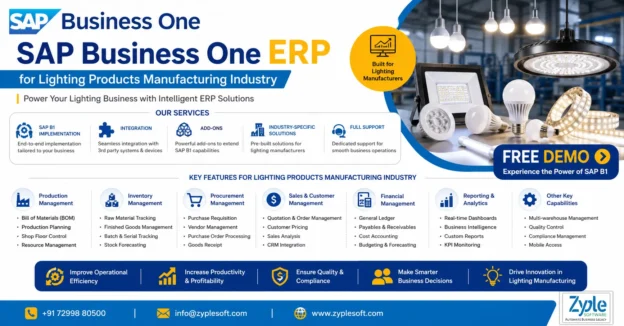
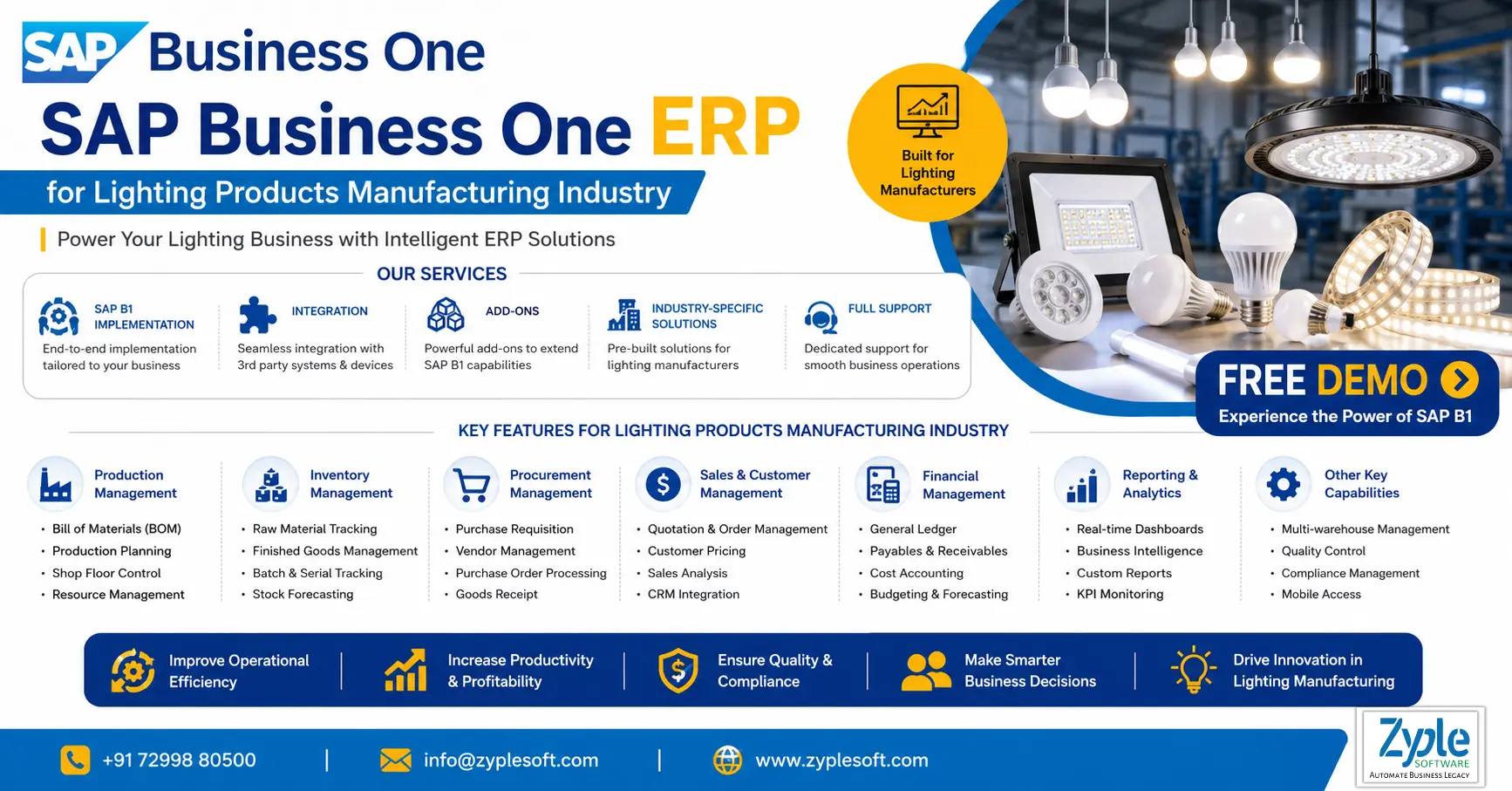
    SAP Business One ERP for Lighting Products Manufacturing Industry

    SAP Business One for Lighting Products Manufacturing Industry

    SAP Business One ERP for Lighting Products Manufacturing Industry

    SAP Business One ERP for Lighting Products Manufacturing Industry

    The lighting products manufacturing industry is at the forefront of the global shift towards energy-efficient and enivironmentally friendly lighting solutions. The lighting technology has rapidly gained popularity for its energy-saving capabilities and long-lasting performance, making it an important part of modern lighting solutions for homes, businesses, and industries. SAP Business One ERP for lighting products manufacturing can significantly improve efficiency, cost control, quality management, and overall business performance in the lighting products manufacturing industry.

    Challenges Faced By The Lighting Products Manufacturing Industry

    1. Supply Chain and Raw Material Volatility

    Heavy dependence on global electronic components leaves manufacturers vulnerable to semiconductor and LED chip shortages. Geopolitical shifts and transportation obstacles frequently drive up freight costs and extend lead times. Pricing instability for necessary raw materials like aluminium, copper, and plastics squeezes profit margins.

    2. Market Pressures and Fierce Competition

    Local manufacturers struggle, as the market is flooded with low-cost, mass-produced lighting products, specifically from overseas competitors. High taxation rates can lead to revenue leakage, while evolving global efficiency standards involve continuous redesigns and recertification.

    3. Technological Shifts and Product Evolution

    Developing IoT-enabled, integrated smart lights is resource-intensive. Consumers now require high a Color Rendering Index (CRI) and flicker-free performance, forcing manufacturers to upgrade quality control measures. Industrial applications involve specialized fixtures built to withstand extreme temperatures, moisture, and corrosive chemicals, increasing manufacturing complexity.

    4. Sustainability and the Circular Economy

    There is a growing demand for products customized for easy repair, modularity, and recyclability. Compliance with environmental regulations regarding electronic waste involves modifying traditional production lines.

    5. Labor and Automation Constraints

    As lighting technology becomes more complex, finding technicians and engineers capable of handling advanced manufacturing processes is challenging. Companies face pressure to invest in robotics and lights out manufacturing to minimize human error and labor costs, though the initial capital expenditure remains a barrier for many.

    Features of SAP Business One ERP for Lighting Products Manufacturing

    1. Core Financial Management

    • It includes general ledger and accounts payable and receivable.
    • Cost center accounting for product lines like LED bulbs, panels, and fixtures.
    • It includes fixed asset management for machinery and tooling.
    • It includes bank reconciliation and GST compliance.
    • Tracks profitability per lighting product, project, or distribution channel.

    2. Sales and Customer Relationship Management (CRM)

    • Lead and opportunity management, like projects, distributors, and contractors.
    • It includes a quotation for order management.
    • Pricing management like bulk, dealer, and project-based.
    • It includes after-sales service and warranty tracking.
    • It includes customer lifecycle management.
    • Handles B2B sales for real estate, infrastructure, and retail lighting projects.

    3. Purchasing and Vendor Management

    • It includes supplier quotation comparison.
    • It includes purchase order automation.
    • It includes vendor evaluation and performance tracking.
    • It includes multi-currency procurement.
    • It includes import and export documentation support.
    • It includes efficient sourcing of LED chips, drivers, housing, and electronic components.

    4. Inventory and Warehouse Management

    • Batch and serial number tracking is essential for LED components.
    • It includes multi-warehouse and bin location management.
    • It includes stock valuation and ageing analysis.
    • It includes automated reorder levels.

    5. Bill of Materials (BOM) Management

    • It includes multi-level BOMs for complex lighting assemblies.
    • It includes version control and engineering change management.
    • It includes sub-assembly and phantom BOM support.
    • Handles BOM for LED panel lights, street lights, or smart lighting systems.

    6. Production Planning and Control

    • It includes production order management.
    • It includes material requirements planning (MRP).
    • It includes demand forecasting and scheduling.
    • Capacity planning for machines and labor.
    • It includes shop floor control.
    • Plans production for seasonal demand like festive lighting and infrastructure projects.

    7. Manufacturing Execution and Shop Floor Management

    • It includes routing and operations tracking.
    • It includes work-in-progress (WIP) tracking.
    • It includes machine utilization monitoring.
    • It includes real-time production updates.
    • Monitors assembly lines for LED bulbs, drivers, and fixtures.

    8. Quality Control and Compliance

    • Test result recording like lumen output, voltage, and heat resistance.
    • It includes compliance with BIS and ISO standards.
    • It includes automated quality documentation.

    9. Product Costing and Profitability

    • It includes standard and actual costing.
    • It includes margin analysis per product.
    • It includes cost simulation for new designs.
    • It calculates the exact cost of LED fixtures and optimizes pricing.

    10. Warehouse and Logistics Management

    • It includes goods receipt and dispatch management.
    • It includes pick, pack, and ship processes.
    • It includes delivery route planning.
    • It includes integration with logistics providers.
    • It includes efficient distribution to dealers, retailers, and project sites.

    11. Business Intelligence (BI) and Analytics

    • It includes real-time dashboards and KPIs.
    • It includes sales, production, and real-time analytics.
    • It includes drill-down reporting.
    • It includes Excel integration and visualization tools.
    • Identifies top-selling lighting products and demand trends.

    12. Project Management (Lighting Projects)

    • It includes project costing and budgeting.
    • It includes resource allocation.
    • It includes timeline tracking.
    • It includes integration with sales and procurement.
    • Handles turnkey lighting projects like commercial projects and smart cities.

    13. Service Management and Warranty Tracking

    • It includes service contract management.
    • It includes warranty tracking for lighting products.
    • It includes complaint and repair management.
    • It includes field service scheduling.
    • Handles warranty claims for LED lights and fixtures.

    14. Mobility and Web Access

    • It includes mobile apps for sales and service teams.
    • It includes web-based access for remote operations.
    • It includes real-time updates on inventory and updates.
    • Sales teams can evaluate stock and place orders on-site.

    15. Integration and Scalability

    • Integration with SAP B1 HANA.
    • It includes API integration with e-commerce and IoT devices.
    • It includes add-ons for industry-specific needs.
    • It includes cloud or on-premise deployment.
    • Integrates smart lighting systems or IoT-enabled products.

    16. Production Cost Optimization and Planning

    • It includes machine planning and scheduling.
    • It includes just-in-time (JIT) production.
    • It includes FIFO inventory management.
    • It includes resource optimization.
    • Minimizes wastage in LED manufacturing and optimizes production cycles.

    17. Batch Production and Traceability

    • It includes batch and lot tracking for components.
    • It includes full traceability from raw material to finished goods.
    • It includes recall management.
    • Tracks defective batches of LED drivers or chips quickly.

    Benefits of SAP Business One ERP for Lighting Products Manufacturing

    The ERP software, SAP Business One (SAP B1) system, delivers specialized modules tailored for lighting and LED manufacturers. It optimizes production planning, inventory tracking, and supply chain management to reduce operational costs and waste. By connecting shop-floor actions to financials, it generates real-time reports to ensure compliance and improve overall profit margins.

    1. Accurate Bill of Materials (BOM) and Routing

    Lighting fixtures often require complex sub-assemblies like LED drivers, heat sinks, housings, and diffusers. SAP implementation handles multi-level BOMs, standardizing production and helping manufacturers track exact material usage while cutting down on scrap and rework.

    2. Facilitated Material Requirements Planning (MRP)

    The MRP engine automatically evaluates sales forecasts, current stock, and lead times to calculate exactly when and how much raw material to purchase. This avoids over-purchasing while ensuring you never face stockouts during large production runs.

    3. Complete Traceability and Quality Control

    Components like LED chips and drivers must comply with safety and performance certifications. SAP B1 supports strict lot and serial number tracking, allowing end-to-end traceability from raw material to finished product, which simplifies warranty management and defect root-cause analysis.

    4. Real-Time Inventory and Cost Management

    SAP solutions deliver continuous visibility into warehouse operations, managing stock levels of raw materials, work-in-progress (WIP), and finished goods. By linking material usage, labor, and overhead directly to the general ledger, it calculates accurate Cost of Goods Sold (COGS), which is essential for smart pricing and margin analysis.

    5. Compliance and Regulatory Alignment

    The lighting industry frequently adjusts to energy efficiency and environmental mandates like RoHS, CE, and BIS. SAP B1 helps businesses evaluate regulatory documentation and compliance-related activities within a centralized and audit-ready system.

    Conclusion of Lighting Products Manufacturing ERP

    Zyple Software is a certified SAP Business One partner in India specializing in implementation, digital transformation, licensing, integration, add-on solutions, migration, and consulting for the lighting products manufacturing industry. SAP software is an out-of-the-box solution and is developed by keeping in mind the specific requirements and complexities of lighting products manufacturing businesses.

    If you’re engaged, arrange a demo of SAP Business One.

    Do you want the SAP B1 ERP software for your business or industry?

    Finish all the details in the given contact form; our team will return to you.

      1.How can SAP Business One improve efficiency in my lighting manufacturing business?

      SAP Business One facilitates your entire operation, from procurement of components like LEDs and drivers to production, inventory, and sales. It eliminates manual processes, minimizes errors, and gives real-time visibility, helping you increase productivity and reduce operational costs.


      Unlike generic ERP systems, SAP Business One provides built-in manufacturing, inventory, and financial management in one platform. It is scalable, cost-effective for SMEs, and can be designed specifically for lighting product assembly and component tracking.

      Most lighting manufacturers start seeing measurable ROI within a few months through better inventory control, minimized wastage, improved production planning, and faster order fulfillment.

      Yes, SAP Business One ERP has an intuitive interface and role-based dashboards, making it easy for shop floor workers, warehouse staff, and management to adopt with minimal training.

      You can connect with an authorized SAP B1 partner, like Zyple Software, who will evaluate your requirements, provide a customized demo, and guide you through pricing, implementation, and support options.

      SAP Business One ERP for Industrial Machinery and Equipment industry

      SAP B1 ERP for Industrial Machinery and Equipment Industry

      SAP Business One ERP for Industrial Machinery and Equipment Industry

      SAP Business One ERP for Industrial Machinery and Equipment industry

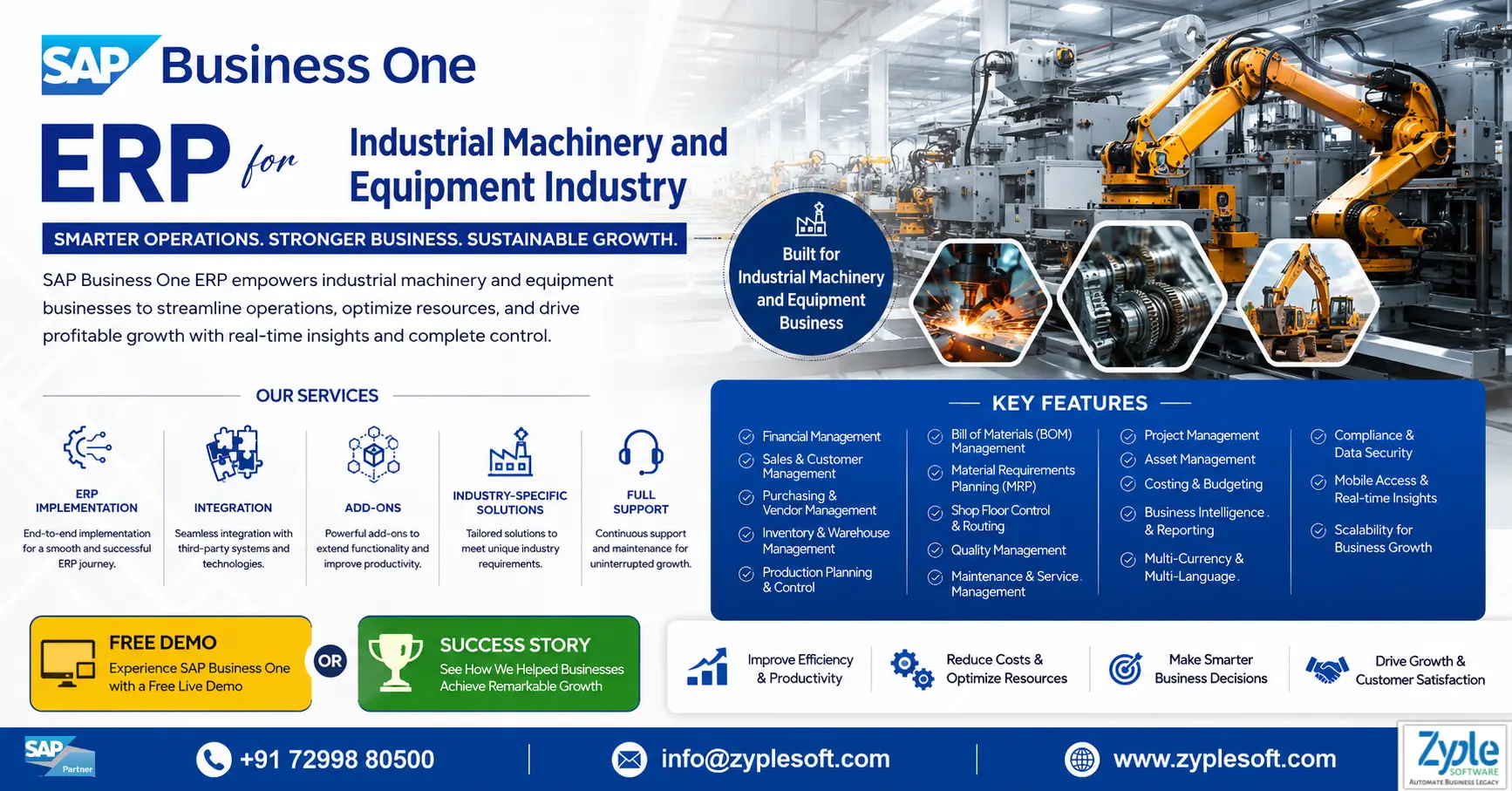
      The industrial machinery and equipment industry faces huge pressure due to its vast scope of work, which requires project management, heavy machinery loading, shipping, warehousing, and other responsibilities. This sector probably has logistics issues and needs a system that unifies different company departments. SAP Business One ERP for industrial machinery and equipment unites processes and helps in boosting production and efficiency.

      Challenges Faced By The Industrial Machinery and Equipment Industry

      The industrial machinery and equipment industry faces significant challenges, mainly driven by supply chain volatility, rising costs, the need for rapid digital transformation, and increasing demand for customized, sustainable solutions. Key barriers include handling skilled labor shortages, navigating geopolitical trade issues, and integrating AI and IoT for predictive maintenance.

      1. Supply Chain Disruptions and Cost Inflation

      Manufacturers are battling volatile raw material prices and logistics constraints, urging widespread cost-cutting and pricing adjustments to maintain margins.

      2. Rapid Digitization and Tech Integration

      Adopting AI, IoT connectivity, and cloud-based systems for machinery is necessary. Companies must upgrade legacy systems to provide smart, connected equipment, with many struggling to integrate data from disparate systems.

      3. Customization vs. Standardized Production

      There is high demand for specialized machinery, which often conflicts with the requirement to maintain standardized, high-volume production efficiency.

      4. Skilled Labor Shortages

      A significant gap exists between required skills and available talent, impacting productivity, technical support, and innovation capacity.

      5. Market Volatility and Increased Competition

      Global economic shifts, including overcapacity in India, create rising competitive pressure and price sensitivity.

      Features of SAP Business One ERP for Industrial Machinery and Equipment

      1. Engineer-To-Order and Make-to-Order Manufacturing

      • Handles custom machinery production based on client specifications.
      • Manages multi-level bills of materials (BOM) and complex product structures.
      • Integrates with CAD/PDM systems for design-to-production flow.
      • Tracks engineering changes (ECR/ECO).
      • Supports long production cycles and staged manufacturing.

      2. Production Planning and Shop Floor Control

      • It includes advanced production planning and scheduling.
      • Optimizes machine capacity and resource utilization.
      • Handles work orders, routing, and operations.
      • Monitors work-in-progress (WIP) in real-time.
      • Minimizes scrap, rework, and downtime.

      3. Project-Based Manufacturing and Costing

      • Executes project-driven manufacturing.
      • Tracks costs by project, job, or order.
      • Monitors budget vs. actuals.
      • Analyzes order-wise and project-wise profitability.
      • Handles milestones, billing, and timelines.

      4. Inventory, Spare Parts, and Warehouse Management

      • It includes real-time visibility across warehouses.
      • Handles raw materials, WIP, and finished goods.
      • Tracks spare parts and service inventory.
      • Supports batch or serial number tracking.
      • Optimizes stock levels and minimizes stockouts.

      5. Procurement and Supplier Management

      • It includes an end-to-end procure-to-pay cycle.
      • It includes vendor evaluation and supplier performance tracking.
      • Handles purchase orders, GRNs, and invoices.
      • Controls material costs and lead times.
      • Ensures product compliance in sourcing.

      6. Sales, CRM, and Order Management

      • Handles long sales cycle for capital equipment.
      • Tracks leads, opportunities, and quotations.
      • Configures complex pricing and contracts.
      • Maintains a complete customer lifecycle.
      • Forecasts sales pipeline and demand.

      7. Service and Maintenance Management (After-Sales)

      • Handles installation, AMC, and warranty contracts.
      • Tracks service calls and field service operations.
      • Schedules preventive and breakdown maintenance.
      • Maintains installed base and equipment history.
      • Improves customer service and uptime.

      8. Asset and Equipment Lifecycle Management

      • Tracks machines, tools, and capital equipment.
      • Monitors asset depreciation and lifecycle costs.
      • Handles equipment usage and maintenance schedules.
      • Improves asset utilization and ROI.

      9. Financial Management and Cost Control

      • It includes integrated accounting, accounts receivable, accounts payable, and general ledger.
      • Controls production and project costs.
      • Tracks cash flow and profitability.
      • Automates financial reporting and compliance.

      10. Quality Control and Compliance

      • Defines quality inspection plans.
      • Performs incoming, in-process, and final inspections.
      • Ensures compliance with industry standards.
      • Tracks defects, rework, and corrective actions.

      11. Supply Chain and Distribution Management

      • Optimizes logistics and distribution of heavy equipment.
      • Handles multi-location operations (plants, warehouses, and branches).
      • Improves delivery timelines and order fulfillment.
      • Minimizes supply chain costs.

      12. Business Intelligence and Real-Time Analytics

      • It includes real-time dashboards and KPIs.
      • It includes drill-down analytics across departments.
      • It includes custom reports and forecasting.
      • It includes data-driven decision-making.

      13. Integration and Automation

      • Integrates with CAD, IoT, MES, barcode or RFID systems.
      • Automates production, procurement, and finance workflows.
      • Connects with third-party applications and e-commerce.
      • Allows digital transformation in manufacturing.

      14. Multi-Branch and Global Operations

      • Handles multiple plants, warehouses, and subsidiaries.
      • Supports multi-currency and multi-tax structures.
      • Integrates financials across locations.
      • Standardizes processes enterprise-wide.

      15. Mobility and Cloud Access

      • It includes access to ERP via mobile apps and web client.
      • Allows remote approvals and monitoring.
      • Supports field service and sales teams on the go.

      Importance of SAP Business One ERP for Industrial Machinery and Equipment

      The enterprise resource planning (ERP) software, SAP Business One (SAP B1) system, is essential for industrial machinery and equipment manufacturers by delivering an integrated, scalable ERP solution that handles complex engineer-to-order (ETO) processes, improves production scheduling, and increases inventory accuracy simultaneously. It boosts operational efficiency by connecting departments, providing accurate cost tracking, and strengthening quality control, which helps manufacturers minimize waste, handle complex BOMs (Bills of Materials), and comply with regulatory standards.

      1. Project-Based Production Management

      Supports complex manufacturing models such as engineer-to-order (ETO), make-to-order (MTO), and assembly, enabling customized production for specific customer machines.

      2. Real-Time Data Visibility and Control

      Integrates departments like procurement, engineering, finance, and shop floor on a single database, eliminating storage and delivering real-time insights into production and inventory using SAP implementation.

      3. Material Requirements Planning (MRP)

      Allows efficient material planning, minimizing obstacles and stockout situations while optimizing inventory situations.

      4. Quality Control and Compliance

      Implements efficient material planning, ensuring compliance with industry standards and safety regulations.

      5. Improved Shop Floor Activity

      Delivers visibility into work orders, machine utilization, and labor productivity to optimize output.

      Benefits of SAP Business One for Industrial Machinery and Equipment

      SAP Business One (SAP B1) provides industrial machinery and equipment manufacturers an inclusive, scalable ERP solution that facilitates production, improves inventory control, and increases profitability. It dleivers real-time visibility from procurement to assembly (including ETO and MTO), ensuring optimal machine utilization and improved compliance with industry standards.

      1. Optimized Production and Planning

      Supports complex manufacturing processes such as engineer-to-order (ETO) and make-to-order (MTO). It facilitates BOM (Bill of Materials) management, production orders, and scheduling to reduce lead times using SAP solutions.

      2. Real-Time Inventory and Supply Chain Management

      Tracks raw materials, work-in-progress, and finished goods in real-time, minimizing carrying costs and preventing stockouts.

      3. Improved Cost Control and Profitability

      Provides complete financial tracking, helping companies calculate true product costs, analyze profit margins, and reduce waste.

      4. Improved Efficiency and Productivity

      Automates key processes, from procurement to final delivery, minimizing manual labor and facilitating operations.

      5. Data-Driven Decision-Making

      Provides actionable insights through real-time reporting, enabling managers to monitor KPIs, machine utilization, and worker productivity.

      6. Scalability for Growth

      As a customized solution for small to medium-sized manufacturers, SAP software provides the flexibility to adapt to expanding production lines or new locations without requiring a complete system replacement.

      Conclusion of Industrial Machinery and Equipment ERP

      Zyple Software is a certified SAP Business One partner in India specializing in implementation, digital transformation, licensing, integration, add-on solutions, migration, and consulting for the industrial machinery and equipment industry. With real-time insights and scalable processes, SAP Business One allows industrial machinery and equipment companies to increase efficiency, improve efficiency, and grow confidently in a highly competitive market.

      If you’re expert, book a demo of SAP Business One.

      Do you necessitate the SAP Business One ERP software for your business or industry?

      Complete all the details in the defined contact form; our team will get back to you.

        How to Buy SAP B1 Software

        How to Buy SAP B1 Software?

        How to Buy SAP Business One (SAP B1) Software in India?

        How to Buy SAP B1 Software

        What is SAP Business One ERP?

        The ERP system, SAP Business One (SAP B1) ERP, is a cost-effective, integrated ERP software solution designed for small and medium-sized enterprises (SMEs) and fast-growing companies to manage key operations, including finance, sales, CRM, inventory, and production in one system. It facilitates workflows and delivers real-time analytics to improve decision-making, providing flexible, scalable deployment on-premises or in the cloud. Here, we will discuss how to buy SAP B1 software.

        How to Buy SAP B1 Software Online?

        The Process of buying SAP Business One (SAP B1) software online is primarily done through the official SAP store, where you can identify, configure, and purchase solutions directly. The process involves choosing the appropriate license type (professional or limited), modifying user counts, and integrating with Zyple Software for implementation.

        1. Visit the SAP Store

        Navigate to the SAP store and ensure your country/region is properly selected to see relevant pricing and partners like Zyple Software.

        2. Search and Select

        Use the search bar to find SAP Business One.

        3. Configuration of License

        Choose between a perpetual license or a subscription model based on user types (Professional vs. Limited).

        4. Buy or Integrate

        Click “Buy Now” to purchase directly or “Get It Now” to integrate with a partner like Zyple Software to discuss requirements and implementation.

        5. Payment & Access

        Finish the final payment process. For cloud-based options, you may receive access details directly, while on-premise solutions will involve coordination with Zyple.

        How to Buy SAP Business One Software in India?

        To buy SAP Business One (SAP B1) software in India, you must engage Zyple Software to conduct a needs evaluation, customize, and implement the software. The major steps include choosing a deployment model (cloud or on-premise) and selecting user licenses (professional or limited).

        1. Identify an Authorized Partner

        Contact Zyple Software, a certified SAP Business One partner in India, to receive customized quotes, as they manage sales, implementation, and support.

        2. Needs Evaluation and Demo

        Request an inclusive demonstration and a needs evaluation to define which modules (finance, CRM, and inventory) your business requires.

        3. Choosing a Licensing Model

        This includes two types of SAP B1 licensing models:

        • Professional Users: It is the type of SAP Business One licensing model where users have full access to all modules.
        • Limited Users: It is the type of SAP Business One licensing model where users have specific or limited access to modules like CRM, finance, and logistics.

        4. Choose Deployment Process

        Choose between on-premise (perpetual license) and cloud (subscription model).

        5. Installation & Full Support

        Work with Zyple to design the system to your requirements and set up continuous maintenance.

        Know About Customized SAP Business One Pricing India

        We understand that the SAP Business One price in India varies based on factors such as company size, user count, data complexity, and user needs. As your trusted SAP B1 partner in India, we specialize in licensing and crafting personalized blueprints to outline the exact SAP Business One pricing for your organization.

        With decades of experience, we navigate you through the complexities of SAP B1 software price and licensing costs, considering factors like purchasing process, database options (SAP B1 SQL or SAP B1 HANA), hosting preferences (cloud or on-premise), and necessary maintenance and support. If you’re concerned, book an SAP B1 demo.

        Whether you’re in manufacturing, construction, real estate, retail, pharmaceuticals, textiles, logistics, energy or any other sector, our customized approach ensures that the SAP Business One cost remains within budget and aligns perfectly with your unique business model and SAP B1 pricing.

        Not only licensing, but when it comes to SAP implementation, our company delivers excellent support and services to different industries like manufacturing, construction, real estate, retail, pharmaceutical, textile, professional services, aerospace and defense, and more to help them cater to their requirements with the growing competition.

        Key Factors That Impact SAP Business One Price in India

        1. Deployment Models like Cloud and On-Premise

        One of the biggest SAP B1 pricing factors is how you choose to launch SAP Business One like on-premise or the cloud.

        Every model has its own cost structure and long-term financial implications.

        2. Number of Users and License Types

        SAP Business One’s pricing differs based on

        • Number of users accessing the SAP B1 system.
        • Type of users (Professional and Limited).

        Businesses can improve costs by selecting the right type of user licenses instead of assigning full access to everyone.

        3. Business Size and Industry Requirements

        The overall cost depends largely on:

        • Size of the organization.
        • Industry-specific needs (manufacturing, construction, real estate, retail, pharmaceutical, textile, professional services, aerospace and defense, and more).

        Some industries may require additional configurations or compliance features, which can impact pricing.

        4. Customization and Add-On Development

        SAP Business One can be improved with:

        • Industry-specific add-ons.
        • Process automation and integrations.

        The level of customization directly impacts the final project cost.

        5. Implementation and Consulting Services

        SAP B1 ERP pricing is not only about SAP Business One licenses; SAP B1 implementation services play a crucial role in the following:

        • System modification.
        • Data migration.
        • User training.
        • Go-live support.

        A structured and expert-led implementation ensures improved ROI and long-term success.

        6. Support, Annual Maintenance Costs, and Managed Services

        Post-implementation costs include:.

        • Support.
        • System upgrades.
        • Performance optimization.
        • Continuous improvements.

        Choosing a reliable SAP partner, Zyple Software, helps reduce these costs while ensuring system stability.

        Types of SAP Business One Licenses

        Experience personalized guidance from experts to navigate SAP Business One price in India, along with maintenance, SAP support, and implementation. Select from a variety of SAP Business One licenses, including professional and limited licenses, designed for your business requirements.

        1. Professional License

        With professional SAP Business One licenses, you can gain the full spectrum of SAP Business One’s capabilities, allowing access to all modules or features. Select between flexible subscription or perpetual license options to match your business needs seamlessly by delivering the most affordable SAP Business One cost. It is the SAP B1 ERP license suitable for users who need complete access to the system, like managers and decision-makers.

        2. Limited License

        In SAP Business One limited licenses, the offerings deliver focused solutions across three areas, such as CRM, financial, and logistics. Every option provides a unique blend of modules and features to handle specific business needs. This type of SAP B1 license helps you to find the ideal fit for your requirements. It is the SAP B1 ERP license suitable for users who require access only to some modules in the SAP B1 system.

        Are you looking for SAP Business One Software for your any business or industry?

        Fill in all the details in the specified contact form; our team will reach out to you.

          Choose SAP ERP Implementation Partner

          Choose SAP ERP Implementation Partner

          How to Choose SAP ERP Implementation Partner?

          Choose SAP ERP Implementation Partner

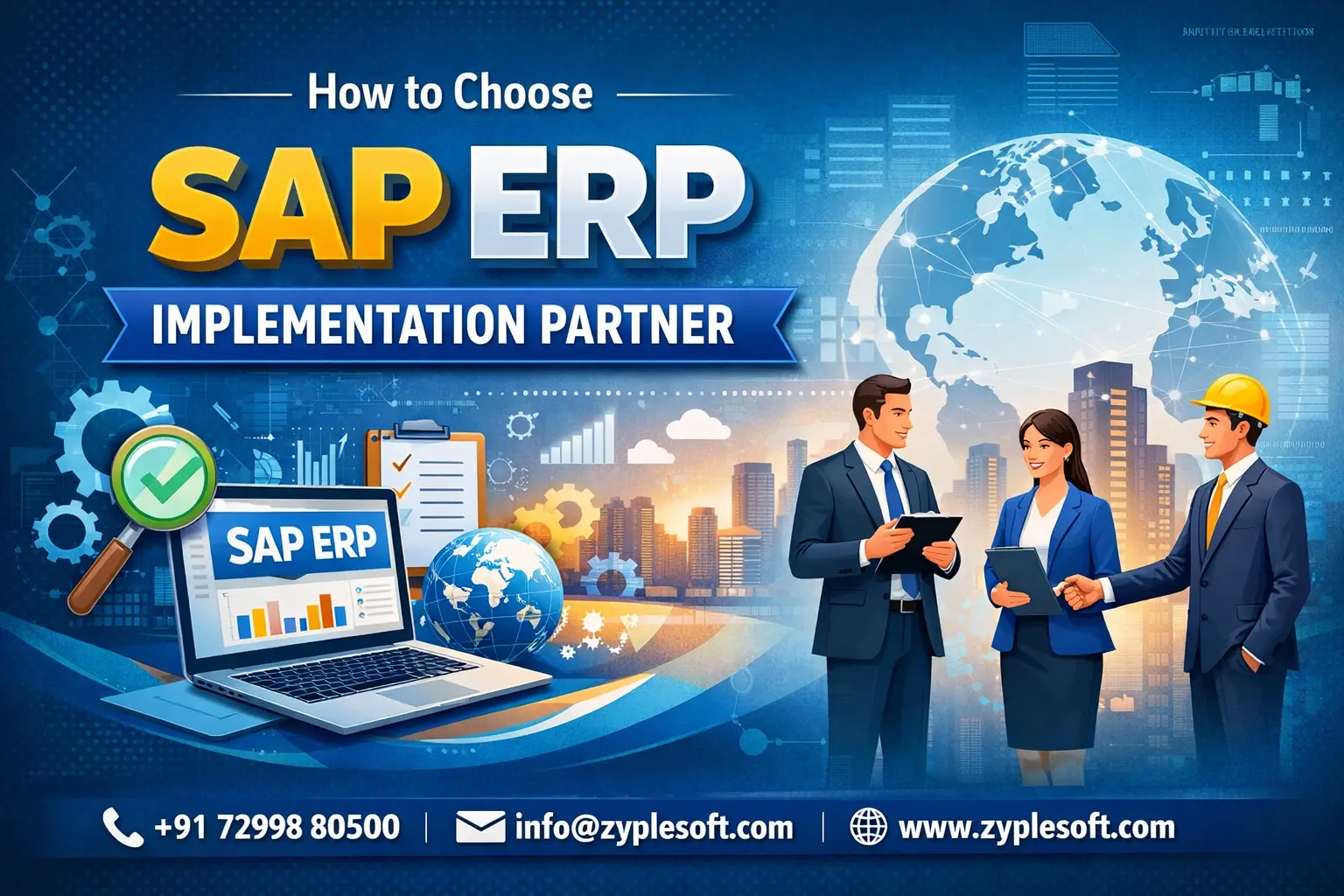
          Selecting the right SAP ERP implementation partner is one of the most critical decisions your business will make.

          An ERP system like SAP Business One can transform operations but only if implemented correctly. The wrong partner can lead to delays, cost overruns, user resistance, and underutilized systems.

          How do you choose the right SAP ERP implementation partner?

          1. Check Industry-Specific Experience (Not Just SAP Knowledge)

          Many firms say they “implement SAP.” That’s not enough.

          A strong implementation partner should understand:

          • Your industry workflows
          • Compliance requirements
          • Operational bottlenecks
          • Reporting expectations
          • Growth challenges

          For example:

          1. Manufacturing requires BOM, production planning, and MRP expertise
          2. Retail needs POS integration and multi-branch consolidation
          3. Construction requires project cost tracking and milestone billing
          4. Pharma demands batch tracking and regulatory compliance

          ERP success depends on domain knowledge but not just technical setup.

          2. Verify SAP Authorization and Partnership Status

          Ensure the partner is officially aligned with SAP SE.

          Ask:

          • Are they an authorized SAP partner?
          • Do they have certified SAP consultants?
          • How many SAP projects have they completed?

          Certification ensures access to proper implementation methodologies, updates, and support standards.

          3️. Evaluate Implementation Methodology

          A professional SAP Business partner should follow a structured process:

          • Requirement study and gap analysis
          • Solution blueprint
          • System configuration
          • Data migration
          • User training
          • Go-live support
          • Post-implementation optimization

          If the partner can not clearly explain their methodology, that’s a red flag.

          4. Look for Industry Case Studies

          Real results matter more than promises.

          Ask for:

          • Case studies
          • Client references
          • Before-and-after performance improvements
          • ROI metrics

          Examples of measurable outcomes:

          • 20–30% inventory reduction
          • Improved working capital visibility
          • Faster month-end financial closing
          • Reduced manual errors

          A credible partner will have proof of success.

          5. Assess Customization and Add-On Capability

          Every business has unique processes.

          Your SAP ERP partner should:

          • Offer industry-specific add-ons
          • Provide integration capabilities
          • Customize reports & dashboards
          • Connect with third-party systems

          A one-size-fits-all approach rarely works.

          6. Understand Post-Implementation Support

          ERP implementation does not end at go-live.

          Ask:

          1. Do they offer ongoing support?
          2. What are their SLA terms?
          3. Is there a dedicated support team?
          4. Do they provide system optimization services?

          Strong post-go-live support determines long-term success.

          7. Evaluate Local & Regional Presence

          For Indian businesses especially, a partner with local market understanding offers advantages:

          • Knowledge of GST compliance
          • Indian taxation structure
          • Regional business practices
          • Faster on-site support

          If you’re operating in India, choosing a SAP ERP partner with strong Indian market experience is critical.

          8. Transparency in Costing

          Avoid vague pricing structures.

          A reliable SAP ERP implementation partner should clearly explain:

          • License cost
          • Implementation cost
          • Customization charges
          • Annual maintenance
          • Support fees

          Transparency prevents budget surprises.

          9. Scalability for Future Growth

          ERP is a long-term investment.

          Ensure the partner can support:

          • Multi-branch expansion
          • Multi-currency operations
          • Increased transaction volume
          • Advanced analytics
          • Industry compliance evolution

          The right partner prepares your ERP for the next 5–10 years.

          Why Choosing the Right SAP ERP Partner Matters?

          ERP implementation impacts:

          • Financial visibility
          • Operational efficiency
          • Inventory management
          • Compliance
          • Customer satisfaction

          The right partner like Zyple Software becomes a long-term strategic advisor  –  not just a software installer.

          Final Conclusion

          Choosing the right SAP ERP implementation partner is not about selecting the cheapest option.

          It’s about selecting:

          • Industry expertise
          • Proven methodology
          • Transparent pricing
          • Long-term support capability
          • Strong SAP ecosystem alignment

          If you’re evaluating SAP ERP for Manufacturing, Retail, Construction, Real estate, Pharma, Textile, or other industries in India, take time to assess your implementation partner carefully.

          A well-implemented SAP ERP system can transform your business.
          The right partner makes all the difference.

          Let us fill your detail in contact form. A right implementation partner will contact you soon as per your business needs.

            Best ERP Solutions for Business in India

            Best ERP solutions for business in India

            Best ERP Solutions for Businesses in India

            Best ERP Solutions for Business in India

            In rapid business environment, companies in India are increasingly turning to Enterprise Resource Planning (ERP) solutions to efficient operations, improve decision-making with better productivity. An ERP system integrates core business processes such as finance, sales, inventory, purchasing, MRP and customer relationship management into a unified platform. This helps businesses reduce redundancies, increase efficiency and maintain a competitive edge.

            When it comes to ERP software in India, several solutions stand out. However, SAP Business One (SAP B1) is widely regarded as one of the best ERP solutions for small and mid-sized enterprises (SMEs) in India. Offered through certified SAP B1 partners, it provides tailored functionality, scalability, and local support that Indian businesses need.

            Why Indian Businesses Need ERP

            India’s dynamic economic environment and diverse industry era make ERP implementation increasingly essential. Whether it’s a manufacturing company in Bengaluru (Bangalore), a retail business in Mumbai or a service provider in Chennai, all face challenges that ERP can help solve:
            • Fragmented data systems leading to inefficiencies
            • Manual processes that consume time and resources
            • Regulatory compliance like GST, TDS, and e-invoicing
            • Inventory management challenges across multiple warehouses
            • Need for real-time business intelligence
             Modern ERP solutions offer digital transformation opportunities that enable businesses to scale with accuracy and control.
             

            Top ERP Solutions in India

            Here’s a look at one of the leading ERP systems popular among Indian businesses:

            SAP Business One (SAP B1) ERP

            SAP Business One is one of the most reliable ERP systems for small and medium-sized businesses (SMBs) in India. It is a comprehensive, affordable solution that integrates all core business functions on a single platform.

            Key Features:

            1. Financial management and accounting
            2. Inventory and warehouse management
            3. Sales and customer relationship management
            4. Production planning and control
            5. Analytics and reporting with real-time dashboards
            6. GST-compliant billing and e-invoicing
            7. Mobile access for remote operations
            SAP B1 is highly customizable, which makes it suitable for a wide range of industries like construction, manufacturing, pharmaceuticals, retail, distribution and process Industries.
             

            Why Choose SAP Business One?

            • Local Support from SAP B1 Partners: One of the biggest advantages of SAP B1 in India is the extensive network of certified SAP Business One partners. Zyple Software is the best out of them as per their clients experience in market. These partners provide end-to-end implementation, training, and after-sales support tailored to local business needs.
            • Scalability: As your business grows, SAP B1 grows with you. It can support multiple users, locations, and even international operations.
            • Integration with Third-Party Apps: SAP B1 can be integrated with ecommerce, CRM, POS, HRMS and logistics platforms used in India.


            Industry-Specific ERP Customization

            One of the standout features of SAP Business One offered by certified partners is its ability to cater to industry-specific requirements. Whether you’re in:
            • Manufacturing: Real-time production monitoring, raw material tracking
            • Retail & Distribution: POS integration, warehouse management, GST billing
            • Pharmaceuticals: Batch traceability, compliance with FDA norms
            • Textile or Apparel: Order customization, style-wise inventory
            SAP B1 partners in India offer custom add-ons and modules of SAP B1 to meet these specific needs.
             

            Cloud vs. On-Premise ERP in India

            Indian businesses can choose between cloud-based and on-premise ERP solutions, depending on their budget and IT infrastructure.
            • Cloud ERP like SAP Business One on HANA Cloud offers flexibility, automatic updates, and lower upfront costs.
            • On-premise ERP provides more control over data and systems but requires higher initial investment and IT resources.
            SAP B1 is available in both deployment models, giving businesses the freedom to choose based on their strategic priorities.
             

            Choosing the Right SAP B1 Partner

            The success of any ERP implementation depends significantly on the expertise of the ERP partner. A certified SAP Business One partner in India ensures:
            • Smooth implementation and integration
            • Post-go-live support and upgrades
            • Staff training and troubleshooting
            • Local tax and regulatory compliance expertise
            Look for a partner with a proven track record in your industry, strong client testimonials, and transparent pricing.
             

            Conclusion of ERP Solutions

            ERP adoption is a necessity for businesses looking to thrive in India’s competitive markets. Among the many ERP options available, SAP Business One consistently emerges as a top ERP choice for Indian SMEs due to its all features, scalability, and localized support through experienced SAP B1 partners.
             
            Whether you are a growing manufacturer, a busy distributor or a fast-paced retailer, SAP Business One can help you improve operations, reduce costs, and unlock growth opportunities. By choosing the right partner for SAP implementation, your business can gain a future-proof ERP system built for the Indian market.