Author Archives: Zyple Software

SAP Business One ERP Services in Tarapur by Zyple Software

ERP Services in Tarapur

ERP Services in Tarapur for Businesses or Industries
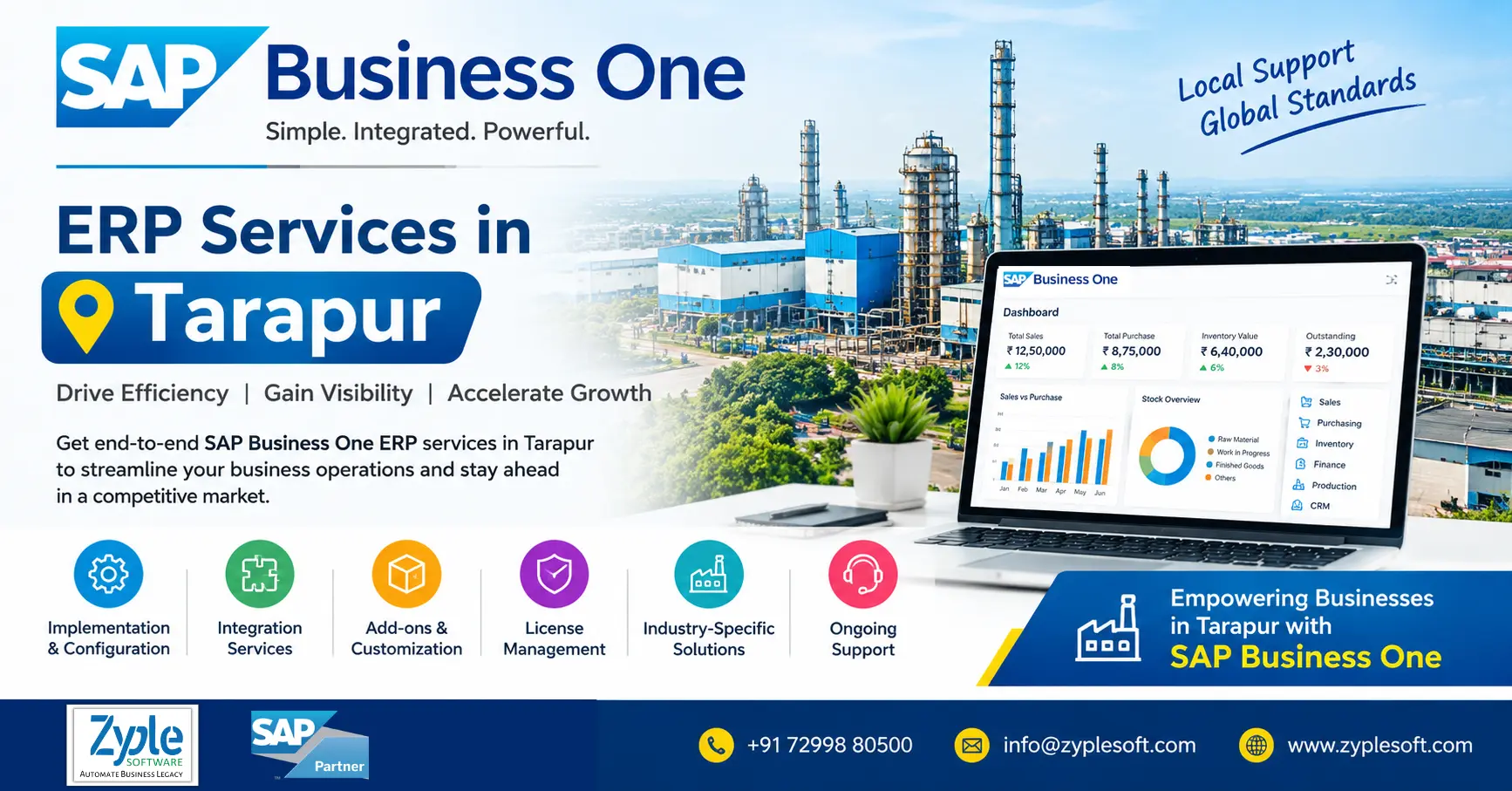
SAP Business One ERP Services in Tarapur by Zyple Software

ERP software in Tarapur is now necessary for businesses looking to expand in today’s competitive market. Whether you’re a small trader, MSME, or a large enterprise, ERP software in Tarapur helps facilitate operations, automate workflows, and improve efficiency. Zyple Software is the trusted SAP Business One partner providing ERP services in Tarapur to bring immense value.

There are many industries in Tarapur, such as chemical, petrochemical, pharmaceutical, steel, textiles, nuclear power, manufacturing, engineering, construction, real estate, aerospace and defense, jewellery manufacturing, and more.

Why SAP Business One for Businesses in Tarapur?

Tarapur is a prominent industrial hub known heavily for its chemical, pharmaceutical, manufacturing, and engineering units. Businesses in Tarapur choose SAP Business One because it is cost-effective, integrated enterprise resource planning (ERP) solution customized for small and medium-sized enterprises (SMEs) to handle complex local industry needs.

1. Robust Manufacturing and Production Control

SAP Business One supports both discrete and process manufacturing, making it suitable for the chemical and pharmaceutical plants dominating Tarapur. It handles bill of materials (BOMs), work orders, and shop-floor output.

2. Batch and Serial Number Tracking

It provides complete traceability, expiry control, and quality control inspections, which are essential for complying with strict regulatory and safety standards in chemical and drug manufacturing.

3. Supply Chain and Inventory Visibility

Real-time multi-location stock tracking, automated reorder alerts, and material requirements planning (MRP) help local factory owners reduce inventory costs and prevent production bottlenecks.

4. Seamless Financials and Statutory Compliance

It centralizes core accounting with automated GST calculations, tax reporting, and banking integration, simplifying compliance for regional manufacturers.

5. Unified Operations

It brings finance, sales, purchasing, and CRM into a single real-time database, replacing discontinued spreadsheets or legacy software to improve daily operations efficiently.

Top SAP Business One ERP Services in Tarapur

1. Implementation

SAP implementation requires a structured, 5-phase methodology generally taking 8 to 12 weeks for small and medium-sized enterprises.

2. Integration

Integration delivers the core tools required to connect SAP Business One (SAP B1) with external systems and services.

3. Migration

Transferring the data from SAP B1 SQL to SAP B1 HANA using the structured extraction, validation, and deployment steps.

4. Add-On Development

SAP Business One add-on development refers to developing SAP B1 add-ons, workflows, and integrations to expand the core ERP system’s capabilities using the SAP Business One software development kit (SDK).

5. Licensing

Licensing is the process of providing official user authorization to access modules and tools based on named-user and deployment models.

6. Support

It refers to the technical and functional assistance provided to keep the SAP software running seamlessly, securely, and efficiently.

7. Consulting

It delivers specialized guidance for small and medium-sized enterprises (SMEs) to customize, deploy, and optimize their enterprise resource planning (ERP) systems.

8. Digital Transformation

It is a digital core for small and medium-sized enterprises (SMEs) by centralizing data and automating workflows across finance, CRM, sales, production, and more using SAP software.

9. Other Systems

Rather than the SAP Business One solution, we deliver HRMS, MES (Manufacturing Execution System), and payroll system.

Industry Coverage Relevant to Tarapur

1. Chemical

Inventory, production, material requirements planning (MRP), quality control, and purchasing to improve the efficiency of chemical businesses.

2. Petrochemical

Inventory and batch management, production and MRP, purchasing and procurement, financial management, and sales and CRM to facilitate the operations of petrochemical businesses.

3. Pharmaceutical

Production, quality control, inventory and warehouse management, procurement, and sales and CRM to benefit pharmaceutical businesses.

4. Steel

Inventory, production, purchasing, quality control, and finance to improve the efficiency of steel businesses.

5. Textile

Production, material requirements planning (MRP), inventory, financial management, and sales and CRM to facilitate the operations of textile businesses.

6. Nuclear Power

Financial management, purchasing, service, project management, and inventory to benefit nuclear power businesses.

7. Manufacturing

Production, material requirements planning (MRP), inventory, procurement, and finance to improve the efficiency of manufacturing businesses.

8. Engineering

Production, material requirements planning (MRP), project management, inventory, and service management to facilitate the operations of engineering businesses.

9. Real Estate

Financial management, sales and CRM, project management, purchasing, and service management to benefit real estate businesses.

10. Aerospace and Defense

Production, financial management, inventory, supply chain, and quality management to improve the efficiency of aerospace and defense businesses.

11. Jewellery Manufacturing

Bullion purchase, bullion sales, karigar inwards, karigar outwards, and sample receipt to facilitate the operations of jewellery manufacturing businesses.

Why Zyple is Accepted for SAP ERP Services in Tarapur?

Zyple Software is accepted for SAP B1 ERP services in Tarapur (Maharashtra) because it is an experienced SAP Business One partner that delivers customized, end-to-end implementation, integration, and support designed for small and medium-sized enterprises.

1. Certified Expertise

Zyple Software operates as an authorized SAP B1 partner delivering reliable deployment, customization, and migration.

2. Industry-Specific Solutions

Provides customized workflows for diverse sectors like construction, manufacturing, real estate, retail, pharma, and more.

3. End-to-End Services

Includes full-cycle implementation, add-on development, user training, and post-go-live support.

4. Cost-Effectiveness

Focuses on budget-friendly, zero-defect digital transformation strategies customized for regional industry hubs using SAP solutions.

ERP Implementation Process Overview

An enterprise resource planning (ERP) implementation process is the organized path a business follows to plan, configure, test, and launch a unified software system.

1. Discovery and Planning

Define project scope, set budgets, assemble a cross-functional team, and choose the ideal ERP software.

2. Design and Blueprinting

Outline business processes, perform gap analysis, and design custom workflows or modules.

3. Development and Configuration

Configure the core system, develop necessary integrations, and set up database parameters.

4. Data Migration

Extract, cleanse, verify, and transfer legacy records into the new environment.

5. Testing

Run unit, integration, and user acceptance testing (UAT) to catch errors  and validate workflows.

6. Training and Change Management

Prepare employees through role-specific training programs to ensure seamless adoption.

7. Go-Live and Support

Launch the system (all at once or in stages) and evaluate performance for post-launch stabilization.

Business Outcomes for Industries in Tarapur

  • Improved traceability and quality control help handle strict regulatory norms, audit trails, and rapid recalls.
  • Enhanced inventory and supply chain reduce raw material stockouts and overstocking, minimizing carrying costs for plant warehouses.
  • Accurate production costing provides precise cost of goods sold (COGS) and real-time margin visibility.
  • Facilitated plant operations eliminate data storage and manual reporting errors.

Conclusion of ERP Services in Tarapur (Maharashtra)

Zyple Software is an experienced SAP Business One partner providing ERP services like SAP B1 implementation, integration, migration, licensing, add-ons, consulting, and support to different industries like construction, real estate, manufacturing, retail, pharma, aerospace, solar, jewellery, food and beverage, textiles, healthcare, and more.

SAP Business One is an ERP customized for small and medium-sized enterprises (SMEs) that integrates finance, purchasing, sales, inventory, production, CRM, and reporting and analytics into a single platform. For all enterprises, it can enhance project costing, procurement, subcontractor billing, and inventory management.

Read More: https://www.zyplesoft.com/erp-services/

Are you looking for ERP software for your industry or Business? Fill your details below in contact form, Zyple’s team will contact you with best option.

    FAQs

    1.Who is the best SAP Business One ERP provider in Tarapur for manufacturing industries?

    The best SAP B1 ERP provider should have strong experience in manufacturing, providing solutions for production planning, inventory management, quality control, and compliance. Choosing a partner with proven implementation expertise like Zyple Software ensures better ROI and seamless operations.

    Yes, Zyple Software provides free demos to help you understand how the system works for your specific business processes. An SAP B1 demo enables you to analyze features like reporting, inventory tracking, and financial management before making a decision.

    Zyple Software delivers both on-site and remote training along with ongoing support. This ensures your team can effectively use the system and resolve problems quickly without disrupting daily operations.

    Yes, SAP Business One is customized specifically for SMEs and integrates key functions like finance, sales, inventory, and production into a single system. It is highly suitable for industries in Tarapur such as manufacturing, pharmaceuticals, construction, real estate, textiles, and more.

    You can connect with an SAP B1 provider like Zyple Software who understands your industry and business processes. They will evaluate your requirements and provide a customized solution with the right modules, integrations, and support services.
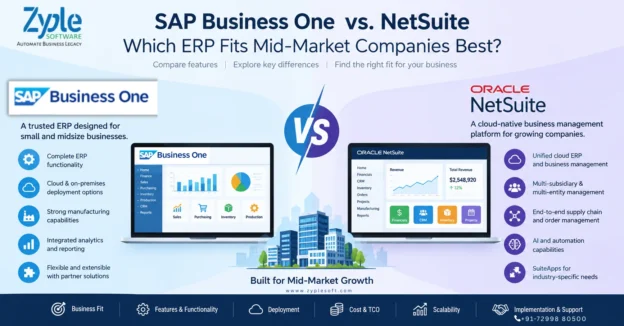
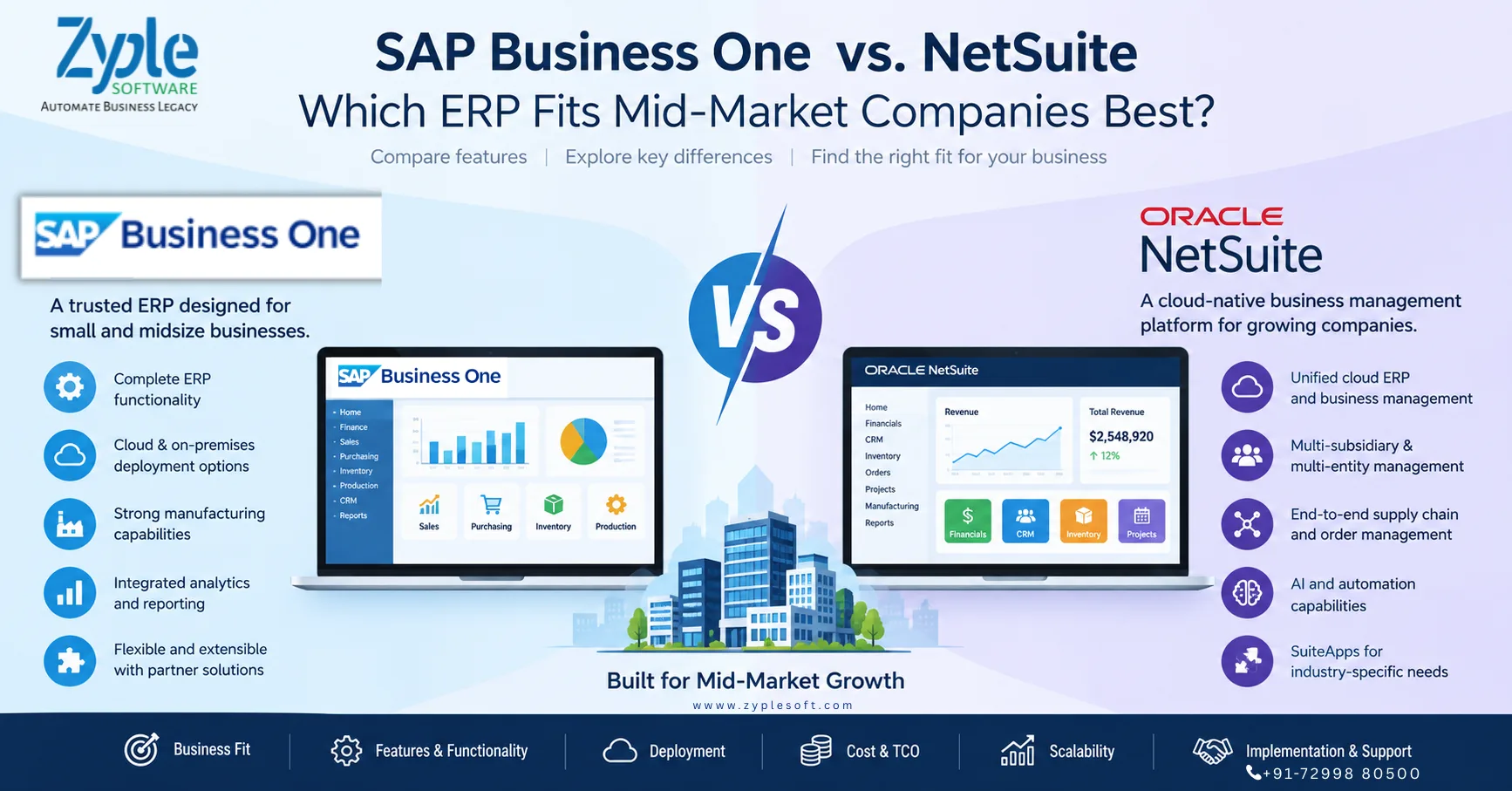
    SAP Business One vs NetSuite ERP comparison for mid-market companies

    SAP Business One vs. NetSuite: Which ERP Fits Mid-Market Companies Best?

    SAP Business One vs. NetSuite: Which ERP Fits Mid-Market Companies Best?

    SAP Business One vs NetSuite ERP comparison for mid-market companies

    Choosing an ERP system is one of the most important technology decisions a growing company can make. The right ERP should not only handle accounting and financial reporting but also connect purchasing, inventory, sales, production, projects, customer management, supply chain and business analytics.

    Two ERP platforms frequently considered by growing and mid-market businesses are SAP Business One and Oracle NetSuite.

    Both provide integrated ERP capabilities, but they approach the mid-market from somewhat different directions. SAP Business One is designed specifically for small and midsize businesses and can be deployed in cloud or on-premises environments. NetSuite is a cloud-native business management suite covering ERP, financials, CRM, inventory, order management, projects, manufacturing and related processes.

    So, SAP Business One vs. NetSuite is not simply a question of which ERP has more features. The more useful question is:

    Which ERP architecture, deployment model, industry capability, customization approach and total cost structure best match the company’s current operations and future growth plans?

    SAP Business One vs. NetSuite at a Glance

    Business Requirement SAP Business One Oracle NetSuite
    Target market Small and midsize businesses Small and midsize businesses and growing companies
    ERP Integrated ERP Integrated cloud ERP/business management suite
    Financial management Yes Yes
    Sales & CRM Yes Yes
    Purchasing Yes Yes
    Inventory management Yes Yes
    Manufacturing Yes Yes
    Supply chain Yes Yes
    Project management Yes Yes
    Business intelligence Integrated reporting and analytics SuiteAnalytics and dashboards
    Cloud deployment Available Cloud/SaaS
    On-premises deployment Available Primarily cloud-based
    SAP HANA option Yes Not applicable
    Multi-company capabilities Yes Yes
    Industry extensions Partner ecosystem and industry solutions SuiteApps and partner ecosystem
    Customization Partner extensions, SDK/APIs and add-ons SuiteCloud customization and SuiteApps
    Mobile access Yes Yes
    Best evaluation approach Match business processes and deployment requirements Match cloud operating model and business requirements

    The exact functionality available can depend on edition, localization, configuration, add-ons, integrations and implementation approach. Therefore, companies should validate requirements against the current product version before making a purchasing decision.

    What is SAP Business One?

    SAP Business One is an ERP solution designed specifically for small and midsize businesses and subsidiaries of larger organizations.

    SAP positions Business One as a single ERP system covering areas such as financial management, purchasing, inventory, sales, customer relationships, reporting and analytics.

    Its functional coverage includes:

    • Financial accounting
    • Accounts payable and receivable
    • Banking and reconciliation
    • Purchasing
    • Inventory management
    • Sales management
    • CRM
    • Production
    • MRP
    • Warehouse management
    • Service management
    • Project management
    • Reporting and analytics
    • Fixed assets
    • Budgeting and controlling
    • Business intelligence
    • Mobile access

    SAP also documents industry-oriented capabilities for areas including manufacturing, professional services, retail, wholesale distribution and consumer products.

    SAP Business One deployment options

    SAP Business One can be deployed using different approaches, including cloud and on-premises deployment. SAP’s technical documentation also highlights mobile access and deployment flexibility. 

    This can be particularly relevant for companies that want more control over infrastructure, databases or deployment architecture.

    For better deployment and implementation, you can contact with SAP Business One partners.

    What is Oracle NetSuite?

    Oracle NetSuite is a cloud-based business management and ERP platform designed to bring financial and operational processes into a unified system.

    NetSuite describes its ERP platform as covering accounting, orders, inventory, projects, production, supply chain and warehouse operations, while also supporting multiple subsidiaries, business units and legal entities.

    NetSuite’s broader platform includes capabilities around:

    • Financial management
    • Accounting
    • CRM
    • Inventory
    • Order management
    • Procurement
    • Supply chain
    • Manufacturing
    • Project management
    • E-commerce
    • Analytics
    • Multi-subsidiary management
    • Revenue management
    • Cloud integrations

    Oracle has also been expanding AI capabilities in NetSuite. Its 2026 releases include developments around natural-language interaction, AI-assisted finance processes and agent-oriented functionality

    SAP Business One vs. NetSuite: Key Differences

    The biggest differences become clearer when the ERP decision is examined from the perspective of business model, deployment, manufacturing, customization, international operations and cost structure.

    1. Company Size and Market Focus

    SAP Business One is explicitly positioned by SAP for small and midsize businesses and subsidiaries of larger enterprises.

    NetSuite is also strongly positioned around growing and midsize organizations, with a broader cloud business-management architecture.

    For a mid-market organization, both can therefore be relevant.

    The important question is not simply:

    “Is the company big enough?”

    Instead, ask:

    • How complex are the company’s operations?
    • How many legal entities are involved?
    • How many locations or plants exist?
    • Is manufacturing involved?
    • How much customization is required?
    • Does the business need on-premises deployment?
    • How important is cloud-only architecture?
    • Which countries and tax environments need to be supported?
    • What integrations are required?

    2. Cloud vs. On-Premises ERP

    This is one of the clearest architectural differences to consider.

    SAP Business One supports cloud and on-premises deployment models.

    NetSuite is fundamentally a cloud/SaaS ERP platform.

    For a company that wants a cloud-only operating model with vendor-managed infrastructure, NetSuite’s architecture may align naturally with that requirement.

    For an organization that wants to evaluate cloud versus on-premises deployment, SAP Business One provides more deployment flexibility.

    This matters particularly for companies with:

    • Internal infrastructure requirements
    • Specific data-control policies
    • Manufacturing environments
    • Existing IT infrastructure
    • Integration requirements
    • Local hosting considerations

    3. Manufacturing Capabilities

    Manufacturing companies should evaluate ERP systems differently from service businesses.

    A manufacturer may require:

    • Bill of materials
    • Production orders
    • Material requirements planning
    • Inventory planning
    • Procurement
    • Batch management
    • Serial numbers
    • Quality processes
    • Production costing
    • Warehouse management
    • Subcontracting
    • Work-in-progress tracking
    • Shop-floor integration
    • Machine or MES integration

    SAP Business One for manufacturing includes capabilities and SAP specifically highlights manufacturing among its supported industries.

    NetSuite also provides manufacturing functionality and its current documentation includes manufacturing among its ERP capabilities and release areas.

    For manufacturers, however, the important comparison is not simply whether both systems have “manufacturing.”

    The evaluation should go deeper:

    Can the ERP model the company’s actual production processes without excessive customization?

    That is where implementation workshops and proof-of-concept demonstrations become important.

    4. Financial Management

    Both platforms provide comprehensive financial-management capabilities.

    SAP Business One includes accounting, financial reporting, banking and reconciliation, budgeting, controlling and related financial functions.

    NetSuite similarly provides integrated financial management as part of its ERP platform.

    For CFOs, the comparison should therefore go beyond basic accounting.

    Important evaluation areas include:

    • Multi-company accounting
    • Consolidation
    • Taxation
    • Accounts receivable
    • Accounts payable
    • Cash-flow visibility
    • Budgeting
    • Cost accounting
    • Profitability analysis
    • Financial close
    • Audit requirements
    • Management reporting

    The ERP that best fits the company is the one that supports these processes with the appropriate level of control and automation.

    5. Multi-Company and International Operations

    Growing companies frequently expand from one company into multiple:

    • Legal entities
    • Branches
    • Countries
    • Business units
    • Warehouses
    • Plants

    NetSuite emphasizes management of multiple subsidiaries, business units and legal entities from its unified platform.

    SAP Business One can also support subsidiaries and multi-company business environments. SAP explicitly describes Business One as suitable for subsidiaries of larger enterprises.

    For an international business, evaluation should include:

    • Country localization
    • Tax requirements
    • Currency management
    • Intercompany processes
    • Consolidation
    • Banking
    • Compliance
    • Reporting requirements

    A demo using the company’s actual transactions is much more useful than comparing feature checklists alone.

    6. Customization and Industry-Specific Requirements

    Mid-market companies rarely operate exactly like the ERP vendor’s standard demonstration company.

    For example, a construction company may need:

    • BOQ management
    • Project costing
    • Contractor billing
    • Retention
    • WIP
    • Site inventory
    • Subcontractor management

    A manufacturer may need:

    • Production planning
    • Batch traceability
    • Quality management
    • Machine integration
    • MES
    • Costing

    A jewellery company may require:

    • Metal/bullion tracking
    • Stone management
    • Manufacturing processes
    • Job work
    • Variance analysis

    This is why ERP extensibility matters.

    SAP Business One is designed to be flexible and extensible, with partner solutions and extensions available for specific business requirements.

    NetSuite provides customization capabilities through its SuiteCloud ecosystem and SuiteApps.

    The practical question is:

    How much of the company’s process can be handled through standard functionality, and how much requires customization or third-party extensions?

    7. Analytics and Business Intelligence

    ERP value is increasingly tied to how quickly management can turn transactional data into decisions.

    SAP Business One provides integrated reporting, dashboards, analytics and real-time business information. SAP also highlights interactive analysis and customizable reporting.

    NetSuite provides analytics and dashboards across its cloud business-management platform, with continued development of AI-assisted analysis and natural-language capabilities.

    For a CFO or CEO, useful questions include:

    • Can I see gross margin by product?
    • Can I monitor inventory aging?
    • Can I compare plants?
    • Can I identify slow-moving inventory?
    • Can I monitor project profitability?
    • Can I track production costs?
    • Can I monitor receivables?
    • Can I analyze sales by customer and region?
    • Can management access dashboards without depending on IT?

    These questions provide a better ERP comparison than simply asking which product has “better analytics.”

    8. Total Cost of Ownership

    ERP cost is more than the software license.

    A realistic ERP budget should include:

    Total Cost of Ownership = Software + Implementation + Infrastructure + Integrations + Add-ons + Customization + Training + Support + Upgrades

    For SAP Business One, the cost structure can vary depending on:

    • User licenses
    • Deployment model
    • Database choice
    • Implementation scope
    • SAP Business One Add-ons
    • Integrations
    • Customization
    • Support requirements

    For NetSuite, organizations should consider:

    • Subscription
    • Users
    • Modules
    • Implementation
    • Customization
    • Integrations
    • SuiteApps
    • Support
    • Additional services

    Therefore, comparing only the quoted license price can produce a misleading result.

    A better approach is to request a 3-year or 5-year total cost of ownership model from both vendors or implementation partners.

    SAP Business One vs. NetSuite for Different Business Types

    Business Type Key ERP Evaluation Areas
    Manufacturing Production, MRP, inventory, costing, quality, shop-floor integration
    Construction Project costing, subcontracting, billing, procurement, WIP
    Distribution Inventory, purchasing, sales, warehouses, logistics
    Retail Sales, inventory, customer management, integrations
    Pharma Batch traceability, quality, inventory, compliance
    Jewellery Item characteristics, manufacturing, job work, costing
    Professional Services Projects, timesheets, billing, financials
    Multi-company Group Consolidation, intercompany, currencies, reporting
    Export Business Multi-currency, taxation, logistics, compliance
    EPC Projects, procurement, subcontracting, costing, billing

    The right ERP can vary even among companies in the same industry because operational complexity differs significantly.

    SAP Business One vs. NetSuite: Questions CFOs Should Ask

    Before selecting either ERP, ask both implementation teams:

    1. What will the complete 3-year cost be?

    Include licenses, implementation, integrations, add-ons, customization, training and support.

    2. Which processes work out of the box?

    Separate standard functionality from custom development.

    3. What happens when our business grows?

    Ask about users, companies, branches, warehouses, countries and transaction volumes.

    4. How easily can we integrate existing applications?

    Consider:

    • CRM
    • E-commerce
    • Payroll
    • Banking
    • MES
    • POS
    • Logistics
    • Tax systems
    • Mobile applications
    5. How much customization will we need?

    Excessive customization can affect implementation complexity and future maintenance.

    6. What reporting will management receive?

    Request actual CEO/CFO dashboards rather than generic demonstrations.

    7. What is the implementation methodology?

    Understand:

    • Discovery
    • Business blueprint
    • Configuration
    • Data migration
    • Testing
    • Training
    • Go-live
    • Post-go-live support
    8. What happens after go-live?

    ERP success depends heavily on implementation quality and ongoing support.

    SAP Business One vs. NetSuite: Which One Should a Mid-Market Company Choose?

    There is no universal ERP winner for every mid-market company.

    SAP Business One can be evaluated when a company wants an ERP specifically positioned for small and midsize businesses, broad core ERP functionality, manufacturing and industry capabilities, extensibility, and flexibility around deployment.

    NetSuite can be evaluated when a company is looking for a cloud-native business management platform with integrated financials, CRM, inventory, supply chain, manufacturing, projects and multi-entity capabilities.

    The decision should ultimately be based on the company’s:

    • Business processes
    • Industry
    • Number of users
    • Number of companies
    • Geographic footprint
    • Manufacturing complexity
    • Integration requirements
    • Deployment preferences
    • Customization requirements
    • Budget
    • Growth strategy
    • Internal IT capabilities

    Instead of asking “Which ERP is better?”, a more useful question is:

    “Which ERP can support our business processes with the least unnecessary complexity and the right long-term total cost?”

    SAP Business One vs. NetSuite: Decision Checklist

    Before signing an ERP contract, create a scorecard covering these areas:

    Business Fit

    • Finance
    • Sales
    • Purchasing
    • Inventory
    • Manufacturing
    • Projects
    • CRM

    Technology

    • Cloud
    • On-premises requirements
    • Mobile access
    • APIs
    • Integration
    • Data migration

    Growth

    • Multiple companies
    • Multiple locations
    • International operations
    • New business units
    • Increased users
    • Increased transaction volumes

    Financial

    • License/subscription
    • Implementation
    • Customization
    • Add-ons
    • Integration
    • Training
    • Support
    • 3–5 year TCO

    Implementation

    • Partner experience
    • Industry experience
    • Project methodology
    • Data migration
    • Testing
    • User training
    • Go-live support

    Final Conclusion

    SAP Business One vs. NetSuite is a business-fit decision, not simply a feature comparison.

    Both ERP system can address substantial mid-market requirements. SAP Business One provides an ERP platform specifically designed for small and midsize organizations, with financials, sales, purchasing, inventory, analytics and industry capabilities, alongside cloud and on-premises deployment options.

    NetSuite provides a cloud-based unified business-management platform covering ERP, financials, CRM, inventory, projects, manufacturing, supply chain and multi-entity operations, with ongoing AI and automation enhancements.

    For a mid-market company, the best ERP evaluation is therefore based on business-process fit, implementation requirements, deployment model, scalability, integrations, industry functionality and total cost of ownership.

    A structured demo using your company’s real workflows, reports, master data and transactions can reveal far more than a generic product presentation.

    Frequently Asked Questions

    Is SAP Business One suitable for mid-market companies?

    Yes. SAP Business One is specifically positioned by SAP for small and midsize businesses and subsidiaries of larger organizations.

    Yes. NetSuite is designed as a cloud business-management platform serving growing organizations and provides capabilities across financials, ERP, CRM, inventory, projects, manufacturing and supply chain.

    One important difference is deployment architecture: SAP Business One supports cloud and on-premises deployment options, while NetSuite is fundamentally a cloud/SaaS platform.

    Both platforms offer manufacturing capabilities. The appropriate choice depends on the manufacturer’s production processes, MRP requirements, costing, quality, integrations, localization, customization and implementation requirements.

    SAP Business One can be used by subsidiaries and organizations operating across multiple business entities, with the exact capabilities depending on configuration and localization.

    No. NetSuite extends beyond financial management into CRM, inventory, order management, projects, production, supply chain and warehouse operations.

    Yes. SAP Business One can integrate with SAP HANA, and SAP documents HANA-based deployment and analytics capabilities for Business One.

    Companies should compare both platforms using their actual requirements, including finance, manufacturing, inventory, projects, multi-company operations, integrations, deployment, customization, implementation methodology and long-term TCO.

    Are you are looking for any ERP? and which is best suitable for your business.

    Fill your contact details in form, Zyple Software’s team contact you with best solutions.

      ERP software price guide by Zyple Software

      ERP Software Price

      ERP Software Price: Complete Guide

      ERP software price guide by Zyple Software

      Choosing an ERP system is an important investment for any growing business. However, one of the first questions asked by CEOs, CFOs, business owners and IT managers is simple:

      How much does ERP software cost?

      The answer is not a single fixed number. ERP software price depends on the number of users, deployment model, software edition, database, implementation requirements, integrations, customizations, industry-specific add-ons, training, migration and ongoing support.

      For companies evaluating ERP solutions in India, understanding these cost components before requesting a quotation can make the purchasing process much clearer.

      This guide explains ERP software price, what is included in ERP pricing, the difference between cloud and on-premise ERP costs, ERP implementation expenses, hidden costs to consider, and how businesses can calculate the total cost of ownership.


      What is ERP Software Price?

      ERP software price is the total amount a business pays to acquire, deploy and operate an enterprise resource planning system.

      Depending on the ERP provider, pricing may include one or more of the following:

      • ERP software license

      • User licenses

      • Cloud subscription

      • Database or infrastructure

      • Implementation services

      • Configuration

      • Customization

      • Data migration

      • Third-party integrations

      • Industry-specific add-ons

      • Training

      • Testing

      • Go-live support

      • Annual maintenance

      • Technical support

      • Upgrades and enhancements

      Therefore, comparing ERP systems only by their license or subscription price can produce an incomplete picture.

      A better approach is to calculate the Total Cost of Ownership (TCO).

      ERP Total Cost of Ownership

      A practical ERP cost calculation can be represented as:

      ERP TCO = Software + Implementation + Infrastructure + Integration + Customization + Training + Support + Add-ons

      The exact components vary according to the ERP platform and business requirements.


      How Much Does ERP Software Cost?

      There is no universal ERP software price because ERP projects are highly dependent on business requirements.

      For example, a small trading company with 5–10 users may require a relatively simple ERP configuration, while a manufacturing or EPC company may require:

      • Production planning

      • Bill of Materials

      • Inventory management

      • Procurement

      • Sales

      • Financial accounting

      • Project management

      • Quality management

      • Subcontracting

      • Cost centres

      • Multiple warehouses

      • Multiple branches

      • GST and statutory integrations

      • E-invoicing

      • E-Way Bill

      • Business intelligence

      • Mobile applications

      • CRM

      • Payroll

      • Industry-specific add-ons

      Consequently, the ERP investment can be significantly different between the two businesses.

      The right question is not only “What is the ERP software price?” but “What will the complete ERP system cost for my business requirements?”


      ERP Software Price in India: What Determines the Cost?

      Several factors influence ERP software pricing in India.

      1. Number of Users

      User count is one of the most important pricing factors.

      ERP Services vendors may offer different user types, such as:

      • Professional users

      • Limited users

      • CRM users

      • Operational users

      • Employee/self-service users

      • Read-only users

      A company with 10 ERP users and a company with 100 ERP users will naturally have different licensing or subscription requirements.

      Before asking for an ERP quotation, identify:

      How many employees actually need access to the ERP?

      Also determine what each user needs to do.

      A finance manager may require access to accounting, payments and financial reporting, while a warehouse employee may only need inventory transactions.

      2. Cloud ERP vs On-Premise ERP Price

      The deployment model has a significant impact on ERP pricing.

      Cloud ERP Pricing

      With cloud ERP, businesses generally pay through a subscription model.

      Typical costs may include:

      • Per-user subscription

      • Monthly or annual subscription

      • Cloud hosting

      • Database

      • Backup

      • Infrastructure

      • Security and maintenance

      The initial investment can be lower because the company does not necessarily need to purchase and maintain its own ERP server infrastructure.

      On-Premise ERP Pricing

      With an on-premise ERP system, the business may purchase software licenses and operate the system on its own infrastructure or dedicated hosting environment.

      Potential costs include:

      • Software licenses

      • Database

      • Server or hosting

      • Implementation

      • Infrastructure

      • Backup

      • Maintenance

      • Support

      Cloud vs On-Premise ERP Cost

      Cost Factor Cloud ERP On-Premise ERP
      Initial investment                          Generally lower                          Generally higher
      Payment model                            Subscription                  License or perpetual model
      Infrastructure                         Usually hosted                  Customer-managed/hosted
      Hardware investment                           Usually lower                          May be required
      Maintenance           Often included in subscription                  Usually separately managed
      Scalability                          Usually flexible                       Depends on infrastructure
      Long-term cost             Depends on users and subscription period           Depends on licenses, maintenance and infrastructure


      Neither model should be evaluated only on initial price. The business should compare the expected 3-year or 5-year total cost of ownership.


      3. ERP License Cost

      ERP license pricing can vary significantly between vendors.

      Some ERP platforms use:

      • Per-user licensing

      • Concurrent-user licensing

      • Module-based pricing

      • Edition-based pricing

      • Subscription licensing

      • Per-company pricing

      • Usage-based pricing

      The license may also differ depending on the functionality available to each user.

      For example, a full finance and operations user may require a different license than a limited warehouse or CRM user.

      Therefore, companies should ask vendors to provide a user-wise licensing breakdown instead of looking only at the headline ERP price.


      4. ERP Implementation Cost

      Software licensing is only one component of the overall ERP investment.

      ERP implementation cost can include:

      • Business process study

      • Requirement gathering

      • ERP configuration

      • Master data preparation

      • Data migration

      • Reports

      • Workflows

      • User authorization

      • Integration

      • Testing

      • User training

      • Go-live support

      • Post-go-live support

      Implementation complexity increases when the company has multiple locations, complex manufacturing processes, multiple tax requirements, extensive integrations or highly customized workflows.

      A low software price does not necessarily mean a low project cost.


      5. ERP Customization Cost

      Businesses often require processes that are not available in the standard ERP configuration.

      Customization may involve:

      • Custom screens

      • Reports

      • Approval workflows

      • Business logic

      • Dashboards

      • Mobile applications

      • Industry-specific processes

      • Customer portals

      • Vendor portals

      Before approving customization, management should determine whether the requirement can be solved through standard ERP configuration, an existing add-on or integration.

      Excessive customization can increase both implementation cost and future maintenance requirements.


      6. ERP Integration Cost

      Modern companies rarely operate with ERP alone.

      An ERP may need to communicate with:

      • CRM systems

      • E-commerce platforms

      • Banking systems

      • Payment gateways

      • Payroll software

      • Manufacturing systems

      • MES

      • Weighbridges

      • Barcode systems

      • IoT devices

      • WhatsApp

      • Government portals

      • E-commerce marketplaces

      • Business intelligence platforms

      Integration costs depend on the number of systems, APIs, transaction volume and integration complexity.

      For example, a manufacturing company may integrate ERP with production machinery or MES, while an EPC company may require project, contractor billing and document workflows.


      7. Industry-Specific ERP Add-On Cost

      Generic ERP functionality may not cover every industry-specific requirement.

      Businesses may require specialized add-ons for:

      • Construction

      • EPC

      • Manufacturing

      • Pharma

      • Jewellery

      • Textile

      • Retail

      • Automotive

      • Food processing

      • Solar

      • Engineering

      • Mining

      • Real estate

      Examples include:

      Construction: Contractor Billing, BOQ, project costing and site inventory.

      Pharma: Batch traceability, expiry management, quality control and compliance processes.

      Jewellery: Bullion management, stone tracking and manufacturing processes.

      Manufacturing: Production planning, subcontracting, quality and machine integration.

      These add-ons can affect the overall ERP software price.


      8. Data Migration Cost

      Moving historical data from an existing system into the new ERP can be a major part of implementation.

      Companies may migrate data from:

      • Tally

      • Excel

      • Legacy ERP

      • Accounting software

      • CRM

      • Custom applications

      • Multiple databases

      Typical migration requirements may include:

      • Customer master

      • Vendor master

      • Item master

      • Opening balances

      • Inventory

      • Outstanding receivables

      • Outstanding payables

      • Historical transactions

      • Bills of materials

      • Price lists

      The cost depends on data volume, quality, structure and migration methodology.


      9. ERP Training Cost

      Successful ERP implementation depends on user adoption.

      Training may be required for:

      • Finance

      • Sales

      • Purchase

      • Inventory

      • Production

      • Quality

      • Projects

      • Management

      • IT administrators

      Training costs may be included in implementation packages or charged separately.

      Companies should clarify this before signing an ERP contract.


      10. ERP Support and AMC Cost

      After go-live, businesses require ongoing support.

      Support may include:

      • Technical assistance

      • Functional support

      • Bug resolution

      • User assistance

      • Database support

      • Performance monitoring

      • Upgrades

      • Regulatory changes

      • Report modifications

      Some ERP providers charge an annual maintenance fee, commonly referred to as AMC — Annual Maintenance Contract.

      When comparing ERP software price, businesses should calculate the expected support cost over several years.


      SAP Business One Pricing: What Should Businesses Consider?

      For small and mid-sized businesses evaluating SAP Business One, the total investment can include several components.

      SAP Business One pricing can depend on factors such as:

      • User type

      • Number of users

      • Deployment model

      • Database

      • Implementation scope

      • Add-ons

      • Integrations

      • Customization

      • Data migration

      • Training

      • Support

      For this reason, businesses should request a business-specific SAP Business One quotation rather than relying on a generic internet price.

      A quotation should clearly separate:

      1. Software licensing

      2. Implementation

      3. Database/infrastructure

      4. Add-ons

      5. Integration

      6. Customization

      7. Data migration

      8. Training

      9. Support/AMC

      This makes the ERP investment easier for management to evaluate.


      ERP Software Price Example

      Consider two hypothetical companies.

      Company A: Trading Business

      Requirements:

      • 10 users

      • Finance

      • Sales

      • Purchasing

      • Inventory

      • Basic reporting

      The implementation may be comparatively straightforward.

      Company B: Manufacturing Business

      Requirements:

      • 40 users

      • Production

      • MRP

      • Quality

      • Multiple warehouses

      • Subcontracting

      • Barcode

      • Machine integration

      • Advanced costing

      • Dashboards

      • Multiple approval workflows

      The second project would typically involve more implementation and integration work.

      Therefore, ERP software price cannot be determined accurately from user count alone.

      The business processes behind those users matter just as much.


      Hidden ERP Costs Businesses Should Ask About

      A low ERP quotation may not represent the final investment.

      Before selecting an ERP system, ask whether the quotation includes:

      • Implementation

      • Data migration

      • Training

      • Reports

      • Dashboards

      • Integration

      • Customization

      • Add-ons

      • Hosting

      • Backup

      • Database

      • User licenses

      • Support

      • AMC

      • Upgrades

      • GST/e-invoice integration

      • Mobile access

      Also ask:

      What happens if we add 20 more users next year?

      What will the ERP cost after three years?

      Are upgrades included?

      Are integrations charged separately?

      Are industry-specific add-ons included?

      These questions provide a more realistic picture of the ERP investment.


      How to Compare ERP Software Prices?

      Do not compare ERP vendors only by the initial quotation.

      Create a comparison based on:

      1. Software Cost

      License or subscription cost.

      2. Implementation Cost

      Configuration, migration and deployment.

      3. Integration Cost

      Third-party systems and APIs.

      4. Customization Cost

      Unique business requirements.

      5. Add-On Cost

      Industry-specific functionality.

      6. Infrastructure Cost

      Cloud, server, database and backup.

      7. Training Cost

      Initial and additional training.

      8. Support Cost

      AMC and ongoing support.

      9. Upgrade Cost

      Future software versions and enhancements.

      10. Five-Year TCO

      The most useful number for management comparison.


      ERP Software Price Calculator: A Better Way to Estimate Your Investment

      Instead of asking only for the ERP license price, companies can estimate their project investment using a structured calculation.

      Basic ERP Cost Formula

      Estimated ERP Investment = License/Subscription + Implementation + Add-ons + Integration + Customization + Migration + Training + Infrastructure + Support

      For a more accurate estimate, collect the following information:

      • Number of users

      • User types

      • Number of companies

      • Number of branches

      • Number of warehouses

      • Industry

      • Required modules

      • Existing software

      • Required integrations

      • Required reports

      • Data migration requirements

      • Cloud or on-premise preference

      The more precise the requirements, the more accurate the ERP quotation.


      How to Reduce ERP Implementation Cost?

      Reducing ERP cost does not necessarily mean choosing the cheapest software.

      Businesses can reduce unnecessary expenditure by:

      Use Standard ERP Processes Where Possible

      Avoid customizing processes that the ERP already supports.

      Prioritize Requirements

      Separate requirements into:

      • Must have

      • Important

      • Future requirement

      • Optional

      Control Customization

      Customize only where there is a genuine business requirement.

      Plan Data Migration

      Clean old data before migration instead of transferring unnecessary records.

      Train Key Users

      Develop internal ERP champions who can support users after go-live.

      Choose Scalable Licensing

      Select licenses based on actual user requirements while keeping future growth in mind.

      Evaluate Total Cost of Ownership

      Compare the expected 3-year or 5-year cost instead of only the first-year quotation.


      What Should an ERP Quotation Include?

      A professional ERP quotation should clearly show:

      Component What to Check
      ERP License        Number and type of users
      Cloud Subscription        Monthly/annual pricing
      Implementation        Scope and deliverables
      Configuration      Modules and workflows
      Data Migration     Records and historical data
      Integration          Systems included
      Customization                    Development scope
      Add-ons  Third-party/industry modules
      Training    Number of sessions/users
      Infrastructure     Hosting/server/database
      Support     SLA and support period
      AMC   Annual maintenance cost
      Taxes          Applicable taxes
      Future Users       Additional user pricing

      This level of transparency helps businesses avoid unexpected ERP expenses.


      Why the Cheapest ERP Software May Not Have the Lowest TCO?

      An ERP system with a low initial price may become expensive if it requires extensive:

      • Custom development

      • Third-party integrations

      • Manual workarounds

      • Additional software

      • Data correction

      • Support

      • Maintenance

      Conversely, a more comprehensive ERP platform may require a larger initial investment but provide more functionality within one integrated system.

      The correct comparison is therefore:

      Initial Cost vs. Total Cost of Ownership vs. Business Value

      Rather than:

      Vendor A is cheaper than Vendor B.


      ERP Software Price: Questions to Ask Before Buying

      Before signing an ERP agreement, ask your ERP partner:

      1. What is included in the software price?

      2. How many users are included?

      3. What type of licenses are required?

      4. Is the ERP cloud or on-premise?

      5. Is implementation included?

      6. What is the implementation scope?

      7. Is data migration included?

      8. Are integrations included?

      9. Are custom reports included?

      10. Are industry-specific add-ons included?

      11. What are the annual support charges?

      12. What does the AMC cover?

      13. How much does an additional user cost?

      14. What happens when the company adds another branch?

      15. What are the upgrade costs?

      16. What infrastructure is required?

      17. What training is included?

      18. What is the expected implementation timeline?

      19. What support SLA is provided after go-live?

      20. What is the estimated five-year total cost?

      These questions can help management understand the real ERP investment before making a purchasing decision.


      ERP Software Price for Different Industries

      ERP pricing can also vary according to industry complexity.

      Manufacturing ERP

      Manufacturers may require:

      • Production planning

      • BOM

      • MRP

      • Inventory

      • Quality

      • Subcontracting

      • Costing

      • Machine integration

      Construction ERP

      Construction and EPC companies may require:

      • Project costing

      • BOQ

      • Contractor billing

      • Procurement

      • Site inventory

      • WIP

      • Budget control

      • GST/TDS workflows

      Pharma ERP

      Pharmaceutical companies may require:

      • Batch management

      • Expiry management

      • Quality control

      • Traceability

      • Regulatory processes

      Jewellery ERP

      Jewellery businesses may require:

      • Bullion management

      • Stone management

      • Manufacturing

      • Weight tracking

      • Sales and inventory

      Retail ERP

      Retail companies may require:

      • POS integration

      • Inventory

      • Purchasing

      • Sales

      • Multiple locations

      • Customer management

      Because these requirements are different, ERP software price should always be calculated according to industry and business processes.


      Zyple Software: SAP Business One ERP Solutions

      Zyple Software helps businesses evaluate, implement and support SAP Business One according to their business requirements.

      Zyple Software provides:

      • SAP Business One implementation

      • SAP B1 integration

      • SAP B1 add-ons

      • Licensing assistance

      • Customization

      • Data migration

      • SAP HANA services

      • User training

      • Post-implementation support

      • Industry-specific ERP solutions

      Zyple works with businesses across industries including:

      • Manufacturing

      • Construction

      • EPC

      • Engineering

      • Jewellery

      • Aerospace

      • Pharma

      • Textile

      • Retail

      • Energy

      • And other industries

      The company has completed 60+ SAP Business One implementations, serving businesses across 20+ industries with 20+ add-ons.


      How Zyple Can Help Estimate SAP Business One Cost?

      Instead of providing a generic ERP software price, Zyple can evaluate the company’s requirements and build a project-specific estimate.

      The assessment can consider:

      Users → Modules → Industry → Deployment → Integrations → Add-ons → Customization → Migration → Training → Support

      This approach helps management understand both the initial investment and the expected ongoing ERP costs.


      Final Thoughts: Understanding ERP Software Price

      ERP software price is more than the cost of an ERP license.

      The actual investment can include software, users, implementation, customization, integrations, add-ons, migration, training, infrastructure and ongoing support.

      For this reason, businesses should evaluate ERP solutions using Total Cost of Ownership (TCO) rather than comparing only the initial software price.

      For companies evaluating SAP Business One, a detailed requirement assessment can provide a more realistic estimate based on users, modules, industry processes and deployment requirements.

      If your company is planning an ERP implementation, start by documenting your requirements and asking for a transparent cost breakdown.

      Looking for an ERP Software Price Estimate?

      Talk to Zyple Software for a SAP Business One requirement assessment and project-specific quotation.

      Call: +91-72998 80500

      Mail: info@zyplesoft.com

      Visit on Website: www.zyplesoft.com


      Frequently Asked Questions About ERP Software Price

      What is the average ERP software price?

      There is no single average ERP software price that applies to every business. Pricing depends on users, modules, deployment, implementation, integrations, customization, add-ons and support requirements.

      What is ERP software price in India?

      ERP software pricing in India varies by vendor, licensing model, number of users, implementation complexity and business requirements. A project-specific quotation provides a more meaningful estimate than a generic price.

      How much does ERP implementation cost?

      ERP implementation cost depends on business size, modules, data migration, customization, integrations, training and deployment complexity.

      Is cloud ERP cheaper than on-premise ERP?

      Cloud ERP can reduce upfront infrastructure expenditure because hosting and infrastructure are generally provided as part of the service. However, businesses should compare the total subscription cost over several years with the total cost of an on-premise deployment.

      Does ERP price include implementation?

      Not always. Some ERP vendors or partners bundle implementation with their proposal, while others price implementation separately. Always ask for a detailed quotation.

      What is included in ERP licensing?

      Depending on the ERP platform, licensing may include access for specific user types, modules or functionality. Businesses should verify exactly what each license permits.

      Does SAP Business One have a fixed price?

      SAP Business One pricing is dependent on factors such as user types, number of users, deployment model, implementation scope, integrations and additional requirements. A business-specific quotation is therefore more appropriate than a single fixed price.

      How much does ERP cost for a small business?

      The cost depends on the number of users and the required functionality. A small business with straightforward accounting, sales, purchasing and inventory requirements may have a very different ERP investment from a small manufacturer requiring production, quality and integration capabilities.

      What is ERP Total Cost of Ownership?

      ERP Total Cost of Ownership is the overall cost of acquiring, implementing, operating and maintaining an ERP system over a defined period. It can include licensing, implementation, infrastructure, customization, integration, training and support.

      How can I reduce ERP software cost?

      Businesses can control ERP costs by defining requirements clearly, limiting unnecessary customization, selecting appropriate user licenses, planning data migration and comparing the long-term total cost of ownership.


      Need a detailed SAP Business One cost estimate? Contact Zyple Software for a requirement-based assessment and quotation.

      Fill your details in below form, Zyple’s Team contact you soon.

        How to implement enterprise resource planning software in a manufacturing unit

        How to Implement Enterprise Resource Planning Software in a Manufacturing Unit?

        How to Implement Enterprise Resource Planning (ERP) Software in a Manufacturing Unit?

        How to implement enterprise resource planning software in a manufacturing unit

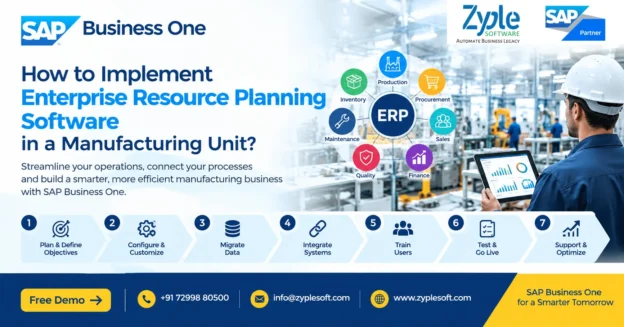
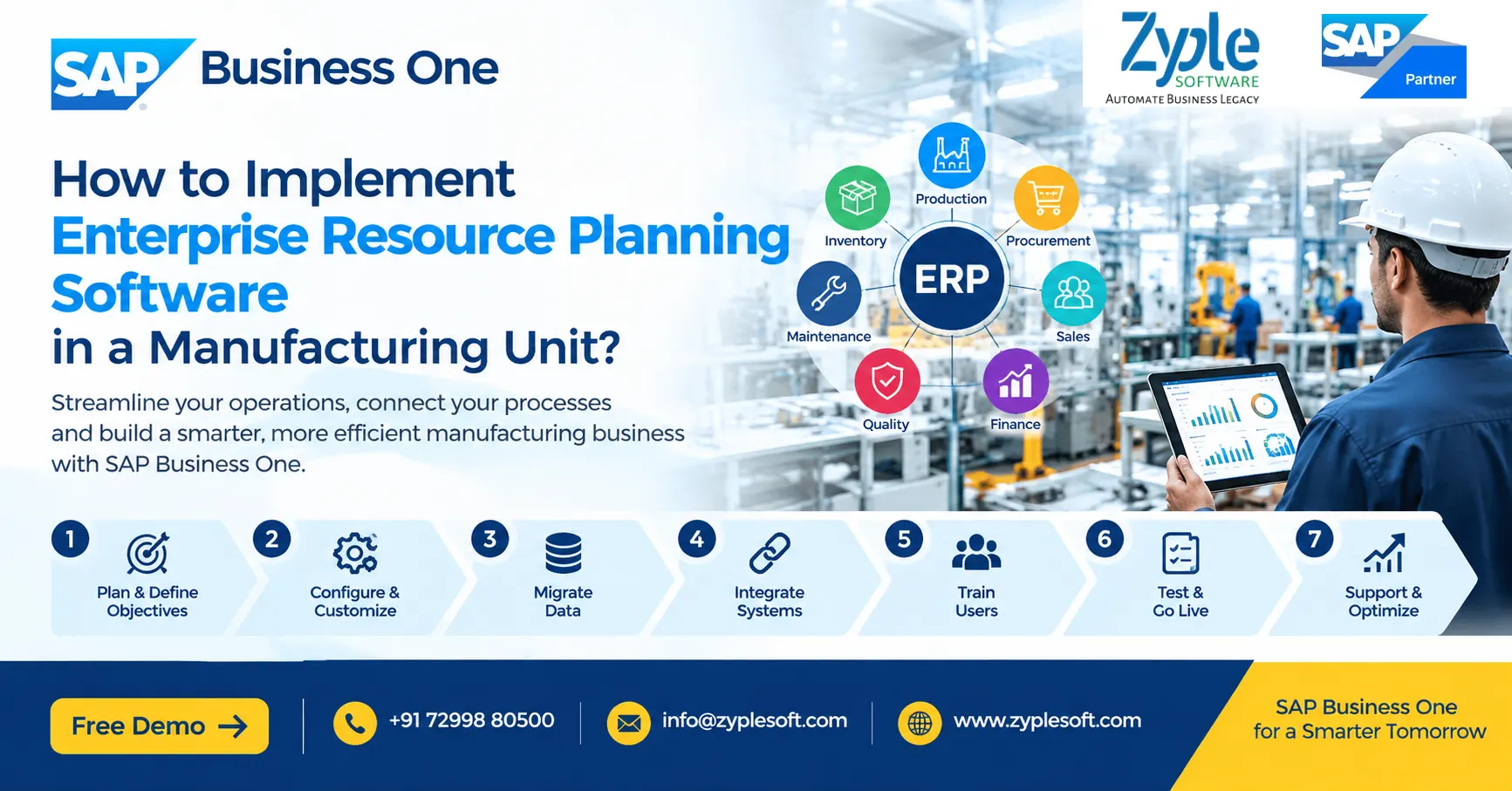
        Implementing enterprise resource planning (ERP) software in a manufacturing unit is a strategic project that connects finance, procurement, inventory, production, sales, quality, maintenance, warehouse operations, and other business functions through a centralized system.

        For a manufacturing company, ERP implementation is not simply about installing software. It involves understanding existing processes, defining business requirements, configuring the ERP system, migrating accurate data, integrating machines and applications, training employees, testing workflows, and continuously improving operations after go-live.

        A well-planned manufacturing ERP implementation can provide better production visibility, inventory control, material planning, costing, financial reporting, traceability, procurement management, and operational coordination.

        This guide explains how to implement ERP software in a manufacturing unit, what steps are involved, common challenges, implementation timelines, data migration considerations, user training requirements, and how to select an ERP system suitable for manufacturing.

        What is ERP Software for Manufacturing?

        Manufacturing ERP software is an integrated business management system that connects the major processes involved in running a manufacturing organization.

        Depending on the ERP platform and business requirements, manufacturing ERP can manage:

        • Production planning
        • Bill of Materials (BOM)
        • Material Requirements Planning (MRP)
        • Production orders
        • Inventory management
        • Warehouse management
        • Procurement
        • Supplier management
        • Sales and distribution
        • Quality management
        • Batch and serial number tracking
        • Machine and equipment maintenance
        • Job work and subcontracting
        • Costing
        • Financial accounting
        • Budgeting
        • Customer relationship management
        • Human resource and payroll integration
        • Business intelligence and dashboards

        Instead of maintaining separate spreadsheets and disconnected applications, an ERP system creates a common source of business data.

        Why Should a Manufacturing Unit Implement ERP?

        Manufacturing companies often operate across multiple interconnected processes. A purchasing decision affects inventory, inventory affects production, production affects finished goods, sales affects dispatch, and all of these transactions eventually affect financial accounting.

        Without an integrated ERP system, companies may face:

        • Duplicate data entry
        • Spreadsheet dependency
        • Inventory discrepancies
        • Poor production visibility
        • Delayed financial reporting
        • Difficult material planning
        • Inaccurate product costing
        • Procurement delays
        • Limited shop-floor visibility
        • Difficulty tracking batches or serial numbers
        • Manual reconciliation
        • Poor coordination between departments

        ERP implementation brings these processes together.

        Key benefits of manufacturing ERP include:

        1. Centralized data

        Finance, inventory, production, purchasing, sales, and management can work from connected information.

        2. Better inventory control

        Companies can track raw materials, work-in-progress, finished goods, batches, serial numbers, warehouses, and stock movements.

        3. Improved production planning

        MRP and production planning tools can help organizations determine material and production requirements based on demand, inventory, and production data.

        4. Better costing

        ERP systems can connect material consumption, labor, overheads, purchasing costs, and production information to improve cost visibility.

        5. Real-time business visibility

        Management dashboards can provide information about sales, inventory, production, purchasing, receivables, payables, and profitability.

        6. Improved traceability

        Batch and serial-number tracking can help manufacturers trace materials and finished products through relevant stages of the supply chain.

        How to Implement ERP Software in a Manufacturing Unit

        A successful ERP implementation should follow a structured methodology rather than attempting to automate every process simultaneously.

        Step 1: Define the Business Objectives

        Before selecting or configuring an ERP system, define what the manufacturing unit wants to achieve.

        Start by identifying current operational problems.

        For example:

        • Why are inventory records inaccurate?
        • Why are production schedules frequently delayed?
        • Why is material availability difficult to determine?
        • Why does product costing take too long?
        • Why are purchase requirements generated manually?
        • Why is management unable to obtain real-time production information?
        • Why does month-end financial reporting take several days?
        • Where are manual approvals creating delays?

        Then convert these problems into measurable objectives.

        Examples:

        • Reduce manual data entry.
        • Improve inventory accuracy.
        • Increase production visibility.
        • Improve material planning.
        • Reduce procurement delays.
        • Improve production costing.
        • Accelerate financial reporting.
        • Improve batch traceability.

        Clearly defined objectives make it easier to measure ERP implementation success.

        Step 2: Form an ERP Implementation Team

        ERP implementation requires participation from both management and operational users.

        A typical implementation team may include:

        • Project sponsor
        • ERP project manager
        • Finance representative
        • Production representative
        • Procurement representative
        • Inventory/warehouse representative
        • Sales representative
        • Quality representative
        • IT representative
        • Key users from different departments
        • ERP implementation partner

        The project team should have authority to make decisions about processes, data, approvals, reports, and system configuration.

        Step 3: Document Existing Manufacturing Processes

        Before configuring ERP software, document how the business currently operates.

        This is commonly called As-Is process mapping

        For manufacturing, map processes such as:

        Procure-to-Pay

        Purchase request → Purchase order → Goods receipt → Quality inspection → Supplier invoice → Payment

        Plan-to-Produce

        Demand → MRP → Material planning → Production order → Material issue → Production → Receipt of finished goods

        Order-to-Cash

        Sales quotation → Sales order → Production/planning → Delivery → Invoice → Collection

        Inventory

        Goods receipt → Put-away → Stock transfer → Material issue → Production consumption → Finished goods receipt → Dispatch

        Process mapping identifies unnecessary manual activities, duplicated work, approval gaps, and integration requirements.

        Step 4: Define the To-Be Process

        Once the current processes are documented, design the desired future processes.

        This is the To-Be process.

        The objective should not be to copy every existing manual process into the ERP system.

        Instead, ask:

        • Can this process be standardized?
        • Can approval be automated?
        • Can data be entered only once?
        • Can the ERP generate this document automatically?
        • Can departments share the same data?
        • Can an existing spreadsheet be eliminated?
        • Can the process be integrated with another system?

        A strong ERP implementation uses the software’s standard capabilities wherever practical and introduces customization only when there is a genuine business requirement.

        Step 5: Select the Right Manufacturing ERP

        ERP selection should be based on business requirements rather than only software features or license price.

        Evaluate the ERP across areas such as:

        Manufacturing

        • BOM management
        • Production orders
        • MRP
        • Capacity planning
        • Material consumption
        • Production reporting
        • Scrap management
        • By-products
        • Subcontracting
        • Production costing

        Inventory

        • Multi-warehouse management
        • Batch management
        • Serial numbers
        • Bin locations
        • Stock transfers
        • Inventory counting
        • Traceability

        Finance

        • General ledger
        • Accounts payable
        • Accounts receivable
        • Cost centers
        • Budgets
        • Fixed assets
        • Tax management
        • Financial reporting

        Procurement

        • Purchase requests
        • Purchase orders
        • Goods receipts
        • Supplier invoices
        • Approval workflows
        • Supplier management

        Sales

        • Quotations
        • Sales orders
        • Delivery
        • Invoicing
        • Customer management
        • Pricing

        Integration

        Check whether the ERP can integrate with:

        • CRM
        • E-commerce
        • Banking systems
        • Tax systems
        • Payroll
        • CAD/PDM/PLM
        • MES
        • Barcode systems
        • Weighbridges
        • IoT devices
        • Machine data
        • Business intelligence tools

        Step 6: Prepare a Detailed ERP Implementation Plan

        Create an implementation roadmap before configuration begins.

        A typical roadmap may include:

        1. Project initiation

        2. Requirement gathering

        3. Process mapping

        4. ERP configuration

        5. Customization

        6. Integration

        7. Data migration

        8. User training

        9. Testing

        10. User acceptance testing

        11. Go-live preparation

        12. ERP go-live

        13. Post-go-live support

        14. Continuous optimization

        Assign responsibilities and deadlines to each phase.

        Step 7: Configure the ERP System

        ERP configuration converts the organization’s approved business processes into system settings.

        Typical manufacturing configuration includes:

        • Company structure
        • Warehouses
        • Item master
        • Units of measurement
        • Business partners
        • Chart of accounts
        • Tax configuration
        • Number series
        • BOMs
        • Production parameters
        • Planning parameters
        • Purchasing rules
        • Sales processes
        • Approval workflows
        • Cost centers
        • User roles
        • Authorization levels

        Configuration should be documented so that future administrators understand how the system has been designed.

        Step 8: Clean and Migrate Master Data

        Data migration is one of the most important parts of an ERP implementation.

        Common manufacturing master data includes:

        • Item master
        • Raw materials
        • Finished products
        • Semi-finished products
        • BOMs
        • Customers
        • Suppliers
        • Warehouses
        • Bin locations
        • Price lists
        • Opening inventory
        • Opening balances
        • Outstanding receivables
        • Outstanding payables
        • Fixed assets

        Do not simply upload old spreadsheet data into the new ERP.

        First:

        Extract → Clean → Validate → Standardize → Map → Test → Migrate

        Duplicate items, incorrect units, obsolete materials, incomplete BOMs, and inconsistent customer or supplier records should be addressed before final migration.

        Step 9: Integrate ERP With Manufacturing Systems

        Modern manufacturing environments frequently use multiple systems.

        ERP may need to exchange information with:

        • Manufacturing Execution Systems (MES)
        • Barcode scanners
        • Weighing systems
        • Production machines
        • IoT platforms
        • Quality systems
        • CRM platforms
        • E-commerce systems
        • Payroll applications
        • Banking platforms
        • Tax platforms
        • Business intelligence tools

        For example, production data generated on the shop floor may need to flow into the ERP system so that management can view production progress, material consumption, and production performance.

        Integration requirements should be defined before go-live rather than being treated as an afterthought.

        Step 10: Configure Manufacturing-Specific Workflows

        A manufacturing ERP should reflect the company’s actual production model.

        Different manufacturing environments may require different processes.

        Discrete Manufacturing

        Common requirements include:

        • BOM
        • Production orders
        • Component consumption
        • Routing
        • Work centers
        • Assembly
        • Finished goods

        Process Manufacturing

        Additional requirements may include:

        • Batch management
        • Formula management
        • Co-products
        • By-products
        • Yield
        • Quality parameters
        • Expiry management

        Make-to-Stock Manufacturing

        ERP planning should support production based on forecast or expected demand.

        Make-to-Order Manufacturing

        Production may be triggered by customer orders.

        Engineer-to-Order Manufacturing

        The ERP may need integration with engineering, project management, costing, and document management processes.

        Understanding the production model is therefore critical before ERP configuration.

        Step 11: Set Up Manufacturing Planning and MRP

        Material Requirements Planning is a major ERP capability for manufacturing organizations.

        MRP can help determine:

        • What materials are required?
        • How much is required?
        • When are materials required?
        • What is already available?
        • What is on order?
        • What needs to be purchased?
        • What needs to be produced?

        The effectiveness of MRP depends heavily on accurate master data, including:

        • BOMs
        • Lead times
        • Minimum order quantities
        • Inventory levels
        • Planning parameters
        • Production information
        • Open purchase orders
        • Open sales orders
        • Forecasts

        Poor master data can produce poor planning results even when the ERP software itself is capable.

        Step 12: Define Roles, Approvals and Internal Controls

        ERP implementation should also improve process control.

        Define who can:

        • Create purchase orders
        • Approve purchases
        • Modify master data
        • Create production orders
        • Issue inventory
        • Adjust stock
        • Approve payments
        • Create customers
        • Change prices
        • Post financial transactions

        Role-based access can help organizations establish appropriate segregation of duties and approval workflows.

        Step 13: Train Employees Before Go-Live

        ERP adoption depends heavily on user understanding.

        Training should be role-specific.

        For example:


        Production users

        • Production orders
        • Material issues
        • Finished goods receipt
        • Production reporting

        Warehouse users

        • Goods receipt
        • Stock transfer
        • Picking
        • Inventory counting
        • Batch/serial tracking

        Purchase users

        • Purchase requests
        • Purchase orders
        • Goods receipts
        • Supplier management

        Finance users

        • Journal entries
        • AP/AR
        • Reconciliation
        • Cost centers
        • Financial reporting

        Management

        • Dashboards
        • KPIs
        • Financial reports
        • Production visibility
        • Inventory analytics

        Training should use realistic business scenarios rather than only theoretical demonstrations.

        Step 14: Conduct ERP Testing

        Testing should be performed before the system goes live.

        Important testing stages include:

        Unit Testing

        Individual configurations and functions are tested.

        Integration Testing

        Connected processes are tested together.

        For example:

        Sales order → MRP → Purchase order → Goods receipt → Production → Finished goods → Delivery → Invoice → Accounting.

        User Acceptance Testing

        Actual business users test whether the ERP supports their daily processes.

        Data Migration Testing

        Migrated master data and opening balances are validated.

        Performance Testing

        The system is tested under realistic transaction volumes where appropriate.

        Step 15: Prepare for ERP Go-Live

        Before go-live, create a detailed checklist.

        Confirm:

        • Master data is validated.
        • Opening balances are approved.
        • Users are trained.
        • User permissions are configured.
        • Integrations are tested.
        • Reports are validated.
        • Printers and devices are configured.
        • Barcode processes are tested.
        • Production processes are tested.
        • Backup procedures are established.
        • Support contacts are available.
        • Cutover responsibilities are assigned.

        A final go-live decision should be based on agreed readiness criteria rather than simply reaching a calendar date.

        Step 16: Go Live With a Controlled Cutover

        ERP go-live means the organization begins using the new ERP system for live business transactions.

        Depending on the organization’s size and risk profile, implementation teams may choose:

        • Big-bang go-live
        • Phased rollout
        • Module-based rollout
        • Plant-by-plant rollout
        • Location-based rollout

        The appropriate approach depends on factors such as company size, number of plants, process complexity, integrations, user readiness, and operational risk.

        Step 17: Provide Post-Go-Live Support

        ERP implementation does not end on the go-live date.

        The first few weeks may reveal:

        • User questions
        • Configuration issues
        • Reporting requirements
        • Data problems
        • Integration errors
        • Workflow changes
        • Additional training needs

        A post-go-live support period helps resolve these issues quickly.

        After stabilization, the organization can move into continuous improvement.

        Common ERP Implementation Challenges in Manufacturing

        Manufacturing ERP projects can face several challenges.

        1. Poor Master Data

        Incorrect BOMs, item codes, inventory quantities, units, or lead times can affect downstream processes.

        2. Excessive Customization

        Too much customization can increase implementation complexity, maintenance requirements, and upgrade considerations.

        3. Resistance to Process Changes

        Employees accustomed to spreadsheets or legacy applications may initially find a new ERP workflow unfamiliar.

        4. Lack of Management Involvement

        ERP projects require decisions from business leadership, particularly when processes need standardization.

        5. Inadequate Testing

        Insufficient testing can cause operational problems after go-live.

        6. Poor Training

        Employees need practical training based on their actual responsibilities.

        7. Treating ERP as Only an IT Project

        ERP affects finance, production, procurement, inventory, sales, management, and operations. It should therefore be treated as a business transformation project rather than only a software installation.

        How Long Does ERP Implementation Take in a Manufacturing Unit?

        There is no universal ERP implementation timeline.

        The duration depends on:

        • Number of users
        • Number of plants
        • Number of warehouses
        • Manufacturing complexity
        • Number of modules
        • Data volume
        • Number of integrations
        • Customization requirements
        • Reporting requirements
        • User readiness
        • Data quality

        A small manufacturing implementation may be significantly shorter than a multi-plant enterprise implementation.

        The best way to estimate the timeline is to complete a requirements and scope assessment before committing to a project schedule.

        How Much Does Manufacturing ERP Implementation Cost?

        Manufacturing ERP implementation cost depends on the complete project scope rather than only the software license.

        Potential cost components include:

        • ERP licenses or subscriptions
        • Implementation services
        • Configuration
        • Customization
        • Data migration
        • Integration
        • Reports and dashboards
        • Add-ons
        • Hardware
        • Cloud infrastructure
        • Training
        • Support
        • Annual maintenance or subscription costs

        A useful ERP budget should therefore calculate the Total Cost of Ownership (TCO) rather than comparing only license prices.

        How to Measure ERP Implementation Success?

        After implementation, manufacturing companies should measure business outcomes.

        Useful KPIs include:

        Inventory KPIs

        • Inventory accuracy
        • Inventory turnover
        • Stock-out frequency
        • Excess inventory
        • Slow-moving inventory

        Production KPIs

        • Production plan adherence
        • Production cycle time
        • Machine utilization
        • Scrap percentage
        • Yield
        • Production variance

        Procurement KPIs

        • Purchase order cycle time
        • Supplier lead time
        • Purchase price variance
        • On-time supplier delivery

        Financial KPIs

        • Gross margin
        • Working capital
        • Receivable days
        • Payable days
        • Cost variance

        ERP Adoption KPIs

        • Manual transactions eliminated
        • User adoption
        • Data accuracy
        • Report usage
        • Process automation

        The exact KPIs should be selected according to the organization’s business objectives.

        Manufacturing ERP Implementation Best Practices

        Follow these principles for a more structured implementation:

        1. Define measurable business objectives.

        2. Involve key users from the beginning.

        3. Document current processes.

        4. Design standardized future processes.

        5. Clean master data before migration.

        6. Minimize unnecessary customization.

        7. Test complete end-to-end workflows.

        8. Train users by role.

        9. Establish clear project ownership.

        10. Plan integrations early.

        11. Define go-live readiness criteria.

        12. Provide post-go-live support.

        13. Measure business results after implementation.

        14. Continuously improve ERP processes.

        Why SAP Business One Can Be Considered for Manufacturing?

        For small and midsize manufacturing companies, SAP Business One is an ERP platform designed to integrate core business functions such as financial management, purchasing, inventory, sales, customer management, and operations.

        For manufacturing organizations, the platform can support capabilities such as:

        • Bill of Materials
        • Production orders
        • MRP
        • Inventory management
        • Procurement
        • Sales
        • Financial management
        • Warehouse management
        • Batch and serial-number management
        • Cost accounting
        • Reporting and analytics

        Manufacturers may also extend ERP functionality through integrations and industry-specific add-ons depending on their requirements.

        The right configuration depends on the organization’s manufacturing processes, number of users, locations, integrations, reporting needs, and regulatory requirements.

        ERP Implementation Checklist for a Manufacturing Company

        Before starting an ERP project, ask:

        Business

        1. What business problems are we solving?
        2. What processes need standardization?
        3. Which KPIs need improvement?

        Manufacturing

        • How are BOMs maintained?
        • How are production orders created?
        • How is material consumption recorded?
        • How is production costing calculated?
        • How is scrap tracked?
        • How are subcontracting activities managed?

        Inventory

        1. How many warehouses are involved?
        2. Is batch or serial tracking required?
        3. Are bin locations required?
        4. How frequently is stock counted?

        Finance

        • What financial reports are required?
        • How are cost centers managed?
        • What tax and compliance requirements apply?

        Integration

        1. Does the ERP need to integrate with MES?
        2. Are machines or IoT devices involved?
        3. Is barcode integration required?
        4. Are banking, CRM, payroll, or e-commerce integrations required?

        Implementation

        • Who owns the project?
        • Who are the key users?
        • What data needs to be migrated?
        • What training is required?
        • What are the go-live criteria?

        Frequently Asked Questions About Manufacturing ERP Implementation

        What is the first step in implementing ERP in a manufacturing company?

        The first step is to define business objectives and document current processes. The organization should identify operational problems, required improvements, users, processes, data, integrations, and expected outcomes before configuring the ERP.

        ERP can connect production, inventory, procurement, sales, finance, and other business functions. This can improve data visibility, planning, traceability, reporting, and process coordination.

        Common modules include financial management, purchasing, inventory, sales, production, MRP, warehouse management, quality, maintenance, costing, and reporting. The required modules depend on the company’s processes.

        Data is typically extracted from legacy systems or spreadsheets, cleaned, standardized, mapped to the new ERP structure, validated, tested, and then migrated. Master data and opening balances should be validated before final migration.

        Yes. Depending on the ERP platform and integration architecture, ERP can be integrated with MES, IoT platforms, barcode systems, weighing systems, machines, quality systems, and other applications.

        ERP can be used by small, midsize, and larger manufacturing organizations. The appropriate solution depends on company size, process complexity, budget, number of users, locations, and future growth requirements.

        Manufacturers can reduce implementation risks by defining clear objectives, involving business users, maintaining accurate master data, controlling customization, testing end-to-end processes, training employees, and providing post-go-live support.

        Manufacturing software may focus primarily on production activities, while ERP integrates manufacturing with business functions such as finance, procurement, inventory, sales, customer management, and reporting.

        Material Requirements Planning (MRP) is a planning capability that helps determine the materials and quantities required for production based on factors such as demand, inventory, supply, BOMs, and planning parameters.

        Customization should be considered when a genuine business requirement cannot be adequately handled through standard ERP functionality or appropriate configuration. Excessive customization can increase complexity and long-term maintenance requirements.

        Final Takeaway

        Implementing enterprise resource planning software in a manufacturing unit requires much more than selecting an ERP product. A successful implementation combines process analysis, ERP configuration, accurate master data, manufacturing planning, integration, testing, employee training, controlled go-live, and continuous improvement.

        The most effective approach is to start with business requirements, map manufacturing processes, select an ERP that fits those requirements, standardize workflows where possible, migrate clean data, train users, and measure results after implementation.

        For manufacturing organizations evaluating ERP, the objective should not simply be to replace spreadsheets or legacy software. The objective should be to create an integrated operating environment where production, inventory, procurement, sales, finance, and management work from connected and reliable information.

        Contact for ERP Services with Zyple Software as per your manufacturing industry needs or fill details in form.

          SAP Business One Cost Center

          What is SAP Business One Cost Center?

          SAP Business One Cost Center

          SAP Business One Cost Center

          SAP Business One Cost Center helps businesses track expenses, revenues, budgets, and profitability across departments, projects, branches, locations, business units, or other internal areas of responsibility. By assigning financial transactions to the appropriate cost centers, management can understand where money is being spent and which parts of the business are generating value.

          For growing companies, traditional spreadsheets often make departmental cost tracking difficult. SAP Business One provides structured financial dimensions that can help finance teams analyze transactions and prepare more meaningful management reports.

          What is a Cost Center in SAP Business One?

          A cost center is an internal reporting dimension used to identify and monitor costs associated with a specific department, function, project, location, or activity.

          For example, a manufacturing company may create cost centers such as:

          • Production
          • Quality Control
          • Maintenance
          • Procurement
          • Sales and Marketing
          • Administration
          • Research & Development
          • Warehouse
          • Logistics
          • Individual production plants

          When expenses are recorded, the relevant cost center can be assigned to the transaction. This allows management to analyze expenses beyond the basic general ledger account.

          Example

          Suppose a company pays ₹250,000 for factory electricity.

          Instead of viewing the complete amount only under an electricity expense account, the business can analyze the expense by the relevant cost center or organizational dimension.

          This makes it easier to answer questions such as:

          • How much did the production department spend?
          • Which branch has the highest operating cost?
          • Are maintenance expenses increasing?
          • How much does a particular project consume?
          • Which business unit is exceeding its budget?
          • What is the actual cost compared with the planned cost?
          If it is difficult to understand for you, then contact with any Top SAP business one partner like Zyple Software. This B1 partner will explain you easily.

          Why Cost Center Management Matters?

          As a business grows, financial information becomes more complex. A single expense account may not provide enough information for management decisions.

          Cost center accounting adds another layer of financial visibility.

          With SAP Business One, businesses can use cost-center information to support:

          Expense Control

          Track expenses according to departments, locations, projects, or business activities.

          Management Reporting

          Generate reports that provide a clearer view of financial performance by organizational area.

          Budget Monitoring

          Compare planned budgets with actual expenditure and identify significant variances.

          Profitability Analysis

          Evaluate the financial performance of different departments, branches, projects, or business segments.

          Accountability

          Give department and business-unit managers better visibility into the costs under their responsibility.

          SAP Business One Cost Center Features

          1. Multi-Dimensional Cost Analysis

          Businesses may need to analyze a transaction from more than one perspective.

          For example, a manufacturing company may want to analyze an expense according to:

          Department → Plant → Project → Activity

          This provides greater financial visibility than maintaining separate spreadsheets for every department.

          2. Department-Wise Expense Tracking

          Finance teams can classify expenses according to departments such as:
          • Finance
          • HR
          • Production
          • Sales
          • Purchase
          • IT
          • Administration
          • Quality
          • Maintenance
          This helps management understand departmental spending patterns.

          3. Project Cost Tracking

          For project-based businesses, cost tracking is particularly important.

          Construction, EPC, engineering, infrastructure, and real-estate companies can analyze costs associated with projects and activities, helping management monitor project financial performance.

          4. Budget vs. Actual Analysis

          Management can compare budgeted amounts with actual expenses.

          For example:

          Cost Area     Budget        Actual      Variance
          Production   ₹10,00,000     ₹10,80,000      ₹80,000
          Maintenance   ₹4,00,000     ₹3,60,000      ₹40,000
          Administration   ₹3,00,000     ₹3,25,000      ₹25,000

          Such analysis can help management identify areas requiring further investigation.

          5. Branch and Location Analysis

          Companies operating from multiple locations can use financial dimensions to analyze costs across branches, plants, warehouses, or operating units.

          This is useful for organizations with:
          • Multiple factories
          • Branch offices
          • Regional sales teams
          • Multiple warehouses
          • Project sites
          • Service locations

          6. Management Reporting

          Cost-center information can be used alongside financial accounts to produce management reports.

          Typical reports may include:
          • Department-wise expenses
          • Project-wise expenses
          • Budget vs. actual
          • Cost-center profitability
          • Expense trends
          • Branch-wise financial performance
          • Business-unit analysis

          SAP Business One Cost Center for Manufacturing

          Manufacturing companies often need detailed visibility into production-related costs.

          Cost-center analysis can help management monitor areas such as:
          • Production overhead
          • Machine maintenance
          • Factory utilities
          • Quality control
          • Labour-related expenses
          • Material handling
          • Warehouse expenses
          • Production support costs
          When combined with SAP Business One production, inventory, purchasing, and financial management capabilities, businesses can obtain a more connected view of operational and financial information.

          SAP Business One Cost Center for Construction and EPC

          Construction and EPC organizations typically manage multiple projects simultaneously.

          A cost-center structure can help organize financial information around:
          • Projects
          • Sites
          • Departments
          • Contractors
          • Activities
          • Regional offices
          • Equipment
          • Cost categories
          For example, management may want to compare the costs of different project sites while also monitoring procurement, subcontracting, employee expenses, equipment costs, and other project-related expenditure.

          This can support better project cost control and financial reporting.

          Cost Center vs. General Ledger Account

          A General Ledger account tells you what the transaction represents.

          A Cost Center helps identify where or for whom the cost was incurred.

          For example:

          GL Account: Electricity Expense
          Cost Center: Production Plant 1

          This provides more useful information than the expense account alone.

          The combination can help finance teams understand both the nature of an expense and the organizational area responsible for it.

          Cost Center and Profit Center

          Cost centers and profit centers serve different management-reporting purposes.

          A Cost Center primarily focuses on monitoring and controlling costs.

          A Profit Center is generally used to analyze the profitability of a business segment, product group, branch, division, or other organizational area.

          Businesses can use these dimensions together to create a broader management accounting structure.

          Benefits of SAP Business One Cost Center Management

          Implementing a structured cost-center approach can help businesses achieve:
          • Better expense visibility
          • Improved departmental accountability
          • More accurate management reporting
          • Faster budget monitoring
          • Better project cost control
          • Improved financial analysis
          • Easier variance identification
          • Greater visibility across branches and plants
          • Reduced dependency on spreadsheets
          • Better support for management decisions

          How Zyple Software Can Help?

          Zyple Software helps businesses implement and configure SAP Business One according to their financial and operational requirements.

          Our SAP Business One services include:
          • SAP Business One implementation
          • Cost-center and financial configuration
          • SAP B1 integration
          • Industry-specific add-ons
          • SAP Business One licensing assistance
          • Data migration
          • SAP HANA services
          • Customization
          • User training
          • Post-implementation support
          Zyple Software works with businesses across industries including manufacturing, construction, EPC, engineering, jewellery, pharma, textile, retail, aerospace, energy, and other sectors.

          Conclusion

          SAP Business One Cost Center provides businesses with a structured way to understand and control expenses across departments, projects, branches, plants, and other organizational areas.

          Instead of looking at financial data only through general ledger accounts, management can introduce additional dimensions that make financial information more meaningful and actionable.

          For growing businesses looking to improve cost control, budget monitoring, project accounting, departmental reporting, and profitability visibility, a properly designed SAP Business One cost-center structure can become an important part of the overall ERP financial management framework.

          Fill your details in contact form as per your requirement or you can go for SAP Business One Demo.

            Frequently Asked Questions

            What is a cost center in SAP Business One?

            A cost center is an internal financial reporting dimension used to track and analyze costs according to departments, projects, branches, locations, or other organizational areas.

            Cost centers provide additional financial visibility by showing where expenses are incurred. This helps businesses monitor departmental spending, budgets, projects, and operational costs.

            Yes. Businesses can structure financial dimensions to analyze expenses by departments and other relevant organizational areas.

            SAP Business One provides budgeting and financial reporting capabilities that can be used to compare planned amounts with actual financial results.

            A cost center is primarily used to monitor and analyze costs, while a profit center is used to evaluate the financial performance or profitability of a business segment.

            Yes. SAP Business One can support financial and operational management across multiple branches and locations, with appropriate configuration and reporting structures.

            Yes. The cost-center structure can be designed around the organization’s reporting requirements, such as departments, plants, projects, branches, sites, or business units.

            SAP Business One batch traceability validation for pharmaceutical industry by Zyple Software

            SAP Business One Batch Traceability Validation for Pharma

            SAP Business One Batch Traceability Validation for Pharma

            SAP Business One batch traceability validation for pharmaceutical industry by Zyple Software

            Pharmaceutical companies operate in one of the most tightly regulated industries globally. Every batch, ingredient, supplier, and distribution channel must achieve strict compliance requirements. A single lapse in documentation, traceability, or quality monitoring can lead to regulatory penalties, product recalls, or serious reputational damage. For many modern pharma businesses, handling compliance with spreadsheets or disconnected legacy systems is no longer visible. SAP Business One batch traceability validation for pharma delivers a complete platform to ensure full traceability across manufacturing, supply chain, and distribution processes, helping companies achieve regulatory demands efficiently.

            Why Do Pharmaceutical Companies Require SAP Business One ERP?

            The pharmaceutical sector requires specialized operational controls that standard ERP systems often cannot support without customization. The pharmaceutical sector must comply with GMP standards, batch traceability must be maintained, and regulatory documentation must be audit-ready at all times.

            For modern pharma businesses, integrated visibility is essential. It eliminates data storage and ensures every operational decision is backed by accurate, real-time insights.

            Features of SAP Business One Batch Traceability Validation for Pharma

            1. End-to-End Traceability

            • Tracks every batch from raw material, production, packaging, and distribution to customer.
            • Complete visibility of manufacturing history, suppliers, and customers.
            • Allows forward and backward traceability for quick investigation.
            • Helps achieve strict pharma regulations like DSCSA, FDA, and GMP.

            2. Forward and Reverse Traceability

            • Forward traceability identifies a batch that has been distributed to customers and warehouses.
            • Reverse traceability traces back to supplier, raw material, and production source.
            • Drill-down view of batch genealogy, like parent-child relationships.
            • Essential for product recall and audit validation.

            3. Batch Number and Lot Management

            • Unique batch and lot number assignment for every production lifecycle.
            • Captures key attributes like manufacturing date, expiry date, batch quantity, and warehouse location.
            • Mandatory batch entry during inventory transactions ensures data accuracy.

            4. Real-Time Batch Validation and Reporting

            • Generates instant traceability reports across the supply chain.
            • Validates batch movement, stock levels, and distribution records.
            • It includes multi-batch reporting in a single run for regulatory audits.
            • It includes export reports for compliance documentation.

            5. Quality Control Integration

            • Links batch records with quality inspections, test results, and certificate of analysis (CoA).
            • Validates batch release only after QC approval.
            • Ensures compliance with good manufacturing practices (GMP).

            6. Regulatory Compliance and Audit Readiness

            • Maintains a complete audit trail of the batch lifecycle.
            • Stores regulatory data such as lot disposition (like active, restricted, and inactive).
            • Support for serialization requirements and global pharma regulations.
            • It ensures inspection readiness at any time.

            7. Product Recall and Pharmacovigilance Support

            • Identifies impacted batches within seconds.
            • Tracks impacted customers and distribution channels.
            • Initiates targeted recall process.
            • Reduces risk and protects patient safely.

            8. Batch Genealogy and Relationship Mapping

            • Visualizes batch relationships across production stages.
            • Links raw materials, semi-finished, and finished goods.
            • It supports multi-level BOM traceability.
            • It helps in root cause analysis.

            9. Inventory and Warehouse Traceability

            • Batch-wise stock tracking across multiple warehouses and locations.
            • Supports FIFO and FEFO (First Expiry First Out).
            • It ensures no expired or restricted batch is issued.

            10. Serialization and Barcode Integration

            • Integrates barcode scanning and RFID.
            • Tracks serialized units linked to batches.
            • It supports lot-level and unit-level traceability.
            • Allows compliance with global serialization laws.

            11. Automated Batch Validation Rules

            • Configures rules for batch release, batch hold and rejection, and decommissioning.
            • The system triggers validation workflows automatically.
            • Avoids invalid batch usage in production.

            12. Production and Formulation Traceability

            • Tracks formulations, ingredients, and yield variations.
            • Monitors batch-wise production performance.
            • Maintains consistency across batches.

            13. Audit Trail and Data Integrity

            • Complete history of batch creation, modifications, and movements.
            • It ensures data integrity and transparency.
            • Achieves pharma requirements like 21 CFR Part 11.

            14. Multi-System and Global Traceability

            • Connects multiple plants and systems.
            • Integrated global batch repository.
            • Real-time insights into batch distribution and material balance.
            • Allows enterprise-wide validation.

            15. Faster Batch Release Process

            • It includes automated validation checks before release.
            • Minimizes manual errors and delays.
            • Accelerates time-to-market for drugs.

            Importance of SAP Business One Batch Traceability Validation for Pharma

            SAP Business One batch traceability validation ensures complete bi-directional tracking of raw materials and finished drugs. It maintains strict regulatory compliance, guarantees product safety, allows rapid recalls, and delivers tamper-proof audit trails required by global health authorities.

            1. Bi-Directional Tracking

            Traces back to find raw material suppliers and forward to identify every finished product destination with the SAP implementation process.

            2. Regulatory Compliance

            Aligns operations with good manufacturing practices (GMP), FDA 21 CFR Part 11, and EU Annex 11 standards.

            3. Rapid Recall Management

            Locates compromised or defective lots in minutes to reduce financial loss and patient risk.

            4. FEFO Inventory Control

            Enforces first-expired, first-out usage to minimize waste and stop expired stock from entering production using SAP solutions.

            5. Audit Readiness

            Creates digital batch production records (BPR) and electronic signatures automatically.

            Benefits of SAP B1 Batch Traceability Validation for Pharma

            SAP Business One (SAP B1) batch traceability validation delivers pharmaceutical companies with bi-directional tracking of raw materials and finished goods, automated audit trails, and strict expiration control. These tools ensure absolute regulatory compliance (such as GMP and FDA guidelines), reduce recall management risks, and minimize inventory waste.

            1. Built-In Audit Trails

            Records every system transaction, data change, and approval step automatically.

            2. Regulatory Alignment

            Achieves strict good manufacturing practices (GMP) and FDA mandates effortlessly.

            3. Electronic Signatures

            Acquires batch releases and authorization workflows without manual paperwork.

            4. Bi-Directional Genealogy

            SAP software traces a finished drug back to the exact supplier raw ingredients or tracks a faulty component forward to all affected customer shipments.

            5. Instant Isolation

            Pinpoints defective or non-compliant lots in minutes to minimize widespread public health and financial risk.

            6. Transparent Distribution History

            Outlines the entire chain of custody for every serialized package or batch.

            7. Quarantine Enforcement

            Systematically blocks unapproved chemical components or uninspected batches from moving forward in production using SAP Business One add-ons.

            8. FEFO and FIFO Management

            Prioritizes stock delivery based on expiry dates to lower material decay.

            9. Real-Time Yield Tracking

            Evaluates formulation potency, scrap costs, and in-process inventory levels accurately.

            Conclusion of SAP B1 Batch Traceability Validation for Pharma

            As an authorized SAP Business One partner, Zyple Software is delivering services like SAP B1 implementation, integration, migration, licensing, consulting, add-ons, digital transformation, and support to different industries, like construction, manufacturing, solar, food and beverage, aerospace, oil and gas, healthcare, retail, real estate,  jewellery, pharma, and textiles. 

            SAP Business One is an ERP software customized for small and medium-sized enterprises that connects finance, production, inventory, material requirements planning (MRP), procurement, sales, CRM, and reporting and analytics into one platform. For pharmaceutical businesses, it can improve project costing, procurement, subcontractor billing, and inventory management.

            If you’re active, subscribe a demo of SAP Business One.

            Do you stipulate the SAP B1 ERP software for your business or industry?

            Finish all the details in the illustrated contact form; our team will get back to you.

              FAQs

              1.Can SAP Business One provide end-to-end batch traceability for pharmaceutical companies?

              Yes. SAP Business One can help pharmaceutical manufacturers track batches from raw-material procurement through production, quality checks, inventory, sales, and dispatch, allowing faster investigations and improved recall management.

              Yes. Batch-related validations and business rules can be configured to identify, restrict, or avoid transactions involving expired or blocked batches, depending on the company’s specific requirements and solution configuration.

              Yes. Production and batch information can be used to trace finished products back to the raw-material batches and production transactions involved in manufacturing, supporting investigations, audits, and recall processes.

              Yes. Zyple Software can deliver SAP Business One implementation, customization, pharmaceutical add-ons, integrations, validation workflows, reporting, migration, and support based on the company’s operational requirements.

              Begin with a requirement assessment covering batch management, expiry tracking, quality validation, production, recall procedures, and regulatory requirements. A qualified SAP Business One partner like Zyple Software can then design and implement the appropriate solution.

              SAP Business One Partner in Calicut

              SAP Business One Partner in Calicut

              SAP Business One (SAP B1) Partner in Calicut

              SAP Business One Partner in Calicut

              SAP Business One is an enterprise resource planning (ERP) system customized for small and medium-sized enterprises (SMEs). SAP Business One efficiently connects processes, such as finance, sales, customer relationship management (CRM), purchase, inventory, and more, allowing cohesive operations, all within a single platform.

              Zyple Software is a prominent SAP Business One partner in Calicut, leading the transformation by delivering end-to-end SAP Business One implementation services, helping organizations facilitate and optimize their business operations.

              Why SAP Business One is Suitable For Your ERP Requirements?

              Gain more control over your business or subsidiary with the SAP Business One ERP system. Improve control over your small organization with software designed to grow with you. Facilitate core processes, gain greater insight into your business, and make decisions based on real-time information so you can foster profitable growth.

              • On-premise or cloud deployment.
              • Integrated business intelligence.
              • Integration with SAP B1 HANA.
              • Quick deployment.

              Why Zyple Software is the top provider of SAP Business One ERP in Calicut?

              Zyple Software is one of the reliable SAP Business One ERP partners in Calicut. We are dedicated in delivering excellent SAP Business One ERP services to our customers. We understand the importance of delivering ERP that fits your requirements and budget, which is why we’re trusted SAP B1 partners.

              We have experienced and skillful consultants having experience in delivering more than 60 SAP B1 implementation projects. We have wide experience in providing SAP B1 add-ons for more than 20 industry verticals in Calicut.

              Features of SAP Business One Partner in Calicut

              1. End-to-End SAP Business One Implementation

              • It includes business requirement analysis and an ERP roadmap.
              • It includes blueprinting and system design.
              • It includes data migration from legacy systems.
              • It includes custom configuration based on industry.
              • It includes go-live support and stabilization.
              • Zyple Software ensures smooth ERP deployment designed for SMEs.

              2. SAP B1 Licensing and Consulting

              • SAP B1 license options like professional and limited.
              • It includes cost optimization strategies.
              • It includes cloud vs. on-premise guidance.
              • It includes ROI-based ERP consultation.

              3. Industry-Specific Solutions

              Zyple Software delivers solutions for industries in Calicut like:

              • Manufacturing (food, rubber, garments, ice-cream and more).
              • Construction and real estate.
              • Retail and distribution.
              • Financial services.
              • Food processing.

              Industry-focused ERP customization improves operational efficiency.

              4. Custom Add-On Development

              • It includes development using SAP B1 SDK.
              • It includes industry-specific add-ons.
              • It includes payroll, production, and quality control modules.
              • It includes sales targets and performance tracking tools.
              • Add-ons extend SAP B1 functionality for business-specific needs.

              5. Third-Party Integration Capabilities

              • It includes CRM, HRMS, and e-commerce integration.
              • It includes banking and payment gateway integration.
              • It includes IoT, AI, and analytics tool integration.
              • It includes API-based system connectivity.
              • SAP Business One supports seamless integration for unified operations.

              6. Data Migration and System Upgrades

              • It includes legacy system data integration.
              • It includes SAP B1 SQL to HANA migration.
              • It includes version upgrades and patch management.
              • It includes performance optimization.

              7. Support and Maintenance Services

              • It includes 24/7 technical support.
              • It includes remote and on-site assistance.
              • It includes AMC (Annual Maintenance Contract).
              • It includes issue resolution and system resolution.
              • Continuous support ensures seamless ERP operations.

              8. Training and User Adoption

              • It includes end-user training programs.
              • It includes functional and technical training.
              • It includes documentation and SOP creation.
              • It includes change management support.

              9. Business Intelligence and Reporting

              • It includes real-time dashboards.
              • It includes KPI monitoring.
              • It includes advanced analytics using SAP B1 HANA.
              • It includes custom MIS reports.
              • It helps businesses make data-driven decisions faster.

              10. Project Management and Governance

              • It includes dedicated project managers.
              • It includes flexible and ASAP technology.
              • It includes timeline and milestone tracking using SAP solutions.
              • It includes risk management.

              11. Cloud and Hosting Services

              • It includes SAP B1 cloud deployment.
              • It includes secure hosting environments.
              • It includes backup and disaster recovery.
              • Adaptability for growing businesses.

              12. Digital Transformation Enablement

              • It includes process automation.
              • Paperless workflows like e-invoicing and approvals.
              • It includes mobile app enablement.
              • It includes AI, ML, and advanced technology integration.
              • Zyple Software enables a full digital transformation journey.

              13. Localization and Compliance Support

              • It includes GST compliance.
              • It includes e-invoicing and e-way bill integration.
              • It includes statutory reporting.
              • It includes audit-ready financial systems.

              14. Industry Add-Ons and Extensions

              • SAP Business One add-ons for industry verticals such as construction, manufacturing, retail, pharma, textiles, and more.
              • It includes production and MRP planning.
              • It includes inventory and warehouse management.
              • It includes subcontractor management.
              • It includes project costing and BOQ tracking.

              15. Dedicated Account Management

              • It includes a single point of contact.
              • It includes strategic ERP advisory.
              • It includes continuous improvement plans.
              • It includes business growth alignment.
              • Zyple Software focuses on long-term business success.

              Benefits of SAP Business One Partner in Calicut

              Zyple Software helps small and medium-sized enterprises (SMEs) set up, customize, and handle the SAP Business One ERP software efficiently.

              1. Personalized Implementation

              Zyple Software aligns the SAP B1 software with your specific local business needs and workflows.

              2. Regional Compliance

              Zyple Software sets up built-in modules for the Indian statutory requirements like GST and TDS.

              3. On-Site and Remote Support

              Local or regional teams provide fast troubleshooting, system maintenance, and user training.

              4. Seamless Integration

              Zyple Software connects SAP software with the current finance, sales, inventory, and CRM systems.

              5. Cost and Scalability Advice

              Our experts help in choosing the right modular licenses or cloud setups so you can only pay for what you need as you grow.

              Services Provided By Zyple Software in Calicut

              1. Implementation

              • End-to-end SAP implementation designed for industry needs.
              • It includes business requirement analysis and system design.
              • It includes configuration, deployment, and go-live support.
              • It includes on-premise, cloud, and hybrid deployment options.

              2. Integration

              • Integration with third-party applications like CRM, e-commerce, payroll, and more.
              • It includes API-based and real-time data synchronization.
              • It includes IoT and external system connectivity.
              • It includes seamless data flow across departments.

              3. Add-On Development

              • Custom SAP B1 add-ons for specific industries like construction, manufacturing, retail, and more.
              • It includes SDK-based improvements and automation tools.
              • It includes localization and compliance-based add-ons.
              • It improves ERP functionality beyond standard features.

              4. Migration and Upgrade

              • It includes migration from legacy ERP or accounting systems to SAP B1.
              • It includes SAP Business One SQL to HANA migration and conversion services.
              • It includes a database upgrade from SAP B1 SQL to HANA.
              • It includes secure data transfer within minimal downtime.

              5. Consulting

              • It includes business process outsourcing and ERP strategy.
              • It includes industry-specific solution design.
              • It includes digital transformation roadmap planning.
              • It includes performance optimization and best practices guidance.

              6. Licensing

              • It includes SAP Business One license procurement.
              • It includes user-based and professional license guidance.
              • It includes compliance and cost optimization support.
              • It includes flexible licensing models for SMEs.

              7. Support and Maintenance

              • It includes 24/7 technical and functional support.
              • It includes issue resolution, monitoring, and troubleshooting.
              • It includes application management services (AMS).
              • It includes helpdesk, backup, and system maintenance.

              8. Training

              • It includes end-user training and workshops.
              • It includes functional and technical training programs.
              • It includes on-site and remote training sessions.
              • It improves user adoption and system efficiency.

              9. Digital Transformation

              • It includes process automation using ERP.
              • It includes integration with AI, ML, and RPA technologies.
              • IoT integration like Industry 4.0 readiness.
              • It includes business modernization strategies.

              Conclusion of SAP B1 Partner in Calicut

              Zyple Software is a leading SAP Business One partner providing ERP services like SAP B1 implementation, integration, licensing, add-ons, consulting, and support to different industries like construction, real estate, manufacturing, retail, pharma, aerospace, solar, jewellery, food and beverage, textiles and more.

              SAP Business One is an ERP designed for small and medium-sized enterprises (SMEs) that integrates finance, purchasing, sales, inventory, production, CRM, and reporting into a single platform. For all companies, it can enhance project costing, procurement, subcontractor billing, and inventory management.

              FAQs

              1.Why should I choose an SAP Business One partner in Calicut?

              Choosing a local SAP Business One ERP partner in Calicut, like Zyple Software, ensures faster implementation, better on-site support, and a clear understanding of regional business challenges. A local partner like Zyple Software can deliver personalized ERP solutions customized for industries such as manufacturing, retail, and construction.

              An SAP Business One partner like Zyple Software provides end-to-end services, including implementation, customization, add-on development, integration, data migration, user training, licensing, digital transformation, and ongoing support to ensure smooth business operations.

              The SAP B1 implementation timeline depends on business size and complexity but generally ranges from 4 to 12 weeks. A trusted partner like Zyple Software ensures faster deployment with minimal disruption to daily operations.

              Yes, SAP Business One is customized for small and medium-sized businesses. It helps manage finance, sales, inventory, production, and CRM in one system, making it suitable for growing companies in Calicut.

              Look for a partner like Zyple Software with strong industry experience, certified SAP B1 consultants, successful SAP B1 implementation track record, local presence, and complete support services. Choosing the right partner like Zyple Sofware ensures maximum ROI from your ERP investment.

              Are you looking for SAP Business One ERP in Calicut area? Kindly fill your details in form including company name, Zyple Software Team will reach you as soon as possible as per your needs.

                Move from QuickBooks to SAP Business One

                Move from QuickBooks to SAP Business One: A Complete ERP Migration Guide for Growing Businesses

                Move from QuickBooks to SAP Business One: Complete ERP Migration Guide

                Move from QuickBooks to SAP Business One

                Move from QuickBooks to SAP Business One: When and How to Upgrade Your ERP

                QuickBooks can be an effective accounting solution for managing financial transactions, invoicing, expenses, and basic reporting. However, as a business grows, accounting alone may no longer be enough.

                Manufacturing companies, distributors, trading businesses, construction companies, project-based organizations, and multi-location businesses often need a system that connects finance, sales, purchasing, inventory, production, projects, CRM, service, and management reporting in one environment.

                This is where moving from QuickBooks to SAP Business One can become an important ERP transformation decision.

                SAP Business One is designed to integrate core business functions rather than treating accounting as a standalone activity.

                The bigger question is therefore not:

                “Can SAP Business One replace QuickBooks?”

                It is:

                “Has the business outgrown an accounting-centric system and reached the point where an integrated ERP can improve operational visibility and control?”

                This guide explains the migration process, benefits, costs, data migration considerations, implementation timeline, common challenges, and questions businesses should ask before moving from QuickBooks to SAP Business One.

                QuickBooks vs SAP Business One: What Changes After Migration?

                The biggest difference is the scope of the platforms.

                Business Requirement QuickBooks SAP Business One
                Accounting & financial management ✓ ✓
                Accounts receivable/payable ✓ ✓
                Sales management Basic/varies by edition ✓
                Purchasing ✓ ✓
                Inventory management ✓ ✓
                Multi-location operations Limited/edition dependent ✓
                Manufacturing Limited/through integrations ✓
                MRP Limited/through integrations ✓
                Production planning Limited ✓
                CRM & opportunities Limited/through integrations ✓
                Project management Limited/through integrations ✓
                Service management Limited ✓
                Business dashboards ✓ ✓
                Integrated operational ERP Limited ✓
                Industry-specific add-ons Through ecosystem ✓
                HANA database option No ✓

                The exact capabilities available can depend on the SAP Business One version, deployment model, localization, and implemented add-ons.

                The important distinction is that SAP Business One can connect financial and operational processes into a common ERP environment.

                Why Are Businesses Moving Away From QuickBooks?

                Businesses typically start considering ERP migration when their existing accounting system no longer provides sufficient operational visibility.

                Common warning signs include:

                1. Finance and operations work in separate systems

                The finance team may use QuickBooks while sales, inventory, production, procurement, or project teams depend on spreadsheets and separate applications.

                This can create duplicated data and reconciliation work.

                2. Too many Excel spreadsheets

                If employees maintain separate spreadsheets for:

                • Inventory
                • Production
                • Purchasing
                • Sales forecasts
                • Job costing
                • Project expenses
                • Customer outstanding
                • Vendor payments
                • Management reporting

                the organization may have reached the point where an integrated ERP deserves evaluation.

                3. Inventory visibility becomes difficult

                Growing businesses may need visibility into:

                • Multiple warehouses
                • Batch/serial numbers
                • Stock transfers
                • Purchase receipts
                • Production consumption
                • Finished goods
                • Available-to-promise inventory
                • Slow-moving stock

                An ERP system can connect these transactions with purchasing, sales, finance, and production processes.

                4. Management reporting takes too long

                Executives increasingly expect answers such as:

                • What is our current gross margin?
                • Which products are profitable?
                • Which customers have outstanding payments?
                • What is our inventory value?
                • Which projects are exceeding budget?
                • What is our production cost?
                • What is our purchase commitment?
                • Which orders are delayed?

                If answering these questions requires manually combining data from multiple sources, an ERP evaluation may be appropriate.

                What Happens to QuickBooks Data During SAP Business One Migration?

                One of the most important questions businesses ask is:

                “Do we need to enter everything again?”

                Not necessarily.

                A properly planned migration can transfer selected historical and master data from QuickBooks and other business systems into SAP Business One.

                Typical migration data may include:

                Master Data

                • Customer master
                • Vendor master
                • Item master
                • Chart of accounts
                • Price lists
                • Tax information
                • Warehouses
                • Sales representatives
                • Payment terms

                Opening Balances

                Depending on the migration strategy:

                • General ledger opening balances
                • Customer receivables
                • Vendor payables
                • Inventory balances
                • Bank balances
                • Other relevant opening positions

                Transactional/Historical Data

                Businesses may choose to migrate selected historical transactions depending on:

                • Regulatory requirements
                • Reporting requirements
                • Data volume
                • Business continuity requirements
                • Migration budget

                A common strategy is to migrate the required opening data into SAP Business One while retaining older historical data in an accessible archive.

                The right approach should be decided during the discovery and migration-planning phase.

                QuickBooks to SAP Business One Migration Process

                A structured migration generally follows several stages.

                Step 1: Business Process Assessment

                Before configuring SAP Business One, the implementation team should understand how the business currently operates.

                This includes reviewing:

                • Finance
                • Sales
                • Procurement
                • Inventory
                • Manufacturing
                • Projects
                • Service
                • Reporting
                • Approvals
                • Integrations

                This stage identifies what should be standardized, automated, integrated, or redesigned.

                Step 2: QuickBooks Data Assessment

                The existing QuickBooks data should be reviewed for:

                • Duplicate customers
                • Duplicate vendors
                • Inactive items
                • Incorrect account mappings
                • Inconsistent naming
                • Missing tax information
                • Old master records
                • Data quality issues

                Migration is an opportunity to clean the data before importing it into SAP Business One.

                Step 3: SAP Business One Chart of Accounts Mapping

                The existing accounting structure needs to be mapped to the SAP Business One chart of accounts.

                For example:

                QuickBooks Account → SAP Business One Account

                This mapping should be carefully reviewed by the finance team before migration.

                Step 4: Master Data Migration

                Approved customer, vendor, item, warehouse, pricing, and other master data can then be prepared for SAP Business One.

                Data templates and validation rules should be established before importing information.

                Step 5: Configuration & Add-ons

                SAP Business One can be configured according to business requirements.

                Depending on the industry, additional Add-on solutions may be required for areas such as:

                • E-invoice
                • E-way bill
                • Payroll
                • Bank integration
                • WhatsApp
                • MES
                • Production
                • Quality
                • Plant maintenance
                • Weighbridge
                • Security gate
                • Contractor billing
                • Project management
                • Industry-specific workflows

                The objective should be to use standard SAP Business One capabilities wherever practical and add extensions where genuine business requirements exist.

                How Much Does It Cost to Move From QuickBooks to SAP Business One?

                There is no single QuickBooks-to-SAP Business One migration price that applies to every business.

                The total investment can depend on:

                1. Number and type of users

                SAP Business One licensing requirements depend on the required user types and system configuration.

                2. Deployment model

                Businesses may evaluate:

                • Cloud deployment
                • On-premise deployment
                • Hosted environments

                3. Business complexity

                A simple trading company may require a different implementation scope from a:

                • Manufacturing company
                • Construction company
                • EPC organization
                • Multi-branch distributor
                • Jewellery manufacturer
                • Pharmaceutical company

                4. Integrations

                Additional effort may be required for:

                • Banking
                • E-commerce
                • CRM
                • Payroll
                • GST systems
                • E-invoicing
                • Manufacturing systems
                • MES
                • Existing applications

                5. Data migration

                Migration effort depends on:

                • Number of records
                • Historical transactions
                • Data quality
                • Number of entities
                • Number of warehouses
                • Required historical reporting

                6. Customization and add-ons

                Industry-specific requirements can affect implementation costs.

                Therefore, businesses should request a scope-based SAP Business One proposal rather than comparing only license prices.

                How Long Does QuickBooks to SAP Business One Migration Take?

                The implementation timeline depends heavily on the scope.

                A relatively straightforward SAP Business One implementation may require less time than a complex manufacturing, multi-company, multi-location, or highly integrated deployment.

                Factors include:

                • Number of users
                • Number of branches
                • Manufacturing complexity
                • Data migration volume
                • Number of integrations
                • Custom reports
                • Add-ons
                • Approval workflows
                • Localization
                • User training
                • Testing requirements

                A good implementation plan normally includes:

                Discovery → Blueprint → Configuration → Development/Integration → Data Migration → Testing → Training → Go-Live → Support

                Businesses should avoid choosing an ERP implementation timeline solely on the basis of the shortest promised duration. The quality of process mapping, testing, migration, training, and go-live preparation can materially affect the outcome.

                Is SAP Business One Suitable for Manufacturing Companies Moving From QuickBooks?

                For growing manufacturers, this can be one of the most significant reasons to evaluate SAP Business One.

                A manufacturing company may need to manage:

                • Bill of Materials
                • Production orders
                • Material requirements planning
                • Production issues
                • Finished goods
                • Work-in-progress
                • Inventory
                • Procurement
                • Quality processes
                • Production costing
                • Capacity planning
                • Sales orders
                • Delivery
                • Financial accounting

                Instead of maintaining separate spreadsheets for each process, SAP Business One can connect these activities within an ERP framework. Read more about SAP Business One for Manufacturing.

                For manufacturers considering QuickBooks migration, the key question is often whether the organization needs integrated production and financial visibility, rather than simply a replacement accounting application. 

                What About Construction and EPC Companies?

                Construction and EPC businesses often have different requirements from traditional trading companies.

                They may need to monitor:

                • Projects
                • BOQs
                • Procurement
                • Site inventory
                • Subcontractors
                • Project expenses
                • Contractor billing
                • WIP
                • Budget vs actual
                • Customer billing
                • Receivables
                • Project profitability

                A QuickBooks-based finance process combined with spreadsheets can become increasingly difficult to manage as project complexity increases.

                SAP Business One, together with appropriate industry solutions and integrations, can be evaluated for connecting financial and project-related processes. know more about SAP Business one for Construction.

                Benefits of Moving From QuickBooks to SAP Business One

                A successful migration can provide several potential business benefits.

                One Integrated Business System

                Finance, sales, purchasing, inventory, production, CRM, and other processes can operate from connected data.

                Better Management Visibility

                Executives can access operational and financial information from a common ERP environment.

                Reduced Spreadsheet Dependency

                Automating repetitive processes can reduce dependence on manually maintained spreadsheets.

                Improved Inventory Control

                Businesses can obtain more structured visibility into stock movements, warehouses, purchasing, sales, and production.

                Better Production Visibility

                Manufacturers can connect production orders, BOMs, material requirements, inventory, and costing.

                Stronger Process Controls

                Approval workflows and standardized processes can help businesses establish greater control over purchasing, sales, expenses, and other activities.

                Scalable ERP Foundation

                Businesses can build additional integrations, reports, dashboards, and industry-specific capabilities as requirements evolve.


                7 Common Mistakes When Migrating From QuickBooks to SAP Business One

                Mistake 1: Treating ERP implementation as software installation

                ERP implementation is fundamentally a business process transformation project, not simply installing software.

                Mistake 2: Migrating dirty data

                Duplicate and incorrect data can create problems in the new ERP.

                Clean before migration.

                Mistake 3: Migrating everything without a strategy

                Not every historical transaction necessarily needs to be loaded into the new system.

                Define the reporting and compliance requirements first.

                Mistake 4: Ignoring integrations

                Businesses often discover late in the project that they need connections with banks, payroll, websites, CRM, production systems, or government-related processes.

                Identify integrations early.

                Mistake 5: Underestimating user training

                Even a technically successful ERP project can struggle if users do not understand the new processes.

                Mistake 6: Customizing everything

                Customization should solve a genuine business requirement. Excessive customization can increase complexity and future maintenance requirements.

                Mistake 7: Selecting an implementation partner only on price

                The implementation partner’s experience with your industry, processes, integrations, migration requirements, and post-go-live support should also be considered.

                QuickBooks to SAP Business One Migration Checklist

                Before signing an implementation agreement, ask these questions:

                Business

                • What processes are currently handled in QuickBooks?
                • Which processes are managed in Excel?
                • Which departments require integration?
                • How many branches or locations are involved?

                Finance

                • What chart of accounts will be used?
                • How will opening balances be migrated?
                • What tax and statutory requirements apply?
                • What financial reports are required?

                Data

                • What QuickBooks data will be migrated?
                • How many years of history are required?
                • Who will clean and validate the data?
                • How will migration accuracy be tested?

                Operations

                • Is inventory required?
                • Is manufacturing required?
                • Is MRP required?
                • Are projects required?
                • Is CRM required?
                • Are service processes required?

                Technology

                • Cloud or on-premise?
                • SQL or SAP HANA?
                • What third-party systems need integration?
                • What add-ons are required?

                Implementation

                • Who is responsible for project management?
                • What is the implementation scope?
                • What testing process will be followed?
                • What training will users receive?
                • What support is available after go-live?

                When Should You Consider Moving From QuickBooks to SAP Business One?

                A business may want to evaluate SAP Business One when several of these conditions exist:

                • Revenue and transaction volume are increasing
                • Multiple departments need shared information
                • Excel is being used for critical operational processes
                • Inventory has become difficult to control
                • Manufacturing or MRP requirements are increasing
                • Management needs real-time business visibility
                • Multiple branches or warehouses are involved
                • Finance and operations use disconnected systems
                • Project profitability is difficult to calculate
                • Manual reporting consumes significant management time
                • The business needs a scalable ERP platform

                The decision should ultimately be based on the organization’s processes, requirements, budget, and growth plans.

                Why Choose Zyple Software for SAP Business One Implementation?

                For businesses evaluating a move from QuickBooks to SAP Business One, Zyple Software provides SAP Business One implementation and related services.

                Zyple Software is an SAP Business One Partner offering:

                • SAP Business One implementation
                • SAP B1 integration
                • SAP Business One licenses
                • Industry-specific solutions
                • SAP Business One add-ons
                • Data migration support
                • Custom integrations
                • Training
                • Post-go-live support

                Zyple Software’s website currently highlights 60+ SAP Business One implementations, 60+ clients, 20+ industries, and 20+ add-ons.

                The company has also received an SAP performance award for SAP Business One implementation, providing an additional documented credential that businesses can consider when evaluating implementation partners.

                For a migration project, the most important consideration is matching the implementation scope to the organization’s actual processes rather than simply replacing one accounting system with another.

                QuickBooks to SAP Business One: Frequently Asked Questions

                1. Can QuickBooks data be migrated to SAP Business One?

                Yes. Relevant QuickBooks master data, opening balances, and selected historical information can be migrated depending on the agreed migration strategy.

                Usually, businesses plan a controlled transition. QuickBooks can remain in use during the implementation until the agreed cutover point.

                Historical transaction migration is possible depending on the required data, format, volume, reporting needs, and migration scope. Some businesses migrate selected history and retain older records in an archive.

                No. SAP Business One is used across different business models, including trading, distribution, manufacturing, services, and other sectors.

                Yes. Inventory management is one of the core areas supported by SAP Business One.

                Yes. SAP Business One provides manufacturing-related capabilities including BOMs, production orders and MRP functionality, subject to the implemented version and configuration.

                Yes. SAP Business One can be integrated with other applications and business systems depending on the technical architecture and requirements.

                There is no universal price. Licensing, users, implementation scope, data migration, integrations, add-ons, deployment model, and customization requirements can all affect the total project investment.

                The timeline depends on users, locations, processes, data, integrations, customization, testing, and training requirements.

                Yes, SAP Business One can be deployed in cloud environments. The specific deployment architecture and commercial model should be discussed with the implementation partner.

                For businesses using QuickBooks primarily for accounting but requiring broader ERP functionality, SAP Business One can serve as the core ERP platform. The exact replacement scope should be determined during requirements analysis.

                The answer depends on business requirements. Companies experiencing increasing operational complexity, spreadsheet dependency, inventory challenges, manufacturing requirements, multiple locations, or demand for integrated reporting may want to evaluate SAP Business One.

                Final Thoughts: Is It Time to Move From QuickBooks to SAP Business One?

                Moving from QuickBooks to SAP Business One is more than an accounting software upgrade.

                It can represent a transition from financial record-keeping to integrated business management.

                For a growing organization, the objective should be to create a connected system where:

                Sales → Purchasing → Inventory → Production → Projects → Finance → Management Reporting

                work together using consistent business data.

                If your organization has outgrown QuickBooks and is evaluating SAP Business One, start with a structured assessment of your current processes, data, integrations, reporting requirements, and future growth plans.

                Planning a QuickBooks to SAP Business One Migration?

                Talk to Zyple Software for an SAP Business One migration and implementation assessment.

                Zyple Software – SAP Business One Partner
                Call:+91 72998 80500
                Mail: info@zyplesoft.com
                Website: www.zyplesoft.com

                Request an SAP Business One Demo and discuss your migration requirements. Or else, fill details in given form, so our team will contact you.

                  SAP B1 HANA User Licensing Models

                  SAP B1 HANA User Licensing Models

                  SAP B1 HANA User Licensing Models: What Businesses Need to Know

                  SAP B1 HANA User Licensing Models

                  Choosing the right SAP Business One HANA user licensing model is an important part of planning an SAP Business One implementation.

                  The license you purchase should match what each employee actually needs to do in the ERP system. A finance executive may require access to financial functions, while a production manager may need production and inventory functionality. A senior manager or administrator may require broader access.

                  For companies evaluating SAP Business One on SAP HANA, understanding the difference between user licenses, authorizations, indirect access and technical users can prevent unnecessary licensing costs and avoid access problems during implementation.

                  SAP Business One uses a named-user licensing model. In simple terms, a license is assigned to a specific user rather than being freely shared between employees. SAP’s license documentation also explains that the scope of functionality available to a user depends on the license type assigned to that user.

                  What is SAP B1 HANA Licensing?

                  SAP Business One, version for SAP HANA is the SAP Business One ERP platform running on the SAP HANA database.

                  Licensing generally involves two related areas:

                  1. SAP Business One application/user licensing
                  2. SAP Business One HANA database/engine licensing

                  The application license determines which users can use SAP Business One and what functionality their license type permits.

                  The authorization system then controls which menus, functions and business objects those users can actually access within the scope of their license.

                  This distinction is important.

                  For example, giving a user authorization to a particular function does not automatically give that user the contractual right to use functionality outside the scope of their assigned license. SAP’s learning documentation specifically distinguishes the license from general authorizations.

                  How Does SAP Business One HANA User Licensing Work?

                  The basic concept can be summarized as:

                  Employee → SAP Business One User Account → User License → Authorizations → Business Functions

                  Each employee who needs to use SAP Business One normally needs an appropriate named-user license.

                  SAP documentation states that each user must be allocated a license, and assigning a license reduces the number of available licenses.

                  Example

                  Imagine a manufacturing company has:

                  • 3 Finance users
                  • 4 Sales users
                  • 2 Purchase users
                  • 5 Production users
                  • 2 Warehouse users
                  • 2 Management users

                  The company has 18 employees requiring SAP Business One access.

                  The correct licensing exercise is not simply:

                  “Buy 18 identical SAP B1 licenses.”

                  Instead, the business should analyze what each group actually needs to do.

                  Some employees may need broader access, while others may only need functionality related to their business role.

                  SAP B1 HANA User License Types

                  The exact licensing structure and commercial terms can depend on the SAP Business One agreement, country/localization and current SAP commercial offering. Therefore, businesses should validate the current quotation and license terms with SAP or an authorized SAP Business One partner.

                  Common SAP Business One user licensing categories documented for SAP Business One include:

                  User License Typical Business Requirement
                  Professional User Broad ERP access across major business functions
                  Limited CRM User Sales, CRM, opportunities and service-related activities
                  Limited Financials User Financial and accounting-related activities
                  Limited Logistics User Sales, purchasing, inventory, production and logistics-related activities
                  Indirect Access Specific scenarios where users or systems access SAP Business One indirectly
                  Starter Package User Smaller organizations with specific Starter Package requirements

                  SAP’s documentation identifies Professional, Limited CRM, Limited Financials, Limited Logistics and other licensing categories, with the permitted functionality depending on the license type.

                  1. SAP B1 HANA Professional User

                  The Professional User is intended for users who require broad access to SAP Business One functionality.

                  Typical examples include:

                  • CFO
                  • Finance Head
                  • IT Head
                  • ERP Administrator
                  • General Manager
                  • Operations Head
                  • Senior management
                  • Key power users
                  • SAP Business One superusers

                  A Professional User may need access across areas such as:

                  • Financial Management
                  • Sales
                  • Purchasing
                  • Inventory
                  • Production
                  • Business Partners
                  • Banking
                  • Service
                  • Reporting
                  • Administration

                  SAP’s learning material also states that a SAP Business One superuser requires a Professional license.

                  Important

                  A company should not automatically assign Professional licenses to every employee.

                  The objective should be to match the user’s actual business responsibilities with the appropriate license.

                  2. SAP B1 HANA Limited CRM User

                  A Limited CRM User is designed for users whose work is primarily associated with customer-facing CRM and related activities.

                  Typical users could include:

                  • Sales executives
                  • Business development executives
                  • CRM executives
                  • Customer service personnel
                  • Sales coordinators

                  Depending on the applicable SAP Business One licensing terms, the user may work with relevant:

                  • Sales activities
                  • Opportunities
                  • Customer information
                  • Service-related functionality
                  • CRM reports

                  The important point is that a Limited CRM license is intended for a more specific functional role than a Professional User.

                  3. SAP B1 HANA Limited Financials User

                  A Limited Financials User is intended for employees whose SAP Business One activities are primarily related to finance and accounting.

                  Possible users include:

                  • Accounts executives
                  • Accounts payable personnel
                  • Accounts receivable personnel
                  • Finance assistants
                  • Banking users
                  • Junior finance staff

                  Typical business processes can include:

                  • Financial transactions
                  • Payments
                  • Banking activities
                  • Accounting-related reports

                  The exact functionality available should always be checked against the applicable SAP licensing documentation and commercial agreement.

                  4. SAP B1 HANA Limited Logistics User

                  A Limited Logistics User is relevant for employees working primarily with operational and logistics processes.

                  Typical users may include:

                  • Purchase executives
                  • Warehouse executives
                  • Inventory controllers
                  • Production users
                  • Procurement teams
                  • Logistics managers

                  Relevant business processes can include:

                  • Sales
                  • Purchasing
                  • Inventory
                  • Production
                  • Warehouse operations

                  For manufacturing companies, this license category can therefore be particularly relevant when planning access for shop-floor, warehouse and procurement personnel.

                  5. SAP B1 HANA Indirect Access

                  Indirect access is one of the most misunderstood areas of SAP Business One licensing.

                  Businesses frequently have systems that interact with SAP Business One without a user sitting directly in the SAP Business One client.

                  Examples can include:

                  • Web applications
                  • Customer portals
                  • Supplier portals
                  • Integration platforms
                  • Third-party applications
                  • Partner-developed solutions
                  • Automated processes

                  SAP documentation specifically addresses indirect access and states that SAP Business One user licenses can include indirect access authorizations depending on the license type and contract.

                  Therefore, businesses should not assume that an external application automatically means “no SAP license is required.”

                  The actual scenario should be reviewed against the applicable SAP contract and licensing rules.

                  SAP B1 HANA Licensing and Add-ons

                  Many SAP Business One customers use industry-specific add-ons.

                  Examples include:

                  • Construction ERP add-ons
                  • Contractor billing
                  • Tender management
                  • Weighbridge
                  • Security gate
                  • Quality management
                  • Plant maintenance
                  • MES
                  • Payroll
                  • WhatsApp integration
                  • E-Invoice/E-Way Bill
                  • CRM
                  • Project management
                  • Fleet management
                  • Bank integration

                  SAP’s HANA license documentation states that users of SAP Business One license types can access add-ons, subject to the applicable licensing requirements.

                  However, the SAP Business One add-on itself may have separate commercial licensing requirements from its developer or partner.

                  This is why a complete SAP Business One project quotation should distinguish:

                  SAP license + database/engine + implementation + add-ons + integrations + support

                  rather than treating everything as one license price.

                  SAP B1 HANA Licensing for Mobile Users

                  Mobile access also needs to be considered during license planning.

                  SAP’s current Administrator’s Guide states that mobile users must be licensed to access SAP Business One through the mobile channel, and license administration is integrated with the SAP Business One user and license.

                  This is particularly relevant for:

                  • Sales teams
                  • Management
                  • Service teams
                  • Field employees
                  • Warehouse teams
                  • Project managers

                  Before deploying mobile applications, companies should confirm the applicable licensing requirements for their specific SAP Business One environment.

                  SAP B1 HANA Named User Licensing: Can Two Employees Share One License?

                  Generally, SAP Business One named-user licenses are not designed to be shared between employees.

                  For example:

                  One SAP Business One user license cannot simply be shared between a Finance Executive working in the morning and a Sales Executive working later in the day.

                  SAP’s licensing documentation states that SAP Business One uses named-user licensing and that employees may not share a single user name to log in.

                  This is an important consideration when calculating the required number of users.

                  SAP B1 HANA License vs User Authorization

                  This is another important distinction.

                  License

                  The license determines the contractual scope of functionality available to the user.

                  Authorization

                  The authorization determines what the user can actually access within the permitted scope.

                  For example:

                  A user could have authorization configured for certain purchasing functions, but authorization alone cannot expand the legal scope of the user’s purchased license.

                  SAP explicitly explains that assigning a general authorization to a function outside the permitted license scope does not grant the user access to that functionality.

                  SAP B1 HANA Licensing Example for a Manufacturing Company

                  Consider a manufacturing company with 30 SAP Business One users.

                  User requirements

                  Department Users Possible License Requirement
                  Management 3 Professional
                  Finance 4 Professional / Limited Financials depending on role
                  Sales 5 Professional / Limited CRM depending on role
                  Purchase 3 Professional / Limited Logistics depending on role
                  Production 6 Professional / Limited Logistics depending on role
                  Warehouse 5 Professional / Limited Logistics depending on role
                  IT / Administration 2 Professional

                  The key point is that 30 users does not necessarily mean 30 Professional licenses.

                  A role-by-role analysis can identify where broader Professional access is genuinely required and where a limited license may be appropriate.

                  The final license selection should be validated against the current SAP Business One license guide and commercial quotation.

                  SAP B1 HANA Licensing for Construction Companies

                  Construction and EPC companies often have a very different user structure from manufacturing businesses.

                  Potential users include:

                  • CFO
                  • Project Director
                  • Site Manager
                  • Procurement Manager
                  • Purchase Executive
                  • Store Manager
                  • Accounts Team
                  • Billing Team
                  • Estimation Team
                  • Project Management Team
                  • HR/Payroll
                  • Management

                  Additional applications may include:

                  • BOQ management
                  • Project costing
                  • Contractor billing
                  • Subcontract management
                  • Site inventory
                  • Project procurement
                  • RERA-related workflows
                  • Cost estimation
                  • WIP
                  • CRM

                  For these organizations, license planning should consider office users, project users, site users, mobile users and integrated applications.

                  SAP B1 HANA License Planning Checklist

                  Before purchasing SAP Business One HANA licenses, prepare a user matrix.

                  Step 1 – List every user

                  Create a complete list of employees who require access.

                  Step 2 – Define each person’s role

                  For example:

                  • CFO
                  • Accountant
                  • Sales Executive
                  • Purchase Executive
                  • Warehouse Executive
                  • Production Manager

                  Step 3 – Identify required SAP B1 functions

                  Map every role to its required functions.

                  Step 4 – Identify power users

                  Determine which employees need broad ERP access.

                  Step 5 – Identify limited users

                  Find employees whose activities are restricted to specific business functions.

                  Step 6 – Identify mobile users

                  Determine which employees need SAP Business One mobile access.

                  Step 7 – Identify integrations

                  Document:

                  • APIs
                  • Web portals
                  • Third-party systems
                  • MES
                  • CRM
                  • Payroll
                  • E-commerce
                  • Banking
                  • Government integrations

                  Step 8 – Identify add-ons

                  Document every third-party or partner-developed add-on.

                  Step 9 – Validate the licensing model

                  Ask your SAP Business One partner to validate the proposed license mix against the current SAP contract and license guide.

                  Step 10 – Calculate total ERP ownership cost

                  Don’t compare only the initial SAP license price.

                  Consider:

                  License + HANA/database + implementation + add-ons + integrations + infrastructure/cloud + support + AMC + future users

                  SAP B1 HANA Licensing: Common Mistakes

                  Mistake 1: Buying Professional licenses for everyone

                  Some organizations assume that every employee needs a Professional User.

                  This can result in an unnecessarily broad license mix.

                  Mistake 2: Choosing licenses based only on job title

                  Two “Accounts Executives” may have completely different responsibilities.

                  License selection should be based on actual SAP Business One functionality required.

                  Mistake 3: Ignoring mobile users

                  Mobile access should be included in the initial licensing assessment.

                  Mistake 4: Ignoring integrations

                  MES, CRM, portals and other connected systems should be reviewed during licensing discussions.

                  Mistake 5: Assuming authorization changes the license

                  It does not. SAP separates licensing from general authorization.

                  Mistake 6: Treating add-ons as automatically free

                  An SAP Business One environment may include certain technical/add-on licensing rights, but third-party solutions can have separate commercial terms.

                  SAP B1 HANA Licensing Cost: What Determines the Price?

                  There isn’t one universal “SAP B1 HANA license price” that applies to every company.

                  The commercial calculation can depend on factors such as:

                  • Number of users
                  • User license type
                  • SAP Business One edition/environment
                  • HANA requirements
                  • Localization
                  • Add-ons
                  • Integrations
                  • Implementation scope
                  • Infrastructure
                  • Cloud vs on-premise model
                  • Support requirements
                  • Contract terms
                  • Additional users added later

                  SAP also uses localization-specific licensing in relevant scenarios. For companies operating across multiple countries or regions, the applicable localization and licensing arrangements need to be considered.

                  Therefore, businesses should request a detailed SAP Business One licensing proposal instead of relying on a generic per-user number found online.

                  SAP B1 HANA Licensing: On-Premise vs Cloud

                  Another important decision is deployment.

                  SAP Business One HANA On-Premise

                  The company manages or contracts the infrastructure on which SAP Business One HANA runs.

                  Potential considerations include:

                  • Server
                  • HANA infrastructure
                  • Backup
                  • Security
                  • Disaster recovery
                  • Maintenance
                  • SAP licenses
                  • Implementation
                  • Support
                  • Cloud Deployment

                  With cloud deployment, infrastructure and hosting arrangements may be provided as part of the selected commercial model.

                  The important question is not simply:

                  “Which is cheaper?”

                  Instead, compare the total cost of ownership, scalability, security, support, infrastructure and operational requirements over the expected period of use.

                  SAP B1 HANA Licensing FAQ

                  What is SAP B1 HANA user licensing?

                  SAP B1 HANA user licensing determines which named users can access SAP Business One and what functionality their purchased license permits.

                  SAP Business One uses a named-user model for application access. The HANA database/engine component has its own licensing considerations.

                  Named-user licenses are assigned to individual users and should not be shared between employees.

                  A Limited User is intended for users whose responsibilities are concentrated in specific functional areas, such as CRM, financials or logistics.

                  The licensing requirements depend on the add-on and how it interacts with SAP Business One. SAP Business One’s licensing documentation addresses indirect access and add-on scenarios, while partner-developed solutions may have their own commercial licensing.

                  Yes, SAP’s current HANA Administrator’s Guide states that mobile users must be licensed for SAP Business One mobile access.

                  No. A user needs the appropriate license, and authorizations then control access within the scope of that license.

                  The answer depends on the number of named users who need access and their functional requirements. A user-by-user license assessment is more accurate than simply counting employees.

                  SAP Business One licensing can be expanded as business requirements change, subject to the applicable contract and licensing process. SAP provides a license-key request process for licensed users and components.

                  How Zyple Software Can Help With SAP Business One HANA Licensing?

                  Choosing SAP Business One licenses should be part of the overall ERP planning process, not a separate activity performed after implementation begins.

                  Zyple Software helps businesses evaluate their SAP Business One requirements across:

                  • SAP Business One implementation
                  • SAP B1 HANA
                  • User licensing
                  • SAP B1 integration
                  • Industry-specific add-ons
                  • Manufacturing ERP
                  • Construction & EPC ERP
                  • Jewellery ERP
                  • Retail ERP
                  • Pharma ERP
                  • Textile ERP
                  • Energy ERP
                  • Food and Beverage ERP
                  • Aerospace & engineering ERP
                  • Project management
                  • Production
                  • Inventory
                  • Finance
                  • CRM
                  • Business intelligence
                  • Mobile access
                  • Support

                  For organizations evaluating SAP Business One, a useful first step is to prepare a user-role matrix before requesting the final licensing proposal.

                  Need help determining the right SAP Business One HANA user license mix for your company?

                  Contact Zyple Software – SAP Business One Partner

                  Phone: +91 72998 80500
                  Email: info@zyplesoft.com
                  Website: www.zyplesoft.com

                  Request a Free SAP Business One Demo and licensing consultation.

                  Quick SAP B1 HANA Licensing Decision Framework

                  Question Why It Matters
                  How many named users need ERP access? Determines user quantity
                  What does each user actually do? Helps identify appropriate license type
                  Who needs broad ERP access? Identifies Professional users
                  Who only needs specific functions? Helps evaluate Limited users
                  Who needs mobile access? Mobile licensing must be considered
                  Are there third-party integrations? Indirect-access implications may apply
                  Are there industry add-ons? Add-on licensing needs review
                  Are multiple countries involved? Localization requirements may apply
                  HANA or another deployment? Database/engine requirements differ
                  Will users increase? Important for future license planning

                  If you are interested in SAP B1 HANA user licensing models for your business or industry, fill your contact details in below form, Zyple Software team will contact you soon.

                    Upgrade from Tally to SAP Business One

                    Upgrade from Tally to SAP Business One

                    Upgrade from Tally to SAP Business One: When Your Business Has Outgrown Tally

                    Upgrade from Tally to SAP Business One

                    For many Indian businesses, Tally is where financial management begins. It is familiar, widely used, and effective for accounting-focused requirements.

                    But business growth changes the way an organization operates.

                    When you have multiple departments, warehouses, branches, production processes, projects, subcontractors, sales teams, purchase teams, and management reporting requirements, accounting software alone may no longer provide the visibility your business needs.

                    This is where SAP Business One becomes a strategic next step.

                    If your business is currently running on Tally + Excel + separate inventory/production/project systems, it may be time to evaluate whether an integrated ERP can give your management team better control.

                    Tally Works. But Has Your Business Outgrown It?

                    The question isn’t:

                    “Is Tally good or bad?”

                    The better question is:

                    “Can our current system handle the complexity of our business today?”

                    A growing company may start facing situations such as:

                    • Finance has one set of numbers while operations maintain another.
                    • Inventory is tracked partly in Excel.
                    • Production planning happens outside the accounting system.
                    • Purchase and sales data are disconnected from inventory.
                    • Project costs are difficult to monitor.
                    • Management waits for reports before making decisions.
                    • Branch-wise or warehouse-wise profitability is difficult to analyze.
                    • Customer and vendor information is spread across multiple systems.
                    • Subcontractor billing requires extensive manual work.
                    • Data is re-entered between different applications.
                    • CXOs cannot get real-time business information.

                    When these problems become frequent, upgrading the ERP becomes a business decision, not just an IT decision.

                    Why Companies Move from Tally to SAP Business One?

                    SAP Business One is designed to connect key business functions within one integrated ERP platform.

                    Instead of maintaining separate information across accounting software, Excel sheets, operational applications, and manual reports, businesses can bring critical processes together.

                    Typical areas include:

                    Finance & Accounting

                    • General Ledger
                    • Accounts Payable
                    • Accounts Receivable
                    • Banking
                    • Fixed Assets
                    • Cost Centers
                    • Budgeting
                    • Financial reporting
                    • GST-related processes

                    Sales & CRM

                    • Leads
                    • Opportunities
                    • Quotations
                    • Sales Orders
                    • Deliveries
                    • Invoicing
                    • Customer management
                    • Sales analysis

                    Purchasing

                    • Purchase Requests
                    • Purchase Orders
                    • Goods Receipts
                    • Vendor management
                    • Purchase analysis
                    • Supplier performance

                    Inventory Management

                    • Multiple warehouses
                    • Batch management
                    • Serial numbers
                    • Stock transfers
                    • Inventory valuation
                    • Stock availability
                    • Reorder management

                    Manufacturing

                    For manufacturing companies, SAP Business One can connect:

                    BOM → MRP → Procurement → Production → Inventory → Costing → Sales

                    This gives management much greater visibility into production and material requirements.

                    Project Management

                    For construction, EPC, infrastructure, engineering and project-driven businesses, ERP can connect:

                    Project → BOQ → Procurement → Material → Contractor → Billing → Cost → Profitability

                    This can significantly reduce dependence on disconnected spreadsheets.

                                                                              Tally vs SAP Business One: What Changes?

                    Business Requirement Tally-Centric Setup SAP Business One
                    Accounting ✓ ✓
                    Financial Management ✓ ✓
                    Sales Management Limited / depends on setup ✓
                    CRM Additional tools may be required ✓
                    Inventory ✓ Advanced integrated inventory
                    Multiple Warehouses ✓ ✓
                    Production Often requires additional systems / processes Integrated manufacturing capabilities
                    MRP Additional solution / process ✓
                    Purchasing ✓ Integrated
                    Batch & Serial Management Available depending on setup ✓
                    Project Costing Often Excel / additional tools ✓
                    Real-Time Management Dashboard Limited / custom setup ✓
                    Multi-Department Integration Often requires multiple tools ✓
                    Business Intelligence Additional tools / customization Integrated reporting & analytics
                    Industry Add-ons Ecosystem dependent SAP B1 add-on ecosystem
                    Scalability Suitable for many SME accounting needs Designed for growing businesses

                    The biggest difference isn’t simply the number of features.

                    It is integration.

                    The Hidden Cost of Staying on Tally + Excel

                    One of the biggest mistakes businesses make is comparing only software license costs.

                    Suppose a company uses:

                    Tally + Excel + CRM + production software + payroll + project software + WhatsApp + custom reports

                    Each system may appear affordable individua

                    But the business can end up paying through:

                    • Duplicate data entry
                    • Manual reconciliation
                    • Reporting delays
                    • Human errors
                    • Inventory discrepancies
                    • Uncontrolled purchasing
                    • Poor production visibility
                    • Unmonitored project costs
                    • Management time
                    • Dependency on individual employees
                    • Difficult audits
                    • Delayed decision-making

                    Therefore, the real question should be:

                    “What is the total cost of running disconnected systems?”

                    7 Signs Your Company Should Consider Moving from Tally to SAP Business One

                    1. Management Depends on Excel Reports

                    If your CFO or CEO asks:

                    “Give me today’s sales, outstanding receivables, inventory value and profitability.”

                    And the answer is:

                    “We need to prepare the report.”

                    Your ERP may no longer be providing sufficient real-time visibility.

                    2. Inventory Is Becoming Difficult to Control

                    As SKUs, warehouses, branches and production requirements increase, inventory management becomes more complex.

                    Common warning signs include:

                    • Excess inventory
                    • Stock shortages
                    • Slow-moving inventory
                    • Manual stock reconciliation
                    • Warehouse discrepancies
                    • Material wastage

                    An integrated ERP can connect inventory with purchasing, sales and production.

                    3. Your Business Has Started Manufacturing

                    Accounting is only one part of manufacturing.

                    Manufacturers need visibility into:

                    BOM + MRP + Production + Material Consumption + Inventory + Costing + Procurement

                    If production data lives in Excel or another disconnected application, management may struggle to understand the actual cost and profitability of products.

                    4. You Have Multiple Locations

                    Branches, warehouses and plants create additional complexity.

                    Management needs answers such as:

                    • Which location is profitable?
                    • What stock is available at each warehouse?
                    • Which branch has slow-moving inventory?
                    • What are pending purchases?
                    • What are outstanding receivables?

                    An integrated ERP makes this information much easier to consolidate.

                    5. Projects Are Growing

                    For construction and EPC companies, accounting alone is not enough.

                    Management needs to track:

                    Project → BOQ → Procurement → Material Consumption → Subcontractor → Billing → Receivables → Project Cost → Profitability

                    This is one of the areas where specialized SAP Business One add-ons and integrations can become particularly valuable.

                    6. Your Team Enters the Same Data Multiple Times

                    If sales enters information into one system, finance re-enters it into Tally, and operations maintain another Excel file, you’re paying employees to move information instead of using it.

                    Integrated ERP eliminates much of this duplication.

                    7. The CEO/CFO Wants One Version of the Truth

                    Perhaps the strongest signal is this:

                    Different departments give different answers for the same business question.

                    An ERP should create a common data foundation across finance, sales, purchasing, inventory, production and operations.

                    SAP Business One for Different Industries

                    The migration from Tally to SAP Business One isn’t limited to manufacturing.

                    It can be evaluated by companies operating in industries such as:

                    • Manufacturing
                    • Construction
                    • EPC
                    • Real Estate
                    • Engineering
                    • Pharma
                    • Jewellery
                    • Textile
                    • Apparel
                    • Retail
                    • Food & Beverage
                    • Automotive
                    • Aerospace & Defence
                    • Solar & Renewable Energy
                    • Mining
                    • Chemicals
                    • Infrastructure
                    • Distribution
                    • Trading

                    Each industry has different requirements.

                    That is why the right SAP Business One implementation should be designed around the company’s processes, reporting requirements, integrations and industry-specific workflows.

                    What Happens During a Tally to SAP Business One Migration?

                    Moving from Tally to SAP Business One isn’t simply a matter of installing new software.

                    A successful ERP transition generally involves:

                    1. Business Process Study

                    Understand how the organization currently handles:

                    • Finance
                    • Sales
                    • Purchase
                    • Inventory
                    • Production
                    • Projects
                    • Service
                    • Approvals
                    • Reporting

                    2. Gap Analysis

                    Identify where the current system falls short and what SAP Business One needs to address.

                    3. Data Migration Planning

                    Determine which information should move into the new ERP.

                    Typical data may include:

                    • Customers
                    • Vendors
                    • Items
                    • Opening balances
                    • Inventory
                    • Outstanding receivables
                    • Outstanding payables
                    • Price lists
                    • Bills of materials
                    • Historical/reference data

                    4. SAP Business One Configuration

                    Configure the ERP according to the company’s requirements.

                    5. Integration & Add-ons

                    Connect required systems such as:

                    • GST/e-invoicing
                    • E-commerce
                    • Banking
                    • CRM
                    • Payroll
                    • WhatsApp
                    • Manufacturing/MES
                    • Weighbridge
                    • CCTV/security gate
                    • Project management
                    • Industry-specific applications

                    6. User Training

                    Employees need to understand not only how to use SAP Business One, but also how their processes change.

                    7. Testing

                    Business scenarios should be tested before go-live.

                    8. Go-Live & Support

                    After implementation, the ERP partner should continue supporting users, processes, integrations and optimization.

                    Don’t Migrate Everything Blindly

                    A Tally-to-SAP Business One migration is also an opportunity to clean up your data.

                    Before migration, businesses should identify:

                    1. Duplicate customers
                    2. Duplicate vendors
                    3. Inactive items
                    4. Incorrect item masters
                    5. Old price lists
                    6. Unused accounts
                    7. Incorrect opening balances
                    8. Outdated customer information

                    Bad data migrated into a new ERP becomes bad data in a more powerful ERP.

                    Data cleansing should therefore be part of the migration strategy.

                    How Much Does It Cost to Move from Tally to SAP Business One?

                    There is no single SAP Business One implementation price for every company.

                    The total investment can depend on:

                    • Number of users
                    • User types/licenses
                    • Cloud or on-premise deployment
                    • Database/platform requirements
                    • Number of locations
                    • Manufacturing complexity
                    • Integrations
                    • Industry-specific requirements
                    • Add-ons
                    • Data migration
                    • Customization
                    • Implementation scope
                    • Training
                    • Support requirements

                    Therefore, companies should avoid selecting an ERP purely on the lowest quoted license price.

                    Instead, evaluate:

                    License + Implementation + Add-ons + Integration + Training + Support + Long-Term TCO

                    Why Zyple Software for Tally to SAP Business One Upgrade?

                    Zyple Software is an authorized SAP Business One Partner in India providing SAP Business One implementation, integration, add-ons, licensing, industry-specific solutions and ongoing support.

                    Zyple works with businesses looking to move beyond disconnected accounting and operational systems toward an integrated ERP environment.

                    The company’s SAP Business One experience covers industries including manufacturing, construction, EPC, real estate, jewellery, pharma, textile, retail, engineering, food, aerospace, solar, mining and other sectors.

                    Our team done 60+ SAP Business One implementations, 60+ clients, 20+ industries and 20+ add-ons.

                    For companies evaluating a move from Tally, the first step should not be a software demonstration alone.

                    It should be a discussion around:

                    Your current processes → Your business gaps → Your future requirements → The right SAP Business One roadmap

                    Tally to SAP Business One: Is It Time?

                    If your business is still comfortably managing accounting, inventory and operations with your existing system, there may be no immediate reason to change.

                    But if your organization is experiencing:

                    Tally + Excel + Manual Reports + Multiple Applications + Data Duplication + Limited Visibility

                    then it may be time to evaluate an integrated ERP.

                    The objective isn’t simply to replace Tally.

                    The objective is to build a system that can support the next stage of your business growth.

                    Ready to Evaluate Your Tally-to-SAP Business One Migration?

                    Before investing in an ERP, get your current processes assessed.

                    Zyple Software can help you evaluate:
                    • Current Tally setup
                    • Business process gaps
                    • SAP Business One fitment
                    • Required modules
                    • User/license requirements
                    • Industry-specific add-ons
                    • Integrations
                    • Data migration requirements
                    • Implementation scope
                    • Estimated investment
                    • Implementation roadmap

                    Get a Free SAP Business One Consultation

                    Zyple Software – SAP Business One Partner
                    Call: +91 72998 80500
                    Mail: info@zyplesoft.com
                    Website: www.zyplesoft.com

                    Looking to upgrade from Tally? Request a SAP Business One Demo and discuss your business requirements with the Zyple team.

                    You can also fill your details in below form, Zyple’s Team will contact you soon with best Solutions.

                      FAQ: Tally to SAP Business One

                      Can I migrate from Tally to SAP Business One?

                      Yes. Businesses can plan migration of relevant master data, opening balances, outstanding transactions and other required information as part of an SAP Business One implementation and data migration project.

                      They serve different purposes. Tally is widely used for accounting and financial management, while SAP Business One provides a broader integrated ERP platform covering finance, sales, purchasing, inventory, production, CRM, service and other business processes.

                      The timeline depends on company size, number of users, locations, modules, integrations, customizations, data quality and implementation scope. A proper business-process assessment is required before providing a realistic timeline.

                      Yes. Manufacturing companies can use SAP Business One for processes such as BOM management, MRP, purchasing, inventory, production, costing and sales.

                      Yes. Construction and EPC organizations can implement SAP Business One with suitable configurations, integrations and industry-specific add-ons for project, procurement, contractor, billing and cost-management requirements.

                      The approach depends on the company’s migration strategy and business requirements. Some organizations may operate systems in parallel temporarily during transition, while others fully migrate after successful testing and go-live.

                      Evaluate the partner’s SAP Business One experience, industry understanding, implementation methodology, migration capability, integration expertise, add-on capabilities, training approach, support model and relevant customer experience.