Best ERP for Managing Multi-Level BOMs - SAP Business One
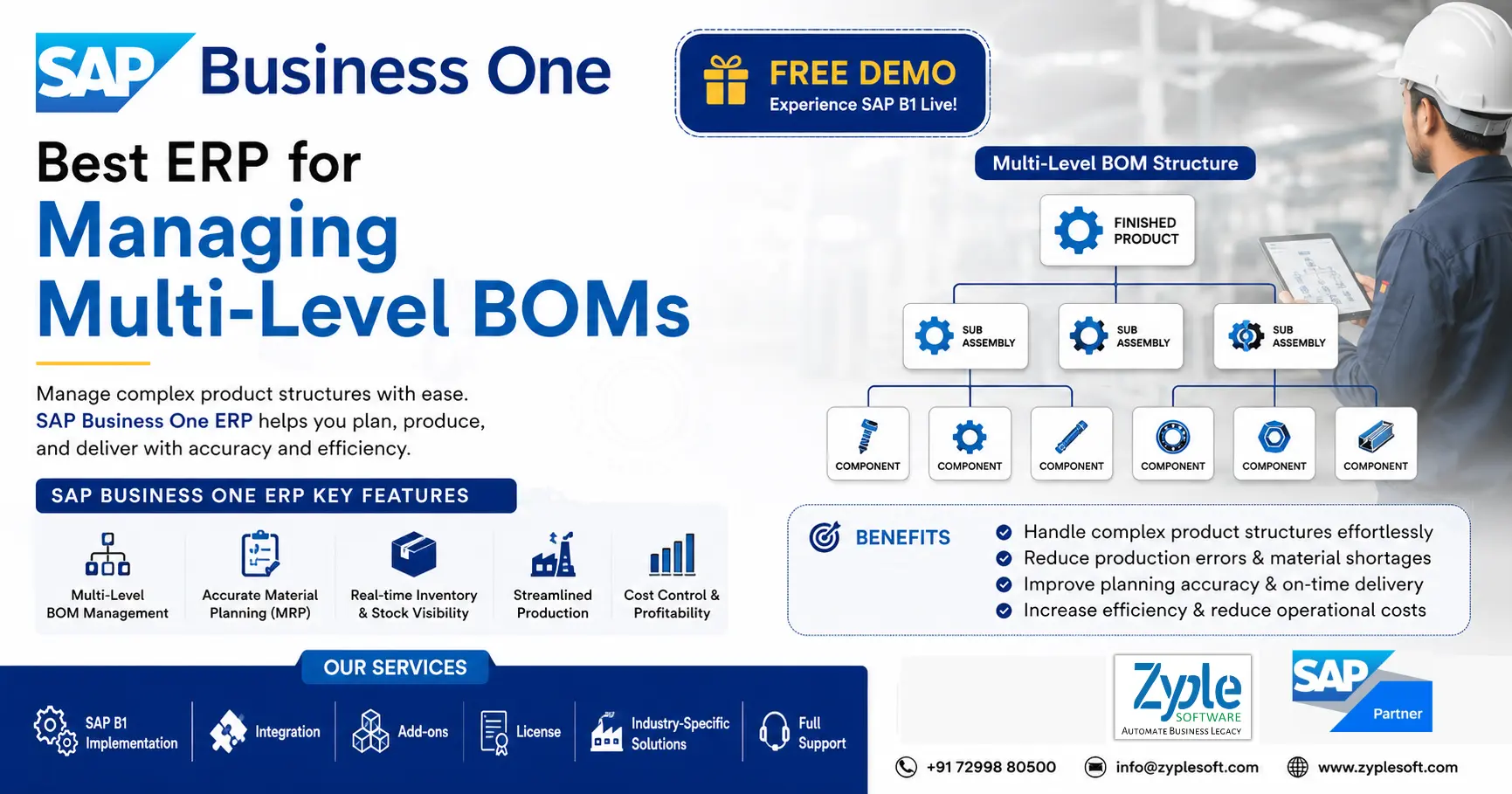
A bill of materials is crucially the complete recipe for a finished product, including every raw material, sub-component, assembly, and purchased part required to develop it. In a simple manufacturing environment, a single-level BOM may be adequate. But in discrete manufacturing, where products require multiple sub-assemblies, each containing their own components, you are handling a multi-level BOM structure. In this blog, we are going to discuss about the best ERP for managing multi-level BOMs.
Why Manual BOM Management Always Fails at Scale?
Manual BOM management tends to work until it doesn’t. The failure is occasionally sudden. It gathers quietly through minor version discrepancies, overlooked change notices, and data entered inconsistently across departments. Here is how the breakdown usually happens:
1. Version Control Becomes Unmanageable
When engineering issues a design change, that update needs to flow through procurement, production, costing, and inventory simultaneously. In a manual environment, some teams receive the update late, and some don’t receive it at all. Production ends up running against an obsolete BOM while engineering has already moved to the next revision.
2. Data Storage Drives Costly Disconnects
Engineering maintains a single version of the BOM. Procurement operates from a different export. Production uses a printed copy from the previous quarter. Finance uses yet another alternative version for costing. These storages are not theoretical; they are standard operating procedure in companies that have not yet adopted ERP BOM management. Each storage creates a risk of inconsistency, and inconsistency at the BOM level translates directly into production errors.
3. Change Management is Reactive, Not Proactive
Engineering change orders in manual systems are frequently communicated through email chains or shared documents. There is no automated propogation, no impact analysis, and no system-imposed approval workflow. Teams identify changes after the fact, sometimes after materials have already been ordered or components machined to the wrong specification.
SAP Business One As Best ERP For Managing Multi-Level BOMs
SAP Business One (SAP B1) handles multi-level bills of materials (BOMs) efficiently by embedding sub-assemblies within a parent production BOM. It connects structural layers to real-time inventory, accurate material requirements planning (MRP), and integrated shop-floor routing, making it an ideal ERP for small and medium-sized manufacturing enterprises.
How SAP Business One ERP Solves Multi-Level BOM Complexity
The SAP Business One system does not simply digitize your current BOM spreadsheets. It primarily changes how BOM data is created, maintained, and consumed across your organization.
1. A Single, Centralized BOM Repository
Every department, like engineering, procurement, production, and finance, works from the same BOM. There is one version of SAP B1, always current, accessible in real-time. When a change is approved, it generates automatically for every function that depends on that data. This is the cornerstone of accurate SAP B1 ERP BOM management.
2. Multi-Level BOM Expansion and Breakdown
Modern ERP systems like SAP B1 support complete multi-level BOM expansion, the ability to trace a finished product down through every sub-assembly and component, and calculating total material requirements at every level. They also support breakdown, identifying where a specific component is used across all products. This is essential for manufacturing resource planning, specifically when a common component is shared across multiple product lines and a shortage needs to be evaluated for impact.
3. Automated Engineering Change Management
When an engineering change is initiated, the SAP B1 ERP system imposes a structured workflow, like approval routing, impact evaluation, effective dating, and automatic update of all impacted BOMs. There are no more email chains and version confusions. The SAP software ensures every stakeholder is notified and every downstream document is updated.
4. Real-Time Integration with Production and Inventory
SAP Business One ERP for production planning connects BOM data directly to work orders, material requirements planning (MRP), and inventory transactions. When a production order is released, the system automatically tracks current inventory against BOM requirements, creates material requisitions for shortfalls, and schedules production based on component availability. This integration eliminates the lag between planning and execution that is indigenous in manual environments.
5. Accurate Costing At Every Level
Because the SAP B1 ERP maintains accurate BOMs with current component costs, standard costing and actual costing both reveal reality. Operations heads and finance teams can see product margins with confidence, allowing better pricing decisions and more effective cost control.
How Zyple Software Helps Manufacturers Take Control of BOM Complexity?
Zyple Software specializes in the SAP implementation process for manufacturing businesses, from initial assessment and system design to go-live and post-implementation support. The company brings deep expertise in SAP B1 ERP for discrete manufacturing, having worked with production-intensive organizations across industries, including industrial equipment, engineered components, and process-adjacent manufacturing.
1. BOM Configuration
Zyple Software works directly with your engineering and operations teams to map current BOM structures into the ERP, clean historical data, and establish governance standards that prevent data quality issues from recurring. This is challenging work, but it is foundational, and doing it correctly from the start defines the success of every downstream function.
2. Manufacturing Process Automation
Beyond BOM management, Zyple Software modifies manufacturing process automation across work order management, capacity planning, quality control, and inventory tracking. The goal is a connected operation where every process from order receipt to shipment runs on accurate, live data.
3. Continuous Support and Optimization
Manufacturing businesses evolve as products change, volumes scale, and new product lines are added. Zyple Software delivers continuous support to ensure your ERP continues to reflect your actual operations and proactively suggests improvements as your business grows.
Benefits of Using SAP Business One for Managing Multi-Level BOMs
The ERP software, SAP Business One, handles multi-level Bills of Materials (BOMs) by creating a clear, nested hierarchy of parent items, sub-assemblies, and raw materials. This structure facilitates production planning, automates material requirements, rolls up exact product costs, and tracks inventory across every single tier of assembly.
1. Accurate Material Requirements Planning (MRP)
The system looks at multi-level dependencies to calculate exact raw material needs and sub-assembly counts based on current demand using SAP solutions.
2. Sub-Assembly Stock Tracking
You can evaluate work-in-progress (WIP) and semi-finished goods independently as they move through various production stages.
3. Precise Cost Roll-Ups
Costs automatically aggregate from raw materials up through sub-assemblies to define the true standard cost of the final product.
4. Step-by-Step Routing Control
You can group line items by stages and map distinct machine and labor requirements to specific assembly tiers using SAP Business One add-ons.
5. Mass Updates
You can add, remove, or change component lines across different dependent BOM structures at the same time.
6. Integrated Financials
Every stock issue, receipt, and production step automatically connects to the general ledger for real-time margin tracking.
7. Reduced Obstacles
Clear visibility into lower-level component availability avoids unexpected production delays on the main assembly line.
Conclusion of SAP Business One for Handling Multi-Level BOMs
As a trusted SAP Business One partner, Zyple Software is delivering services like SAP B1 implementation, integration, migration, licensing, add-ons, digital transformation, and support to different industries, like construction, manufacturing, solar, food and beverage, aerospace, healthcare, retail, jewellery, pharma, and textiles.
SAP Business One is an ERP software customized for small and medium-sized enterprises that connects finance, production, inventory, procurement, sales, CRM, and reporting into one platform. For manufacturing businesses, it can improve project costing, procurement, subcontractor billing, and inventory management.
If you’re available, register a demo of SAP Business One.
Do you insist on the SAP B1 ERP software for your business or industry?
Finish all the details in the classified contact form; our team will get back to you.
FAQs
1.How does SAP Business One handle multi-level Bills of Materials (BOMs)?
SAP Business One efficiently handles multi-level BOMs by allowing businesses to define complex product structures with multiple sub-assemblies and components. It delivers complete visibility into each level of production, ensuring accurate planning, costing, and material requirements across all stages.
2.Can SAP Business One track changes in multi-level BOM structures?
Yes, SAP Business One supports version control and engineering change management for BOMs. This enables manufacturers to update components, revise structures, and maintain historical records without disrupting ongoing production processes.
3.How does SAP Business One improve production planning for multi-level BOMs?
With consolidated MRP (Material Requirements Planning), SAP Business One automatically calculates demand for raw materials and sub-assemblies across all BOM levels. This helps minimize shortages, avoid overstocking, and ensures smooth production workflows.
4.Is SAP Business One suitable for industries with complex manufacturing processes?
Absolutely. SAP Business One is widely used in industries like construction, automotive, electronics, machinery, and industrial manufacturing where multi-level BOMs are necessary. It ensures precise control over production, costing, and inventory at every level.
5.What are the key benefits of using SAP Business One for multi-level BOM management?
Using SAP Business One for multi-level BOMs offers benefits such as improved production accuracy, real-time inventory tracking, minimized operational costs, better decision-making, and seamless integration with finance, procurement, and sales modules.