Author Archives: Zyple Software

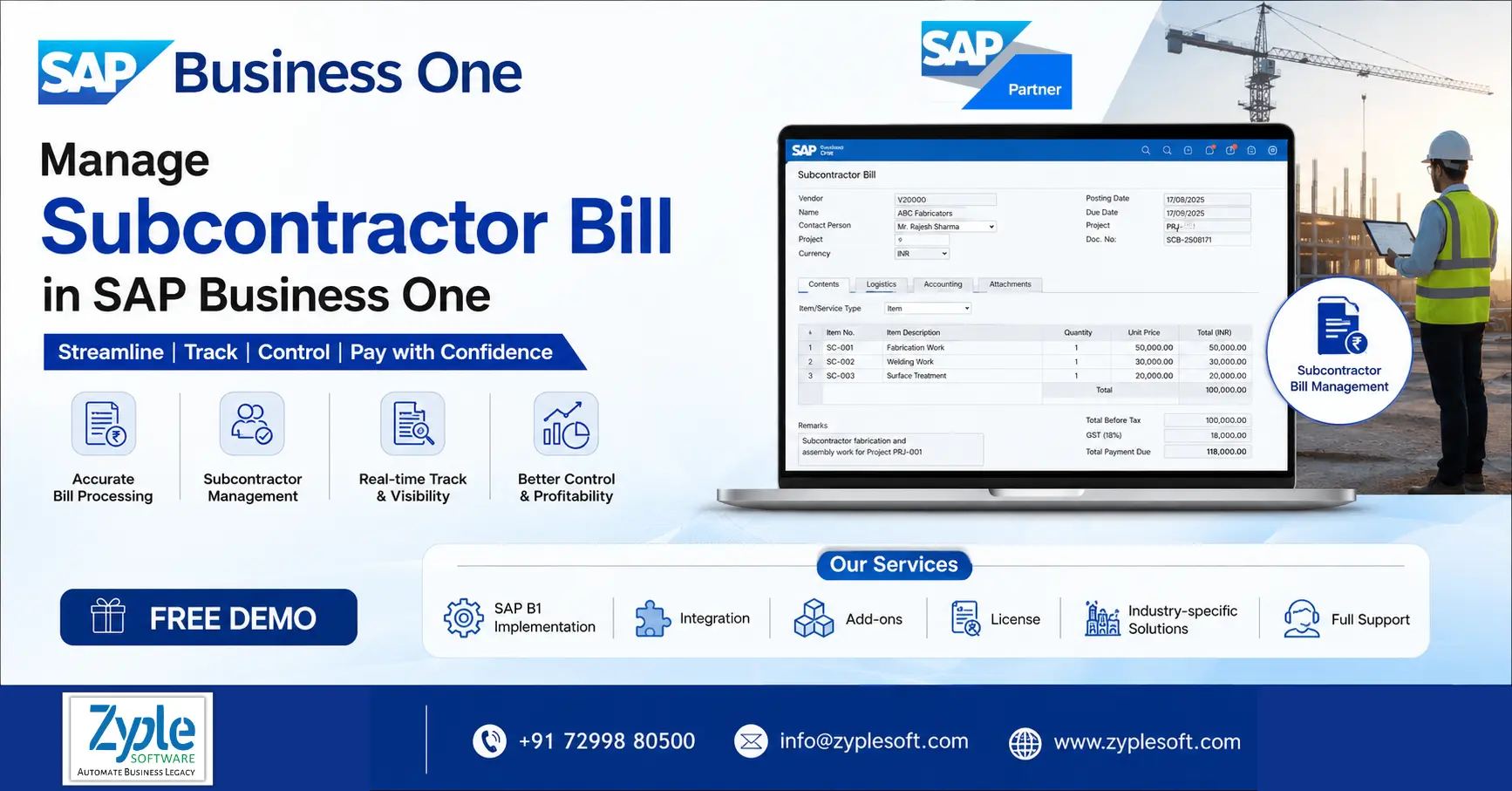
Manage Subcontractor Bill in SAP Business One ERP

How To Manage Subcontractor Bill in SAP Business One

How To Manage Subcontractor Bill in SAP Business One?
Manage Subcontractor Bill in SAP Business One ERP

Subcontracting is a common practice in the manufacturing and construction industries, driven by different factors such as limited in-house capacity, lack of specialized processing technology, or a need for affordable solutions. However, handling the subcontractor bill, especially in a regulatory environment like India, can be a complex and paperwork-intensive task. To handle these challenges and empower manufacturing and construction companies to use SAP Business One while seamlessly managing their subcontractor bills, a dedicated subcontracting add-on has been developed. Here, we’ll discuss how to manage subcontractor bill in SAP Business One.

The Complexity of Subcontracting in India

In India, the subcontracting work is subject to excise rules, which involve complete documentation. Subcontractors must maintain records of different aspects, including:

  • Which materials were sent to which subcontractor.
  • The purpose of subcontracting.
  • Document numbers associated with every transaction.
  • The quantity of materials processed and returned by the subcontractor.
  • The tenure for which the subcontracting document remains open.

Maintaining such records manually is not only tiresome but also prone to errors, making it essential for manufacturing and construction companies to find a reliable and efficient solution. This is where the subcontracting add-on for SAP Business One ERP comes into play.

Features of Managing Subcontractor Bill in SAP Business One

SAP Business One can help businesses handle subcontractor-related purchasing, services, costs, invoices, and payments within an integrated ERP environment. Major features include:

1. Subcontractor Master Data Management

Maintains subcontractor details, tax information, payment terms, contact details, and purchasing history in one place.

2. Purchase Order Management

Creates purchase orders for subcontracted services, jobs, materials, or project activities and monitors commitments against approved orders.

3. Subcontractor Bill Recording

Records subcontractor invoices and service bills with proper quantities, rates, taxes, discounts, and other charges.

4. Purchase Invoice Integration

Posts subcontractor bills through the purchasing process and automatically reveals the financial impact in accounting.

5. Project-Wise Bill Tracking

Associates subcontractor expenses with specific projects, contracts, cost centers, or activities to evaluate project-level expenditure.

6. Work Order and Service Tracking

Monitors subcontracted work or services against the relevant purchase documents and project requirements.

7. Bill Verification and Approval

Establishes approval procedures for subcontractor purchase orders, invoices, and related transactions before posting or payment.

8. Quantity and Rate Verification

Compares ordered quantities and agreed rates with billed quantities and rates to identify discrepancies with the SAP implementation process.

9. Retention Amount Management

Tracks retention amounts where it is applicable to construction or project-based subcontracting arrangements.

10. Tax and GST Management

Calculates and records applicable taxes and GST components based on configured tax rules and transaction details.

11. Withholding Tax Management

Supports applicable withholding-tax requirements when processing subcontractor payments and invoices.

12. Advance Payment Tracking

Records advances paid to subcontractors and tracks their adjustment against subsequent bills.

13. Bill-to-Payment Tracking

Follows the complete lifecycle from purchase order, receipt, and service confirmation and invoice to payment.

14. Credit Note Management

Processes subcontractor credit notes for returns, billing corrections, rate adjustments, or other discrepancies.

15. Purchase Invoice Matching

Matches contractor invoices with relevant purchase orders and receipts where the business process demands document-level validation.

16. Expense Allocation

The SAP software allocates subcontractor costs to appropriate projects, departments, cost centers, or other dimensions for better cost visibility.

17. Project Cost Monitoring

Evaluates subcontractor expenses alongside other projects to identify budget overruns and cost deviations.

18. Budget vs. Actual Analysis

Compares planned project or department budgets with actual subcontractor expenses.

19. Accounts Payable Integration

Subcontractor bills automatically contribute to accounts payable balances, delivering finance teams with an integrated view of outstanding liabilities.

20. Payment Due-Date Tracking

Monitors payment terms, invoice due dates, outstanding balances, and overdue subcontractor bills.

21. Vendor Statement Management

Reviews subcontractor account balances and transaction histories to reconcile payment amounts.

22. Purchase Analytics and Reporting

Analyzes subcontractor spending by vendor, project, period, item, service, department, or other relevant dimensions.

23. Document Traceability

Maintains links between related purchasing and accounting documents, making it easier to trace a bill back to its originating transaction.

24. Approval Workflow Automation

Uses the approval process to control transactions that exceed predefined amounts, budgets, or authorization limits using SAP Business One solutions.

25. Audit Trail and Transaction History

Maintains transaction records that help organizations analyze who created, changed, approved, or posted relevant documents.

26. Multi-Branch and Multi-Company Support

Ideal configurations can help organizations handle subcontractor transactions across different branches or company entities.

27. Foreign Currency Transactions

Handles subcontractor transactions in supported foreign currencies when dealing with international vendors.

28. Real-Time Financial Impact

Subcontractor purchasing and billing transactions can flow into the accounting system, minimizing the need for separate manual financial updates.

29. Cash Flow Planning

Outstanding contractor bills and payment schedules can contribute to cash flow planning and payable management.

30. Custom Reports and Dashboards

Businesses can create customized reports and dashboards to evaluate subcontractor bills, outstanding payments, project costs, and vendor performance.

Benefits of Managing Subcontractor Bill in SAP Business One

Managing subcontractor bills in SAP Business One automates the link between external vendor services, material consumption, and project accounting. Major benefits include automated 3-way matching of purchasing orders, receipts, and invoices, real-time tracking of project labor and material costs, and error-free statutory and tax compliance.

1. Automated 3-Way Matching

Cross-checks subcontractor bills against purchase orders and goods or service receipts to avoid overpayment.

2. Accurate Cost of Goods Sold (COGS)

Seamlessly adds labor and processing charges to raw material costs for accurate product or project costing.

3. Reduced Human Error

Eliminates manual data entry mistakes and duplicate billing cycles.

4. Real-Time Budget Monitoring

Updates project cost codes and stage budgets instantly as bills are posted.

5. Facilitated Reconciliation

Simplifies tracking of issued components versus processed output or scrap returned by contractors using SAP B1 implementation.

6. Liability Tracking

Delivers clear, centralized visibility into open vendor liabilities and upcoming cash flow outflows.

7. Statutory Tax Compliance

Automatically handles local tax requirements such as GST, TDS, or TCS on vendor payments.

8. Audit Readiness

Maintains a consolidated digital audit trail linking operational challans, receipts, and final invoices.

Conclusion of Subcontractor Bill Management in SAP Business One

As a certified SAP Business One partner, Zyple Software is delivering services like SAP B1 implementation, integration, migration, licensing, add-ons, digital transformation, and support to different industries, like construction, manufacturing, solar, food and beverage, aerospace, oil and gas, healthcare, retail,  jewellery, pharma, and textiles. 

SAP Business One is an ERP software customized for small and medium-sized enterprises that connects finance, production, inventory, material requirements planning (MRP), procurement, sales, CRM, and reporting into one platform. For manufacturing and construction businesses, it can improve project costing, procurement, subcontractor billing, and inventory management.

If you’re free, register a SAP Business One demo.

Do you insist on the SAP B1 ERP solution for your business or industry?

Finish all the details in the classified contact form; our team will reach out to you.

    FAQs

    1.Can SAP Business One automate subcontractor bill management?

    Yes. SAP Business One can facilitate subcontractor bill recording, approval, cost allocation, tax calculation, and payment tracking, reducing manual work and improving financial control.

    SAP Business One can link subcontractor expenses with projects, cost centers, and budgets, helping construction enterprises monitor actual costs, identify overruns, and improve project profitability.

    Yes. Businesses can integrate purchasing documents and supplier invoices to improve bill verification and ensure that subcontractor charges align with approved orders and agreed costs.


    Yes. SAP Business One delivers financial and accounts-payable reporting that helps management monitor outstanding subcontractor bills, payment due dates, vendor balances, and project-related expenses.


    An experienced SAP Business One implementation partner like Zyple Software can configure workflows, project costing, purchasing, accounts payable, taxation, approvals, and reporting according to your business processes. This can help create a centralized system for handling subcontractor billing from invoice receipt through payment.

    SAP Business One ERP for Fire and Safety Equipment Manufacturing with production, inventory, MRP, quality, compliance, and traceability features

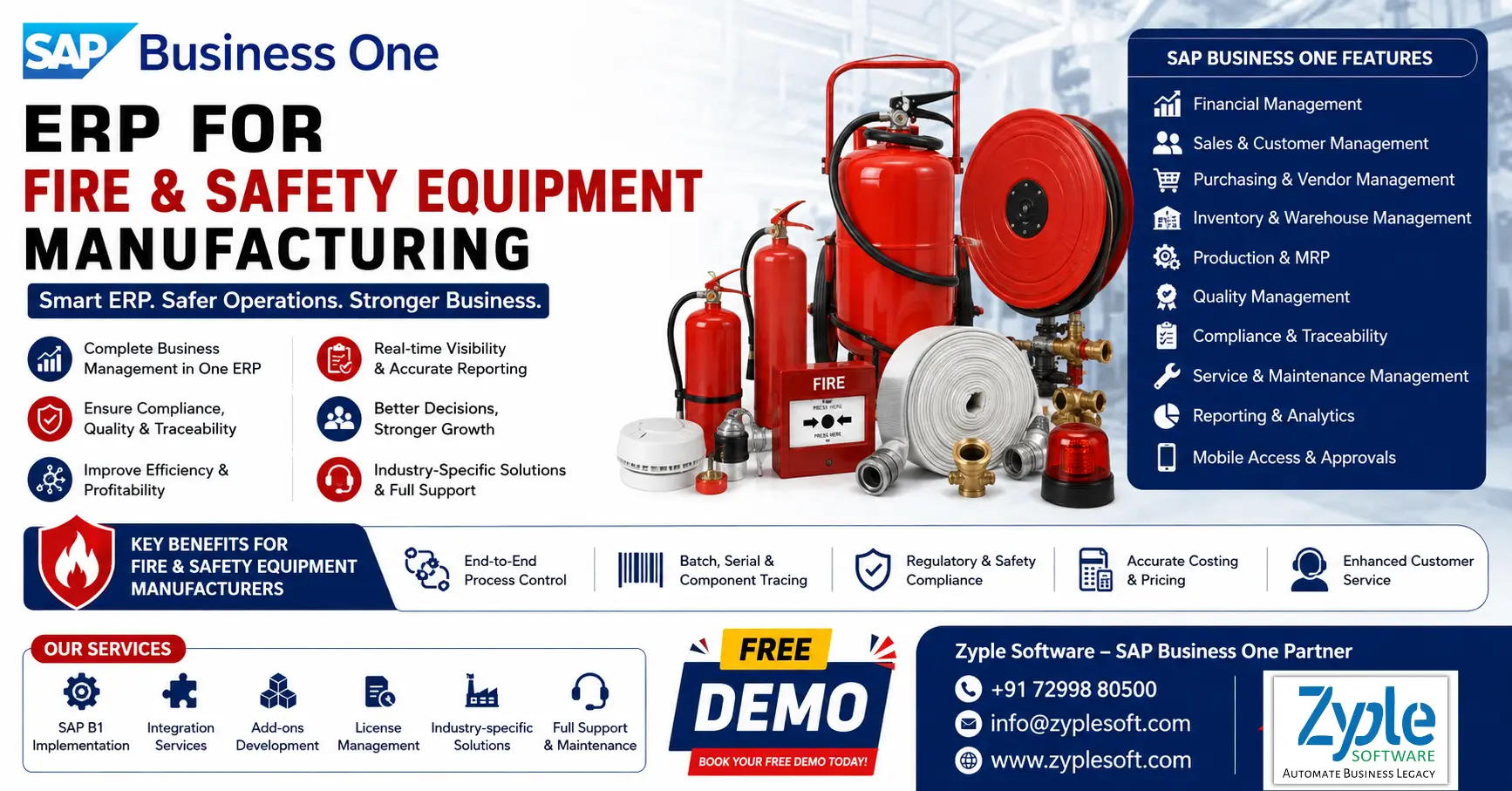
    SAP Business One ERP for Fire and Safety Equipment Manufacturing

    SAP Business One ERP for Fire and Safety Equipment Manufacturing

    SAP Business One ERP for Fire and Safety Equipment Manufacturing with production, inventory, MRP, quality, compliance, and traceability features

    The fire and safety equipment manufacturing industry faces huge pressure due to its large scope of work, which involves project management, heavy machinery loading, shipping, warehousing, and other responsibilities. Due to growing logistics issues, fire and safety equipment manufacturing businesses need a system that unifies different company departments. SAP Business One ERP for fire and safety equipment manufacturing unites processes and helps in boosting production and efficiency.

    Challenges Faced By the Fire and Safety Equipment Manufacturing Industry

    The fire and safety equipment manufacturing industry faces serious challenges, primarily driven by fluctuating supply chains, rapidly evolving international safety regulations, and the high cost of R&D for IoT-integrated systems. These challenges demand that manufacturers continuously adapt to survive in a highly compliance-driven market.

    1. Stringent and Evolving Regulations

    Manufacturers must navigate continuously shifting global standards (such as updated ISO 16112 and NFPA 2112 certifications) for flame-resistant clothing and active fire systems. Maintaining compliance involves ongoing testing and heavy financial investment.

    2. Supply Chain Volatility

    The production of fire suppression agents (such as foam, clean agents, and chemical flame retardants) and electronic components heavily depends on global supply chains. Disruptions lead to fluctuating raw material costs and production delays.

    3. Cost Sensitivity vs. Advanced Tech

    Customers, especially small-to-medium enterprises (SMEs), often prioritize low-cost, traditional equipment over modern, IoT-integrated, or AI-based detection systems. This makes it difficult for manufacturers to recover the costs of building premium, high-tech safety gear.

    4. Shifting Environmental Madates

    Regulations regarding the environmental impact of safety chemicals are becoming strict. A notable example is the phase-out and restriction of certain FPAS (per- and polyfluoroalkyl substances) in firefighting foams, forcing manufacturers to research and develop eco-friendly alternatives without compromising effectiveness.

    5. Counterfeit Competition

    The market is often flooded with cheaper, non-certified imitation products. These counterfeits undercut legitimate manufacturers, reduce profit margins, and pose massive risks to end-users.

    Let’s discuss some features with SAP B1 modules for fire and safety equipment manufacturing industry.

    Features of SAP Business One ERP for Fire and Safety Equipment Manufacturing

    1. Core Manufacturing and Production Management

    • It includes multi-level BOMs for extinguishers, alarms, PPE kits, and more, with version control.
    • Optimizes batch production of cylinders, valves, and hoses.
    • Auto-calculates raw material needs based on demand forecasts.
    • Tracks manufacturing orders, rework, and maintenance tasks.
    • It includes real-time monitoring of operations, labor, and machine usage.
    • It includes visibility into partially completed fire safety products.
    • It balances workloads across machines and production lines.

    2. Production Engineering and Equipment

    • Configures custom fire safety systems like hydrant systems and alarm panels.
    • Tracks design updates for safety compliance.
    • Handles multiple product variants like sizes, pressure ratings, and certifications.
    • Handles components like valves, nozzles, and sensors.

    3. Inventory and Warehouse Management

    • Real-time inventory tracking for raw materials, WIP, and finished goods.
    • Batch and serial number tracking is essential for fire safety compliance and traceability.
    • Bin location management helps in efficient warehouse organization.
    • Stock replenishment automation avoids shortages of essential safety components.
    • It includes accurate costing for each product line.
    • Goods receipt and dispatch integration helps in seamless logistics flow.

    4. Quality Management and Compliance

    • It includes incoming, in-process, and final quality inspections.
    • Defect and non-conformance tracking identify faults and corrective actions.
    • Regulatory compliance management supports ISO, BIS, and NFPA standards.
    • Complete traceability for safety audits.
    • Lot traceability tracks every unit for recalls or service history.

    5. Procurement and Supply Chain Management

    • Supplier management handles vendors for cylinders, chemicals, and electronics.
    • Purchase order automation facilitates the procurement cycle.
    • Demand forecasting predicts demand for fire safety.
    • Supply chain visibility tracks materials from supplier to production.
    • It includes multi-location warehouse management.

    6. Financial Management and Cost Control

    • Integrated accounting like general ledger, accounts payable, accounts receivable, and journal entries.
    • Tracks production costs per batch or product.
    • It includes budgeting and financial planning.
    • It includes cash flow management.
    • Fixed asset management like machines and testing equipment.
    • Profitability analysis like product-wise margin tracking.

    7. Business Intelligence and Reporting

    • Real-time dashboards and KPIs for production, sales, and inventory insights.
    • Customized reports for safety compliance and operations.
    • Predictive analytics for demand and production forecasting.
    • Drill-down analysis identifies inefficiencies quickly.

    8. Sales, CRM, and Service Management

    • Lead and opportunity management to track B2B clients, like industries and construction firms.
    • It includes quotation and order management.
    • It includes customer lifecycle management.
    • It includes AMC contracts for fire equipment servicing.
    • Warranty tracking for extinguishers, alarms, and safety systems.
    • Service call management for maintenance and inspections.

    9. Maintenance and Asset Management

    • Preventive maintenance scheduling for machines and testing equipment.
    • It includes breakdown and maintenance tracking.
    • It includes asset lifecycle management.
    • Downtime analysis reduces production interruptions.

    10. Integration and Smart Manufacturing (Industry 4.0)

    • MES integration helps in connecting ERP with shop floor systems.
    • IoT integration to monitor machines and production lines.
    • API and third-party integration with CRM, logistics, and compliance systems.
    • It includes cloud and on-premise deployment options.

    11. Mobility and Access

    • Mobile apps for sales, inventory, and approvals on the go.
    • Web client access for browser-based ERP usage.
    • It includes real-time alerts and notifications.

    12. Security and Compliance

    • It includes role-based access control.
    • It includes data security and encryption.
    • It includes audit logs and regulatory compliance.
    • It includes multi-branch and multi-currency support.

    Importance of SAP Business One ERP for Fire and Safety Equipment Manufacturing

    The ERP software, SAP Business One (SAP B1) system, is a purpose-built ERP that facilitates fire and safety manufacturing by centralizing core processes, such as inventory, procurement, and financials. It improves production, increases strict quality control, and ensures compliance with industry-specific safety standards.

    1. Strict Regulatory Compliance

    Fire and safety equipment must achieve thorough safety and quality benchmarks (e.g., CE, UL, ISO, or ISI marks in India). SAP Business One evaluates batch numbers and serial numbers, ensuring end-to-end component traceability. This allows seamless auditing and compliance management.

    2. Automated Material Requirements Planning (MRP)

    The platform accurately calculates raw materials based on exact production orders and sales forecasts. This prevents component shortages while reducing excess holding costs for expensive metals, chemicals, and electronic sensors using SAP implementation.

    3. Bill of Materials (BOM) Management

    Safety equipment requires complex, multi-level assemblies. SAP B1 centralizes BOMs, enabling manufacturers to define exact quantities of raw materials and sub-assemblies required, minimizing manufacturing errors and material waste.

    4. Quality Control Integration

    The system enforces strict quality checks across every stage of production, from inspecting to testing final output (e.g., pressure testing extinguishers).

    5. Supply Chain and Inventory Control

    Real-time tracking of warehouse inventory ensures that essential safety parts are always on hand. It helps prevent stockouts of specialized components that could otherwise delay the fulfillment of life-saving equipment using SAP solutions.

    6. Equipment and Asset Maintenance

    Ensures that the manufacturing machinery and testing equipment themselves remain calibrated, safe, and completely operational to comply with manufacturing mandates.

    Benefits of SAP Business One for Fire and Safety Equipment Manufacturing

    SAP Business One facilitates the fire and safety equipment manufacturing industry by integrating essential operations like inventory, production, and financials. It ensures life-saving equipment meets strict regulatory standards, optimizes supply chains, and allows material requirements planning (MRP) to prevent shortages of essential raw materials.

    1. Strict Regulatory Compliance and Traceability

    Fire safety products (e.g., extinguishers, fire alarms, and sprinkler systems) require strict compliance with industry and quality regulations. SAP software tracks products through serial numbers and batch tracking, making it easy to recall parts, handle warranty claims, and pass government audits.

    2. Advanced BOM (Bill of Materials) Management

    Fire systems involve complex assembly. SAP B1’s BOM management enables manufacturers standardize production and control costs by precisely mapping out sub-assemblies, labor, and materials.

    3. Real-Time Inventory Visibility

    Handles components, such as metal, valves, chemicals, and electronic sensors, across multiple warehouses. Real-time tracking minimizes carrying costs and ensures essential parts are never out of stock when building life-saving equipment using SAP B1 add-ons.

    4. Supply Chain and Production Planning

    Aligns your purchasing directly with sales forecasts and production schedules. This ensures you always have the right components in stock to fulfill both standard orders and custom Engineer-to-Order (ETO) specifications.

    5. Financial Control and Costing

    Centralizes financial management to track expenses, identifies cost-saving opportunities, and calculates profit margins on specific fire safety products or large-scale contract bids.

    Conclusion of Fire and Safety Equipment Manufacturing ERP

    As a qualified SAP Business One partner, Zyple Software is providing services like SAP B1 implementation, integration, licensing, add-ons, and support to different industries like construction, manufacturing, retail, pharma, aerospace, jewellery, solar, food and beverage, and textile industries. SAP Business One is an ERP designed for small and medium-sized businesses that integrates finance, purchasing, sales, inventory, production, CRM, and reporting into a single platform. For solar panel and fire and safety equipment manufacturing or any other companies, it can improve project costing, procurement, subcontractor billing, and inventory management.

    If you’re involved, reserve a demo of SAP Business One.

    Do you demand the SAP B1 ERP system for your business or industry?

    Finish all the details in the defined contact form; our team will return to you.

      FAQs

      Is SAP Business One the right ERP for my fire and safety equipment manufacturing business?

      SAP Business One is ideal for small and medium-sized manufacturers looking to facilitate operations, improve compliance, and gain real-time visibility. A quick consultation can help evaluate if it fits your specific business needs.

      The cost depends on factors like number of users, customization, and deployment type (like cloud or on-premises). Request a personalized quote to get an accurate estimate customized for your business requirements.

      SAP B1 implementation timelines generally range from a few weeks to a few months depending on complexity. The complete project plan can be shared after understanding your current processes.

      Yes, SAP Business One can be customized to support industry-specific needs like compliance tracking, batch management, service contracts, and safety inspections. Book a demo to see how it works for your operations.

      Yes, ongoing support, user training, and system optimization services are delivered to ensure smooth adoption and long-term success.

      How to migrate SAP Business One from SQL to HANA

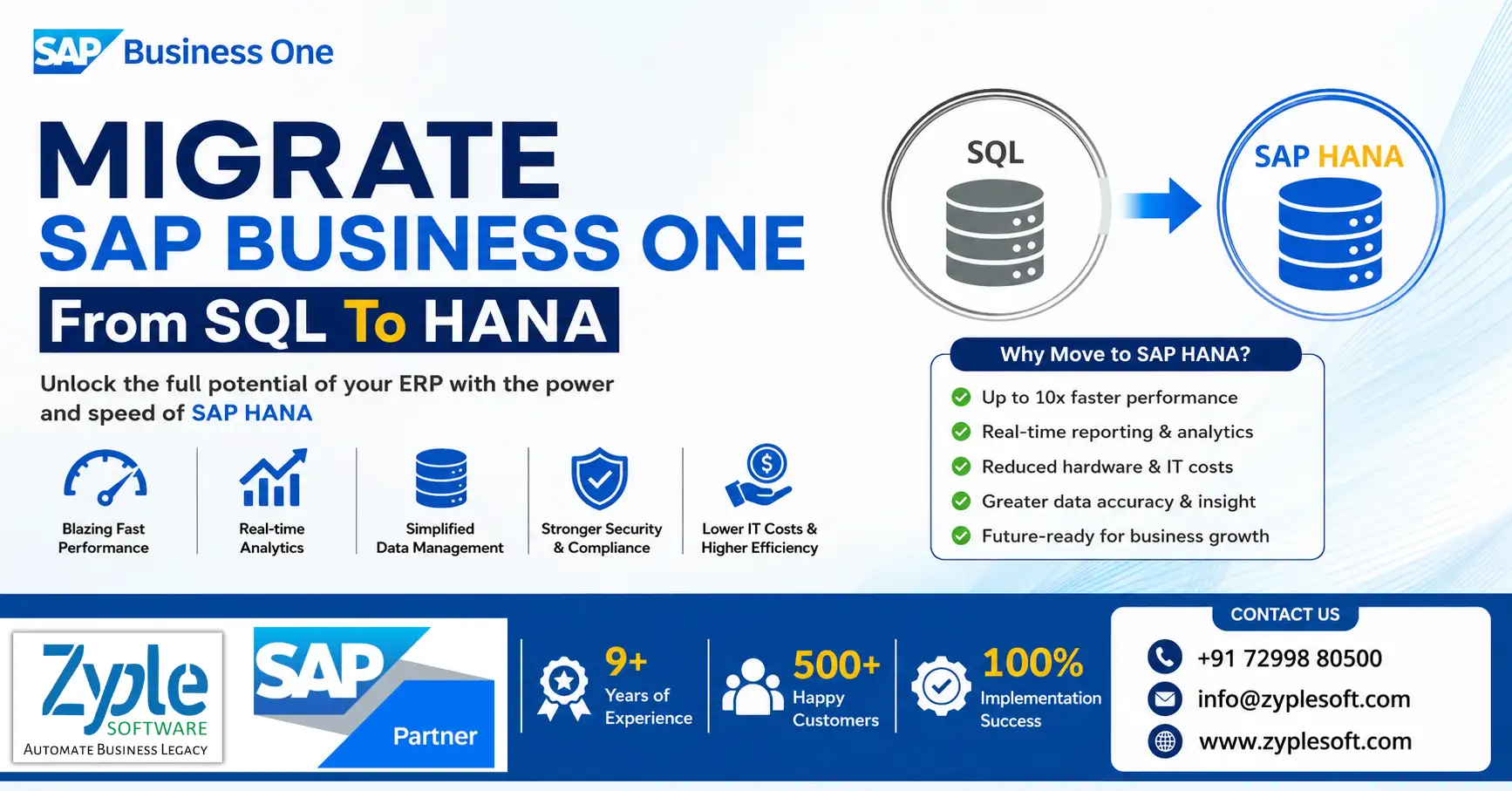
      How To Migrate SAP Business One From SQL To HANA

      How To Migrate SAP Business One From SQL To HANA?

      How to migrate SAP Business One from SQL to HANA

      As businesses expand, the demand for flexible, secure, and high-performing enterprise resource planning (ERP) systems grows. SAP Business One (SAP B1) is a top choice for small and medium-sized enterprises (SMEs), providing powerful functionality across finance, sales, operations, and inventory management. With digital transformation accelerating, many companies are migrating their SAP Business One systems from SQL to HANA. Here, we’ll discuss how to migrate SAP Business One from SQL to HANA.

      Steps in Migrating SAP Business One from SQL to HANA

      Migrating SAP Business One from Microsoft SQL Server to SAP HANA involves running the official SAP Business One Migration Wizard on a Windows environment to reformat the company schema for a Linux-based HANA database.

      The migration requires structural changes, data preparation, hardware adjustments, and query optimization. Here are the stages in the migration process.

      1. Environment and Prerequisites Setup

      Before starting the migration, set up the target environment and verify compliance with SAP Help Portal guidelines. Target server provides a certified SAP HANA hardware node running SUSE Linux Enterprise Server (SLES). Drivers and clients help in installing the 64-bit SAP Machine 21 (and outlining its path), the 64-bit SAP HANA database client for Windows, and the matching MS SQL Server native client. System cleanliness closes all SAP Business One active clients and completely eliminates all system and third-party add-ons to avoid schema corruption during migration.

      2. Running the Database Migration

      The migration wizard converts database formatting from Transact-SQL structures to SAP HANA-improved tables. Backup source data takes a clean, complete backup of your live MS SQL production database. To execute the wizard, open the SAP Business One Migration Wizard from the upgrade package on your Windows machine. To outline instances, define the source Microsoft SQL server parameters and connect them to the target SAP HANA System Landscape Directory (SLD). Choose the specific company schemas to migrate. The wizard will automatically outline the tables and convert the structural format. Run the SAP Business One upgrade package on the target HANA instance to elevate the newly migrated database to the selected final version (e.g., SAP Business One 10.0) after the post-migration upgrade.

      3. Code and Analytical Customization

      The built-in wizard only manages native SAP software structures and system tables. Custom elements must be adjusted manually due to dialect variations. In SQL script conversion, Transact-SQL (MS SQL) is case-sensitive, whereas SAP HANA SQL Script is strict and Unicode-dependent. You must convert custom queries to meet HANA specifications. Manually re-coding and migrating custom views, native functions, and the core transaction notification query (SBO_SP_TransactionNotification) using system objects. User customizations help in auditing and configuring all formatted searches, user-defined queries, alerts, and print layouts. Reporting tools like Crystal Reports, analytic dashboards, and semantic layers to point to the new HANA calculation views.

      4. Component Deployment and Go-Live

      Uninstall all outdated Windows-based server components via the control panel. Install the latest HANA-compatible client versions on end-user machines. Manually move shared server resources, such as the attachments folder (B1_SHR), from the old SQL server environment to the new Linux directory. Revise custom add-ons using the service layer or HANA UI or DI APIs, then re-register them. Run user acceptance testing (UAT) in a test environment to verify balance sheets, custom logic, and peripheral connectivity before spotting production traffic to HANA.

      SAP Business One vs. SAP Business One SQL: Which Is Better For Running SAP B1?

      Let’s look at some SAP Business One on HANA features unavailable on SAP Business One SQL.

      • Additional analytical tool features encompass pervasive analytics, interactive analytics, and the analytical portal.
      • Intelligent forecasting and delivery schedule management enable you to confirm the status of purchase orders, choose alternative products, accelerate selected orders, and reschedule sales orders.
      • Enterprise-wide SAP B1 HANA features cover in-memory technology and real-time data aggregation.
      • Easy integration with the SAP OData web protocol for developing external web technologies such as HTTP. This helps in accessing information from external applications, platforms, and devices.
      • Built-in dashboards for business capabilities such as financials, sales, marketing, and customer service.
      • Real-time forecasting of cash flows with a graphical representation can facilitate your cash flow management with proper timelines and accurate reporting.
      • Enterprise search engines like Google enable you to search the SAP B1 HANA database for documents, business partners, and other data.
      • Ad-hoc and interactive data analysis for increasing end-user productivity and insights.

      Also, the analytical portal functionality available only in the SAP Business One ERP HANA version enables you to

      1. Publish and share your documents to MS Excel and SAP Crystal Reports.
      2. Present only authorized reports to any portal user.
      3. Download the authorized documents in different formats, including MS Excel, PDF, and HTML.
      4. Run the documents on multiple devices, including web clients and mobile devices.
      5. Support both on-premises and on-demand users.
      6. Schedule the automatic downloading of documents daily, weekly, and monthly, or whenever you need them.

      Benefits Of Migrating SAP Business One From SQL To HANA

      1. High Performance and Scalability

      As we know, SAP B1 HANA can store essential data in its memory against MS SQL, which must be retrieved from its hard disk storage. This makes it possible for SAP B1 HANA to deliver high performance and processing power for SAP B1 users to access and analyze their data much faster for any use case with the SAP Business One implementation process.

      2. Stability

      The question is whether SAP B1 HANA is stable as a new technology. As the database technology, SAP HANA has been around since 2010 and was initially used only for high-end SAP applications. In 2012, SAP B1 HANA was integrated into SAP B1 applications. On its own, the SAP B1 HANA tool is being used by over 16,300 global customers.

      3. Cost

      The next consideration is if the B1 HANA license fees are more expensive than SQL. Crucially, the license fees for SAP Business One are the same for both databases. The license fees for both SAP B1 HANA and MS SQL are competitive at the basic level. However, SAP B1 SQL fees for an enterprise-level package are much higher than for SAP B1 HANA. SAP B1 HANA does cost more when you run it on an on-premises server, as it needs a server with a specialized configuration that allows it to process data much faster.

      4. Server Configuration

      Does SAP B1 HANA need a high-end server to run compared to MS SQL. SAP B1 HANA needs a configuration certified by SAP configuration especially customized to run SAP B1 HANA. All leading server manufacturers provide these using SAP Business One solutions.

      5. Cloud Compatibility

      The next question is if the SAP Business One ERP on HANA solution is available on the cloud and if it is more expensive. The answer is yes. SAP Business One ERP on HANA is available as a subscription-based cloud plan. Alternatively, a customer can launch the application (HANA-based) on a server in a data center.

      6. Business Requirement

      Which is better for SAP Business One – HANA or SQL? This question is best answered after analyzing the customer’s nature of business, the complexity of the business processes, the quantum of data and reports that need to be processed, and the inherent need for business analytics in essential decision-making.

      7. Business Intelligence (BI) and Analytics

      Which database is better when it comes to BI and analytics capabilities? On its part, SAP B1 on HANA does not separately need a database system for running analytics. Due to in-memory data storage, business intelligence (BI) tools like SAP Lumina or Crystal Reports can directly access the stored data and perform real-time analytics without any performance drop.

      This integrated capability creates less complex IT infrastructures, as BI reports can be created dynamically and executed directly on the SAP B1 ERP tool.

      8. Additional Benefits

      While MS SQL and SAP HANA both support SAP B1, enterprises running SAP Business One on HANA can benefit from the following capabilities not available on SQL:

      • Over 50 pre-packaged dashboards and KPIs.
      • Excel-powered interactive analysis for slicing and dicing business datausing SAP Business One add-ons.
      • Enterprise search functionality for quickly retrieving information without opening multiple files.
      • Business forecasting capabilities, including cash flow and inventory forecasts.

      9. Future Scope

      As an ERP software, migrating SAP Business One from SQL to HANA database improves the in-memory capabilities of SAP B1 ERP. Future possibilities for better mobility, scalability, and dashboard reporting features look positive for SAP B1 HANA. Businesses using SAP innovation should invest in SAP Business One tools for future benefits.

      Conclusion of Migration of SAP Business One from SQL to HANA

      As an official SAP Business One partner, Zyple Software is delivering services like SAP B1 implementation, integration, migration, licensing, add-ons, digital transformation, and support to different industries, like construction, manufacturing, solar, food and beverage, aerospace, oil and gas, healthcare, retail,  jewellery, pharma, and textiles. 

      SAP Business One is an ERP software customized for small and medium-sized enterprises that connects finance, production, inventory, material requirements planning (MRP), procurement, sales, CRM, and reporting into one platform. For construction businesses, it can improve project costing, procurement, subcontractor billing, and inventory management.

      If you’re fascinated, register a demo of SAP Business One.

      Do you insist on the SAP B1 ERP system for your business or industry?

      Finish all the details in the classified contact form; our team will return to you.

        FAQs

        1.How can I get a free assessment for SAP Business One SQL to HANA migration?

        Certified SAP Business One partner like Zyple Software provides a free system assessment to evaluate your current SQL setup, database size, and migration readiness. This helps you understand the exact scope, timeline, and cost before beginning the migration.

        Yes, migration costs differ based on your business size, users, and customizations. You can request a personalized quote from an SAP B1 professional to get accurate pricing customized for your requirements.

        Absolutely. A trusted SAP Business One partner like Zyple Software handles everything from system analysis and data migration to testing, go-live, and post-migration support, ensuring a seamless and risk-free transition.

        Yes, many SAP B1 partners like Zyple Software provide live demos or proof-of-concept sessions to showcase the performance, analytics, and real-time capabilities of SAP B1 HANA before you make a decision.

        You can easily connect with official SAP B1 consultants through website contact forms, consultation bookings, or direct inquiries. This helps you gain expert guidance and start your migration journey quickly.

        SAP Business One Support Services by Zyple Software – SAP B1 functional and technical support, implementation, upgrades, integration, add-ons and ERP optimization

        SAP Business One Support Services

        SAP Business One Support Services for Businesses or Industries

        SAP Business One Support Services by Zyple Software – SAP B1 functional and technical support, implementation, upgrades, integration, add-ons and ERP optimization

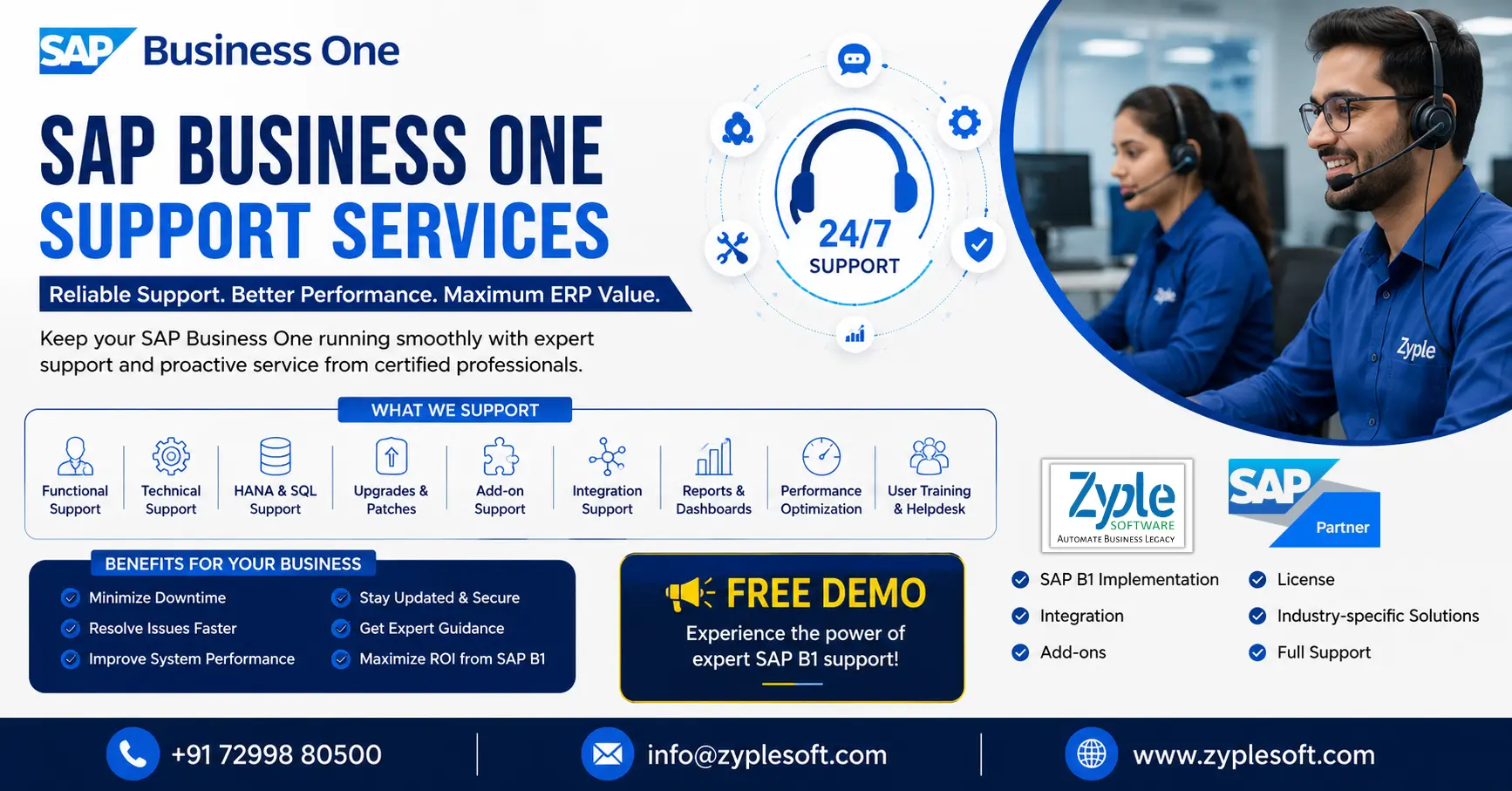
        SAP Business One support services help businesses keep their ERP system stable, secure, updated, optimized, and aligned with changing business requirements. A reliable SAP Business One support partner provides more than troubleshooting—it helps users resolve functional and technical issues, improve system performance, manage upgrades, support integrations and add-ons, and continuously optimize business processes.

        For companies using SAP Business One on SAP HANA or Microsoft SQL Server, professional post-go-live support can reduce operational disruptions and help users get more value from their ERP investment.

        What Are SAP Business One Support Services?

        SAP Business One support services are ongoing functional, technical, and application-management services provided after SAP implementation and go-live.

        A typical support engagement can include:

        • SAP Business One functional support
        • Technical and database support
        • SAP HANA and SQL Server support
        • Error and issue resolution
        • Performance optimization
        • User support and training
        • SAP Business One upgrades and patches
        • Add-on support
        • Third-party integration support
        • Report and dashboard support
        • Crystal Reports support
        • Business process optimization
        • Data and transaction troubleshooting
        • Backup and system-health assistance
        • License and system administration assistance
        • Customization and enhancement support

        SAP itself describes Business One support as a partner-led model, with SAP providing support platforms, tools, updates, and escalation mechanisms.

        Why is SAP Business One Support Important?

        Implementing SAP Business One is only the beginning of an ERP journey. After go-live, businesses continuously add users, products, warehouses, branches, reports, integrations, add-ons, and new processes.

        Without structured ERP support, even a small configuration or technical problem can affect purchasing, inventory, production, sales, finance, or reporting.

        Professional SAP Business One support helps businesses:

        1. Reduce ERP downtime
        2. Resolve issues faster
        3. Improve system performance
        4. Keep the ERP environment updated
        5. Support users with functional problems
        6. Maintain integrations and add-ons
        7. Improve reporting and dashboards
        8. Optimize business processes
        9. Reduce dependency on internal IT teams
        10.Get greater value from SAP Business One

        SAP also provides feature packages, support packages, patches, and hotfixes as part of its release and maintenance strategy. 

        SAP Business One Support Services We Provide

        1. SAP Business One Functional Support

        Functional support helps users solve day-to-day SAP Business One problems related to business processes and application configuration.

        Our functional support can cover:
        • Financial accounting
        • Sales and CRM
        • Purchasing
        • Inventory management
        • Warehouse management
        • Production
        • MRP
        • Business partner management
        • Banking
        • Fixed assets
        • Service management
        • Project management
        • Approval processes
        • Pricing and discounts
        • Tax configuration
        • Payment processing
        • Reports and analytics
        Instead of simply fixing an error, the objective is to identify the business process behind the issue and recommend the appropriate SAP Business One solution.

        2. SAP Business One Technical Support

        Technical issues can affect application availability, connectivity, performance, integrations, databases, and users.

        SAP Business One technical support can include:
        • Server troubleshooting
        • Database troubleshooting
        • SAP Business One service issues
        • Client connectivity
        • License server issues
        • System Landscape Directory issues
        • Integration Service issues
        • Backup-related assistance
        • Performance troubleshooting
        • User-access issues
        • Installation problems
        • Patch-related issues
        • System configuration
        SAP provides technical documentation covering implementation, management, security, hardware requirements, deployment options, and integration for SAP Business One.

        3. SAP HANA and SQL Database Support

        SAP Business One environments may operate on SAP HANA or Microsoft SQL Server.

        Our support approach can include:

        SAP Business One HANA Support

        • HANA database monitoring
        • Performance analysis
        • Query troubleshooting
        • Database health checks
        • Backup verification
        • Memory and resource analysis
        • HANA-related application issues
        • HANA reporting support

        SAP Business One SQL Support

        • SQL database troubleshooting
        • Query performance analysis
        • Database maintenance
        • Backup assistance
        • Connectivity issues
        • SQL-related application errors
        • Performance optimization
        Database-level support should always be handled carefully because database changes can directly affect ERP transactions and business data.

        4. SAP Business One Upgrade and Patch Support

        Keeping SAP Business One updated is an important part of ERP lifecycle management.

        SAP provides defined upgrade paths and delivers feature packages, support packages, patches, and hotfixes.

        Our upgrade support can include:
        • Current-version assessment
        • Compatibility checking
        • Pre-upgrade health check
        • Database backup verification
        • Add-on compatibility review
        • Customization assessment
        • Test environment preparation
        • Upgrade execution
        • Post-upgrade validation
        • User acceptance testing
        • Issue resolution
        • Production go-live support
        SAP documentation also recommends performing a trial run before an upgrade to identify errors or warnings before the production upgrade.

        Important: An SAP Business One upgrade should not be treated as a simple software installation. The database, add-ons, integrations, customizations, infrastructure, and business processes should be assessed before production deployment.

        5. SAP Business One Performance Optimization

        Is your SAP Business One system becoming slow?

        Performance problems can occur because of several factors, including database workload, infrastructure, queries, reports, integrations, add-ons, network conditions, or inefficient processes.

        A performance assessment can examine:
        • Slow transactions
        • Database performance
        • Long-running queries
        • Reports taking too long
        • User login performance
        • Integration performance
        • Add-on performance
        • Server resources
        • Network connectivity
        • Database growth
        • System configuration
        The goal is to identify the root cause rather than repeatedly treating the symptoms.

        6. SAP Business One Add-On Support

        Many companies extend SAP Business One using industry-specific or business-specific add-ons.

        Support can include:
        • Add-on installation
        • Configuration
        • Troubleshooting
        • Version compatibility
        • Upgrade compatibility
        • Integration issues
        • Performance issues
        • Custom enhancement requirements
        Common business add-ons may cover:
        • E-invoice and E-Way Bill
        • GST
        • Payroll
        • Fleet management
        • Weighbridge
        • CCTV integration
        • Quality management
        • Plant maintenance
        • Subcontracting
        • MES
        • Tender management
        • Contractor billing
        • WhatsApp integration
        • Budget management
        • Costing and estimation
        A SAP Business One partner should evaluate the relationship between SAP B1, the add-on, database, and external systems before making changes.

        7. SAP Business One Integration Support

        Modern businesses rarely operate with ERP alone.

        SAP Business One may need to exchange information with:
        • E-commerce platforms
        • CRM systems
        • Payroll systems
        • Banking platforms
        • Payment gateways
        • Biometric attendance systems
        • Warehouse systems
        • Manufacturing systems
        • Mobile applications
        • Logistics platforms
        • E-invoicing systems
        • E-commerce marketplaces
        • Third-party APIs
        SAP Business One provides integration capabilities for scenarios including third-party solutions, electronic data interchange, cloud extensions, collaboration, and Web services.

        Our integration support focuses on maintaining reliable data flow between SAP Business One and connected applications.

        8. SAP Business One Reporting and Crystal Reports Support

        Accurate reporting is one of the most important reasons businesses use ERP systems.

        Support can cover:
        • Crystal Reports
        • Financial reports
        • Sales reports
        • Purchase reports
        • Inventory reports
        • Production reports
        • Management dashboards
        • MIS reports
        • Customized reports
        • SQL queries
        • KPI reporting
        • Exception reports
        We help businesses convert reporting requirements into practical SAP Business One reports instead of maintaining disconnected Excel files for every department.

        9. SAP Business One User Support and Training

        ERP problems are not always technical problems.

        Sometimes users need help understanding the correct process.

        Support can include:
        • End-user assistance
        • Super-user support
        • Process training
        • New-user onboarding
        • Department-specific trainingTransaction guidance
        • SOP creation
        • Report training
        • Best-practice guidance
        This helps organizations reduce recurring support tickets caused by incorrect processes or lack of user knowledge.

        10. SAP Business One Health Check

        A periodic SAP Business One health check can identify issues before they become major operational problems.

        A health check may evaluate:

        Functional Health

        • Finance
        • Sales
        • Purchasing
        • Inventory
        • Production
        • MRP
        • CRM
        • Service
        • Approvals

        Technical Health

        • Database
        • Server
        • Services
        • Connectivity
        • Backups
        • Performance

        Application Health

        • Add-ons
        • Integrations
        • Customizations
        • Reports
        • User permissions
        • Master data

        Business Health

        • Process bottlenecks
        • Manual work
        • Excel dependency
        • Duplicate data entry
        • Approval delays
        • Reporting gaps
        The result is a prioritized action plan showing what should be fixed immediately, what should be optimized, and what can be improved later.

        SAP Business One Support for Manufacturing Companies

        Manufacturing businesses often require specialized ERP support because their SAP Business One environment may include production, MRP, BOMs, inventory, subcontracting, quality, costing, and shop-floor integrations.

        Support can cover:
        • Bill of Materials
        • Production orders
        • MRP
        • Material planning
        • Inventory transactions
        • Batch and serial management
        • Subcontracting
        • Production costing
        • Quality processes
        • Machine or MES integration
        • Warehouse processes
        • Production reporting
        For manufacturers, ERP support should combine technical expertise with knowledge of manufacturing processes.

        SAP Business One Support for Construction Businesses

        Support deliver:
        • Project and Job Costing
        • Construction Inventory Management
        • Procurement and Vendor Management
        • Subcontractor Management
        • BOQ and Contractor Billing
        • Multi-Project and Site Management
        • Financial and Accounting Support
        • Approval Workflow Management
        • Real-Time Reports and Dashboards
        • Construction Add-ons and Integrations
        • Technical Troubleshooting and Maintenance
        • Post-Go-Live Support and ERP Optimization
        SAP Business One for Construction helps to manage entire operations such as projects, costs, materials, procurement, subcontractors, billing, and finances in one integrated ERP system.

        SAP Business One Support for Trading and Distribution

        Trading and distribution companies often depend heavily on inventory accuracy, purchasing, sales orders, warehouse operations, pricing, and logistics.

        Support can include:
        • Multi-warehouse management
        • Inventory reconciliation
        • Stock transfer
        • Sales order processing
        • Purchase order processing
        • Pricing
        • Batch management
        • Serial number management
        • Delivery processes
        • Returns
        • Distribution reporting
        • E-commerce integration

        SAP Business One Support for Multi-Branch and Multi-Plant Businesses

        Growing organizations may operate multiple branches, warehouses, plants, or legal entities.

        Support can help with:
        • Branch configuration
        • Inter-branch processes
        • Warehouse management
        • Consolidated reporting
        • User authorization
        • Data synchronization
        • Intercompany processes
        • Integration
        • Centralized dashboards
        • Multi-location reporting
        The objective is to keep different business locations connected while maintaining appropriate controls and visibility.

        SAP Business One Support Process

        A structured support process can follow these steps:

        1. Issue Registration → 2. Impact Assessment → 3. Root-Cause Investigation → 4. Solution Planning → 5. Testing → 6. Resolution → 7. User Validation → 8. Closure → 9. Preventive Action

        This approach helps prevent the same problem from repeatedly returning.

        What Is Included in SAP Business One Annual Support?

        Depending on the support agreement, an annual SAP Business One support package can include:
        • Functional support
        • Technical support
        • Remote troubleshooting
        • User assistance
        • Database assistance
        • Upgrade support
        • Patch support
        • Add-on support
        • Integration support
        • Report support
        • Performance monitoring
        • Health checks
        • Training
        • Process optimization
        The exact scope, SLA, support hours, and exclusions should be agreed upon before signing the support contract.

        SAP Business One Support vs. ERP Implementation

        These are different services.
        SAP Business One Implementation SAP Business One Support
        Deploys the ERP Maintains and improves the ERP
        Business process mapping Ongoing issue resolution
        Initial configuration Continuous configuration support
        Data migration Data and transaction troubleshooting
        User training Ongoing user assistance
        Go-live Post-go-live operations
        Initial integrations Integration maintenance
        Initial reports Report enhancements

        Businesses that already have SAP Business One do not necessarily need another implementation. In many cases, they need an experienced support and optimization partner.

        How to Choose the Right SAP Business One Support Partner?

        Before selecting a support partner, ask these questions:

        1. Does the partner understand your industry?

        Manufacturing, pharma, construction, trading, retail, food processing, engineering, and other industries have different ERP requirements.

        2. Can they support both functional and technical issues?

        A support team should understand both the business process and the underlying ERP environment.

        3. Can they support your SAP Business One version?

        Version, database, platform, add-ons, and integrations should be reviewed before support begins.

        4. Can they support integrations and add-ons?

        A third-party integration can become a critical part of your ERP operation.

        5. Do they provide proactive support?

        Good support should not always begin after something breaks. Periodic health checks and preventive maintenance can identify risks earlier.

        6. Do they provide documented SLAs?

        Response times, support hours, escalation procedures, and exclusions should be clearly documented.

        7. Can they support future growth?

        Your support partner should be capable of helping with additional users, warehouses, branches, integrations, reports, add-ons, and process changes.

        Why Choose Zyple Software for SAP Business One Support?

        Zyple Software provides SAP Business One services for businesses that need ongoing ERP support, optimization, integration, and enhancement.

        Our SAP Business One support approach can cover the complete ERP lifecycle from post-go-live assistance and issue resolution to upgrades, integrations, add-ons, reporting, and process optimization.

        Our SAP Business One Services Include:

        • SAP Business One implementation
        • SAP Business One support
        • SAP Business One upgrade
        • SAP Business One integration
        • SAP Business One add-ons
        • SAP Business One license assistance
        • SAP Business One customization
        • SAP HANA support
        • SQL support
        • Data migration
        • Industry-specific ERP solutions
        • ERP health checks
        • Reporting and analytics
        • User training
        • Ongoing ERP maintenance

        Whether you are facing a recurring SAP Business One issue, slow system performance, integration problems, reporting challenges, outdated processes, or require ongoing ERP assistance, a structured support engagement can help you keep your SAP Business One environment reliable and business-ready.

        Frequently Asked Questions About SAP Business One Support

        What are SAP Business One support services?

        SAP Business One support services are ongoing functional and technical services that help businesses maintain, troubleshoot, optimize, upgrade, integrate, and improve their SAP Business One ERP system after implementation.

        Companies need SAP Business One support to resolve ERP issues, assist users, maintain integrations and add-ons, improve performance, manage updates, support business changes, and reduce operational disruptions.

        Yes. Upgrade support can include version assessment, compatibility checks, testing, database preparation, add-on validation, upgrade execution, and post-upgrade verification. SAP provides defined upgrade paths and ongoing feature packages and updates.

        Yes. SAP Business One environments running on SAP HANA can require database, application, performance, reporting, integration, and infrastructure-related support.

        Yes. SAP Business One on Microsoft SQL Server can be supported for application issues, database performance, connectivity, reporting, backups, integrations, and other technical requirements.

        Yes. Support can include installation, configuration, troubleshooting, compatibility assessment, integration, and enhancement of SAP Business One add-ons.

        Yes. Integration support can cover third-party applications, APIs, e-commerce, payroll, biometric systems, banking, logistics, payment systems, and other connected business applications.

        Yes. A structured performance assessment can identify database, infrastructure, query, report, integration, add-on, configuration, or process-related bottlenecks and recommend corrective actions.

        Yes. Post-go-live support is an important part of the ERP lifecycle. Businesses can use ongoing support for issue resolution, optimization, upgrades, user assistance, integrations, reports, and enhancements.

        SAP Business One follows a partner-led support model. Customers typically work with their SAP Business One partner as the first point of contact, while SAP provides support infrastructure, tools, documentation, updates, and escalation mechanisms.

        There is no universal interval for every company, but periodic ERP health checks are useful for identifying performance, security, integration, database, reporting, configuration, and process issues before they become larger problems.

        Get Reliable SAP Business One Support

        With the right SAP Business One support partner, businesses can maintain system stability, resolve issues faster, improve user productivity, optimize processes, and continuously enhance their ERP environment.

        Looking for SAP Business One support in India? Contact Zyple Software for SAP Business One implementation, integration, add-ons, upgrades, licensing assistance, industry-specific solutions, and ongoing support.

        Book a Free SAP Business One Demo for Support Consultation today.

        Zyple Software – SAP Business One Partner
        Call: +91 72998 80500
        Mail: info@zyplesoft.com

        Fill all details in given form, Zyple Software will contact you soon, for SAP Business One Support Service.

          SAP Business One solutions for finance inventory manufacturing construction retail pharma industry and business management

          SAP Business One Solutions for Growing Businesses

          SAP Business One Solutions Guide for Businesses or Industries

          SAP Business One solutions for finance inventory manufacturing construction retail pharma industry and business management

          Running a growing business with disconnected spreadsheets, multiple software systems, manual approvals, and limited visibility can make even simple decisions difficult. SAP Business One solutions help small and midsize businesses bring finance, sales, purchasing, inventory, production, projects, and reporting into one integrated ERP platform.

          Instead of managing different departments with separate systems, businesses can use SAP Business One ERP to create a connected flow of information across the organization.

          For companies planning ERP implementation, the bigger question is not simply “Do we need an ERP?” but rather:

          “Which SAP Business One solution is right for our industry, processes, users, and growth plans?”

          This guide explains the major SAP Business One solutions, their benefits, industry applications, implementation considerations, and how to choose the right SAP Business One partner.

          What Are SAP Business One Solutions?

          SAP Business One solutions are ERP-based business management solutions designed to help small and midsize companies manage their core operations from a centralized platform.

          Depending on the organization’s requirements, SAP Business One can support:

          • Financial management
          • Accounting
          • Sales and CRM
          • Purchasing
          • Inventory management
          • Warehouse management
          • Production planning
          • Material Requirements Planning (MRP)
          • Project management
          • Service management
          • Business intelligence and reporting
          • Approval workflows
          • Customer management
          • Distribution
          • Multi-branch operations
          • Integration with external applications

          The major advantage is that these functions can work together rather than operating as isolated systems.

          For example, a sales order can influence inventory requirements, purchasing, production planning, delivery, invoicing, and financial reporting.

          That connected process can significantly reduce manual data entry and improve management visibility.

          Why Businesses Need SAP Business One Solutions?

          Many growing businesses reach a point where their existing accounting software, spreadsheets, and standalone applications are no longer sufficient.

          Typical problems include:

          1. Data Is Scattered Across Systems

          Finance may use one application, sales another, while inventory is maintained in Excel.

          This creates data duplication and makes it difficult to identify which information is accurate.

          2. Inventory Visibility Is Limited

          Businesses may struggle to answer basic questions such as:
          • What inventory is available?
          • Where is the stock located?
          • Which items are moving slowly?
          • What should be reordered?
          • What is committed to customers?
          • What materials are required for production?

          3. Manual Processes Consume Time

          Employees often spend hours maintaining spreadsheets, reconciling information, preparing reports, and entering the same data into multiple systems.

          4. Management Reports Take Too Long

          When reports depend on manual consolidation, management may receive information days or weeks after the actual business activity.

          5. Business Growth Becomes Difficult

          As the number of customers, products, warehouses, employees, transactions, and branches increases, manual processes become increasingly difficult to manage.

          SAP Business One solutions address these challenges by connecting critical business processes through one ERP environment.

          Key SAP Business One Solutions

          1. SAP Business One Financial Management

          Financial management is at the heart of an ERP system.

          SAP Business One can help businesses manage:
          • General ledger
          • Accounts payable
          • Accounts receivable
          • Journal entries
          • Banking
          • Fixed assets
          • Cost accounting
          • Budgets
          • Financial reporting
          • Tax-related processes
          • Cash flow visibility
          Instead of waiting for information to be consolidated from different systems, management can obtain a more centralized view of financial activities.

          2. SAP Business One Sales and CRM

          Sales teams need more than a customer database.

          An integrated SAP Business One solution can connect activities such as:

          Lead → Opportunity → Quotation → Sales Order → Delivery → Invoice → Payment

          Businesses can manage:
          • Leads
          • Business partners
          • Sales opportunities
          • Quotations
          • Sales orders
          • Deliveries
          • Invoices
          • Customer history
          • Sales activities
          • Sales reporting
          This provides sales and management teams with greater visibility into the customer lifecycle.

          3. SAP Business One Inventory Management

          Inventory management becomes increasingly complicated as businesses add more products, warehouses, branches, and sales channels.

          SAP Business One solutions can help organizations manage:
          • Item master data
          • Multiple warehouses
          • Stock transfers
          • Batch management
          • Serial numbers
          • Inventory transactions
          • Goods receipts
          • Goods issues
          • Stock counting
          • Inventory valuation
          • Reorder planning
          Businesses can improve control over inventory while reducing dependence on manually maintained spreadsheets.

          4. SAP Business One Purchasing and Procurement

          Procurement has a direct impact on costs, production, and customer service.

          SAP Business One can connect purchasing activities from:

          Purchase Request → Purchase Quotation → Purchase Order → Goods Receipt → Supplier Invoice

          Companies can manage suppliers, purchasing documents, pricing, inventory requirements, and purchasing history through an integrated process.

          This can help purchasing teams make decisions based on actual business requirements instead of guesswork.

          5. SAP Business One Manufacturing & Production

          For manufacturers, ERP requirements go beyond accounting and inventory.

          SAP Business One manufacturing solutions can support:
          • Bill of Materials
          • Production orders
          • Material planning
          • MRP
          • Production scheduling
          • Material availability
          • Work-in-progress tracking
          • Production costing
          • Inventory consumption
          • Finished goods management
          Manufacturing companies can connect procurement, inventory, production, sales, and finance to create a more integrated operational workflow.

          6. SAP Business One MRP Solution

          Material Requirements Planning is particularly important for manufacturing businesses.

          MRP can help answer questions such as:
          1. What materials are required?
          2. How much material is needed?
          3. When should materials be purchased?
          4. Which existing stock can be used?
          5. What production requirements are coming up?
          By connecting demand, inventory, purchasing, and production requirements, businesses can improve material planning and reduce unnecessary inventory.

          7. SAP Business One Warehouse & Distribution Solution

          Distribution businesses require accurate inventory and order fulfillment.

          SAP Business One can help manage:
          • Multiple warehouses
          • Stock transfers
          • Inventory availability
          • Goods receipts
          • Goods issues
          • Pick and pack processes
          • Delivery management
          • Batch and serial tracking
          • Distribution workflows
          This is particularly useful for wholesalers, distributors, retailers, importers, and companies operating multiple locations.

          8. SAP Business One Project Management

          Project-based businesses need visibility into project costs, resources, activities, and profitability.

          SAP Business One project management capabilities can help organizations monitor:
          • Project budgets
          • Project activities
          • Resources
          • Expenses
          • Revenue
          • Project costs
          • Project profitability
          This can be useful for industries such as construction, engineering, EPC, consulting, and professional services.

          9. SAP Business One Service Management

          Customer service does not end when an invoice is generated.

          Businesses can use service management capabilities to manage:
          • Service calls
          • Customer equipment
          • Warranty information
          • Service contracts
          • Technician activities
          • Service history
          • Response tracking
          This gives service teams access to relevant customer and product information.

          10. SAP Business One Reporting & Analytics

          One of the most important benefits of ERP is access to better business information.

          SAP Business One reporting and analytics can help management monitor:
          • Sales performance
          • Profitability
          • Inventory
          • Purchasing
          • Receivables
          • Payables
          • Cash flow
          • Production
          • Customer performance
          • Supplier performance
          Instead of asking different departments to manually prepare reports, decision-makers can work with more centralized business data.

          Industry-Specific SAP Business One Solutions

          A major advantage of working with an experienced SAP Business One implementation partner is the ability to adapt ERP processes to industry-specific requirements.

          Manufacturing

          SAP Business One can support:
          • BOM
          • Production
          • MRP
          • Quality
          • Inventory
          • Subcontracting
          • Costing
          • Procurement

          Construction & EPC

          Businesses can implement solutions for:
          • Project management
          • Contractor billing
          • Procurement
          • Budget management
          • Material tracking
          • Cost control
          • Project profitability

          Trading & Distribution

          Key requirements include:
          • Inventory management
          • Sales
          • Purchasing
          • Warehouse management
          • Batch/serial tracking
          • Distribution
          • Customer management

          Retail

          SAP Business One can support:
          • Inventory
          • Purchasing
          • Sales
          • Multi-location operations
          • Customer management
          • Financial management
          • Third-party integrations

          Pharma & Healthcare

          Industry-specific solutions can support:
          • Batch tracking
          • Expiry management
          • Quality processes
          • Inventory
          • Procurement
          • Sales
          • Compliance-oriented workflows

          Food & Beverage

          Businesses can benefit from capabilities around:
          • Batch management
          • Production
          • Recipe/BOM management
          • Expiry tracking
          • Quality
          • Inventory
          • Procurement

          Engineering & Project-Based Businesses

          SAP Business One can connect:
          • Projects
          • Procurement
          • Inventory
          • Resources
          • Costs
          • Billing
          • Financials

          SAP Business One Integrations

          Modern businesses rarely operate using ERP alone.

          SAP Business One can be integrated with other business applications depending on the company’s requirements.

          Common integration scenarios include:
          • CRM systems
          • E-commerce platforms
          • Banking systems
          • Payment gateways
          • Payroll systems
          • Biometric attendance systems
          • Manufacturing systems
          • MES
          • Weighbridge systems
          • Logistics platforms
          • WhatsApp/business communication solutions
          • E-invoicing systems
          • E-commerce marketplaces
          The objective is to create a connected digital ecosystem instead of forcing employees to repeatedly enter the same information into different systems.

          SAP Business One Add-On Solutions

          Every business has processes that may not be fully covered by standard ERP functionality.

          This is where industry-specific SAP Business One add-ons can become valuable.

          Examples include:
          • Tender & Bid Management
          • Contractor Billing
          • Legal Management
          • Weighbridge Integration
          • Liaison Management
          • Budget Management
          • Plant Maintenance
          • Quality Management
          • Subcontracting
          • Fleet Management
          • Manufacturing Execution System (MES)
          • Payroll
          • WhatsApp Integration
          • Costing & Estimation
          • E-Invoice & E-Way Bill
          • CCTV Integration
          The right add-on strategy should be based on actual business requirements rather than adding unnecessary customizations.

          SAP Business One HANA vs SQL

          Businesses evaluating SAP Business One may also need to consider their database platform.

          SAP Business One is available with different technology options, including SAP HANA-based deployments.

          SAP HANA can provide a powerful in-memory database platform for analytics and business applications.

          The right choice depends on factors such as:
          • Number of users
          • Transaction volume
          • Reporting requirements
          • Analytics requirements
          • Existing IT infrastructure
          • Integration architecture
          • Budget
          • Long-term growth plans
          A qualified SAP Business One consultant should evaluate the organization’s requirements before recommending the appropriate architecture.

          SAP Business One Cloud vs On-Premise

          Another important ERP decision is deployment.

          Cloud Deployment

          Cloud ERP can provide:
          • Remote accessibility
          • Reduced infrastructure management
          • Scalability
          • Centralized administration
          • Easier access for distributed teams

          On-Premise Deployment

          On-premise deployment can provide organizations with greater control over their infrastructure and data environment.

          The best option depends on the company’s IT strategy, security requirements, infrastructure, budget, compliance needs, and operational model.

          How SAP Business One Can Improve Business Operations?

          The value of an ERP system should not be measured simply by the number of features.

          The real question is:

          Can the ERP help the business operate better?

          A properly implemented SAP Business One solution can help organizations:

          Reduce Manual Data Entry

          Integrated workflows reduce the need to enter the same information into multiple applications.

          Improve Data Visibility

          Departments can work from more centralized business information.

          Strengthen Inventory Control

          Organizations can monitor stock movements and inventory positions across warehouses.

          Improve Financial Visibility

          Finance teams can connect operational transactions with accounting information.

          Accelerate Reporting

          Management can access business information without depending entirely on manually consolidated spreadsheets.

          Improve Process Control

          Approval workflows and standardized processes can help businesses establish stronger operational controls.

          How Much Does SAP Business One Cost

          There is no single SAP Business One implementation price that applies to every company.

          The total investment can depend on:
          • Number and type of users
          • Deployment model
          • Database platform
          • Number of branches
          • Number of warehouses
          • Required modules
          • Industry requirements
          • Integrations
          • Customizations
          • Add-ons
          • Data migration
          • Implementation scope
          • Training
          • Support and AMC
          Therefore, companies should avoid comparing ERP prices based only on license cost.

          A better approach is to evaluate the total cost of ownership and expected business value.

          How to Choose the Right SAP Business One Partner?

          Selecting the right implementation partner can be as important as selecting the ERP platform.

          Before choosing a partner, ask:

          Does the partner understand your industry?

          Industry knowledge can help reduce unnecessary customization and improve implementation quality.

          Can they handle integrations?

          Check whether the partner has experience integrating ERP with your existing applications.

          Do they provide implementation and support?

          ERP implementation is not the end of the relationship.

          You may need:
          • User training
          • Technical support
          • Upgrades
          • Enhancements
          • Add-ons
          • Integration support
          • Process optimization

          Do they provide a clear implementation roadmap?

          Ask for a structured plan covering:

          Discovery → Business Blueprint → Configuration → Development → Data Migration → Testing → Training → Go-Live → Support

          Can they demonstrate relevant projects?

          Ask for examples related to your industry and business processes.

          Why Choose Zyple Software for SAP Business One Solutions?

          Zyple Software is an SAP Business One Partner providing ERP solutions for small and midsize businesses.

          Zyple Software focuses on helping businesses implement, integrate, customize, and optimize SAP Business One according to their operational requirements.

          Its SAP Business One services include:
          • SAP Business One implementation
          • SAP B1 licenses
          • SAP B1 integration
          • SAP B1 add-ons
          • Industry-specific ERP solutions
          • Data migration
          • Customization
          • ERP consulting
          • User training
          • Post-implementation support
          • AMC and ongoing ERP support
          For businesses that need more than standard ERP functionality, Zyple can also help evaluate industry-specific add-ons and integrations.

          SAP Business One Implementation Process

          A successful ERP implementation requires proper planning.

          A typical implementation can follow these stages:

          1. Business Requirement Analysis

          Understand the company’s existing processes, challenges, and objectives.

          2. Solution Design

          Map business requirements to SAP Business One functionality.

          3. Configuration & Development

          Configure the ERP and develop necessary customizations or integrations.

          4. Data Migration

          Transfer relevant master and transactional data from existing systems.

          5. Testing

          Validate business processes through user acceptance and system testing.

          6. Training

          Train users according to their roles and responsibilities.

          7. Go-Live

          Move the business to the new ERP environment.

          8. Post-Go-Live Support

          Resolve issues, optimize processes, and support users after implementation.

          Is SAP Business One Right for Your Business?

          SAP Business One can be worth considering if your organization is experiencing:
          • Rapid business growth
          • Increasing transaction volumes
          • Multiple warehouses
          • Multiple branches
          • Complex inventory requirements
          • Manufacturing challenges
          • Spreadsheet dependency
          • Poor management reporting
          • Disconnected business applications
          • Manual approval processes
          • Difficulty tracking profitability
          • Limited financial visibility
          If several of these challenges sound familiar, an ERP health check can help determine whether SAP Business One is appropriate for your organization.

          Frequently Asked Questions About SAP Business One Solutions

          What is SAP Business One?

          SAP Business One is an ERP solution designed primarily for small and midsize businesses to manage core functions such as finance, sales, purchasing, inventory, production, projects, service, and reporting.

          SAP Business One can be implemented across manufacturing, trading, distribution, retail, construction, engineering, professional services, food and beverage, pharmaceuticals, healthcare, and many other industries.

          Yes. SAP Business One can be extended through configurations, integrations, custom development, and industry-specific add-ons where required.

          Yes. SAP Business One can be integrated with other business applications depending on technical and business requirements.

          Yes. Manufacturing organizations can use functionality related to BOMs, production orders, MRP, inventory, procurement, costing, and production planning.

          Yes. SAP Business One provides inventory and warehouse management capabilities for organizations operating multiple warehouses.

          Implementation time varies considerably depending on the company’s size, number of users, modules, integrations, data migration requirements, customizations, and project complexity.

          Businesses can contact an SAP Business One partner like Zyple Software to discuss their requirements and request a product demonstration tailored to their processes.

          Final Thoughts

          Choosing an ERP system is a major business decision. The right SAP Business One solution should not simply digitize existing processes—it should help the organization create more connected, controlled, and scalable operations.

          From financial management and inventory to manufacturing, procurement, CRM, projects, reporting, integrations, and industry-specific add-ons, SAP Business One can provide a centralized platform for managing critical business operations.

          However, the success of an ERP project depends heavily on proper requirement analysis, implementation methodology, industry expertise, user adoption, integrations, and long-term support.

          If your business is currently managing operations through spreadsheets or multiple disconnected systems, now may be the right time to evaluate whether SAP Business One can help you move toward a more integrated ERP environment.

          Ready to Explore SAP Business One?

          Get a FREE SAP Business One Demo and Business Process Consultation from Zyple Software.

          Contact: +91 72998 80500

          Mail: info@zyplesoft.com

          Website: www.zyplesoft.com

          SAP B1 Implementation | Integration | Add-Ons | License | Industry-Specific Solutions | Full Support

          Fill your details in below contact form, Our team will contact you soon with best solutions.

            SAP Business One ERP for Bicycles and Two-Wheeler Manufacturing Sector provide by zyple software– Production, Inventory, Quality and Cost Management

            SAP Business One for Bicycles and Two-Wheeler Manufacturing Sector

            SAP Business One ERP for Bicycles and Two-Wheeler Manufacturing Sector/Industry

            SAP Business One ERP for Bicycles and Two-Wheeler Manufacturing Sector provide by zyple software– Production, Inventory, Quality and Cost Management

            The bicycles and two-wheeler manufacturing industry is fast emerging and one of the main parts of the growing economy of the world. Like all industries, the bicycles and two-wheeler manufacturing industry is looking for approaches to minimize product lifecycle, save costs, and collaborate with dealers and customers to provide excellent services to the customers. With increased demand in this field, the industry faces challenges in improving customer satisfaction, marketing, and sales management; minimizing costs, and efficient supply chain management. SAP Business One ERP for bicycles and two-wheeler manufacturing serves this industry by delivering solutions that fulfill the need to provide innovative products and deliver utmost customer satisfaction.

            Challenges Faced By The Bicycles and Two-Wheeler Manufacturing Industry

            The bicycle and two-wheeler manufacturing sector faces a complex set of challenges, including overproduction crises, shifting consumer demands towards electric vehicles (EVs), supply chain volatility, and margin squeezes. These pressures have forced companies to adapt product strategies and pricing models.

            1. Inventory Surplus and Margin Squeezes

            Following a massive sales surplus, the global bicycle industry has struggled with bloated inventories and overproduction. This oversupply led to a crushing collapse of profits, with industry giants and smaller brands seeing net income drops exceeding 60 to 99% and facing bankruptcy.

            2. Electrification Pressures

            Traditional bicycle and internal combustion engine (ICE) motorcycle manufacturers are under immense pressure to switch to smart, electric bicycles (e-bikes) and electric two-wheelers (E2W). This involves huge investments in R&D, battery technologies, and localized supply chains.

            3. Volatility in Raw Materials

            Manufacturers continue to battle price hikes and shortages of key raw materials such as aluminum, steel, and lithium-ion batteries. Combined with fluctuating freight and global shifting costs, these factors seriously compress operating margins.

            4. Infrastructure and Regulatory Hurdles

            In highly localized markets like Bengaluru, the absence of dedicated, safe cycling lanes discourages widespread bicycle adoption. Also, the electric two-wheeler segment is challenged by possible regulatory changes on lithium-ion batteries, safety standard enforcements, and the need for rider education.

            5. Shifting Consumer Preferences and Competition

            Consumer demand is increasingly low. While basic roadster and commuter bikes are losing urban market share to motorized options, premium and recreational segments demand higher aesthetic quality, specialized components, and multi-speed capabilities.

            Here we are going to discuss about all features and SAP B1 modules in Bicycles and Two-Wheeler Manufacturing industry:

            Features of SAP Business One for Bicycles and Two-Wheeler Manufacturing Sector

            1. Production and Manufacturing Management

            • Bill of materials (BOM) for multi-level assemblies like frame, wheels, engine parts, and accessories.
            • Production orders, like manual and automatic, from sales demand.
            • It includes routing and stage-wise production tracking.
            • It includes work-in-progress (WIP) monitoring.
            • Sub-assembly management like gear systems, brake units, and engines.
            • Production costing, like material, labor, and overhead.
            • It includes rework and scrap management.
            • It includes real-time production tracking for better visibility.

            2. Material Requirements Planning (MRP)

            • It includes demand-based MRP planning for components and raw materials.
            • It includes auto-generation of purchase and production recommendations.
            • It includes lead-time planning for vendor supply.
            • It includes shortage and excess inventory alerts.
            • It includes forecast-driven production planning.

            3. Inventory and Warehouse Management

            • Multi-warehouse management, like plants, depots, and leadership.
            • Batch and serial number tracking is essential for engines and spare parts.
            • It includes bin location tracking.
            • Inventory valuation methods like FIFO and moving average.
            • It includes stock transfer between plants and warehouses.
            • It includes spare parts inventory control.

            4. Procurement and Supplier Management

            • It includes vendor management and supplier evaluation.
            • Purchase requisitions, purchase orders, and GRN to invoices cycle.
            • It includes vendor price comparison and contract pricing.
            • It includes procurement automation with approval workflows.
            • Raw material sourcing optimization like steel, rubber, and electronics.

            5. Financial Management and Cost Control

            • Complete accounting like general ledger, accounts receivable, and accounts payable.
            • It includes product-wise profitability analysis.
            • It includes cost center and profit center tracking.
            • It includes budgeting and expense control.
            • Fixed asset management like machinery and tools.
            • It includes multi-currency support for exports.
            • It includes real-time financial reporting.

            6. Sales and Distribution Management

            • It includes dealer and distribution management.
            • It includes dealer network pricing and discount structures.
            • It includes export documentation and compliance.
            • It includes demand forecasting based on sales trends.

            7. Quality Control and Compliance

            • It includes incoming material inspection.
            • In-process quality checks for assembly line checkpoints.
            • It includes final product inspection before dispatch.
            • It includes defect tracking and corrective actions.
            • It includes compliance with automotive industry standards.
            • It includes quality reporting and analytics.

            8. Supply Chain and Logistics Management

            • It includes end-to-end supply chain visibility.
            • It includes vendor-to-production-to-dealer tracking.
            • It includes logistics and shipment tracking.
            • It includes route planning and dispatch planning.
            • It includes inventory replenishment automation.

            9. Service and Warranty Management

            • It includes warranty tracking for bicycles and two-wheelers.
            • It includes service contract management.
            • It includes spare parts management.
            • It includes customer complaint and service request handling.
            • It includes AMC (Annual Maintenance Contract) support.

            10. Customer Relationship Management (CRM)

            • It includes dealer and customer database management.
            • It includes lead and opportunity tracking.
            • It includes after-sales service tracking.
            • It includes customer feedback and satisfaction analysis.
            • It includes marketing campaign management.

            11. Business Intelligence and Reporting

            • Real-time dashboards for production, sales, and inventory.
            • It includes custom MIS reports.
            • It includes profitability and cost analysis reports.
            • It includes drill-down analytics for decision-making.
            • It includes integration with Excel for advanced reporting.

            12. Mobility and Web Access

            • It includes a mobile app for sales and service teams.
            • It includes remote access to ERP data.
            • It includes real-time updates for field teams.
            • It includes web-based dashboards and approvals.

            13. Integration and Automation

            • It includes integration with IoT devices (machine data), barcode or RFID systems, third-party logistics, and e-commerce platforms.
            • It includes API-based integration with external systems.
            • It includes automated workflows and alerts.

            14. Human Resource and Workforce Management

            • It includes employee master data management.
            • It includes attendance and shift planning.
            • It includes labor cost allocation in production.
            • It includes performance tracking.

            15. Industry-Specific Capabilities

            • Variant management like different models, colors, and specs.
            • It includes engine or chassis number tracking.
            • It includes dealer stock visibility.
            • It includes spare parts lifecycle management.
            • It includes multi-location manufacturing plants.
            • It includes aftermarket service ecosystem management.

            Benefits of SAP Business One for Bicycles and Two-Wheeler Manufacturing Sector

            The ERP software, SAP Business One (SAP B1) system, facilitates the supply chain, automates production planning, and tightly integrates financials for bicycle and two-wheeler manufacturers. It delivers actionable control over multi-level bills of materials (BOMs), minimizes holding costs through automated material requirements planning (MRP), and enhances product traceability via serial number and batch tracking.

            1. Automated Material Requirements Planning (MRP)

            Accurately predicts component needs (chains, tires, frames, motors for e-bikes) based on historical data, forecasts, and live sales orders, minimizing the risk of stockouts and production delays with the SAP implementation process.

            2. Multi-Level Bill of Materials (BOM)

            Simplifies complex assembly structures by handling sub-assemblies (such as an assembled engine or wheelset) and finished goods on a single, easy-to-read production hierarchy.

            3. Quality Control and Traceability

            Integrates quality checkpoints throughout the assembly process using SAP solutions. Serial number and batch tracking enable manufacturers to map components to specific units, easing warranty management and enabling swift recalls if required.

            4. Integrated Financials and Taxation

            Seamlessly integrates shop-floor data with core accounting to automate payroll, monitor profit margins, and maintain compliance with regional tax requirements like GST and e-invoicing.

            5. Supply Chain and Vendor Management

            Strengthens coordination with multi-tier parts suppliers by automating procurement triggers, tracking lead times, and measuring vendor performance using SAP B1 add-on.

            6. Scalability and Customization

            Built to support expanding production lines or the shift to electric vehicles (EVs), the system easily scales. It can also be modified with industry-specific add-ons for job-work subcontracting and dealer networks.

            Conclusion of Bicycles and Two-Wheeler Manufacturing ERP

            As an experienced SAP Business One partner, Zyple Software is delivering services like SAP B1 implementation, licensing, integration, add-ons, and support to different industries, like construction, manufacturing, aerospace, jewellery, solar, food and beverage, retail, pharma, and textile industries. 

            SAP Business One is an ERP customized for small and medium-sized businesses that connects finance, procurement, sales, CRM, production, inventory, and reporting into one platform. For bicycles and two-wheeler manufacturing or any other companies, it can improve project costing, procurement, subcontractor billing, and inventory management.

            If you’re captivated, schedule a demo of SAP Business One.

            Do you seek the SAP B1 ERP solution for your business or industry?

            Finish all the details in the assigned contact form; our team will reach out to you.

              FAQs

              1.How can SAP Business One ERP improve efficiency in bicycle and two-wheeler manufacturing?

              SAP Business One automates core processes like production planning, inventory tracking, and procurement. This minimizes manual errors, improves production timelines, and helps manufacturers scale operations efficiently.

              The cost depends on factors such as the number of users, required modules, customization, and deployment (like cloud or on-premise). A consultation with a certified partner like Zyple Software can provide a tailored quote based on your business needs.

              SAP B1 implementation timelines generally range from a few weeks to a few months, depending on the complexity of your processes. With the right implementation partner like Zyple Software, deployment can be faster and more efficient.

              Yes, SAP Business One can be customized and extended with add-ons to achieve the unique requirements of bicycle and two-wheeler manufacturers, including production workflows and reporting needs.

              The best way to start is by scheduling a demo with an experienced SAP Business One partner like Zyple Software. They will assess your requirements, suggest the right solution, and guide you through implementation and training.

              Looking for digital Transformation for Your Bicycle and Two-Wheeler Manufacturing with SAP Business One – Book Your Free Demo Today with Zyple Software Team.

              SAP Business One ERP for Shipbuilding and Marine Equipment by Zyple Software featuring project management, inventory control, procurement, production planning, asset management, and marine industry ERP solutions.

              SAP Business One for Shipbuilding and Marine Equipment

              SAP Business One ERP for Shipbuilding and Marine Equipment Industry

              SAP Business One ERP for Shipbuilding and Marine Equipment by Zyple Software featuring project management, inventory control, procurement, production planning, asset management, and marine industry ERP solutions.

              The shipbuilding and marine equipment industry has always faced unique challenges, from handling complex projects to optimizing resource usage and ensuring compliance with different regulations. In this competitive market, companies need an efficient, scalable solution to facilitate operations and increase profitability. SAP Business One ERP for shipbuilding and marine equipment delivers a complete set of tools to handle everything from inventory and procurement to production and finance.

              Challenges Faced By The Shipbuilding and Marine Equipment Industry

              1. High Financial and Capital Barriers

              Developing and upgrading shipyards with modern infrastructure like advanced dry docks requires huge upfront capital with long gestation and payback periods. Local players often lack access to the low-cost, state-backed credit that global competitors enjoy, increasing the cost of construction.

              2. Supply Chain and Equipment Sourcing

              Shipbuilders are often heavily reliant on foreign suppliers for essential marine equipment, marine-grade steel, and navigation technology. This results in longer lead times and higher vulnerability to global supply chain disruptions.

              3. Technological and Operational Complexities

              The industry has historically depended on tying milestone payments to cutting steel, which disincentivizes front-loading the digital-modeling process. This results in increased errors, extensive rework, and cascading obstacles on the production floor. Adapting to modern environmental regulations, such as implementing green shipping supply chains and eco-friendly propulsion technologies, involves massive research and development investments and workforce upskilling.

              4. Market Competitiveness and Execution

              Inconsistent build-quality standards and longer construction timelines make domestically produced vessels less competitive in global commercial markets.

              Empower your shipbuilding and marine equipment business with following features and SAP Business One implementation by Zyple Software to streamline project management, procurement, production, inventory, quality, and financial operations through a single intelligent ERP platform.

              Features of SAP Business One for Shipbuilding and Marine Equipment

              1. Project-Based Shipbuilding Management

              • End-to-end project lifecycle management from design, procurement, and assembly to delivery.
              • It includes project-wise costing and profitability tracking.
              • It includes a WBS (Work Breakdown Structure) for ship components.
              • It includes budget vs. actual cost monitoring.
              • It includes multi-phase project billing and milestone tracking.
              • Helps shipyards handle multiple vessels under construction simultaneously.

              2. Advanced Production and Manufacturing Control

              • Bill of materials (BOM) for multi-level assemblies like hull, engine, and electronics.
              • It includes routing and production planning.
              • It includes material requirements planning (MRP) for large builds.
              • It includes shop floor control and job work tracking.
              • It includes rework, scrap, and yield monitoring.
              • Minimizes delays and improves production efficiency.

              3. Procurement and Vendor Management

              • It includes a supplier or vendor database with certifications.
              • RFQ, purchase order, and GRN to invoice cycle.
              • It includes vendor comparison and selection.
              • It includes import procurement and multi-currency handling.
              • It ensures timely availability of essential marine components.

              4. Inventory and Warehouse Management

              • It includes multi-warehouse and yard management.
              • It includes spare parts and maintenance inventory tracking.
              • It improves stock accuracy and minimizes shortages.

              5. Quality Control and Compliance

              • Certification tracking like ISO, marine compliance, and more.
              • It includes non-conformance and corrective actions.
              • It includes audit-ready documentation.
              • It ensures compliance with maritime regulations.

              6. Asset and Equipment Management

              • It includes fixed asset lifecycle management.
              • It includes equipment maintenance scheduling.
              • It includes depreciation and utilization tracking.
              • It includes dockyard equipment monitoring.
              • It improves asset utilization and minimizes downtime.

              7. Financial Management and Cost Control

              • It includes general ledger, accounts payable, accounts receivable, and banking.
              • It includes project-based accounting.
              • Cost center allocation per vessel or contract.
              • It includes cash flow forecasting.
              • It includes multi-currency and global taxation support.

              8. Sales and Contract Management

              • It includes lead and opportunity management.
              • It includes contract lifecycle management.
              • It includes the quotation, order, and delivery-to-invoice cycle.
              • It includes after-sales service and warranty tracking.
              • It includes customer lifecycle management (CLM).
              • It improves customer engagement and contract visibility.

              9. Service and Maintenance Management

              • It includes service contracts and AMC management.
              • It includes repair and maintenance tracking.
              • It includes spare parts consumption tracking.
              • It includes field service scheduling.
              • It supports post-delivery vessel maintenance services.

              10. Supply Chain and Logistics Management

              • It includes material movement tracking.
              • It includes yard logistics and dispatch planning.
              • It includes shipment tracking and export documentation.
              • It includes integration with logistics partners.
              • It ensures smooth supply chain operations.

              11. Business Intelligence and Real-Time Analytics

              • It includes real-time dashboards and KPIs.
              • It includes project profitability reports.
              • It includes cost variance analysis.
              • It includes predictive insights using analytics.
              • Helps management make faster, better decisions.

              12. Document Management and Engineering Integration

              • It includes CAD drawings and document linking.
              • It includes version control for engineering changes.
              • It includes document approval workflows.
              • It includes a centralized data repository.
              • It ensures accuracy and collaboration across teams.

              13. Human Resource and Workforce Management

              • It includes employee records and payroll integration.
              • It includes workforce allocation per project.
              • It includes labor cost tracking.
              • It includes shift and overtime management.
              • It improves workforce productivity and cost control.

              14. Mobility and Remote Access

              • It includes real-time updates from the shop floor.
              • It includes cloud deployment options.
              • Allows operations from anywhere.

              15. Customization and Industry Add-Ons

              • It includes shipbuilding-specific SAP business one add-ons.
              • It includes integration with IoT sensors and marine systems.
              • It includes custom dashboards for vessel tracking.
              • It includes API integrations with third-party tools.
              • It is highly flexible to fit unique shipyard requirements.

              Benefits of SAP Business One for Shipment and Marine Equipment

              The ERP software, SAP Business One (SAP B1) system, provides end-to-end operational visibility for the shipment, maritime, and marine equipment industries. It replaces disconnected legacy systems with a single, scalable platform that optimizes fleet maintenance, automates procurement and logistics, and provides real-time financial oversight to increase profitability and on-time delivery.

              1. Improved Fleet and Maintenance Control

              Schedules preventive maintenance, tracks equipment performance in real-time, and reduces costly vessel or machinery downtime using SAP implementation.

              2. Optimized Supply Chain and Inventory

              Automates procurement directly from sales orders and track specific parts like BP Catalog numbers or batch IDs for shipbuilding and repairs.

              3. Facilitated Order-to-Cash

              Unifies processes from freight quotation to shipping, invoicing, and carrier management (often improved via certified logistics add-ons).

              4. Real-Time Financial Oversight

              Integrates multi-currency financial data, contract management, and complex supplier agreements into interactive dashboards for faster decision-making using SAP solutions.

              5. Regulatory Compliance

              Generates the precise, complete documentation required for shipbuilding, international shipping, and marine safety regulations.

              Conclusion of Shipping and Marine Equipment Industry

              Zyple Software is an expert SAP Business One partner in India specializing in implementation, digital transformation, licensing, integration, add-on solutions, migration, and consulting for the shipping and marine equipment industry. From handling complex projects to optimizing supply chains and ensuring financial compliance, SAP software delivers the comprehensive, customized solutions you need to thrive.

              Do you need the SAP B1 ERP solution for your business or industry?

              Finish all the details in the provided contact form; our team will reach out to you.

                FAQs

                1.How can SAP Business One be designed specifically for shipbuilding operations?

                SAP Business One can be customized with industry-specific modules for project-based manufacturing, vessel tracking, and marine compliance, ensuring it aligns perfectly with your shipbuilding workflows.

                SAP B1 implementation generally takes 3 to 6 months, depending on business complexity, number of users, and required integrations.

                Companies generally see ROI through:

                • Improved project cost control.
                • Reduced material wastage.
                • Better production efficiency.
                • Faster decision-making with real-time insights.

                No, SAP Business One is customized with a user-friendly interface. Proper training and support from an implementation partner ensure your team can use it effectively.

                You can begin by requesting a free demo and consultation from an authorized SAP B1 partner like Zyple Software, who will evaluate your requirements and propose a customized solution.

                Are you ready to streamline your shipbuilding and marine equipment operations? Contact for SAP Business One demo with Zyple Software today and discover how intelligent ERP can boost productivity, reduce costs, and accelerate business growth.

                SAP Business One ERP for AEC Industry by Zyple Software

                SAP Business One for AEC Industry

                SAP Business One ERP for AEC Industry

                SAP Business One ERP for AEC Industry by Zyple Software

                In the AEC industry, no matter what the size, organizations in this sector need to keep up with the competition. To handle all the core business functions like inventory, customer relationship management (CRM), supply chain, finance, and more, a business requires a powerful ERP solution. SAP Business One ERP for AEC industry helps architecture, engineering, and construction (AEC) firms handle project financials, subcontractor tracking, and inventory or material procurement.

                Challenges Faced By The AEC Industry

                The architecture, engineering, and construction (AEC) industry faces serious challenges, including labor shortages, slow digitalization, and inefficient collaboration. These obstacles increase project costs and cause severe delivery delays.

                1. Labor Shortages and Skills Gap

                An aging workforce, high retirement rates, and trouble attracting young talent leave large gaps. Workers also struggle to learn new technologies like building information modeling (BIM).

                2. Disconnected System and Storage

                Teams often work in isolation. Disconnected systems between finance, design, and field crews result in errors, outdated paperwork, and miscommunication.

                3. Slow Digital Adoption

                This sector limits new technologies due to tight profit margins and risk aversion. Upfront costs for AI and BIM software or hardware also hamper small firms.

                4. Cost Overruns and Data Mess

                Unpredictable material prices, design changes, and poorly handled project data derail budgets. Operators often receive messy, raw data after handover.

                Let us discuss about features including SAP Business One modules for industry.

                Features of SAP Business One ERP for AEC Industry

                1. Project Planning and Management

                • It includes end-to-end project lifecycle management from planning to handover.
                • Work breakdown structure (WBS) for complete project tracking.
                • It includes Gantt charts and milestone tracking for scheduling.
                • It includes resource allocation and utilization planning.
                • It includes real-time project progress monitoring.

                2. Project Costing and Budget Control

                • Complete project cost estimation and budgeting.
                • Tracks actual vs. planned costs in real-time.
                • It includes cost allocation by project, phase, or activity.
                • Profitability analysis for every project.
                • Controls cost overruns with alerts and reports.

                3. Financial Management and Accounting

                • Integrated financial accounting like general ledger, accounts payable, and accounts receivable.
                • It includes multi-currency and multi-branch accounting.
                • It includes automated journal entries and financial reports.
                • It includes cash flow management and forecasting.
                • It includes tax compliance and statutory reporting.

                4. Procurement and Vendor Management

                • It includes material requirements planning (MRP) based on project needs.
                • It includes vendor selection and comparison tools.
                • It includes purchase order creation and approval workflows.
                • It includes subcontractor and supplier management.
                • It includes real-time tracking of procurement status.

                5. Inventory and Material Management

                • Tracks construction materials across multiple sites.
                • It includes inventory optimization and stock level monitoring.
                • It includes material issue and return management for projects.
                • It includes batch and serial number tracking.
                • Minimizes wastage and material shortage.

                6. Resource and Workforce Management

                • It includes workforce scheduling and labor tracking.
                • It includes timesheet and attendance integration.
                • It includes equipment and machinery allocation.
                • It includes productivity tracking and performance analysis.
                • It includes subcontractor workforce management.

                7. Contractor and Subcontractor Management

                • Handles client contracts and subcontract agreements.
                • Tracks contract terms, milestones, and deliverables.
                • It includes progress billing and milestone-based invoicing.
                • It includes retention and variation order management.
                • Minimizes disputes with clear contract tracking.

                8. CRM and Sales Management

                • It includes lead and opportunity management for projects.
                • It includes tender and bid management support.
                • It includes customer communication tracking.
                • It includes sales pipeline visibility.
                • It improves win rates with better follow-ups.

                9. Document Management and Compliance

                • It includes centralized document storage for drawings, contracts, and reports.
                • It includes version control and document approvals.
                • It includes compliance tracking and audit readiness.
                • It includes quality and safety documentation management.
                • Minimizes paperwork and manual errors.

                10. Reporting and Analytics

                • It includes real-time dashboards for project and financial KPIs.
                • It includes customizable reports for management insights.
                • It includes predictive analytics for better decision-making.
                • It includes drill-down reporting capabilities.
                • Monitors overall business performance.

                11. Mobility and Integration

                • It includes mobile access for on-site teams and managers.
                • Cloud deployment options for ease of use.
                • It includes integration with CRM, BIM, and third-party tools.
                • It includes real-time data synchronization across departments.
                • Allows remote project monitoring.

                Importance of SAP Business One ERP for AEC Industry

                The ERP software, SAP Business One (SAP B1), helps the architecture, engineering, and construction (AEC) industry by facilitating project management, improving financial control, and optimizing resource allocation. It connects key operations like job costing, procurement, and field tracking into one platform.

                1. Accurate Job Costing

                Tracks direct and indirect project expenses, labor, and materials from start to finish to protect profit margins with the SAP implementation process.

                2. Integrated Project Management

                Evaluates resources, resource distribution, and task progress in real-time.

                3. Facilitated Procurement

                Automates vendor management, purchase orders, and material tracking to avoid project delays.

                4. Financial Transparency

                Handles industry-specific accounting needs, including progress billing, budgeting, and automated compliance reporting using SAP solutions.

                Benefits of SAP Business One for AEC Industry

                SAP Business One delivers architectural, engineering, and construction (AEC) firms with core advantages like integrated project management, real-time cost tracking, and facilitated resource allocation. It connects office teams and field operations into a single easy system.

                1. Job Costing

                The SAP software tracks real-time labor, material, and equipment expenses against project budgets.

                2. Milestone Billing

                Automates billing schedules tied directly to project stages and contract terms.

                3. Subcontractor Control

                Handles vendor bids, purchase orders, and compliance documents in one place.

                4. Equipment Tracking

                Evaluates machinery usage, maintenance schedules, and allocation across multiple job sites.

                5. Material Planning

                Forecasts raw material needs to avoid costly project delays using SAP Business One add-ons.

                6. Mobile Access

                Provides field crews real-time data access through mobile devices.

                Conclusion of AEC ERP

                As the Best SAP Business One partner in India, Zyple Software is delivering services like SAP B1 implementation, integration, migration, licensing, add-ons, digital transformation, and support to different industries, like construction, manufacturing, solar, food and beverage, aerospace, healthcare, retail,  jewellery, pharma, and textiles. 

                SAP Business One is an ERP software customized for small and medium-sized enterprises that connects finance, procurement, sales, CRM, production, inventory, and reporting into one platform. For AEC or any other businesses, it can improve project costing, procurement, subcontractor billing, and inventory management.

                Do you necessitate the SAP B1 ERP software for your business or industry?

                Complete all the details in the placed contact form; our team will get back to you.

                  FAQs

                  1.How can SAP Business One improve profitability in construction projects?

                  This helps AEC companies minimize cost overruns, improve financial control, and maximize project profitability. Businesses can make quick, data-driven decisions to stay ahead of delays and unexpected expenses.

                  Yes, SAP Business One can be customized for meeting the unique requirements of AEC companies, including project management, subcontractor billing, and material tracking. With industry-specific add-ons and integrations, businesses can create a solution that fits their correct workflow.

                  SAP B1 implementation timelines vary depending on business size and complexity, but with the right partner, many AEC companies can go live within weeks. A structured SAP B1 implementation approach ensures minimal disruption and faster ROI.

                  Absolutely. SAP Business One connects seamlessly with CRM, project management tools, and other third-party applications. This ensures seamless data flow across departments and eliminates manual work, improving overall efficiency.

                  Getting started is easy; connect with a certified SAP Business One partner like Zyple Software for a consultation, demo, and requirement analysis. This helps identify the right solution, pricing, and implementation roadmap customized for your construction business.

                  Book a Free SAP Business One Demo for the AEC Industry with Zyple Software and discover how you can improve project efficiency, reduce costs, and increase profitability.

                  SAP Business One ERP for FMCG Industry by Zyple Software featuring inventory management, batch tracking, warehouse management, sales, distribution, production planning, and Free Demo.

                  SAP Business One ERP for FMCG Industry

                  SAP Business One ERP for FMCG Industry

                  SAP Business One ERP for FMCG Industry by Zyple Software featuring inventory management, batch tracking, warehouse management, sales, distribution, production planning, and Free Demo.

                  The FMCG industry is in huge demand. The products in this industry often need to be sold fast before they perish. The success of the FMCG sector revolves around speed, accuracy, and efficiency. Businesses in this sector must ensure timely deliveries and handle huge deliveries. SAP Business One ERP for FMCG industry provides real-time business insights in the reports to optimize the business workflow.

                  Challenges Faced By The FMCG Industry

                  The fast-moving consumer goods (FMCG) industry faces serious challenges, including supply chain disruptions, rising raw material costs, and shifting consumer preferences.

                  1. Supply Chain Disruptions

                  Geopolitical tensions, inflation, and climate events create freight delays and material shortages.

                  2. Thin Profit Margins

                  High transportation and input costs decrease profitability across low-margin product lines.

                  3. Inventory Complexities

                  Short product shelf lives and seasonal demand surplus risk high waste or costly stockouts.

                  4. Changing Demands

                  Shoppers increasingly look for eco-friendly, clean-label, and health-conscious products.

                  5. Rising Competition

                  Local startup brands and retail private labels chip away at conventional market share.

                  6. Omnichannel Integration

                  Achieving consumer expectations smoothly across both physical and retail e-commerce channels strains legacy systems.

                  Features of SAP Business One ERP for FMCG Industry

                  1. Inventory and Warehouse Management

                  • It includes real-time inventory tracking across multiple warehouses.
                  • It includes batch-wise and serial number tracking.
                  • It includes FIFO or FEFO (First Expiry First Out) stock management.
                  • It includes automated stock replenishment and reorder levels.
                  • It includes bin location management for optimized storage.
                  • It includes barcode and QR code integration.

                  2. Sales and Distribution Management

                  • It includes end-to-end sales order processing.
                  • Multi-channel distribution management like retailers, distributors, and wholesalers.
                  • It includes pricing management with discounts, schemes, and promotions.
                  • It includes sales forecasting and demand planning.
                  • Mobile sales like van sales and route sales integration.
                  • It includes real-time sales analytics and reporting.

                  3. Production and Manufacturing Management

                  • It includes bill of materials (BOM) management.
                  • It includes production planning and scheduling.
                  • Recipe and formula management for food and beverages.
                  • It includes quality control and compliance tracking.
                  • It includes real-time production monitoring.
                  • It includes waste and by-product management.

                  4. Procurement and Supplier Management

                  • It includes automated purchase order creation.
                  • It includes vendor management and evaluation.
                  • It includes material requirement planning (MRP).
                  • It includes procurement cycle tracking and approvals.

                  5. Financial Management and Accounting

                  • It includes general ledger, accounts payable, and accounts receivable.
                  • It includes cost accounting and profitability analysis.
                  • It includes budgeting and financial forecasting.
                  • It includes GST and tax compliance.
                  • It includes multi-currency and multi-branch financial consolidation.
                  • It includes real-time financial dashboards.

                  6. CRM (Customer Relationship Management)

                  • It includes customer database and contract management.
                  • It includes sales lead and opportunity tracking.
                  • It includes customer buying behavior analysis.
                  • It includes complaint and service management.
                  • It includes loyalty programs and customer engagement tracking.

                  7. Demand Planning and Forecasting

                  • It includes AI-driven demand forecasting.
                  • It includes seasonal and trend-based planning.
                  • It includes demand vs. supply analysis.
                  • It includes reduction of stockouts and overstocking.
                  • It includes data-driven decision-making.

                  8. Batch, Expiry, and Traceability Management

                  • It includes expiry date tracking and alerts.
                  • It includes batch recall management.
                  • It includes compliance with food safety and regulatory standards.

                  9. Reporting and Business Intelligence (BI)

                  • It includes real-time dashboards and KPI tracking.
                  • Customizable reports like sales, inventory, finance, and production.
                  • It includes predictive analytics and insights.
                  • It includes integration with Excel and other BI tools.
                  • It includes drill-down reporting for better decision-making.

                  10. Mobility and Cloud Capabilities

                  • It includes mobile access for sales and management teams.
                  • It includes cloud deployment for remote accessibility.
                  • It includes real-time data synchronization.
                  • It includes improved collaboration across departments.

                  11. Compliance and Quality Control

                  • Regulatory compliance for FMCG like FSSAI, GST, and more.
                  • It includes quality inspection at multiple stages.
                  • It includes audit trails and documentation.
                  • It includes standard operating procedure (SOP) enforcement.

                  12. Integration and Scalability

                  • It includes integration with e-commerce platforms, CRM, and third-party tools.
                  • It includes API-based connectivity.
                  • It is scalable for growing FMCG businesses.
                  • It includes custom add-ons for industry-specific needs.

                  Importance of SAP Business One ERP for FMCG Industry

                  The ERP software, SAP Business One, is essential for the fast-moving consumer goods (FMCG) industry because it improves inventory control, facilitates the supply chain, and automates financial and sales operations. It helps growing businesses manage high-volume transactions and fast-changing market demands with ease.

                  1. Live Stock Tracking

                  Provides real-time data on stock levels across multiple warehouses to avoid running out of popular items or keeping too much extra stock with the SAP implementation process.

                  2. Batch and Lot Control

                  Tracks production batches and expiration dates easily, which is very essential for food, drink, and personal care items.

                  3. Supply Chain Speed

                  Connects purchasing, production, and delivery so products move from factories to stores faster.

                  4. Sales and CRM

                  Handles customer orders, tracks pricing rules, and sets credit limits for different distributors and retailers using SAP solutions.

                  5. Money and Tax Management

                  Maintains all accounting, budgeting, and local tax rules in one clear place.

                  Benefits of SAP Business One for FMCG Industry

                  SAP Business One helps the fast-moving consumer goods (FMCG) industry by providing real-time inventory tracking, facilitated supply chain management, and integrated financial control. It enables growing consumer goods companies to reduce waste, prevent stockouts, and handle product batches efficiently.

                  1. Real-Time Stock Visibility

                  Monitors stock levels across multiple warehouses instantly.

                  2. Batch and Lot Tracking

                  Handles expiry dates and product traceability to minimize perishable waste.

                  3. Automatic Reordering

                  Triggers low-stock alerts to avoid production delays or empty shelves.

                  4. Material Requirements Planning (MRP)

                  Automates raw material planning based on actual demand using SAP Business One add-ons.

                  5. Bill of Materials (BOM)

                  It standardizes recipes and component lists for consistent product quality.

                  6. Facilitated Distribution

                  Improves procurement, manufacturing, and shipping workflows.

                  7. Integrated CRM

                  The SAP software maintains customer databases, tracking buying habits and order histories.

                  8. Unified Accounting

                  Integrates ledger, accounting, and local tax compliance into one dashboard.

                  9. Business Analytics

                  Generates fast, data-driven reports to find shifting market trends.

                  Conclusion of FMCG ERP

                  As a qualified SAP Business One partner, Zyple Software is delivering services like SAP B1 implementation, integration, migration, licensing, add-ons, digital transformation, and support to different industries, like construction, manufacturing, solar, food and beverage, aerospace, healthcare, retail,  jewellery, pharma, and textiles. 

                  SAP Business One is an ERP software customized for small and medium-sized enterprises that connects finance, procurement, sales, CRM, production, inventory, and reporting into one platform. For FMCG or any other businesses, it can improve project costing, procurement, subcontractor billing, and inventory management.

                  If you’re involved, register a SAP Business One demo.

                  Do you search for the SAP B1 ERP software for your business or industry?

                  Complete all the details in the displayed contact form; our team will get back to you.

                    FAQs

                    1.Why should FMCG companies choose SAP Business One over other ERP solutions?

                    SAP Business One provides industry-specific features like batch tracking, expiry management, and distribution control, making it ideal for FMCG businesses. It delivers real-time insights and scalability, helping companies grow without switching systems.

                    By automating inventory, procurement, and sales processes, SAP Business One reduces manual errors and wastage. This leads to better resource utilization, minimized inventory holding costs, and improved profit margins.

                    Yes, SAP Business One can seamlessly connect with CRM, e-commerce platforms, and third-party applications. This ensures smooth data flow across departments and improves overall business efficiency.

                    With the right implementation partner like Zyple Software, you get end-to-end services, including SAP B1 implementation, consultation, add-on development, data migration, training, and support to ensure a smooth and successful ERP deployment.

                    You can connect with an authorized SAP B1 partner like Zyple Software to schedule a personalized demo. They will evaluate your business requirements, showcase relevant features, and guide you on the best implementation approach.

                    SAP Business One implementation services provider helping businesses deploy ERP software with consulting, integration, customization, migration, and ongoing support

                    SAP Business One Implementation Services Provider

                    Best SAP Business One Implementation Services Provider

                    SAP Business One implementation services provider helping businesses deploy ERP software with consulting, integration, customization, migration, and ongoing support

                    Digital transformation is no longer optional for growing businesses. Companies need real-time visibility into finance, inventory, production, procurement, sales, and customer operations. This is where SAP Business One becomes one of the most trusted ERP solutions for small and medium-sized enterprises (SMEs).

                    However, purchasing ERP software alone is not enough. Success depends largely on selecting the right SAP Business One implementation services provider.

                    An experienced implementation partner ensures that your ERP is configured correctly, integrated seamlessly with existing systems, customized to match business processes, and supported long after go-live.

                    This comprehensive guide explains everything you need to know before selecting a SAP Business One implementation company.

                    What is SAP Business One?

                    SAP Business One is an integrated Enterprise Resource Planning (ERP) solution designed specifically for SMEs. It connects every department into a single platform including:

                    • Financial Management
                    • Sales & CRM
                    • Purchasing
                    • Inventory Management
                    • Warehouse Management
                    • Production Planning
                    • Material Requirements Planning (MRP)
                    • Project Management
                    • Service Management
                    • Business Intelligence
                    • Analytics & Dashboards

                    Instead of using disconnected software and spreadsheets, businesses gain a centralized system for complete operational control.

                    Who is a SAP Business One Implementation Services Provider?

                    A SAP Business One implementation services provider is an authorized consulting company that helps organizations successfully deploy SAP Business One ERP.

                    Their responsibilities typically include:

                    • Business process analysis
                    • ERP consulting
                    • Requirement gathering
                    • Solution design
                    • SAP Business One licensing
                    • Installation & configuration
                    • Master data migration
                    • Customization
                    • Add-on development
                    • Third-party integrations
                    • User training
                    • Go-live support
                    • Annual maintenance
                    • Performance optimization

                    A professional SAP Business One partner minimizes risks while maximizing ROI.

                    Why Professional Implementation Matters?

                    Many ERP failures occur because organizations underestimate implementation complexity.

                    Professional implementation helps businesses avoid:

                    • Incorrect financial setup
                    • Poor inventory configuration
                    • Data migration issues
                    • User adoption problems
                    • Reporting inaccuracies
                    • Workflow disruptions
                    • Cost overruns
                    • Delayed implementation

                    A certified implementation partner follows proven methodologies to reduce project risks.

                    SAP Business One Implementation Process

                    1. Business Requirement Analysis

                    The project begins with understanding existing workflows.

                    Consultants evaluate:

                    • Finance
                    • Procurement
                    • Sales
                    • Inventory
                    • Manufacturing
                    • CRM
                    • Supply Chain
                    • Reporting

                    The objective is to identify operational gaps and automation opportunities.

                    2. Solution Design

                    Based on requirements, consultants create a roadmap including:

                    • Module selection
                    • Approval workflows
                    • User roles
                    • Business processes
                    • Reports
                    • Dashboards
                    • Integrations

                    3. System Configuration

                    Implementation specialists configure SAP Business One according to business requirements.

                    Configuration includes:

                    • Company setup
                    • Financial settings
                    • Tax configuration
                    • Warehouses
                    • Inventory valuation
                    • Item groups
                    • Pricing
                    • Approval processes
                    • Production settings

                    4. Data Migration

                    Historical business data is migrated carefully, including:

                    • Customers
                    • Vendors
                    • Items
                    • Opening balances
                    • Bills of Materials
                    • Assets
                    • Transactions

                    Data validation ensures accuracy before go-live.

                    5. Integration Services

                    Businesses often integrate SAP Business One with:

                    • E-commerce platforms
                    • Banking systems
                    • Barcode systems
                    • CRM software
                    • Payroll software
                    • HRMS
                    • Logistics platforms
                    • Payment gateways
                    • Business Intelligence tools
                    • Government portals

                    6. User Training

                    Training ensures employees can effectively use the ERP.

                    Training typically covers:

                    • Finance users
                    • Purchase teams
                    • Inventory staff
                    • Production planners
                    • Sales executives
                    • Management users

                    7. Go-Live Support

                    After deployment, implementation consultants monitor:

                    • System performance
                    • User issues
                    • Transaction accuracy
                    • Reports
                    • Data validation

                    8. Post Implementation Support

                    Long-term services include:

                    • Performance tuning
                    • Version upgrades
                    • Feature enhancements
                    • Technical support
                    • Functional consulting
                    • Process improvements

                    Industries Served by SAP Business One

                    SAP Business One supports multiple industries including:
                    • Manufacturing
                    • Construction
                    • EPC Companies
                    • Real Estate
                    • Trading
                    • Distribution
                    • Retail
                    • Pharmaceuticals
                    • Food Processing
                    • FMCG
                    • Chemicals
                    • Textile
                    • Engineering
                    • Electronics
                    • Aerospace and Defense
                    • Medical Devices
                    • Packaging
                    • Logistics
                    • Agriculture
                    • Mining
                    • Renewable Energy
                    • Solar EPC
                    • Steel
                    • Jewellery
                    • Automotive Components

                     Benefits of Choosing an Experienced SAP Business One Implementation Services Provider

                    Faster Deployment

                    Experienced consultants reduce implementation time using proven templates and best practices.

                    Lower Project Risk

                    Professional planning prevents implementation failures.

                    Business Process Optimization

                    Rather than simply installing software, experienced consultants improve operational efficiency.

                    Better ROI

                    Correct SAP implementation increases productivity while reducing operational costs.

                    Accurate Reporting

                    Management gains real-time dashboards and decision-making insights.

                    Regulatory Compliance

                    Implementation partners configure tax rules, GST, audit reports, and statutory requirements correctly.
                     

                    Essential Implementation Services

                    A complete SAP Business One implementation company should provide:
                    • ERP Consulting
                    • GAP Analysis
                    • Business Process Mapping
                    • SAP Business One Licensing
                    • Database Setup
                    • HANA Migration
                    • SQL Migration
                    • Data Cleansing
                    • Master Data Migration
                    • Financial Setup
                    • Production Configuration
                    • Inventory Setup
                    • Warehouse Configuration
                    • CRM Configuration
                    • Approval Workflows
                    • Dashboard Development
                    • Crystal Reports
                    • Power BI Integration
                    • Mobile Access
                    • Add-ons
                    • API Integration
                    • User Training
                    • Go-Live Support
                    • Annual Maintenance
                    • Remote Support
                    • Onsite Support

                     Features to Look for in an Implementation Partner

                    Choose a provider that offers:
                    • Certified SAP Business One consultants
                    • Industry-specific expertise
                    • Proven implementation methodology
                    • Strong customer references
                    • Post-go-live support
                    • Custom development capability
                    • Integration expertise
                    • Transparent pricing
                    • Dedicated project manager
                    • Local and remote support

                    Questions to Ask Before Hiring a SAP Business One Implementation Services Provider

                    • How many SAP Business One implementations have you completed?
                    • Do you specialize in our industry?
                    • Are your consultants SAP certified?
                    • What implementation methodology do you follow?
                    • How do you handle data migration?
                    • What integrations can you develop?
                    • What is included in post-go-live support?
                    • Can you provide customer references?
                    • What is your average implementation timeline?
                    • What ongoing maintenance services do you offer?

                    Future Trends in SAP Business One Implementation

                    Businesses increasingly expect ERP solutions that include:
                    • AI-powered analytics
                    • Predictive forecasting
                    • Cloud deployment
                    • Mobile ERP
                    • IoT integration
                    • Machine connectivity
                    • Digital approvals
                    • Automated workflows
                    • Intelligent dashboards
                    • Real-time business insights
                    Implementation partners who understand these technologies help businesses stay competitive.
                     

                    Why Businesses Choose Experienced SAP Business One Partners?

                    The right implementation provider delivers more than software installation. For Example: Zyple Software is the best choice in SAP Business One partner. They become a long-term technology partner who understands your operations, aligns ERP with business goals, and supports continuous improvement.
                     
                    Whether you operate in manufacturing, construction, distribution, retail, or professional services, investing in expert SAP Business One implementation services leads to better operational visibility, improved efficiency, and sustainable growth.
                     

                    Why Choose Zyple Software as Your SAP Business One Implementation Services Provider?

                    When selecting a SAP Business One implementation partner, experience, industry knowledge, and long-term support are essential. Zyple Software is a trusted SAP Business One implementation services provider that helps small and medium-sized businesses streamline operations through tailored SAP solutions.
                     
                    With extensive experience across industries such as construction, manufacturing, engineering, EPC, aerospace and defense, trading, distribution, retail, pharmaceuticals, food processing, jewellery, renewable energy, and project-based businesses, Zyple Software delivers implementations designed around each organization’s unique business processes rather than a one-size-fits-all approach

                    Conclusion

                    Selecting the right SAP Business One implementation services provider is one of the most important decisions in your ERP journey. A knowledgeable partner ensures a smooth implementation, faster user adoption, reliable reporting, and long-term business value.
                     
                    Instead of focusing only on implementation cost, evaluate expertise, industry knowledge, support capabilities, integration experience, and customer success stories. A strategic implementation partner can transform SAP Business One into a powerful platform that supports your company’s growth for years to come.

                    Frequently Asked Questions (FAQs)

                    1. What does a SAP Business One implementation services provider do?

                    They manage the complete ERP deployment, including consulting, planning, installation, configuration, data migration, integration, user training, go-live assistance, and ongoing support.

                    Small businesses often complete implementation in 4–8 weeks, while larger or highly customized projects can take several months.

                    Manufacturing, construction, trading, retail, distribution, pharmaceuticals, food processing, aerospace and defense, jewellery, engineering, logistics, renewable energy, and many other industries use SAP Business One successfully.

                    Yes. It supports integrations with CRM systems, eCommerce platforms, banking software, payroll, HRMS, logistics solutions, barcode systems, payment gateways, and custom applications.

                    A skilled partner reduces project risks, shortens deployment time, improves user adoption, ensures accurate configuration, and maximizes the long-term return on your ERP investment.

                    Let us fill all details in contact form, Our team will contact soon with best solutions as per your business needs.