
Tag Archives: sap business one software

SAP Business One solutions for finance inventory manufacturing construction retail pharma industry and business management

SAP Business One Solutions for Growing Businesses

SAP Business One Solutions Guide for Businesses or Industries
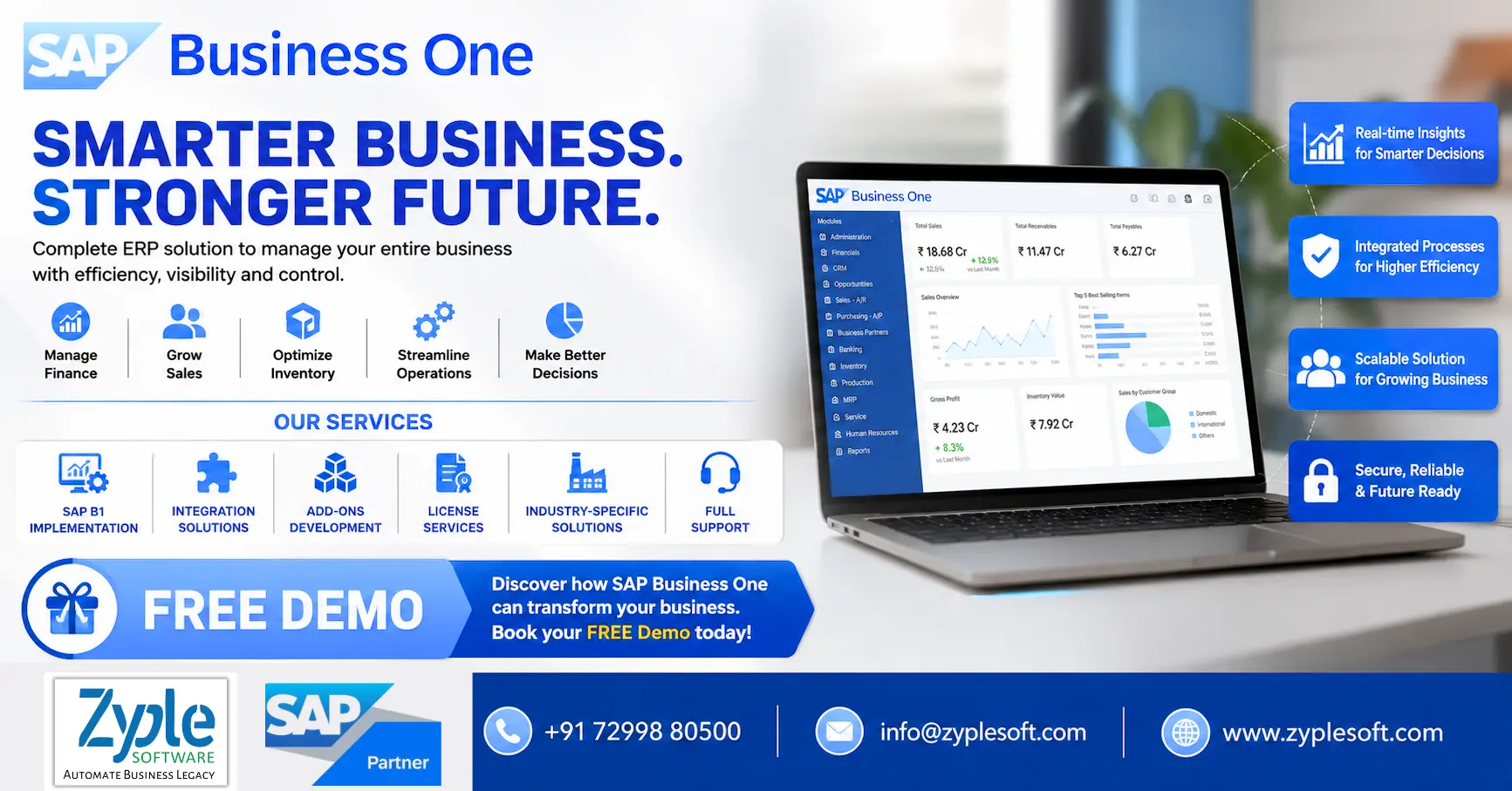
SAP Business One solutions for finance inventory manufacturing construction retail pharma industry and business management

Running a growing business with disconnected spreadsheets, multiple software systems, manual approvals, and limited visibility can make even simple decisions difficult. SAP Business One solutions help small and midsize businesses bring finance, sales, purchasing, inventory, production, projects, and reporting into one integrated ERP platform.

Instead of managing different departments with separate systems, businesses can use SAP Business One ERP to create a connected flow of information across the organization.

For companies planning ERP implementation, the bigger question is not simply “Do we need an ERP?” but rather:

“Which SAP Business One solution is right for our industry, processes, users, and growth plans?”

This guide explains the major SAP Business One solutions, their benefits, industry applications, implementation considerations, and how to choose the right SAP Business One partner.

What Are SAP Business One Solutions?

SAP Business One solutions are ERP-based business management solutions designed to help small and midsize companies manage their core operations from a centralized platform.

Depending on the organization’s requirements, SAP Business One can support:

  • Financial management
  • Accounting
  • Sales and CRM
  • Purchasing
  • Inventory management
  • Warehouse management
  • Production planning
  • Material Requirements Planning (MRP)
  • Project management
  • Service management
  • Business intelligence and reporting
  • Approval workflows
  • Customer management
  • Distribution
  • Multi-branch operations
  • Integration with external applications

The major advantage is that these functions can work together rather than operating as isolated systems.

For example, a sales order can influence inventory requirements, purchasing, production planning, delivery, invoicing, and financial reporting.

That connected process can significantly reduce manual data entry and improve management visibility.

Why Businesses Need SAP Business One Solutions?

Many growing businesses reach a point where their existing accounting software, spreadsheets, and standalone applications are no longer sufficient.

Typical problems include:

1. Data Is Scattered Across Systems

Finance may use one application, sales another, while inventory is maintained in Excel.

This creates data duplication and makes it difficult to identify which information is accurate.

2. Inventory Visibility Is Limited

Businesses may struggle to answer basic questions such as:
  • What inventory is available?
  • Where is the stock located?
  • Which items are moving slowly?
  • What should be reordered?
  • What is committed to customers?
  • What materials are required for production?

3. Manual Processes Consume Time

Employees often spend hours maintaining spreadsheets, reconciling information, preparing reports, and entering the same data into multiple systems.

4. Management Reports Take Too Long

When reports depend on manual consolidation, management may receive information days or weeks after the actual business activity.

5. Business Growth Becomes Difficult

As the number of customers, products, warehouses, employees, transactions, and branches increases, manual processes become increasingly difficult to manage.

SAP Business One solutions address these challenges by connecting critical business processes through one ERP environment.

Key SAP Business One Solutions

1. SAP Business One Financial Management

Financial management is at the heart of an ERP system.

SAP Business One can help businesses manage:
  • General ledger
  • Accounts payable
  • Accounts receivable
  • Journal entries
  • Banking
  • Fixed assets
  • Cost accounting
  • Budgets
  • Financial reporting
  • Tax-related processes
  • Cash flow visibility
Instead of waiting for information to be consolidated from different systems, management can obtain a more centralized view of financial activities.

2. SAP Business One Sales and CRM

Sales teams need more than a customer database.

An integrated SAP Business One solution can connect activities such as:

Lead → Opportunity → Quotation → Sales Order → Delivery → Invoice → Payment

Businesses can manage:
  • Leads
  • Business partners
  • Sales opportunities
  • Quotations
  • Sales orders
  • Deliveries
  • Invoices
  • Customer history
  • Sales activities
  • Sales reporting
This provides sales and management teams with greater visibility into the customer lifecycle.

3. SAP Business One Inventory Management

Inventory management becomes increasingly complicated as businesses add more products, warehouses, branches, and sales channels.

SAP Business One solutions can help organizations manage:
  • Item master data
  • Multiple warehouses
  • Stock transfers
  • Batch management
  • Serial numbers
  • Inventory transactions
  • Goods receipts
  • Goods issues
  • Stock counting
  • Inventory valuation
  • Reorder planning
Businesses can improve control over inventory while reducing dependence on manually maintained spreadsheets.

4. SAP Business One Purchasing and Procurement

Procurement has a direct impact on costs, production, and customer service.

SAP Business One can connect purchasing activities from:

Purchase Request → Purchase Quotation → Purchase Order → Goods Receipt → Supplier Invoice

Companies can manage suppliers, purchasing documents, pricing, inventory requirements, and purchasing history through an integrated process.

This can help purchasing teams make decisions based on actual business requirements instead of guesswork.

5. SAP Business One Manufacturing & Production

For manufacturers, ERP requirements go beyond accounting and inventory.

SAP Business One manufacturing solutions can support:
  • Bill of Materials
  • Production orders
  • Material planning
  • MRP
  • Production scheduling
  • Material availability
  • Work-in-progress tracking
  • Production costing
  • Inventory consumption
  • Finished goods management
Manufacturing companies can connect procurement, inventory, production, sales, and finance to create a more integrated operational workflow.

6. SAP Business One MRP Solution

Material Requirements Planning is particularly important for manufacturing businesses.

MRP can help answer questions such as:
  1. What materials are required?
  2. How much material is needed?
  3. When should materials be purchased?
  4. Which existing stock can be used?
  5. What production requirements are coming up?
By connecting demand, inventory, purchasing, and production requirements, businesses can improve material planning and reduce unnecessary inventory.

7. SAP Business One Warehouse & Distribution Solution

Distribution businesses require accurate inventory and order fulfillment.

SAP Business One can help manage:
  • Multiple warehouses
  • Stock transfers
  • Inventory availability
  • Goods receipts
  • Goods issues
  • Pick and pack processes
  • Delivery management
  • Batch and serial tracking
  • Distribution workflows
This is particularly useful for wholesalers, distributors, retailers, importers, and companies operating multiple locations.

8. SAP Business One Project Management

Project-based businesses need visibility into project costs, resources, activities, and profitability.

SAP Business One project management capabilities can help organizations monitor:
  • Project budgets
  • Project activities
  • Resources
  • Expenses
  • Revenue
  • Project costs
  • Project profitability
This can be useful for industries such as construction, engineering, EPC, consulting, and professional services.

9. SAP Business One Service Management

Customer service does not end when an invoice is generated.

Businesses can use service management capabilities to manage:
  • Service calls
  • Customer equipment
  • Warranty information
  • Service contracts
  • Technician activities
  • Service history
  • Response tracking
This gives service teams access to relevant customer and product information.

10. SAP Business One Reporting & Analytics

One of the most important benefits of ERP is access to better business information.

SAP Business One reporting and analytics can help management monitor:
  • Sales performance
  • Profitability
  • Inventory
  • Purchasing
  • Receivables
  • Payables
  • Cash flow
  • Production
  • Customer performance
  • Supplier performance
Instead of asking different departments to manually prepare reports, decision-makers can work with more centralized business data.

Industry-Specific SAP Business One Solutions

A major advantage of working with an experienced SAP Business One implementation partner is the ability to adapt ERP processes to industry-specific requirements.

Manufacturing

SAP Business One can support:
  • BOM
  • Production
  • MRP
  • Quality
  • Inventory
  • Subcontracting
  • Costing
  • Procurement

Construction & EPC

Businesses can implement solutions for:
  • Project management
  • Contractor billing
  • Procurement
  • Budget management
  • Material tracking
  • Cost control
  • Project profitability

Trading & Distribution

Key requirements include:
  • Inventory management
  • Sales
  • Purchasing
  • Warehouse management
  • Batch/serial tracking
  • Distribution
  • Customer management

Retail

SAP Business One can support:
  • Inventory
  • Purchasing
  • Sales
  • Multi-location operations
  • Customer management
  • Financial management
  • Third-party integrations

Pharma & Healthcare

Industry-specific solutions can support:
  • Batch tracking
  • Expiry management
  • Quality processes
  • Inventory
  • Procurement
  • Sales
  • Compliance-oriented workflows

Food & Beverage

Businesses can benefit from capabilities around:
  • Batch management
  • Production
  • Recipe/BOM management
  • Expiry tracking
  • Quality
  • Inventory
  • Procurement

Engineering & Project-Based Businesses

SAP Business One can connect:
  • Projects
  • Procurement
  • Inventory
  • Resources
  • Costs
  • Billing
  • Financials

SAP Business One Integrations

Modern businesses rarely operate using ERP alone.

SAP Business One can be integrated with other business applications depending on the company’s requirements.

Common integration scenarios include:
  • CRM systems
  • E-commerce platforms
  • Banking systems
  • Payment gateways
  • Payroll systems
  • Biometric attendance systems
  • Manufacturing systems
  • MES
  • Weighbridge systems
  • Logistics platforms
  • WhatsApp/business communication solutions
  • E-invoicing systems
  • E-commerce marketplaces
The objective is to create a connected digital ecosystem instead of forcing employees to repeatedly enter the same information into different systems.

SAP Business One Add-On Solutions

Every business has processes that may not be fully covered by standard ERP functionality.

This is where industry-specific SAP Business One add-ons can become valuable.

Examples include:
  • Tender & Bid Management
  • Contractor Billing
  • Legal Management
  • Weighbridge Integration
  • Liaison Management
  • Budget Management
  • Plant Maintenance
  • Quality Management
  • Subcontracting
  • Fleet Management
  • Manufacturing Execution System (MES)
  • Payroll
  • WhatsApp Integration
  • Costing & Estimation
  • E-Invoice & E-Way Bill
  • CCTV Integration
The right add-on strategy should be based on actual business requirements rather than adding unnecessary customizations.

SAP Business One HANA vs SQL

Businesses evaluating SAP Business One may also need to consider their database platform.

SAP Business One is available with different technology options, including SAP HANA-based deployments.

SAP HANA can provide a powerful in-memory database platform for analytics and business applications.

The right choice depends on factors such as:
  • Number of users
  • Transaction volume
  • Reporting requirements
  • Analytics requirements
  • Existing IT infrastructure
  • Integration architecture
  • Budget
  • Long-term growth plans
A qualified SAP Business One consultant should evaluate the organization’s requirements before recommending the appropriate architecture.

SAP Business One Cloud vs On-Premise

Another important ERP decision is deployment.

Cloud Deployment

Cloud ERP can provide:
  • Remote accessibility
  • Reduced infrastructure management
  • Scalability
  • Centralized administration
  • Easier access for distributed teams

On-Premise Deployment

On-premise deployment can provide organizations with greater control over their infrastructure and data environment.

The best option depends on the company’s IT strategy, security requirements, infrastructure, budget, compliance needs, and operational model.

How SAP Business One Can Improve Business Operations?

The value of an ERP system should not be measured simply by the number of features.

The real question is:

Can the ERP help the business operate better?

A properly implemented SAP Business One solution can help organizations:

Reduce Manual Data Entry

Integrated workflows reduce the need to enter the same information into multiple applications.

Improve Data Visibility

Departments can work from more centralized business information.

Strengthen Inventory Control

Organizations can monitor stock movements and inventory positions across warehouses.

Improve Financial Visibility

Finance teams can connect operational transactions with accounting information.

Accelerate Reporting

Management can access business information without depending entirely on manually consolidated spreadsheets.

Improve Process Control

Approval workflows and standardized processes can help businesses establish stronger operational controls.

How Much Does SAP Business One Cost

There is no single SAP Business One implementation price that applies to every company.

The total investment can depend on:
  • Number and type of users
  • Deployment model
  • Database platform
  • Number of branches
  • Number of warehouses
  • Required modules
  • Industry requirements
  • Integrations
  • Customizations
  • Add-ons
  • Data migration
  • Implementation scope
  • Training
  • Support and AMC
Therefore, companies should avoid comparing ERP prices based only on license cost.

A better approach is to evaluate the total cost of ownership and expected business value.

How to Choose the Right SAP Business One Partner?

Selecting the right implementation partner can be as important as selecting the ERP platform.

Before choosing a partner, ask:

Does the partner understand your industry?

Industry knowledge can help reduce unnecessary customization and improve implementation quality.

Can they handle integrations?

Check whether the partner has experience integrating ERP with your existing applications.

Do they provide implementation and support?

ERP implementation is not the end of the relationship.

You may need:
  • User training
  • Technical support
  • Upgrades
  • Enhancements
  • Add-ons
  • Integration support
  • Process optimization

Do they provide a clear implementation roadmap?

Ask for a structured plan covering:

Discovery → Business Blueprint → Configuration → Development → Data Migration → Testing → Training → Go-Live → Support

Can they demonstrate relevant projects?

Ask for examples related to your industry and business processes.

Why Choose Zyple Software for SAP Business One Solutions?

Zyple Software is an SAP Business One Partner providing ERP solutions for small and midsize businesses.

Zyple Software focuses on helping businesses implement, integrate, customize, and optimize SAP Business One according to their operational requirements.

Its SAP Business One services include:
  • SAP Business One implementation
  • SAP B1 licenses
  • SAP B1 integration
  • SAP B1 add-ons
  • Industry-specific ERP solutions
  • Data migration
  • Customization
  • ERP consulting
  • User training
  • Post-implementation support
  • AMC and ongoing ERP support
For businesses that need more than standard ERP functionality, Zyple can also help evaluate industry-specific add-ons and integrations.

SAP Business One Implementation Process

A successful ERP implementation requires proper planning.

A typical implementation can follow these stages:

1. Business Requirement Analysis

Understand the company’s existing processes, challenges, and objectives.

2. Solution Design

Map business requirements to SAP Business One functionality.

3. Configuration & Development

Configure the ERP and develop necessary customizations or integrations.

4. Data Migration

Transfer relevant master and transactional data from existing systems.

5. Testing

Validate business processes through user acceptance and system testing.

6. Training

Train users according to their roles and responsibilities.

7. Go-Live

Move the business to the new ERP environment.

8. Post-Go-Live Support

Resolve issues, optimize processes, and support users after implementation.

Is SAP Business One Right for Your Business?

SAP Business One can be worth considering if your organization is experiencing:
  • Rapid business growth
  • Increasing transaction volumes
  • Multiple warehouses
  • Multiple branches
  • Complex inventory requirements
  • Manufacturing challenges
  • Spreadsheet dependency
  • Poor management reporting
  • Disconnected business applications
  • Manual approval processes
  • Difficulty tracking profitability
  • Limited financial visibility
If several of these challenges sound familiar, an ERP health check can help determine whether SAP Business One is appropriate for your organization.

Frequently Asked Questions About SAP Business One Solutions

What is SAP Business One?

SAP Business One is an ERP solution designed primarily for small and midsize businesses to manage core functions such as finance, sales, purchasing, inventory, production, projects, service, and reporting.

SAP Business One can be implemented across manufacturing, trading, distribution, retail, construction, engineering, professional services, food and beverage, pharmaceuticals, healthcare, and many other industries.

Yes. SAP Business One can be extended through configurations, integrations, custom development, and industry-specific add-ons where required.

Yes. SAP Business One can be integrated with other business applications depending on technical and business requirements.

Yes. Manufacturing organizations can use functionality related to BOMs, production orders, MRP, inventory, procurement, costing, and production planning.

Yes. SAP Business One provides inventory and warehouse management capabilities for organizations operating multiple warehouses.

Implementation time varies considerably depending on the company’s size, number of users, modules, integrations, data migration requirements, customizations, and project complexity.

Businesses can contact an SAP Business One partner like Zyple Software to discuss their requirements and request a product demonstration tailored to their processes.

Final Thoughts

Choosing an ERP system is a major business decision. The right SAP Business One solution should not simply digitize existing processes—it should help the organization create more connected, controlled, and scalable operations.

From financial management and inventory to manufacturing, procurement, CRM, projects, reporting, integrations, and industry-specific add-ons, SAP Business One can provide a centralized platform for managing critical business operations.

However, the success of an ERP project depends heavily on proper requirement analysis, implementation methodology, industry expertise, user adoption, integrations, and long-term support.

If your business is currently managing operations through spreadsheets or multiple disconnected systems, now may be the right time to evaluate whether SAP Business One can help you move toward a more integrated ERP environment.

Ready to Explore SAP Business One?

Get a FREE SAP Business One Demo and Business Process Consultation from Zyple Software.

Contact: +91 72998 80500

Mail: info@zyplesoft.com

Website: www.zyplesoft.com

SAP B1 Implementation | Integration | Add-Ons | License | Industry-Specific Solutions | Full Support

Fill your details in below contact form, Our team will contact you soon with best solutions.
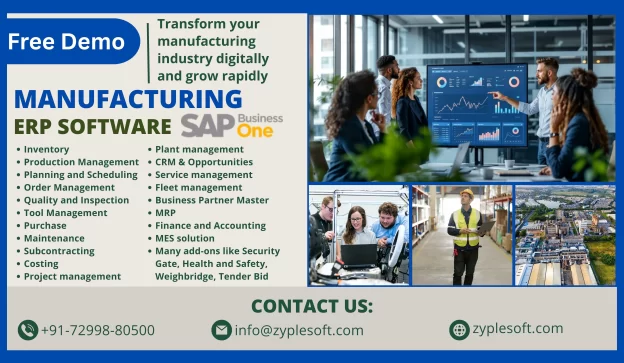
    manufacturing erp

    Manufacturing ERP for Industry

    Manufacturing ERP Software for Companies

    manufacturing erp

    It is a specialized software system designed to help manufacturers manage and integrate different business processes, including production planning, supply chain management, and inventory management, into a single, unified platform. It facilitates operations, improves efficiency, and provides real-time insights into metrics, ultimately boosting productivity and profitability.

    Best ERP Software for Manufacturing in India

    SAP Business One is a comprehensive ERP software for manufacturing in India, specifically for small to medium-sized enterprises (SMEs). It provides a comprehensive suite of tools for managing various aspects of a manufacturing business, from production planning to sales and financials, all within a single integrated system.

    Features of Manufacturing ERP

    1. Inventory

    Gain real-time visibility into stock levels, minimizing overstock and stockouts while optimizing inventory costs.

    2. Production Management

    Facilitate your workflows and reduce manual tasks to improve efficiency and focus on strategic initiatives.

    3. Planning and Scheduling

    Improve operational efficiency with detailed work order tracking and production timeline management.

    4. Order Management

    Track orders from creation to fulfillment, ensuring on-time delivery and increased customer satisfaction.

    5. Quality and Inspection

    Digitize quality checks, covering inward, in-process, and final inspections, for real-time tracking.

    6. Tool Management

    Expand the lifespan of tools with detailed tracking of usage and maintenance schedules.

    7. Purchase

    Facilitate processes with automated workflows and vendor management for timely purchasing.

    8. Maintenance

    Analyze downtime to identify patterns and execute corrective measures, boosting efficiency.

    9. Subcontracting

    Oversee outsourced production smoothly with real-time visibility into every stage of the process.

    10. Costing

    Understanding expenses at every stage of manufacturing is crucial for profitability and efficiency.

    Types of ERP Software in the Manufacturing Industry

    Different types of ERP systems are available today to cater to the requirements of a manufacturing company based on their size and functionality. The best manufacturing ERP solution is the one that supports adaptive manufacturing enterprises and can adjust to change and thus provides a competitive advantage to the business.

    On-Premise Software

    This type of manufacturing ERP software on implementation needs support, control, and ownership of the system, including the risk and cost related to managing hardware and system infrastructure for manufacturers.

    Cloud-Based ERP Software

    Manufacturers having this type of software have a flexible yet inclusive system with consistent updates, support, training, and even customization options.

    Hybrid ERP

    Setting up a hybrid ERP provides manufacturers with a fusion of on-premise and cloud-based hosting and deployment services. This system provides users the flexibility to migrate between delivery models or integrate benefits that do not come with the existing implementations.

    Benefits of Manufacturing ERP Software

    This ERP software improves business processes, provides accurate real-time data, and reduces costs. Here are some of the key benefits of an ERP system for manufacturers.

    Real-Time Data

    Real-time data has revolutionized the manufacturing industry by evolving how shops are managed and goods are manufactured. Real-time data provided by manufacturing ERP systems lets you know which of your production processes, machines, work centers, and product lines are operating at high levels of quality and efficiency, which enables you to make changes quickly and fix any issues before they get out of hand.

    Real-time lets you continuously track, control, and fine-tune your shop for maximum efficiency. With this, you can manage your shop floor schedule, consistently improve product quality, and maintain your equipment to create a high-performing manufacturing plant.

    Improved Efficiency

    Manufacturing ERP systems help maximize your shop’s efficiency by facilitating your business processes. All shops use QR codes on all items to facilitate inventory tracking, making it easy to scan items in and out and maintain accurate records. Inventory management has significantly improved with SAP Business One ERP, helping to improve efficiency and expand production. This ERP software facilitates your tasks and business processes so you can do things quicker, greater, and more consistently.

    Improved Operational Efficiency

    Spend and invest wisely and see the results. ERP systems provide integrated financial insights that recognize areas where costs can be reduced. These systems are customized with tools that support accurate budgeting and financial forecasting. Identify the most profitable product lines and find the suitable pricing strategies to increase revenue.

    Better Supply Chain Visibility

    Manage resources more efficiently. SAP solutions provide a comprehensive view of supplier performance and procurement needs and monitor inventory levels to ensure they remain at the right levels. This avoids any holding costs or stockouts. The demand planning features align production with demand forecasts to prevent any overproduction or missed sales opportunities.

    Regulatory Compliance and Quality Control

    Stay ahead of possible issues across the board. ERP systems minimize legal risks or compliance issues by continuously monitoring production processes. They keep comprehensive and accurate records of operations to avoid any potential challenges around audits or compliance checks. Companies use the software to stay within the bounds of regulatory frameworks.

    How to Choose the Best Manufacturing ERP System

    To choose the best manufacturing ERP system, business leaders must understand what they need. By considering these steps, leaders can assess potential ERP systems based on what would benefit their operation, rather than evaluating a one-size-fits-all list of criteria.

    1. Understand Your Business Needs

    A business can’t build and implement an ERP system without having a clear understanding of what the system will need to do. Many manufacturers start this process by collaborating with different stakeholders to create a list of must-have ERP features. They do this by deciding what data to track, what processes to facilitate, and what reports and monitoring will be required to continuously improve operations. This process involves identifying the enterprise’s operational strengths and weaknesses, growth strategies, and specific inventory and production requirements.

    2. Assess Features and Functionalities

    Once a business has arranged its needs and goals, these can be met with the features of an ERP solution. If a manufacturer plans to facilitate inventory management, it should seek an ERP system with advanced inventory functionalities, such as product sorting, order tracking, and warehouse controls. They should also assess the ease of use, integration capabilities with existing systems, and long-term scalability. Scalability is important because it ensures that the type of ERP system chosen can adapt and grow alongside the business, accommodating future expansion and evolving requirements. This foresight can help reduce downtime and frustration during the transition as the business evolves.

    3. Assess Vendors

    Manufacturers must also consider such factors as the vendor’s reputation, its experience in the manufacturing industry, and its customer service capabilities. For instance, it’s important to select a vendor that, in addition to providing a robust ERP system, also provides comprehensive support during SAP implementation and beyond. Also, manufacturers might want to consider the vendor’s financial stability, how long its product has been on the market, and whether it’s committed to updating or improving their ERP system from both a technology and security standpoint.

    4. Assess Total Cost of Ownership

    The total cost of ownership (TCO) of an ERP includes the initial purchase price and all costs associated with the system, such as implementation, training, operation, maintenance, and upgrades. Therefore, manufacturers must plan and budget for direct costs, like software licenses and hardware, and indirect costs, like the cost of temporarily shifting staff from their usual jobs to roles focused on establishing the ERP system during its rollout.

    5. Assess Technological Advancements

    Advanced technologies, including cloud computing, artificial intelligence (AI), machine learning, and internet of things (IoT) devices, can offer significant advantages in terms of user-friendliness, real-time data analysis, predictive maintenance, and more.

    6. Manage Implementation and change

    The time and resources required to implement an ERP system should be primarily considered when weighing alternatives. Once the ERP solution is fully integrated, business leaders can use the system to break down traditionally stored processes, such as order processing, financials, and inventory management, to facilitate operations and provide a detailed sight of the company.

    7. Evaluate ROI

    Evaluating possible return on investment (ROI) involves comparing the financial gains resulting from implementing the ERP system against the total cost of ownership. Given the significant investment generally associated with implementing an ERP solution, manufacturers must carefully calculate ROI to determine the value of the system as a whole, its specific features, and the modules that will prove most valuable.

    8. Consider Legal and Compliance Issues

    For many manufacturers, especially those providing diverse or sensitive products, tracking the legal and compliance requirements associated with their products can be a challenge. To overcome this, manufacturers should select an ERP system that allows them to customize compliance requirements to reflect all relevant industry regulations, standards, and laws, and create reliable records showing this compliance.

    Conclusion of Manufacturing ERP Software

    Zyple Software provides SAP Business One ERP services, where manufacturers gain a comprehensive platform for managing complex business processes that cater to the manufacturing industry. It is customizable to help manufacturers handle their industry’s specific and unique challenges, with the flexibility required to continue to adapt as the business grows and the industry evolves, either of which can cause a company to require new tools and features in the long run.

    Read more: SAP Business One for Manufacturing 

    If you are looking for Manufacturing ERP, then fill your details in contact form. we will contact you.