
Tag Archives: sap business one price in india

SAP Business One solutions for finance inventory manufacturing construction retail pharma industry and business management

SAP Business One Solutions for Growing Businesses

SAP Business One Solutions Guide for Businesses or Industries
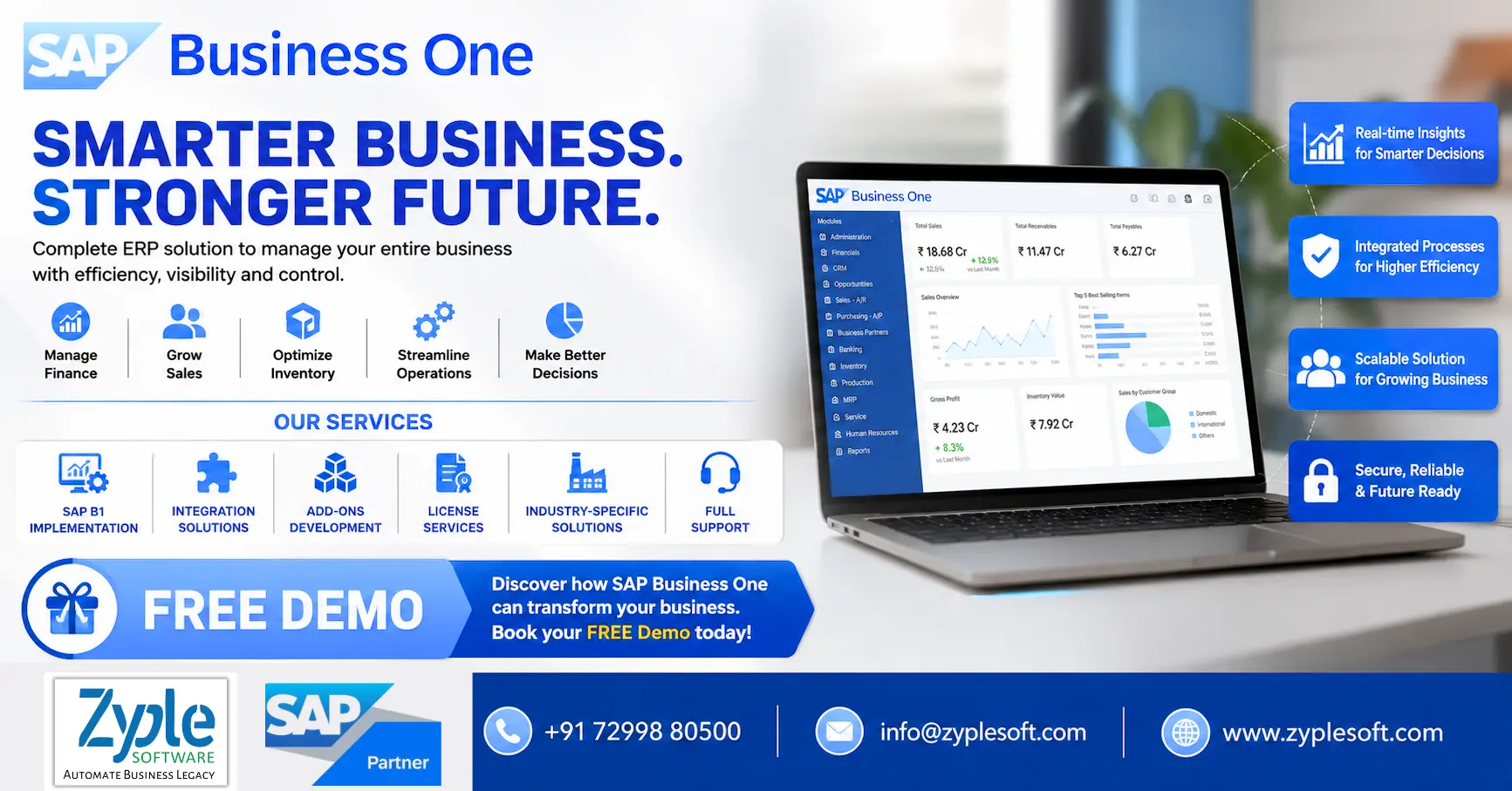
SAP Business One solutions for finance inventory manufacturing construction retail pharma industry and business management

Running a growing business with disconnected spreadsheets, multiple software systems, manual approvals, and limited visibility can make even simple decisions difficult. SAP Business One solutions help small and midsize businesses bring finance, sales, purchasing, inventory, production, projects, and reporting into one integrated ERP platform.

Instead of managing different departments with separate systems, businesses can use SAP Business One ERP to create a connected flow of information across the organization.

For companies planning ERP implementation, the bigger question is not simply “Do we need an ERP?” but rather:

“Which SAP Business One solution is right for our industry, processes, users, and growth plans?”

This guide explains the major SAP Business One solutions, their benefits, industry applications, implementation considerations, and how to choose the right SAP Business One partner.

What Are SAP Business One Solutions?

SAP Business One solutions are ERP-based business management solutions designed to help small and midsize companies manage their core operations from a centralized platform.

Depending on the organization’s requirements, SAP Business One can support:

  • Financial management
  • Accounting
  • Sales and CRM
  • Purchasing
  • Inventory management
  • Warehouse management
  • Production planning
  • Material Requirements Planning (MRP)
  • Project management
  • Service management
  • Business intelligence and reporting
  • Approval workflows
  • Customer management
  • Distribution
  • Multi-branch operations
  • Integration with external applications

The major advantage is that these functions can work together rather than operating as isolated systems.

For example, a sales order can influence inventory requirements, purchasing, production planning, delivery, invoicing, and financial reporting.

That connected process can significantly reduce manual data entry and improve management visibility.

Why Businesses Need SAP Business One Solutions?

Many growing businesses reach a point where their existing accounting software, spreadsheets, and standalone applications are no longer sufficient.

Typical problems include:

1. Data Is Scattered Across Systems

Finance may use one application, sales another, while inventory is maintained in Excel.

This creates data duplication and makes it difficult to identify which information is accurate.

2. Inventory Visibility Is Limited

Businesses may struggle to answer basic questions such as:
  • What inventory is available?
  • Where is the stock located?
  • Which items are moving slowly?
  • What should be reordered?
  • What is committed to customers?
  • What materials are required for production?

3. Manual Processes Consume Time

Employees often spend hours maintaining spreadsheets, reconciling information, preparing reports, and entering the same data into multiple systems.

4. Management Reports Take Too Long

When reports depend on manual consolidation, management may receive information days or weeks after the actual business activity.

5. Business Growth Becomes Difficult

As the number of customers, products, warehouses, employees, transactions, and branches increases, manual processes become increasingly difficult to manage.

SAP Business One solutions address these challenges by connecting critical business processes through one ERP environment.

Key SAP Business One Solutions

1. SAP Business One Financial Management

Financial management is at the heart of an ERP system.

SAP Business One can help businesses manage:
  • General ledger
  • Accounts payable
  • Accounts receivable
  • Journal entries
  • Banking
  • Fixed assets
  • Cost accounting
  • Budgets
  • Financial reporting
  • Tax-related processes
  • Cash flow visibility
Instead of waiting for information to be consolidated from different systems, management can obtain a more centralized view of financial activities.

2. SAP Business One Sales and CRM

Sales teams need more than a customer database.

An integrated SAP Business One solution can connect activities such as:

Lead → Opportunity → Quotation → Sales Order → Delivery → Invoice → Payment

Businesses can manage:
  • Leads
  • Business partners
  • Sales opportunities
  • Quotations
  • Sales orders
  • Deliveries
  • Invoices
  • Customer history
  • Sales activities
  • Sales reporting
This provides sales and management teams with greater visibility into the customer lifecycle.

3. SAP Business One Inventory Management

Inventory management becomes increasingly complicated as businesses add more products, warehouses, branches, and sales channels.

SAP Business One solutions can help organizations manage:
  • Item master data
  • Multiple warehouses
  • Stock transfers
  • Batch management
  • Serial numbers
  • Inventory transactions
  • Goods receipts
  • Goods issues
  • Stock counting
  • Inventory valuation
  • Reorder planning
Businesses can improve control over inventory while reducing dependence on manually maintained spreadsheets.

4. SAP Business One Purchasing and Procurement

Procurement has a direct impact on costs, production, and customer service.

SAP Business One can connect purchasing activities from:

Purchase Request → Purchase Quotation → Purchase Order → Goods Receipt → Supplier Invoice

Companies can manage suppliers, purchasing documents, pricing, inventory requirements, and purchasing history through an integrated process.

This can help purchasing teams make decisions based on actual business requirements instead of guesswork.

5. SAP Business One Manufacturing & Production

For manufacturers, ERP requirements go beyond accounting and inventory.

SAP Business One manufacturing solutions can support:
  • Bill of Materials
  • Production orders
  • Material planning
  • MRP
  • Production scheduling
  • Material availability
  • Work-in-progress tracking
  • Production costing
  • Inventory consumption
  • Finished goods management
Manufacturing companies can connect procurement, inventory, production, sales, and finance to create a more integrated operational workflow.

6. SAP Business One MRP Solution

Material Requirements Planning is particularly important for manufacturing businesses.

MRP can help answer questions such as:
  1. What materials are required?
  2. How much material is needed?
  3. When should materials be purchased?
  4. Which existing stock can be used?
  5. What production requirements are coming up?
By connecting demand, inventory, purchasing, and production requirements, businesses can improve material planning and reduce unnecessary inventory.

7. SAP Business One Warehouse & Distribution Solution

Distribution businesses require accurate inventory and order fulfillment.

SAP Business One can help manage:
  • Multiple warehouses
  • Stock transfers
  • Inventory availability
  • Goods receipts
  • Goods issues
  • Pick and pack processes
  • Delivery management
  • Batch and serial tracking
  • Distribution workflows
This is particularly useful for wholesalers, distributors, retailers, importers, and companies operating multiple locations.

8. SAP Business One Project Management

Project-based businesses need visibility into project costs, resources, activities, and profitability.

SAP Business One project management capabilities can help organizations monitor:
  • Project budgets
  • Project activities
  • Resources
  • Expenses
  • Revenue
  • Project costs
  • Project profitability
This can be useful for industries such as construction, engineering, EPC, consulting, and professional services.

9. SAP Business One Service Management

Customer service does not end when an invoice is generated.

Businesses can use service management capabilities to manage:
  • Service calls
  • Customer equipment
  • Warranty information
  • Service contracts
  • Technician activities
  • Service history
  • Response tracking
This gives service teams access to relevant customer and product information.

10. SAP Business One Reporting & Analytics

One of the most important benefits of ERP is access to better business information.

SAP Business One reporting and analytics can help management monitor:
  • Sales performance
  • Profitability
  • Inventory
  • Purchasing
  • Receivables
  • Payables
  • Cash flow
  • Production
  • Customer performance
  • Supplier performance
Instead of asking different departments to manually prepare reports, decision-makers can work with more centralized business data.

Industry-Specific SAP Business One Solutions

A major advantage of working with an experienced SAP Business One implementation partner is the ability to adapt ERP processes to industry-specific requirements.

Manufacturing

SAP Business One can support:
  • BOM
  • Production
  • MRP
  • Quality
  • Inventory
  • Subcontracting
  • Costing
  • Procurement

Construction & EPC

Businesses can implement solutions for:
  • Project management
  • Contractor billing
  • Procurement
  • Budget management
  • Material tracking
  • Cost control
  • Project profitability

Trading & Distribution

Key requirements include:
  • Inventory management
  • Sales
  • Purchasing
  • Warehouse management
  • Batch/serial tracking
  • Distribution
  • Customer management

Retail

SAP Business One can support:
  • Inventory
  • Purchasing
  • Sales
  • Multi-location operations
  • Customer management
  • Financial management
  • Third-party integrations

Pharma & Healthcare

Industry-specific solutions can support:
  • Batch tracking
  • Expiry management
  • Quality processes
  • Inventory
  • Procurement
  • Sales
  • Compliance-oriented workflows

Food & Beverage

Businesses can benefit from capabilities around:
  • Batch management
  • Production
  • Recipe/BOM management
  • Expiry tracking
  • Quality
  • Inventory
  • Procurement

Engineering & Project-Based Businesses

SAP Business One can connect:
  • Projects
  • Procurement
  • Inventory
  • Resources
  • Costs
  • Billing
  • Financials

SAP Business One Integrations

Modern businesses rarely operate using ERP alone.

SAP Business One can be integrated with other business applications depending on the company’s requirements.

Common integration scenarios include:
  • CRM systems
  • E-commerce platforms
  • Banking systems
  • Payment gateways
  • Payroll systems
  • Biometric attendance systems
  • Manufacturing systems
  • MES
  • Weighbridge systems
  • Logistics platforms
  • WhatsApp/business communication solutions
  • E-invoicing systems
  • E-commerce marketplaces
The objective is to create a connected digital ecosystem instead of forcing employees to repeatedly enter the same information into different systems.

SAP Business One Add-On Solutions

Every business has processes that may not be fully covered by standard ERP functionality.

This is where industry-specific SAP Business One add-ons can become valuable.

Examples include:
  • Tender & Bid Management
  • Contractor Billing
  • Legal Management
  • Weighbridge Integration
  • Liaison Management
  • Budget Management
  • Plant Maintenance
  • Quality Management
  • Subcontracting
  • Fleet Management
  • Manufacturing Execution System (MES)
  • Payroll
  • WhatsApp Integration
  • Costing & Estimation
  • E-Invoice & E-Way Bill
  • CCTV Integration
The right add-on strategy should be based on actual business requirements rather than adding unnecessary customizations.

SAP Business One HANA vs SQL

Businesses evaluating SAP Business One may also need to consider their database platform.

SAP Business One is available with different technology options, including SAP HANA-based deployments.

SAP HANA can provide a powerful in-memory database platform for analytics and business applications.

The right choice depends on factors such as:
  • Number of users
  • Transaction volume
  • Reporting requirements
  • Analytics requirements
  • Existing IT infrastructure
  • Integration architecture
  • Budget
  • Long-term growth plans
A qualified SAP Business One consultant should evaluate the organization’s requirements before recommending the appropriate architecture.

SAP Business One Cloud vs On-Premise

Another important ERP decision is deployment.

Cloud Deployment

Cloud ERP can provide:
  • Remote accessibility
  • Reduced infrastructure management
  • Scalability
  • Centralized administration
  • Easier access for distributed teams

On-Premise Deployment

On-premise deployment can provide organizations with greater control over their infrastructure and data environment.

The best option depends on the company’s IT strategy, security requirements, infrastructure, budget, compliance needs, and operational model.

How SAP Business One Can Improve Business Operations?

The value of an ERP system should not be measured simply by the number of features.

The real question is:

Can the ERP help the business operate better?

A properly implemented SAP Business One solution can help organizations:

Reduce Manual Data Entry

Integrated workflows reduce the need to enter the same information into multiple applications.

Improve Data Visibility

Departments can work from more centralized business information.

Strengthen Inventory Control

Organizations can monitor stock movements and inventory positions across warehouses.

Improve Financial Visibility

Finance teams can connect operational transactions with accounting information.

Accelerate Reporting

Management can access business information without depending entirely on manually consolidated spreadsheets.

Improve Process Control

Approval workflows and standardized processes can help businesses establish stronger operational controls.

How Much Does SAP Business One Cost

There is no single SAP Business One implementation price that applies to every company.

The total investment can depend on:
  • Number and type of users
  • Deployment model
  • Database platform
  • Number of branches
  • Number of warehouses
  • Required modules
  • Industry requirements
  • Integrations
  • Customizations
  • Add-ons
  • Data migration
  • Implementation scope
  • Training
  • Support and AMC
Therefore, companies should avoid comparing ERP prices based only on license cost.

A better approach is to evaluate the total cost of ownership and expected business value.

How to Choose the Right SAP Business One Partner?

Selecting the right implementation partner can be as important as selecting the ERP platform.

Before choosing a partner, ask:

Does the partner understand your industry?

Industry knowledge can help reduce unnecessary customization and improve implementation quality.

Can they handle integrations?

Check whether the partner has experience integrating ERP with your existing applications.

Do they provide implementation and support?

ERP implementation is not the end of the relationship.

You may need:
  • User training
  • Technical support
  • Upgrades
  • Enhancements
  • Add-ons
  • Integration support
  • Process optimization

Do they provide a clear implementation roadmap?

Ask for a structured plan covering:

Discovery → Business Blueprint → Configuration → Development → Data Migration → Testing → Training → Go-Live → Support

Can they demonstrate relevant projects?

Ask for examples related to your industry and business processes.

Why Choose Zyple Software for SAP Business One Solutions?

Zyple Software is an SAP Business One Partner providing ERP solutions for small and midsize businesses.

Zyple Software focuses on helping businesses implement, integrate, customize, and optimize SAP Business One according to their operational requirements.

Its SAP Business One services include:
  • SAP Business One implementation
  • SAP B1 licenses
  • SAP B1 integration
  • SAP B1 add-ons
  • Industry-specific ERP solutions
  • Data migration
  • Customization
  • ERP consulting
  • User training
  • Post-implementation support
  • AMC and ongoing ERP support
For businesses that need more than standard ERP functionality, Zyple can also help evaluate industry-specific add-ons and integrations.

SAP Business One Implementation Process

A successful ERP implementation requires proper planning.

A typical implementation can follow these stages:

1. Business Requirement Analysis

Understand the company’s existing processes, challenges, and objectives.

2. Solution Design

Map business requirements to SAP Business One functionality.

3. Configuration & Development

Configure the ERP and develop necessary customizations or integrations.

4. Data Migration

Transfer relevant master and transactional data from existing systems.

5. Testing

Validate business processes through user acceptance and system testing.

6. Training

Train users according to their roles and responsibilities.

7. Go-Live

Move the business to the new ERP environment.

8. Post-Go-Live Support

Resolve issues, optimize processes, and support users after implementation.

Is SAP Business One Right for Your Business?

SAP Business One can be worth considering if your organization is experiencing:
  • Rapid business growth
  • Increasing transaction volumes
  • Multiple warehouses
  • Multiple branches
  • Complex inventory requirements
  • Manufacturing challenges
  • Spreadsheet dependency
  • Poor management reporting
  • Disconnected business applications
  • Manual approval processes
  • Difficulty tracking profitability
  • Limited financial visibility
If several of these challenges sound familiar, an ERP health check can help determine whether SAP Business One is appropriate for your organization.

Frequently Asked Questions About SAP Business One Solutions

What is SAP Business One?

SAP Business One is an ERP solution designed primarily for small and midsize businesses to manage core functions such as finance, sales, purchasing, inventory, production, projects, service, and reporting.

SAP Business One can be implemented across manufacturing, trading, distribution, retail, construction, engineering, professional services, food and beverage, pharmaceuticals, healthcare, and many other industries.

Yes. SAP Business One can be extended through configurations, integrations, custom development, and industry-specific add-ons where required.

Yes. SAP Business One can be integrated with other business applications depending on technical and business requirements.

Yes. Manufacturing organizations can use functionality related to BOMs, production orders, MRP, inventory, procurement, costing, and production planning.

Yes. SAP Business One provides inventory and warehouse management capabilities for organizations operating multiple warehouses.

Implementation time varies considerably depending on the company’s size, number of users, modules, integrations, data migration requirements, customizations, and project complexity.

Businesses can contact an SAP Business One partner like Zyple Software to discuss their requirements and request a product demonstration tailored to their processes.

Final Thoughts

Choosing an ERP system is a major business decision. The right SAP Business One solution should not simply digitize existing processes—it should help the organization create more connected, controlled, and scalable operations.

From financial management and inventory to manufacturing, procurement, CRM, projects, reporting, integrations, and industry-specific add-ons, SAP Business One can provide a centralized platform for managing critical business operations.

However, the success of an ERP project depends heavily on proper requirement analysis, implementation methodology, industry expertise, user adoption, integrations, and long-term support.

If your business is currently managing operations through spreadsheets or multiple disconnected systems, now may be the right time to evaluate whether SAP Business One can help you move toward a more integrated ERP environment.

Ready to Explore SAP Business One?

Get a FREE SAP Business One Demo and Business Process Consultation from Zyple Software.

Contact: +91 72998 80500

Mail: info@zyplesoft.com

Website: www.zyplesoft.com

SAP B1 Implementation | Integration | Add-Ons | License | Industry-Specific Solutions | Full Support

Fill your details in below contact form, Our team will contact you soon with best solutions.

    How to Buy SAP B1 Software

    How to Buy SAP B1 Software?

    How to Buy SAP Business One (SAP B1) Software in India?

    How to Buy SAP B1 Software

    What is SAP Business One ERP?

    The ERP system, SAP Business One (SAP B1) ERP, is a cost-effective, integrated ERP software solution designed for small and medium-sized enterprises (SMEs) and fast-growing companies to manage key operations, including finance, sales, CRM, inventory, and production in one system. It facilitates workflows and delivers real-time analytics to improve decision-making, providing flexible, scalable deployment on-premises or in the cloud. Here, we will discuss how to buy SAP B1 software.

    How to Buy SAP B1 Software Online?

    The Process of buying SAP Business One (SAP B1) software online is primarily done through the official SAP store, where you can identify, configure, and purchase solutions directly. The process involves choosing the appropriate license type (professional or limited), modifying user counts, and integrating with Zyple Software for implementation.

    1. Visit the SAP Store

    Navigate to the SAP store and ensure your country/region is properly selected to see relevant pricing and partners like Zyple Software.

    2. Search and Select

    Use the search bar to find SAP Business One.

    3. Configuration of License

    Choose between a perpetual license or a subscription model based on user types (Professional vs. Limited).

    4. Buy or Integrate

    Click “Buy Now” to purchase directly or “Get It Now” to integrate with a partner like Zyple Software to discuss requirements and implementation.

    5. Payment & Access

    Finish the final payment process. For cloud-based options, you may receive access details directly, while on-premise solutions will involve coordination with Zyple.

    How to Buy SAP Business One Software in India?

    To buy SAP Business One (SAP B1) software in India, you must engage Zyple Software to conduct a needs evaluation, customize, and implement the software. The major steps include choosing a deployment model (cloud or on-premise) and selecting user licenses (professional or limited).

    1. Identify an Authorized Partner

    Contact Zyple Software, a certified SAP Business One partner in India, to receive customized quotes, as they manage sales, implementation, and support.

    2. Needs Evaluation and Demo

    Request an inclusive demonstration and a needs evaluation to define which modules (finance, CRM, and inventory) your business requires.

    3. Choosing a Licensing Model

    This includes two types of SAP B1 licensing models:

    • Professional Users: It is the type of SAP Business One licensing model where users have full access to all modules.
    • Limited Users: It is the type of SAP Business One licensing model where users have specific or limited access to modules like CRM, finance, and logistics.

    4. Choose Deployment Process

    Choose between on-premise (perpetual license) and cloud (subscription model).

    5. Installation & Full Support

    Work with Zyple to design the system to your requirements and set up continuous maintenance.

    Know About Customized SAP Business One Pricing India

    We understand that the SAP Business One price in India varies based on factors such as company size, user count, data complexity, and user needs. As your trusted SAP B1 partner in India, we specialize in licensing and crafting personalized blueprints to outline the exact SAP Business One pricing for your organization.

    With decades of experience, we navigate you through the complexities of SAP B1 software price and licensing costs, considering factors like purchasing process, database options (SAP B1 SQL or SAP B1 HANA), hosting preferences (cloud or on-premise), and necessary maintenance and support. If you’re concerned, book an SAP B1 demo.

    Whether you’re in manufacturing, construction, real estate, retail, pharmaceuticals, textiles, logistics, energy or any other sector, our customized approach ensures that the SAP Business One cost remains within budget and aligns perfectly with your unique business model and SAP B1 pricing.

    Not only licensing, but when it comes to SAP implementation, our company delivers excellent support and services to different industries like manufacturing, construction, real estate, retail, pharmaceutical, textile, professional services, aerospace and defense, and more to help them cater to their requirements with the growing competition.

    Key Factors That Impact SAP Business One Price in India

    1. Deployment Models like Cloud and On-Premise

    One of the biggest SAP B1 pricing factors is how you choose to launch SAP Business One like on-premise or the cloud.

    Every model has its own cost structure and long-term financial implications.

    2. Number of Users and License Types

    SAP Business One’s pricing differs based on

    • Number of users accessing the SAP B1 system.
    • Type of users (Professional and Limited).

    Businesses can improve costs by selecting the right type of user licenses instead of assigning full access to everyone.

    3. Business Size and Industry Requirements

    The overall cost depends largely on:

    • Size of the organization.
    • Industry-specific needs (manufacturing, construction, real estate, retail, pharmaceutical, textile, professional services, aerospace and defense, and more).

    Some industries may require additional configurations or compliance features, which can impact pricing.

    4. Customization and Add-On Development

    SAP Business One can be improved with:

    • Industry-specific add-ons.
    • Process automation and integrations.

    The level of customization directly impacts the final project cost.

    5. Implementation and Consulting Services

    SAP B1 ERP pricing is not only about SAP Business One licenses; SAP B1 implementation services play a crucial role in the following:

    • System modification.
    • Data migration.
    • User training.
    • Go-live support.

    A structured and expert-led implementation ensures improved ROI and long-term success.

    6. Support, Annual Maintenance Costs, and Managed Services

    Post-implementation costs include:.

    • Support.
    • System upgrades.
    • Performance optimization.
    • Continuous improvements.

    Choosing a reliable SAP partner, Zyple Software, helps reduce these costs while ensuring system stability.

    Types of SAP Business One Licenses

    Experience personalized guidance from experts to navigate SAP Business One price in India, along with maintenance, SAP support, and implementation. Select from a variety of SAP Business One licenses, including professional and limited licenses, designed for your business requirements.

    1. Professional License

    With professional SAP Business One licenses, you can gain the full spectrum of SAP Business One’s capabilities, allowing access to all modules or features. Select between flexible subscription or perpetual license options to match your business needs seamlessly by delivering the most affordable SAP Business One cost. It is the SAP B1 ERP license suitable for users who need complete access to the system, like managers and decision-makers.

    2. Limited License

    In SAP Business One limited licenses, the offerings deliver focused solutions across three areas, such as CRM, financial, and logistics. Every option provides a unique blend of modules and features to handle specific business needs. This type of SAP B1 license helps you to find the ideal fit for your requirements. It is the SAP B1 ERP license suitable for users who require access only to some modules in the SAP B1 system.

    Are you looking for SAP Business One Software for your any business or industry?

    Fill in all the details in the specified contact form; our team will reach out to you.