Tag Archives: erp for manufacturing

SAP Business One vs Odoo ERP comparison for construction, manufacturing, retail, finance, inventory, CRM, and business management in 2026

SAP Business One vs Odoo: Which is Right for the Industry?

SAP Business One vs Odoo: Which ERP is the Better Choice for Growing Businesses in 2026?
SAP Business One vs Odoo ERP comparison for construction, manufacturing, retail, finance, inventory, CRM, and business management in 2026

Selecting the right Enterprise Resource Planning (ERP) software is one of the most important technology decisions a business can make. The right ERP streamlines operations, improves visibility, and supports long-term growth. Two of the most popular ERP solutions in today’s market are SAP Business One and Odoo.

While both platforms help businesses manage finance, inventory, sales, purchasing, and operations, they are built for different business requirements and growth strategies.

If you’re planning to invest in an ERP system in 2026, this detailed comparison will help you determine which solution aligns best with your business goals.

What is SAP Business One?

SAP Business One is an integrated ERP solution developed by SAP specifically for small and medium-sized businesses. It combines financial management, sales, purchasing, CRM, inventory, production, project management, service management, and analytics into one centralized platform.

Businesses across manufacturing, distribution, retail, pharmaceuticals, engineering, construction, food processing, and many other industries rely on SAP Business One to manage mission-critical operations.

What is Odoo?

Odoo is a modular business management platform that offers ERP, CRM, accounting, inventory, HR, marketing, eCommerce, and other business applications.

Its modular approach allows organizations to start with a few applications and add more as business needs evolve. Odoo is available in Community (open-source) and Enterprise editions.

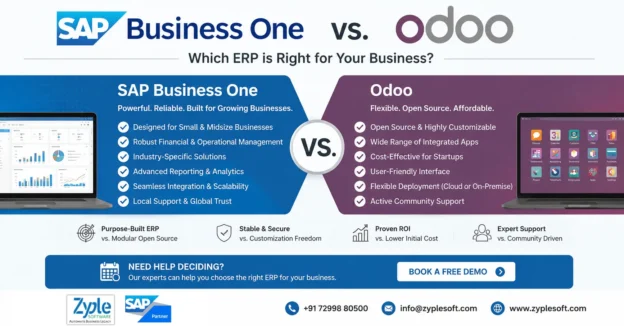
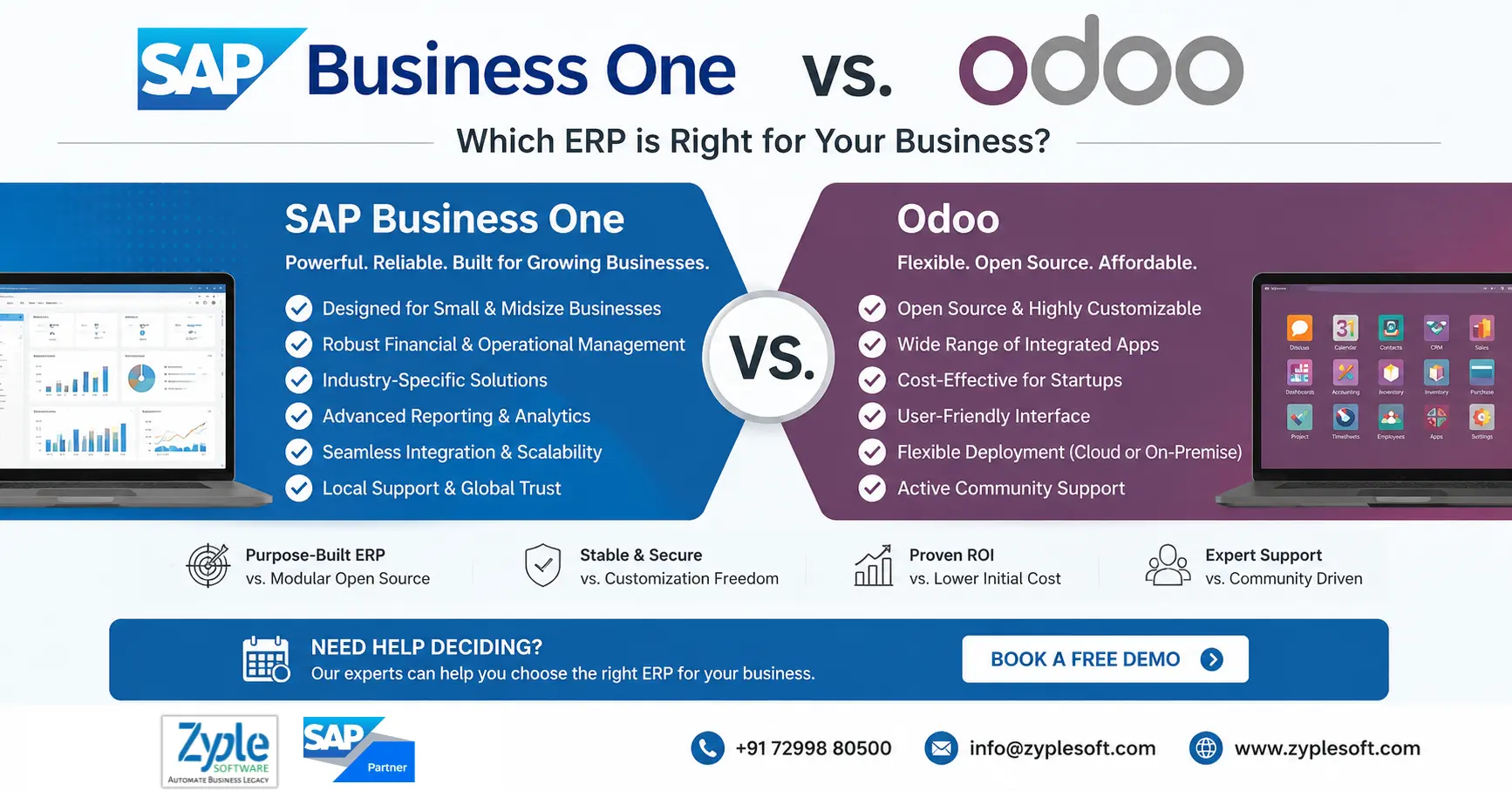
SAP Business One vs Odoo: Feature Comparison

Feature SAP Business One Odoo
Target Businesses Small & Medium Enterprises Small Businesses to Mid-size Companies
Deployment Cloud & On-Premise Cloud & On-Premise
Financial Management Advanced Good
Inventory Management Enterprise-grade Good
Manufacturing Comprehensive MRP & Production Available through modules
CRM Built-in Module-based
Reporting Real-time dashboards & analytics Standard reporting
Business Intelligence Advanced analytics Basic to Moderate
Compliance Strong support for GST, e-Invoice & Audit Depends on localization
Scalability Excellent Good
Industry Solutions Extensive Limited compared to SAP
Integration SAP ecosystem & third-party integrations Large app marketplace
Security Enterprise-level Good

User Interface

Both ERP systems provide modern web interfaces.

SAP Business One

  • Professional dashboard
  • Role-based access
  • Real-time KPIs
  • Interactive reporting
  • Business intelligence tools

Odoo

  • Simple interface
  • Easy navigation
  • App-based dashboard
  • Highly customizable layouts

For organizations that require advanced operational visibility, SAP Business One provides a more comprehensive management experience.

Financial Management

Finance is often the deciding factor when choosing an ERP.

SAP Business One

SAP Business One offers:

  • General Ledger
  • Accounts Payable
  • Accounts Receivable
  • Banking
  • Cash Flow Management
  • Fixed Assets
  • Budget Control
  • Financial Reporting
  • Multi-currency support
  • GST Compliance

Odoo

Odoo Accounting includes:

  • Invoicing
  • Expenses
  • Banking
  • Customer Payments
  • Vendor Bills
  • Basic Financial Reports

Organizations with complex accounting and compliance requirements often prefer SAP Business One because of its mature financial capabilities.

Inventory & Warehouse Management

Inventory accuracy directly impacts profitability.

SAP Business One Features

  • Multi-warehouse management
  • Batch management
  • Serial number tracking
  • Bin locations
  • Inventory valuation
  • Demand forecasting
  • Material Requirement Planning (MRP)
  • Barcode integration

Odoo Features

  • Warehouse management
  • Inventory transfers
  • Barcode support
  • Basic replenishment
  • Purchase automation

For businesses managing multiple warehouses or large inventories, SAP Business One provides greater control and traceability.

Manufacturing Capabilities

Manufacturing companies require advanced production planning.

SAP Business One

Supports:

  • Bills of Materials (BOM)
  • Production Orders
  • MRP
  • Capacity Planning
  • Resource Management
  • Production Costing
  • Scrap Tracking
  • Quality Management (through SAP Business One add-ons)

Odoo

Provides:

  • BOM
  • Manufacturing Orders
  • Work Centers
  • Routing
  • Maintenance
  • Quality modules

For manufacturers with complex production workflows, SAP Business One generally offers deeper operational capabilities.

Reporting & Analytics

Decision-making depends on accurate, real-time information.

SAP Business One includes:

  • Interactive Dashboards
  • KPIs
  • SAP Crystal Reports
  • Excel Integration
  • Real-time Analytics
  • Business Intelligence

Odoo provides:

  • Standard Reports
  • Custom Dashboards
  • Spreadsheet Integration

Organizations requiring executive-level reporting often benefit from SAP Business One’s richer analytics.

Scalability

Growth should not require replacing your ERP.

SAP Business One is designed to support expanding organizations with:

  • Multiple branches
  • Multiple warehouses
  • Multi-country operations
  • Growing user base
  • Increasing transaction volumes

Odoo is scalable as well, though organizations with complex enterprise processes may require additional customization as they grow.

Customization

SAP Business One

Customization options include:

  • SDK
  • APIs
  • Add-ons
  • User-defined fields
  • Workflows
  • Industry-specific solutions

Odoo

Customization includes:

  • Open-source modules
  • Community apps
  • Enterprise apps
  • Python development
  • Marketplace extensions

Both platforms are customizable, but the implementation approach differs.

Industry Suitability

SAP Business One

Ideal for:

  • Manufacturing
  • Distribution
  • Engineering
  • Construction
  • Food Processing
  • Pharmaceuticals
  • Chemicals
  • Automotive Components
  • Retail Chains
  • Wholesale Businesses

Odoo

Suitable for:

  • Startups
  • Trading Companies
  • Service Businesses
  • Small Retail Stores
  • E-commerce Companies

Implementation

SAP Business One implementations are typically delivered by certified partners who follow structured project methodologies, ensuring configuration, migration, testing, training, and post-go-live support.

Odoo implementations can be completed by Odoo partners or experienced consultants, with timelines varying based on customization requirements.

Total Cost of Ownership

The total investment extends beyond software licensing.

Businesses should consider:

  • Implementation
  • Customization
  • User Training
  • Annual Support
  • Infrastructure
  • Upgrades
  • Third-party Integrations

While SAP Business One often involves a higher initial investment, many organizations find that improved efficiency, automation, and reporting provide strong long-term value. Odoo can have a lower entry cost but may require additional development and modules as requirements become more advanced.

Advantages of SAP Business One

  1. Complete ERP in one platform
  2. Strong financial management
  3. Advanced inventory control
  4. Excellent manufacturing support
  5. Real-time analytics
  6. Enterprise-level security
  7. Industry-specific functionality
  8. Global SAP ecosystem
  9. Reliable long-term support

Advantages of Odoo

  • Modular architecture
  • User-friendly interface
  • Open-source flexibility
  • Large app ecosystem
  • Suitable for startups
  • Lower initial investment

Which ERP Should You Choose?

Choose SAP Business One if your organization:

  • Is experiencing rapid growth
  • Operates multiple warehouses or locations
  • Needs advanced financial controls
  • Requires manufacturing or MRP capabilities
  • Wants real-time business intelligence
  • Seeks a scalable, enterprise-ready ERP

Choose Odoo if your organization:

  • Is a startup or small business
  • Has relatively straightforward business processes
  • Wants a modular platform
  • Has in-house development expertise
  • Prefers extensive customization

Final Thoughts

Both SAP Business One and Odoo are capable ERP solutions, but they serve different business needs.

Odoo offers flexibility and a modular approach, making it attractive for smaller organizations and businesses seeking a customizable platform.

SAP Business One stands out for organizations that require robust financial management, advanced manufacturing, comprehensive inventory control, and enterprise-grade reporting. Backed by SAP’s global expertise and a mature partner ecosystem, it provides a reliable foundation for businesses planning sustained growth.

The right choice ultimately depends on your industry, operational complexity, budget, and long-term business strategy.

Looking for SAP Business One Implementation?

Zyple Software is an experienced SAP Business One implementation partner offering:

  • SAP Business One Licensing
  • ERP Implementation
  • Data Migration
  • Third-party Integrations
  • Industry-specific Add-ons
  • SAP Business One Support & AMC
  • User Training
  • ERP Consulting
Zyple Software is a SAP Business One partner specializing in Solar, manufacturing, construction, Real Estate, EPC, engineering, and distribution companies in India.

Contact Us

Call: +91 72998 80500
Mail: info@zyplesoft.com
 
Book a free ERP consultation and discover how SAP Business One can help your business improve efficiency, reduce manual work, and make smarter decisions.

    manufacturing erp

    Manufacturing ERP for Industry

    Manufacturing ERP Software for Companies

    manufacturing erp

    It is a specialized software system designed to help manufacturers manage and integrate different business processes, including production planning, supply chain management, and inventory management, into a single, unified platform. It facilitates operations, improves efficiency, and provides real-time insights into metrics, ultimately boosting productivity and profitability.

    Best ERP Software for Manufacturing in India

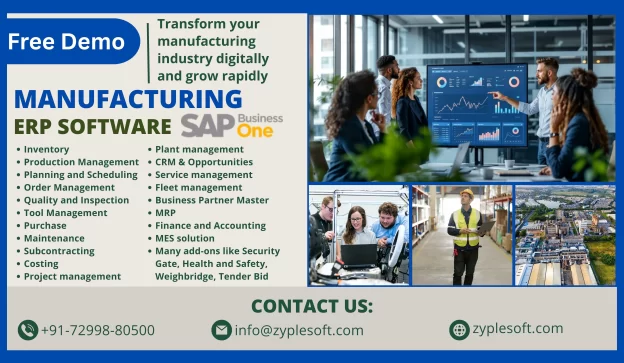
    SAP Business One is a comprehensive ERP software for manufacturing in India, specifically for small to medium-sized enterprises (SMEs). It provides a comprehensive suite of tools for managing various aspects of a manufacturing business, from production planning to sales and financials, all within a single integrated system.

    Features of Manufacturing ERP

    1. Inventory

    Gain real-time visibility into stock levels, minimizing overstock and stockouts while optimizing inventory costs.

    2. Production Management

    Facilitate your workflows and reduce manual tasks to improve efficiency and focus on strategic initiatives.

    3. Planning and Scheduling

    Improve operational efficiency with detailed work order tracking and production timeline management.

    4. Order Management

    Track orders from creation to fulfillment, ensuring on-time delivery and increased customer satisfaction.

    5. Quality and Inspection

    Digitize quality checks, covering inward, in-process, and final inspections, for real-time tracking.

    6. Tool Management

    Expand the lifespan of tools with detailed tracking of usage and maintenance schedules.

    7. Purchase

    Facilitate processes with automated workflows and vendor management for timely purchasing.

    8. Maintenance

    Analyze downtime to identify patterns and execute corrective measures, boosting efficiency.

    9. Subcontracting

    Oversee outsourced production smoothly with real-time visibility into every stage of the process.

    10. Costing

    Understanding expenses at every stage of manufacturing is crucial for profitability and efficiency.

    Types of ERP Software in the Manufacturing Industry

    Different types of ERP systems are available today to cater to the requirements of a manufacturing company based on their size and functionality. The best manufacturing ERP solution is the one that supports adaptive manufacturing enterprises and can adjust to change and thus provides a competitive advantage to the business.

    On-Premise Software

    This type of manufacturing ERP software on implementation needs support, control, and ownership of the system, including the risk and cost related to managing hardware and system infrastructure for manufacturers.

    Cloud-Based ERP Software

    Manufacturers having this type of software have a flexible yet inclusive system with consistent updates, support, training, and even customization options.

    Hybrid ERP

    Setting up a hybrid ERP provides manufacturers with a fusion of on-premise and cloud-based hosting and deployment services. This system provides users the flexibility to migrate between delivery models or integrate benefits that do not come with the existing implementations.

    Benefits of Manufacturing ERP Software

    This ERP software improves business processes, provides accurate real-time data, and reduces costs. Here are some of the key benefits of an ERP system for manufacturers.

    Real-Time Data

    Real-time data has revolutionized the manufacturing industry by evolving how shops are managed and goods are manufactured. Real-time data provided by manufacturing ERP systems lets you know which of your production processes, machines, work centers, and product lines are operating at high levels of quality and efficiency, which enables you to make changes quickly and fix any issues before they get out of hand.

    Real-time lets you continuously track, control, and fine-tune your shop for maximum efficiency. With this, you can manage your shop floor schedule, consistently improve product quality, and maintain your equipment to create a high-performing manufacturing plant.

    Improved Efficiency

    Manufacturing ERP systems help maximize your shop’s efficiency by facilitating your business processes. All shops use QR codes on all items to facilitate inventory tracking, making it easy to scan items in and out and maintain accurate records. Inventory management has significantly improved with SAP Business One ERP, helping to improve efficiency and expand production. This ERP software facilitates your tasks and business processes so you can do things quicker, greater, and more consistently.

    Improved Operational Efficiency

    Spend and invest wisely and see the results. ERP systems provide integrated financial insights that recognize areas where costs can be reduced. These systems are customized with tools that support accurate budgeting and financial forecasting. Identify the most profitable product lines and find the suitable pricing strategies to increase revenue.

    Better Supply Chain Visibility

    Manage resources more efficiently. SAP solutions provide a comprehensive view of supplier performance and procurement needs and monitor inventory levels to ensure they remain at the right levels. This avoids any holding costs or stockouts. The demand planning features align production with demand forecasts to prevent any overproduction or missed sales opportunities.

    Regulatory Compliance and Quality Control

    Stay ahead of possible issues across the board. ERP systems minimize legal risks or compliance issues by continuously monitoring production processes. They keep comprehensive and accurate records of operations to avoid any potential challenges around audits or compliance checks. Companies use the software to stay within the bounds of regulatory frameworks.

    How to Choose the Best Manufacturing ERP System

    To choose the best manufacturing ERP system, business leaders must understand what they need. By considering these steps, leaders can assess potential ERP systems based on what would benefit their operation, rather than evaluating a one-size-fits-all list of criteria.

    1. Understand Your Business Needs

    A business can’t build and implement an ERP system without having a clear understanding of what the system will need to do. Many manufacturers start this process by collaborating with different stakeholders to create a list of must-have ERP features. They do this by deciding what data to track, what processes to facilitate, and what reports and monitoring will be required to continuously improve operations. This process involves identifying the enterprise’s operational strengths and weaknesses, growth strategies, and specific inventory and production requirements.

    2. Assess Features and Functionalities

    Once a business has arranged its needs and goals, these can be met with the features of an ERP solution. If a manufacturer plans to facilitate inventory management, it should seek an ERP system with advanced inventory functionalities, such as product sorting, order tracking, and warehouse controls. They should also assess the ease of use, integration capabilities with existing systems, and long-term scalability. Scalability is important because it ensures that the type of ERP system chosen can adapt and grow alongside the business, accommodating future expansion and evolving requirements. This foresight can help reduce downtime and frustration during the transition as the business evolves.

    3. Assess Vendors

    Manufacturers must also consider such factors as the vendor’s reputation, its experience in the manufacturing industry, and its customer service capabilities. For instance, it’s important to select a vendor that, in addition to providing a robust ERP system, also provides comprehensive support during SAP implementation and beyond. Also, manufacturers might want to consider the vendor’s financial stability, how long its product has been on the market, and whether it’s committed to updating or improving their ERP system from both a technology and security standpoint.

    4. Assess Total Cost of Ownership

    The total cost of ownership (TCO) of an ERP includes the initial purchase price and all costs associated with the system, such as implementation, training, operation, maintenance, and upgrades. Therefore, manufacturers must plan and budget for direct costs, like software licenses and hardware, and indirect costs, like the cost of temporarily shifting staff from their usual jobs to roles focused on establishing the ERP system during its rollout.

    5. Assess Technological Advancements

    Advanced technologies, including cloud computing, artificial intelligence (AI), machine learning, and internet of things (IoT) devices, can offer significant advantages in terms of user-friendliness, real-time data analysis, predictive maintenance, and more.

    6. Manage Implementation and change

    The time and resources required to implement an ERP system should be primarily considered when weighing alternatives. Once the ERP solution is fully integrated, business leaders can use the system to break down traditionally stored processes, such as order processing, financials, and inventory management, to facilitate operations and provide a detailed sight of the company.

    7. Evaluate ROI

    Evaluating possible return on investment (ROI) involves comparing the financial gains resulting from implementing the ERP system against the total cost of ownership. Given the significant investment generally associated with implementing an ERP solution, manufacturers must carefully calculate ROI to determine the value of the system as a whole, its specific features, and the modules that will prove most valuable.

    8. Consider Legal and Compliance Issues

    For many manufacturers, especially those providing diverse or sensitive products, tracking the legal and compliance requirements associated with their products can be a challenge. To overcome this, manufacturers should select an ERP system that allows them to customize compliance requirements to reflect all relevant industry regulations, standards, and laws, and create reliable records showing this compliance.

    Conclusion of Manufacturing ERP Software

    Zyple Software provides SAP Business One ERP services, where manufacturers gain a comprehensive platform for managing complex business processes that cater to the manufacturing industry. It is customizable to help manufacturers handle their industry’s specific and unique challenges, with the flexibility required to continue to adapt as the business grows and the industry evolves, either of which can cause a company to require new tools and features in the long run.

    Read more: SAP Business One for Manufacturing 

    If you are looking for Manufacturing ERP, then fill your details in contact form. we will contact you.