It is a specialized software system designed to help manufacturers manage and integrate different business processes, including production planning, supply chain management, and inventory management, into a single, unified platform. It facilitates operations, improves efficiency, and provides real-time insights into metrics, ultimately boosting productivity and profitability.
Best ERP Software for Manufacturing in India
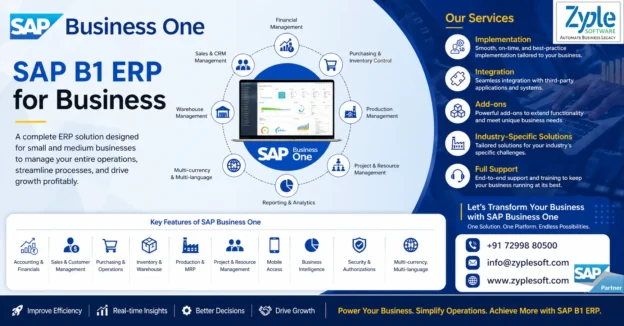
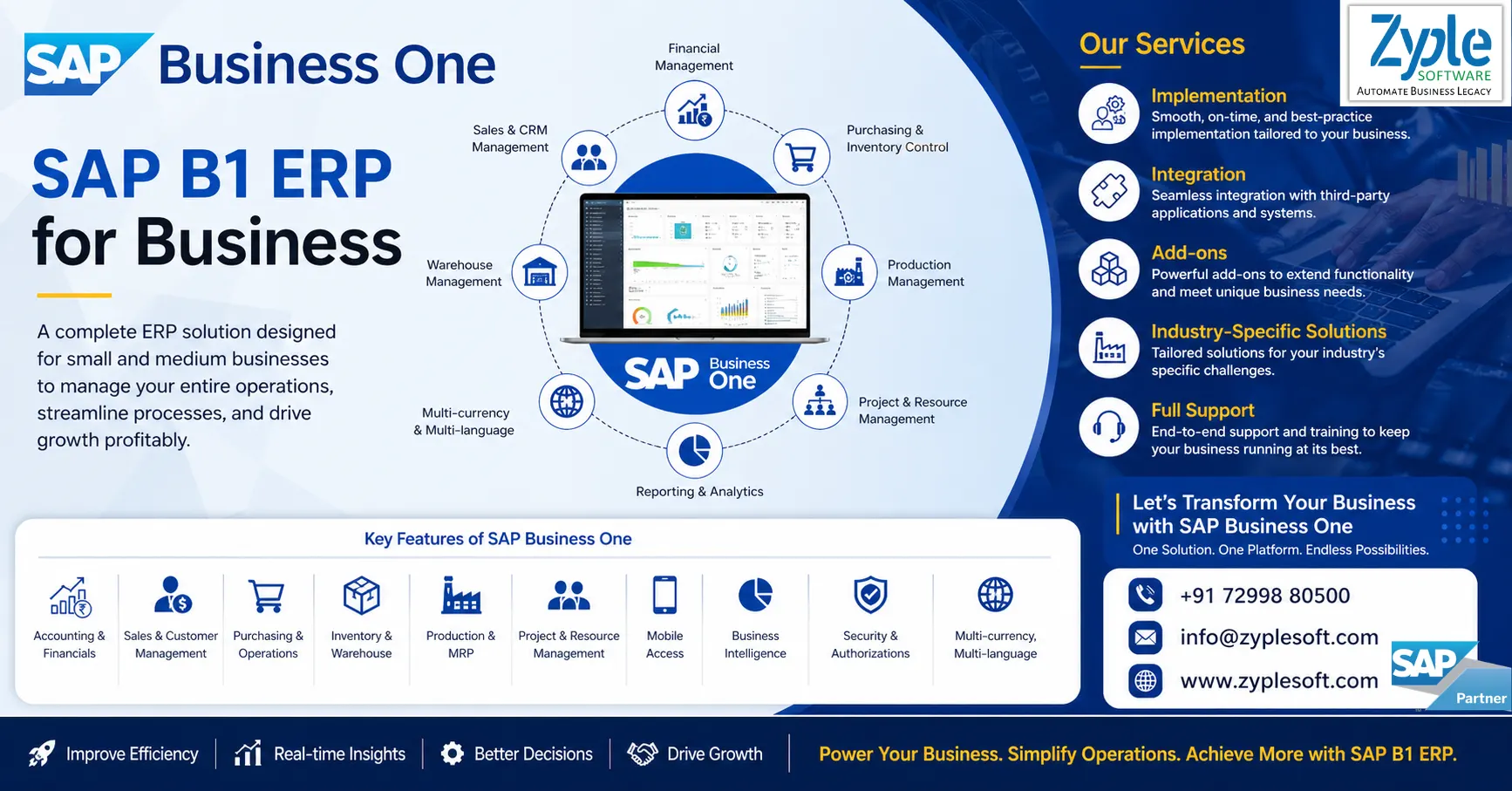
SAP Business One is a comprehensive ERP software for manufacturing in India, specifically for small to medium-sized enterprises (SMEs). It provides a comprehensive suite of tools for managing various aspects of a manufacturing business, from production planning to sales and financials, all within a single integrated system.
Features of Manufacturing ERP
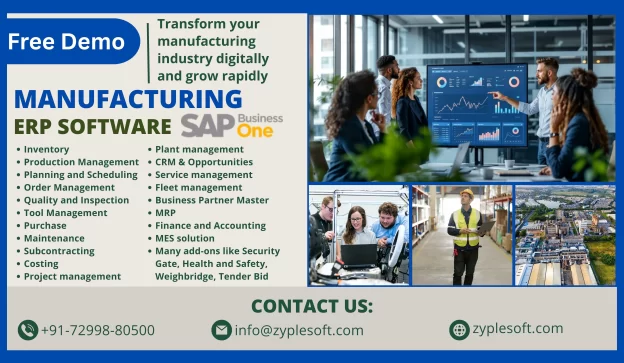
1. Inventory
Gain real-time visibility into stock levels, minimizing overstock and stockouts while optimizing inventory costs.
2. Production Management
Facilitate your workflows and reduce manual tasks to improve efficiency and focus on strategic initiatives.
3. Planning and Scheduling
Improve operational efficiency with detailed work order tracking and production timeline management.
4. Order Management
Track orders from creation to fulfillment, ensuring on-time delivery and increased customer satisfaction.
5. Quality and Inspection
Digitize quality checks, covering inward, in-process, and final inspections, for real-time tracking.
6. Tool Management
Expand the lifespan of tools with detailed tracking of usage and maintenance schedules.
7. Purchase
Facilitate processes with automated workflows and vendor management for timely purchasing.
8. Maintenance
Analyze downtime to identify patterns and execute corrective measures, boosting efficiency.
9. Subcontracting
Oversee outsourced production smoothly with real-time visibility into every stage of the process.
10. Costing
Understanding expenses at every stage of manufacturing is crucial for profitability and efficiency.
Types of ERP Software in the Manufacturing Industry
Different types of ERP systems are available today to cater to the requirements of a manufacturing company based on their size and functionality. The best manufacturing ERP solution is the one that supports adaptive manufacturing enterprises and can adjust to change and thus provides a competitive advantage to the business.
On-Premise Software
This type of manufacturing ERP software on implementation needs support, control, and ownership of the system, including the risk and cost related to managing hardware and system infrastructure for manufacturers.
Cloud-Based ERP Software
Manufacturers having this type of software have a flexible yet inclusive system with consistent updates, support, training, and even customization options.
Hybrid ERP
Setting up a hybrid ERP provides manufacturers with a fusion of on-premise and cloud-based hosting and deployment services. This system provides users the flexibility to migrate between delivery models or integrate benefits that do not come with the existing implementations.
Benefits of Manufacturing ERP Software
This ERP software improves business processes, provides accurate real-time data, and reduces costs. Here are some of the key benefits of an ERP system for manufacturers.
Real-Time Data
Real-time data has revolutionized the manufacturing industry by evolving how shops are managed and goods are manufactured. Real-time data provided by manufacturing ERP systems lets you know which of your production processes, machines, work centers, and product lines are operating at high levels of quality and efficiency, which enables you to make changes quickly and fix any issues before they get out of hand.
Real-time lets you continuously track, control, and fine-tune your shop for maximum efficiency. With this, you can manage your shop floor schedule, consistently improve product quality, and maintain your equipment to create a high-performing manufacturing plant.
Improved Efficiency
Manufacturing ERP systems help maximize your shop’s efficiency by facilitating your business processes. All shops use QR codes on all items to facilitate inventory tracking, making it easy to scan items in and out and maintain accurate records. Inventory management has significantly improved with SAP Business One ERP, helping to improve efficiency and expand production. This ERP software facilitates your tasks and business processes so you can do things quicker, greater, and more consistently.
Improved Operational Efficiency
Spend and invest wisely and see the results. ERP systems provide integrated financial insights that recognize areas where costs can be reduced. These systems are customized with tools that support accurate budgeting and financial forecasting. Identify the most profitable product lines and find the suitable pricing strategies to increase revenue.
Better Supply Chain Visibility
Manage resources more efficiently. SAP solutions provide a comprehensive view of supplier performance and procurement needs and monitor inventory levels to ensure they remain at the right levels. This avoids any holding costs or stockouts. The demand planning features align production with demand forecasts to prevent any overproduction or missed sales opportunities.
Regulatory Compliance and Quality Control
Stay ahead of possible issues across the board. ERP systems minimize legal risks or compliance issues by continuously monitoring production processes. They keep comprehensive and accurate records of operations to avoid any potential challenges around audits or compliance checks. Companies use the software to stay within the bounds of regulatory frameworks.
How to Choose the Best Manufacturing ERP System
To choose the best manufacturing ERP system, business leaders must understand what they need. By considering these steps, leaders can assess potential ERP systems based on what would benefit their operation, rather than evaluating a one-size-fits-all list of criteria.
1. Understand Your Business Needs
A business can’t build and implement an ERP system without having a clear understanding of what the system will need to do. Many manufacturers start this process by collaborating with different stakeholders to create a list of must-have ERP features. They do this by deciding what data to track, what processes to facilitate, and what reports and monitoring will be required to continuously improve operations. This process involves identifying the enterprise’s operational strengths and weaknesses, growth strategies, and specific inventory and production requirements.
2. Assess Features and Functionalities
Once a business has arranged its needs and goals, these can be met with the features of an ERP solution. If a manufacturer plans to facilitate inventory management, it should seek an ERP system with advanced inventory functionalities, such as product sorting, order tracking, and warehouse controls. They should also assess the ease of use, integration capabilities with existing systems, and long-term scalability. Scalability is important because it ensures that the type of ERP system chosen can adapt and grow alongside the business, accommodating future expansion and evolving requirements. This foresight can help reduce downtime and frustration during the transition as the business evolves.
3. Assess Vendors
Manufacturers must also consider such factors as the vendor’s reputation, its experience in the manufacturing industry, and its customer service capabilities. For instance, it’s important to select a vendor that, in addition to providing a robust ERP system, also provides comprehensive support during SAP implementation and beyond. Also, manufacturers might want to consider the vendor’s financial stability, how long its product has been on the market, and whether it’s committed to updating or improving their ERP system from both a technology and security standpoint.
4. Assess Total Cost of Ownership
The total cost of ownership (TCO) of an ERP includes the initial purchase price and all costs associated with the system, such as implementation, training, operation, maintenance, and upgrades. Therefore, manufacturers must plan and budget for direct costs, like software licenses and hardware, and indirect costs, like the cost of temporarily shifting staff from their usual jobs to roles focused on establishing the ERP system during its rollout.
5. Assess Technological Advancements
Advanced technologies, including cloud computing, artificial intelligence (AI), machine learning, and internet of things (IoT) devices, can offer significant advantages in terms of user-friendliness, real-time data analysis, predictive maintenance, and more.
6. Manage Implementation and change
The time and resources required to implement an ERP system should be primarily considered when weighing alternatives. Once the ERP solution is fully integrated, business leaders can use the system to break down traditionally stored processes, such as order processing, financials, and inventory management, to facilitate operations and provide a detailed sight of the company.
7. Evaluate ROI
Evaluating possible return on investment (ROI) involves comparing the financial gains resulting from implementing the ERP system against the total cost of ownership. Given the significant investment generally associated with implementing an ERP solution, manufacturers must carefully calculate ROI to determine the value of the system as a whole, its specific features, and the modules that will prove most valuable.
8. Consider Legal and Compliance Issues
For many manufacturers, especially those providing diverse or sensitive products, tracking the legal and compliance requirements associated with their products can be a challenge. To overcome this, manufacturers should select an ERP system that allows them to customize compliance requirements to reflect all relevant industry regulations, standards, and laws, and create reliable records showing this compliance.
Conclusion of Manufacturing ERP Software
Zyple Software provides SAP Business One ERP services, where manufacturers gain a comprehensive platform for managing complex business processes that cater to the manufacturing industry. It is customizable to help manufacturers handle their industry’s specific and unique challenges, with the flexibility required to continue to adapt as the business grows and the industry evolves, either of which can cause a company to require new tools and features in the long run.
Read more: SAP Business One for Manufacturing
If you are looking for Manufacturing ERP, then fill your details in contact form. we will contact you.