Category Archives: Uncategorized

manage real estate business

How to Manage Real Estate Business with ERP Software

How to Manage Real Estate Business with ERP Software System

manage real estate business

Managing a real estate business is no easy task. With hundreds of moving parts from property listings and sales to client communications, project management, and finance, keeping everything aligned is a constant challenge. That’s where ERP (Enterprise Resource Planning) software comes in. Specifically, SAP Business One, implemented by ERP company like Zyple Software, can transform how real estate companies operate.

In this guide, we’ll explore how to manage a real estate business efficiently with ERP software and why SAP Business One, offered by Zyple Software, is a powerful solution for real estate firms aiming to scale and succeed.

What is ERP Software and Why Real Estate Needs It

ERP software integrates all aspects of a business into a single, unified system. For real estate companies, this includes:

  • Property listings
  • Lead management
  • Sales and leasing
  • Finance and accounting
  • Project costing
  • Vendor and contractor management
  • Document control
  • Compliance tracking

Without ERP, many companies rely on fragmented systems or spreadsheets, which leads to data silos, inefficiencies, and costly errors. With ERP, particularly SAP Business One, all departments share a centralized database, enabling real-time collaboration and smarter decision-making.

Why Choose SAP Business One for Real Estate Management?

SAP Business One is a world-class ERP solution designed for small to mid-sized enterprises. It is flexible, scalable, and offers industry-specific functionalities. When customized for the real estate sector like the solutions provided by Zyple Software and SAP Business One becomes an indispensable tool for managing:

  1. Project lifecycles
  2. Construction timelines
  3. Budget allocations
  4. Client communications
  5. Contract compliance

Zyple Software has tailored SAP Business One for real estate firms, offering add-ons, applications and workflows that are specifically aligned with the industry’s needs.

How SAP Business One Helps You Manage Real Estate Efficiently

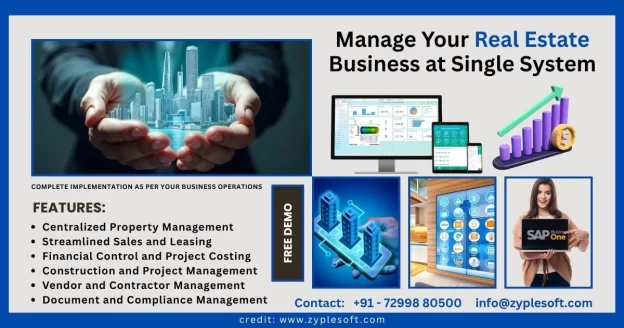
1. Centralized Property Management

With SAP Business One, you can manage your entire property portfolio in one place such as residential, commercial or industrial. This includes details like ownership, square footage, occupancy rates, maintenance schedules, and pricing.

2. Well-Organized Sales and Leasing

Track every customer interaction, from the first inquiry to final sale or lease. The CRM module allows your sales team to manage leads, follow-ups, and negotiations effectively.

Zyple’s customized real estate solution integrates these modules with legal documentation workflows, so contracts and agreements are just a few clicks away.

3. Financial Control and Project Costing

Real estate companies deal with large-scale investments and long-term projects. SAP Business One ensures complete financial visibility through:

  • Real-time accounting
  • Budget forecasting
  • Cost center analysis
  • Tax management
  • Cash flow tracking

Zyple Software enhances these modules with real estate-specific project costing templates, helping you avoid budget overruns and manage margins better.

4. Construction and Project Management

From foundation to finishing, track every stage of a project using customized project dashboards. Assign tasks, monitor vendor performance, manage procurement, and oversee timelines in one place.

Zyple’s ERP configuration includes Gantt chart visualizations and alerts for project delays, ensuring proactive management.

5. Vendor and Contractor Management

Managing third-party vendors and contractors is critical. SAP Business One allows you to onboard, evaluate, and track vendor performance. Automated payment processes and vendor scorecards help maintain transparency and efficiency.

6. Document and Compliance Management

Real estate involves a mountain of paperwork. SAP Business One helps digitize and store everything like contracts, permits, invoices, and compliance documents. Zyple’s solution ensures that these files are accessible securely from any device, with version control and audit trails.

Benefits of Using Zyple Software for SAP Business One Implementation

Zyple Software isn’t just another ERP provider. They are experts in delivering SAP solutions helpful for the real estate sector. 

Their value includes:

  1. Industry-specific customization
  2. Faster implementation timelines
  3. Comprehensive training and support
  4. Local compliance integration
  5. Scalable solutions for growing portfolios

They understand the unique challenges real estate companies face and offer pre-configured modules that reduce SAP implementation time and maximize ROI.

Real-Time Reporting and Data-Driven Decisions

With powerful analytics and dashboards, SAP Business One gives real-time insights into key metrics like:

  • Sales pipeline status
  • Cash flow position
  • Property availability
  • Project progress
  • Customer satisfaction

Zyple enhances this by offering custom reporting templates and KPIs tailored to real estate goals.

Cloud-Based Access and Mobile Functionality

Modern real estate teams work on-site, in the office, and remotely. Zyple Software offers cloud-based deployment of SAP Business One, allowing your team to access data and tools from anywhere via mobile, tablet, or desktop.

Final Thoughts: ERP is the Future of Real Estate

To stay competitive, real estate companies must embrace digital transformation. ERP software like SAP Business One, especially when customized by experienced providers like Zyple Software, enables smarter management, lower operational costs, and better client experiences.

If you’re struggling with disorganized operations, poor data visibility, or delayed decision-making, it’s time to upgrade. With Zyple Software’s SAP Business One solution, managing your real estate business becomes simpler, smarter, and scalable.

Read Also: SAP Business One for Real Estate 
Inventory Control in SAP Business One

Inventory Control in SAP Business One

What is Inventory Control in SAP Business One?

Inventory Control in SAP Business One

Inventory control in SAP Business One is a powerful feature that helps small and midsize enterprises (SMEs) efficiently manage their stock levels, track inventory movement, and optimize warehouse operations. As part of the larger SAP Business One ERP suite, inventory control integrates seamlessly with purchasing, sales, production, and accounting modules and offering businesses real-time visibility and operational efficiency.

What is Inventory Control?

Inventory control, also known as stock control, refers to the processes involved in managing a company’s inventory of goods. It includes tracking quantities, managing stock levels, monitoring stock movements, and make sure that goods are stored, ordered, and used efficiently. The goal is to balance supply and demand while minimizing costs and maximizing service levels.

In SAP Business One, inventory control is not just about counting stock. It offers advanced capabilities like real-time inventory tracking, automated stock updates, bin location management, serial and batch number tracking, multiple units of measure and inventory valuation. These tools help businesses maintain optimal inventory levels, reduce stock-outs and overstocking, and improve cash flow.

Key Features of Inventory Control in SAP Business One

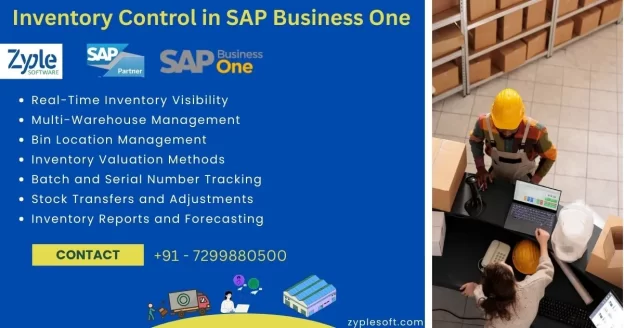
1. Real-Time Inventory Visibility

SAP Business One provides a centralized view of inventory across multiple warehouses and locations. This means decision-makers can access up-to-date information about stock levels, item availability, and movement history in real time. This capability eliminates delays and improves responsiveness to customer demands.

2. Multi-Warehouse Management

With SAP Business One, businesses can manage inventory across multiple warehouses, each with its own settings and parameters. Users can transfer stock between locations, define warehouse hierarchies, and monitor inventory levels across all branches from a single dashboard.

3. Bin Location Management

For businesses with complex storage needs, bin location management allows stock to be tracked at the bin level within each warehouse. This granular control helps optimize space usage and speeds up the picking and packing process.

4. Inventory Valuation Methods

SAP Business One supports several inventory valuation methods such as:

  • Standard costing
  • Moving average
  • FIFO (First In, First Out)

Each method provides insights into inventory costs and helps align accounting practices with business goals.

5. Batch and Serial Number Tracking

For industries like pharmaceuticals, food, and electronics, tracking inventory by batch or serial number is crucial for compliance and traceability. SAP Business One allows you to track each item by unique identifiers, enabling precise control over quality, recalls, and warranty claims.

6. Stock Transfers and Adjustments

Users can easily manage stock transfers between warehouses or bins, and make stock adjustments due to damage, loss, or stocktaking results. These actions are recorded in real-time and integrated into accounting and audit trails.

7. Inventory Reports and Forecasting

SAP Business One comes with built-in inventory reports, like:

  • Inventory audit reports
  • Inventory valuation reports
  • Stock aging reports
  • Item-wise sales and purchase analysis

These reports help businesses make data-driven decisions regarding inventory planning, reordering, and demand forecasting.

Benefits of Inventory Control in SAP Business One

Implementing inventory control through SAP Business One brings numerous operational and financial advantages:
  1. Improved Accuracy: Automated data entry, real-time tracking, and barcode scanning reduce human error and ensure accurate stock levels across all locations.
  2. Reduced Inventory Costs: Better inventory visibility helps avoid overstocking or understocking, leading to more efficient purchasing decisions and reduced holding costs.
  3. Enhanced Customer Satisfaction: With accurate stock data, businesses can fulfill orders more reliably and quickly, improving customer service and satisfaction.
  4. Improve Warehouse Operations: Efficient stock management simplifies warehouse processes like picking, packing, and shipping, reducing lead times and operational inefficiencies.
  5. Seamless Integration: Inventory control is fully integrated with other modules in SAP B1, such as sales, purchasing, production, and finance. This integration ensures consistent data and streamlines end-to-end business processes.

Who Should Use SAP Business One Inventory Control?

SAP Business One is ideal for small to medium-sized businesses in sectors such as:
  • Manufacturing
  • Wholesale and distribution
  • Retail
  • Food and beverage
  • Pharmaceuticals
  • Electronics
These industries benefit the most from features like multi-warehouse management, batch tracking, and inventory forecasting.
 

Common Use Cases of Inventory 

  1. A retail business uses SAP Business One to manage seasonal inventory and avoid stock-outs during peak shopping periods.
  2. A food distributor leverages batch tracking and expiration date management to comply with safety regulations.
  3. A manufacturer uses inventory control to ensure raw materials are available for production planning.

Optimizing Inventory Control with SAP Add-Ons

SAP Business One is highly customizable. Businesses can extend its inventory capabilities using third-party add-ons for:
  • Barcode scanning
  • Advanced warehouse management systems (WMS)
  • E-commerce integration
  • Demand forecasting powered by AI
These add-ons help businesses tailor the system to meet specific needs and scale operations more effectively.
 

Conclude words of Inventory Control

Inventory control in SAP Business One is a very important component of business and supply chain management. It empowers companies to manage their inventory more accurately, reduce costs, and improve service levels. By offering real-time visibility, robust tracking, and seamless integration with other core processes, SAP Business One provides SMEs with the tools they need to grow efficiently and stay competitive.
 
For businesses looking to improve their inventory processes, SAP Business One delivers a reliable, scalable, and user-friendly solution that adapts to your operational needs.
 
hospital erp software

Hospital ERP Software with Examples

Best ERP for Hospitals with Examples

hospital erp software

Now days, Hospitals are facing pressure to provide high-quality care while managing costs, optimizing resources, and maintaining compliance with regulations. To meet these challenges, many hospitals are turning to Enterprise Resource Planning (ERP) systems that integrate all aspects of operations from financial management and human resources to supply chain and patient care processes. Among the numerous ERP solutions available today, SAP Business One, especially when implemented by Zyple Software, has emerged as the best ERP for hospitals.

What is ERP for Hospitals?

An ERP system for hospitals is much more than a typical business management tool. It needs to support clinical operations, improve administrative processes, ensure data security, and help maintain regulatory compliance. Key modules often include inventory management, procurement, finance, HR, appointment scheduling, billing, electronic health records (EHR) integration, and analytics.

Without a robust ERP system, hospitals can suffer from fragmented data, inefficiencies, billing errors, supply shortages, and difficulty in reporting – all of which impact patient care and operational sustainability.

SAP Business One is a globally trusted ERP solution designed for small and medium-sized enterprises (SMEs), including hospital institutions like specialty clinics, diagnostic centers, and medium-sized hospitals. Its ability to centralize hospital data and improve workflow efficiency makes it a strong contender in the hospital ERP space.

Key Benefits of SAP Business One for Hospital

  1. Integrated Modules: SAP Business One provides a fully integrated system covering finance, procurement, HR, inventory, and CRM. For hospitals, this means seamless coordination between departments like finance and procurement for better budget management and resource planning.
  2. Real-Time Reporting and Dashboards: Hospital administrators benefit from real-time insights into operations, allowing for data-driven decisions. Whether it’s tracking inventory levels for pharmaceuticals or analyzing patient billing, SAP Business One offers powerful reporting tools.
  3. Inventory and Supply Chain Optimization: Managing medical supplies, pharmaceuticals, and consumables is critical in hospitals. SAP Business One improves inventory management, helping avoid stockouts and ensuring timely procurement.
  4. Financial Control and Compliance: With in-built tools for budgeting, financial reporting, and compliance, hospitals can ensure transparency and adhere to local healthcare regulations and accounting standards.
  5. Patient Data Management Integration: While SAP Business One is not a standalone EHR system, it integrates easily with existing clinical management systems. This allows for better coordination between administrative and clinical departments.
  6. Customization and Scalability: SAP Business One is highly customizable to meet specific hospital needs. Whether it’s a multispecialty hospital or a diagnostic center, the ERP can scale with the organization’s growth.

Why Choose Zyple Software for Hospital ERP System?

While SAP Business One is a powerful ERP platform, its effectiveness depends on expert implementation and support. That’s where Zyple Software, an official SAP partner, adds immense value.
 

What Makes Zyple Software the Ideal ERP Partner?

  • Healthcare-Specific Expertise: Zyple Software brings deep domain knowledge in hospital workflows, patient management, and healthcare compliance. Their team understands the unique pain points in the healthcare industry and provides tailored ERP solutions to address them.
  • Custom Configuration: Zyple customizes SAP Business One to align with hospital requirements like OPD/IPD billing, consultant fee management, medical inventory controls, and appointment scheduling. This customization ensures that the ERP system truly reflects the hospital’s operational model.
  • Quick and Reliable Implementation: Zyple Software follows a structured implementation methodology to make sure that the ERP system is deployed efficiently, with minimal disruption to hospital services.
  • Post-Implementation Support: Beyond installation, Zyple offers continuous support, system maintenance, and training. Hospitals benefit from ongoing improvements and updates to ensure optimal ERP performance.
  • Proven Track Record: Zyple Software has done successfully SAP implementation across various healthcare organizations and earning a reputation for reliability and client satisfaction.

Real-World Impact on Hospitals due to ERP Software

Hospitals that adopt SAP Business One through Zyple Software have reported significant improvements in operational efficiency, financial transparency, and patient satisfaction. 
 
Some notable outcomes are:
  • Reduction in billing errors and delays
  • Faster procurement cycle for medical supplies
  • Improved inventory control, leading to cost savings
  • Enhanced inter-department communication and workflow automation
  • Better compliance with regulatory audits and financial reporting
By using an ERP like SAP Business One, hospitals are not only upgrading their technology but are also building a more sustainable and responsive healthcare environment.
 

Conclusion of Hospital ERP Software

In the fast-paced world of healthcare, choosing the right ERP system can make the difference between operational disorder and improved efficiency. SAP Business One, when implemented by Zyple Software, provides a best-in-class solution that is tailored specifically for the needs of hospitals.
 
It supports smarter decision-making, promotes resource optimization to make sure better patient service delivery, and future-proofs healthcare operations. With Zyple’s domain expertise and SAP’s trusted technology, hospitals can confidently transition into a new era of integrated healthcare management.
 
If you’re a healthcare provider looking to modernize your operations, SAP Business One by Zyple Software is the best ERP investment you can make.
 
erp for pharma industry

ERP for Pharma Industry

ERP for Pharma Industry

erp for pharma industry

To manage the sophisticated operations of pharmaceutical companies, this ERP software is customized. It facilitates processes, ensures regulatory compliance, and improves overall efficiency in areas like manufacturing, inventory, and supply chain management.

Best ERP Software for the Pharmaceutical Industry in India

SAP Business One is the best ERP software for the pharmaceutical industry in India, specifically for small and medium-sized enterprises (SMEs). Its designed features, including batch tracking, regulatory compliance, and inventory control, align well with the industry’s special needs.

Features of Pharma ERP

1. Regulatory Compliance and Reporting

These ERP systems are customized to help companies comply with strict industry regulations like GMP and FDA guidelines. This includes aspects like compliance tracking, audit trails, and automated reporting. It minimizes the risk of non-compliance and potential penalties.

2. Inventory Management

In the pharma industry, efficient inventory management is important. ERP for Pharma industry monitor inventory levels, manage stock, and optimize inventory turnover, eliminating stockouts or overstock situations. They also assist with aspects like FEFO (First Expired, First Out) and batch tracking. It ensures product quality and prevents the use of expired materials.

3. Quality Control

Quality control is foremost in the pharmaceutical industry. Quality checks can be automated as quality management modules are integrated by ERP systems. It is managing quality data and ensuring products meet quality standards.

4. Supply Chain Management

From procurement to distribution, managing the complexities of pharmaceutical supply chain is done using these ERP systems. These enable supplier management, order fulfillment, and efficient logistics. These are also ensuring timely delivery of products.

5. Financial Management

These ERP systems incorporate financial management functionalities, such as accounting, expense management, and tax management. It is providing a comprehensive sight of the company’s financial health.

6. Manufacturing Operations Management

Pharma ERP systems support different aspects of manufacturing, like production planning and scheduling, batch manufacturing, and shop floor management.

7. Reporting and Analytics

The SAP solutions give powerful reporting and analytics tools. These provide insights into key performance indicators, production metrics, and financial trends, which allow data-driven decision-making.

8. Formulation Management

Formulation of medicines and ensuring accuracy and consistency in the production process can be managed with the help of Pharma ERP systems.

9. Batch Tracking and Traceability

It is an important feature of pharma ERP software where batches of products can be tracked throughout the entire lifecycle, from raw materials to finished goods. If necessary, quick identification and recall of products can be enabled.

10. Sales and Distribution

These ERP systems are managing sales processes, such as order management, customer relationship management, and sales force automation. These also facilitate the entire sales cycle.

11. Scalability

These ERP systems can grow with the business and adapt to changing business needs, as these are customized to be scalable.

Types of ERP Software for Pharma Companies

There are different types of ERP systems available for pharma enterprises, where unique features and functionalities are offered. Depending on the organization’s size, complexity, and specific requirements, the alternative of ERP system is made.

In the pharma industry, there are three types of ERP software systems such as:

1. On-Premise ERP Systems

The company’s IT department installs and maintains an on-premise ERP system on-site. It is the right choice for large pharma businesses with dedicated IT teams and a need for high customization.

2. Cloud-Based ERP Systems

A third-party provider hosts and maintains a cloud-based ERP system. Flexibility, ease of use, and cost-effectiveness are provided by this type of system, as your organization doesn’t have the necessity to invest in hardware or IT resources. For small and medium-sized businesses operating within the pharma industry that require quick deployment and easy access to data, cloud-based ERP systems are specifically the right choice.

3. Hybrid ERP Systems

The combination of on-premise and cloud-based systems forms a hybrid ERP system. Your pharma company can use the benefits of both approaches, providing flexibility and transformation while also taking advantage of cloud-based scalability and cost savings with the help of this type of system. For organizations that require a mix of on-premise and cloud capabilities, hybrid ERP systems are best.

Benefits of Pharma ERP Software

There are significant benefits to the pharmaceutical industry when implementing SAP for pharma companies. Here are some of the important benefits of an ERP system for the pharmaceutical industry:

1. Efficient Inventory Management

A wide range of materials are handled by pharmaceutical companies, where each requires thorough inventory management. Real-time tracking and organization of inventory is provided by ERP software, as it ensures optimal stock levels, minimizes waste, and prevents stockouts and obstacles.

Also, improved traceability features are provided by ERP systems, which help pharmaceutical manufacturers to monitor batches, track raw materials, and ensure compliance with regulatory requirements.

2. Regulatory Compliance

With strict standards and guidelines to ensure product safety and effectiveness, the pharma industry is completely regulated. It is essential for pharma companies to adhere to these regulations, as it helps in maintaining their brand reputation, gaining customer trust, and avoiding penalties and legal complications.

Adherence to international standards is facilitated with this software, as it tracks measurements and maintains recent documentation for audits and analysis across various countries. Pharmaceutical businesses can confidently handle the complex landscape of regulatory compliance using ERP systems.

3. Improving Manufacturing Processes

Complicated processes such as formulation, production, planning, and quality control are required in pharmaceutical manufacturing. Facilitation of these processes can be done by ERP software, which eliminates manual tasks and ensures accurate data capture and analysis.

Pharmaceutical manufacturers can optimize production capabilities, forecast scalability, and efficiently manage supply chain uncertainties using ERP software in place. Better coordination between different business activities can be done with the help of the right ERP services for your pharma business, utilizing predictive analytics and providing updated data for better decision-making.

4. Enhanced Quality Control

To ensure consistent, safe, and effective products, maintaining stringent quality control is important in the pharmaceutical manufacturing sector. Monitoring compliance, managing non-conformances, tracking expiration dates, and maintaining detailed records for audits can be done with the help of this software.

Pharmaceutical companies can achieve improved product traceability by minimization of errors, and quick identification and correction of any quality issues with the integration of quality control processes into the ERP software. Overall product quality and customer satisfaction can be increased with this level of control and visibility.

5. Improved Financial Management

For all pharmaceutical manufacturing businesses, the important facet is management of finances and accounting. Centralization of financial data and automation of accounting data can be done with the help of this ERP software, as it provides timely and accurate financial reports. The need for manual data entry and reconciliation can be eliminated by minimizing errors and saving valuable time.

Pharma manufacturers can create comprehensive financial statements, like general ledgers, cash flow statements, profit and loss statements, and balance sheets using the pharmaceutical industry ERP system. Better financial planning methods, such as cost analysis and budgeting, is facilitated by the system, allowing your pharma business to make better decisions and optimize overall financial performance.

6. Optimal Supply Chain Management

Cross-functional visibility and control over the supply chain is provided by pharmaceutical industry ERP software to enable efficient procurement, inventory management, and order fulfillment.

Pharmaceutical manufacturers can monitor and trace products throughout the supply chain, increase procurement processes, and optimize collaboration with suppliers and distributors using an ERP system. Better demand forecasting, reduction of lead times, and improvement of overall supply chain efficiency can be done with the help of this ERP system.

Conclusion of ERP for Pharma Industry

Zyple Software provides SAP Business One ERP, which facilitates inventory management, ensures regulatory compliance, improves quality control, and optimizes supply chain visibility. An integrated platform is provided by this software for overseeing essential functions, like formulation management, production planning, and financial management.

Are you looking for Pharma ERP for your industry? let us fill all details in form. Our team get back to you.

    manufacturing erp

    Manufacturing ERP for Industry

    Manufacturing ERP Software for Companies

    manufacturing erp

    It is a specialized software system designed to help manufacturers manage and integrate different business processes, including production planning, supply chain management, and inventory management, into a single, unified platform. It facilitates operations, improves efficiency, and provides real-time insights into metrics, ultimately boosting productivity and profitability.

    Best ERP Software for Manufacturing in India

    SAP Business One is a comprehensive ERP software for manufacturing in India, specifically for small to medium-sized enterprises (SMEs). It provides a comprehensive suite of tools for managing various aspects of a manufacturing business, from production planning to sales and financials, all within a single integrated system.

    Features of Manufacturing ERP

    1. Inventory

    Gain real-time visibility into stock levels, minimizing overstock and stockouts while optimizing inventory costs.

    2. Production Management

    Facilitate your workflows and reduce manual tasks to improve efficiency and focus on strategic initiatives.

    3. Planning and Scheduling

    Improve operational efficiency with detailed work order tracking and production timeline management.

    4. Order Management

    Track orders from creation to fulfillment, ensuring on-time delivery and increased customer satisfaction.

    5. Quality and Inspection

    Digitize quality checks, covering inward, in-process, and final inspections, for real-time tracking.

    6. Tool Management

    Expand the lifespan of tools with detailed tracking of usage and maintenance schedules.

    7. Purchase

    Facilitate processes with automated workflows and vendor management for timely purchasing.

    8. Maintenance

    Analyze downtime to identify patterns and execute corrective measures, boosting efficiency.

    9. Subcontracting

    Oversee outsourced production smoothly with real-time visibility into every stage of the process.

    10. Costing

    Understanding expenses at every stage of manufacturing is crucial for profitability and efficiency.

    Types of ERP Software in the Manufacturing Industry

    Different types of ERP systems are available today to cater to the requirements of a manufacturing company based on their size and functionality. The best manufacturing ERP solution is the one that supports adaptive manufacturing enterprises and can adjust to change and thus provides a competitive advantage to the business.

    On-Premise Software

    This type of manufacturing ERP software on implementation needs support, control, and ownership of the system, including the risk and cost related to managing hardware and system infrastructure for manufacturers.

    Cloud-Based ERP Software

    Manufacturers having this type of software have a flexible yet inclusive system with consistent updates, support, training, and even customization options.

    Hybrid ERP

    Setting up a hybrid ERP provides manufacturers with a fusion of on-premise and cloud-based hosting and deployment services. This system provides users the flexibility to migrate between delivery models or integrate benefits that do not come with the existing implementations.

    Benefits of Manufacturing ERP Software

    This ERP software improves business processes, provides accurate real-time data, and reduces costs. Here are some of the key benefits of an ERP system for manufacturers.

    Real-Time Data

    Real-time data has revolutionized the manufacturing industry by evolving how shops are managed and goods are manufactured. Real-time data provided by manufacturing ERP systems lets you know which of your production processes, machines, work centers, and product lines are operating at high levels of quality and efficiency, which enables you to make changes quickly and fix any issues before they get out of hand.

    Real-time lets you continuously track, control, and fine-tune your shop for maximum efficiency. With this, you can manage your shop floor schedule, consistently improve product quality, and maintain your equipment to create a high-performing manufacturing plant.

    Improved Efficiency

    Manufacturing ERP systems help maximize your shop’s efficiency by facilitating your business processes. All shops use QR codes on all items to facilitate inventory tracking, making it easy to scan items in and out and maintain accurate records. Inventory management has significantly improved with SAP Business One ERP, helping to improve efficiency and expand production. This ERP software facilitates your tasks and business processes so you can do things quicker, greater, and more consistently.

    Improved Operational Efficiency

    Spend and invest wisely and see the results. ERP systems provide integrated financial insights that recognize areas where costs can be reduced. These systems are customized with tools that support accurate budgeting and financial forecasting. Identify the most profitable product lines and find the suitable pricing strategies to increase revenue.

    Better Supply Chain Visibility

    Manage resources more efficiently. SAP solutions provide a comprehensive view of supplier performance and procurement needs and monitor inventory levels to ensure they remain at the right levels. This avoids any holding costs or stockouts. The demand planning features align production with demand forecasts to prevent any overproduction or missed sales opportunities.

    Regulatory Compliance and Quality Control

    Stay ahead of possible issues across the board. ERP systems minimize legal risks or compliance issues by continuously monitoring production processes. They keep comprehensive and accurate records of operations to avoid any potential challenges around audits or compliance checks. Companies use the software to stay within the bounds of regulatory frameworks.

    How to Choose the Best Manufacturing ERP System

    To choose the best manufacturing ERP system, business leaders must understand what they need. By considering these steps, leaders can assess potential ERP systems based on what would benefit their operation, rather than evaluating a one-size-fits-all list of criteria.

    1. Understand Your Business Needs

    A business can’t build and implement an ERP system without having a clear understanding of what the system will need to do. Many manufacturers start this process by collaborating with different stakeholders to create a list of must-have ERP features. They do this by deciding what data to track, what processes to facilitate, and what reports and monitoring will be required to continuously improve operations. This process involves identifying the enterprise’s operational strengths and weaknesses, growth strategies, and specific inventory and production requirements.

    2. Assess Features and Functionalities

    Once a business has arranged its needs and goals, these can be met with the features of an ERP solution. If a manufacturer plans to facilitate inventory management, it should seek an ERP system with advanced inventory functionalities, such as product sorting, order tracking, and warehouse controls. They should also assess the ease of use, integration capabilities with existing systems, and long-term scalability. Scalability is important because it ensures that the type of ERP system chosen can adapt and grow alongside the business, accommodating future expansion and evolving requirements. This foresight can help reduce downtime and frustration during the transition as the business evolves.

    3. Assess Vendors

    Manufacturers must also consider such factors as the vendor’s reputation, its experience in the manufacturing industry, and its customer service capabilities. For instance, it’s important to select a vendor that, in addition to providing a robust ERP system, also provides comprehensive support during SAP implementation and beyond. Also, manufacturers might want to consider the vendor’s financial stability, how long its product has been on the market, and whether it’s committed to updating or improving their ERP system from both a technology and security standpoint.

    4. Assess Total Cost of Ownership

    The total cost of ownership (TCO) of an ERP includes the initial purchase price and all costs associated with the system, such as implementation, training, operation, maintenance, and upgrades. Therefore, manufacturers must plan and budget for direct costs, like software licenses and hardware, and indirect costs, like the cost of temporarily shifting staff from their usual jobs to roles focused on establishing the ERP system during its rollout.

    5. Assess Technological Advancements

    Advanced technologies, including cloud computing, artificial intelligence (AI), machine learning, and internet of things (IoT) devices, can offer significant advantages in terms of user-friendliness, real-time data analysis, predictive maintenance, and more.

    6. Manage Implementation and change

    The time and resources required to implement an ERP system should be primarily considered when weighing alternatives. Once the ERP solution is fully integrated, business leaders can use the system to break down traditionally stored processes, such as order processing, financials, and inventory management, to facilitate operations and provide a detailed sight of the company.

    7. Evaluate ROI

    Evaluating possible return on investment (ROI) involves comparing the financial gains resulting from implementing the ERP system against the total cost of ownership. Given the significant investment generally associated with implementing an ERP solution, manufacturers must carefully calculate ROI to determine the value of the system as a whole, its specific features, and the modules that will prove most valuable.

    8. Consider Legal and Compliance Issues

    For many manufacturers, especially those providing diverse or sensitive products, tracking the legal and compliance requirements associated with their products can be a challenge. To overcome this, manufacturers should select an ERP system that allows them to customize compliance requirements to reflect all relevant industry regulations, standards, and laws, and create reliable records showing this compliance.

    Conclusion of Manufacturing ERP Software

    Zyple Software provides SAP Business One ERP services, where manufacturers gain a comprehensive platform for managing complex business processes that cater to the manufacturing industry. It is customizable to help manufacturers handle their industry’s specific and unique challenges, with the flexibility required to continue to adapt as the business grows and the industry evolves, either of which can cause a company to require new tools and features in the long run.

    Read more: SAP Business One for Manufacturing 

    If you are looking for Manufacturing ERP, then fill your details in contact form. we will contact you.

      erp services in Sangli

      ERP Services in Sangli

      ERP Services Provider in Sangli

      erp services in Sangli

      Sangli, a vibrant city in Maharashtra known for its agricultural produce, manufacturing units and thriving SME ecosystem, faces unique business challenges. From managing seasonal inventory surges to handling intricate accounting and supply‑chain logistics, companies in Sangli need an integrated, robust ERP system. Zyple Software is a certified SAP Business One (B1) partner providing ERP service in Sangli to brings immense value.

      There are many industries in Sangli like Food and dairy, water-pumps, sugar, grapes wine, turmeric, cold storages, machine-shops foundry-components manufacturing, cutting tool, manufacturing of farming equipment, boilers and valves manufacturing etc.

      Why SAP Business One ERP for business in Sangli?

      SAP Business One is an ERP software platform developed for small, medium and large industries or businesses. It provides complete tool to manage all functions at single system:

      • Financials and accounting
      • Purchasing, procurement and supply‑chain
      • Sales and customer lifecycle
      • Inventory and warehouse operations
      • Production planning and material requirements
      • Service management, fixed assets and multi‑currency support
      • Tender Bid, Weighbridge, Plant Maintenance and Legal Management

      Built on either Microsoft SQL Server or SAP HANA, it offers real‑time analytics, mobile access and cross‑module integration. These features ensure that Sangli‑based businesses gain visibility, agility and efficiency.

      Your Top SAP B1 ERP Partner in Sangli – Zyple Software

      Zyple Software is a fully accredited SAP Business One partner working across India, including Maharashtra. Though headquartered elsewhere, they extend their services into Sangli through remote consulting and on‑site visits. 

      The company is offerings core value, ideal for Sangli SMEs, include:

      1. Consulting and Advisory

      • Workflow analysis tailored to Sangli industries
      • Process mapping to align SAP software capabilities with operational needs.

      2. Implementation and Configuration

      • Full‑stack deployment on‑premise, cloud or hybrid setups
      • Module integration across finance, inventory, materials and service

      3. Customization and Add‑Ons

      • Industry‑specific modules for manufacturing, construction, pharmaceuticals, textiles, retail, logistics and more
      • Localisation components like GST/E‑invoicing add‑ons to comply with Indian regulations

      4. Data Migration and Upgrades

      • Transition paths from legacy systems or SAP ECC to SAP B1 HANA
      • Assistance with version upgrades and migration to HANA database

      5. Integration and Extensions

      • Connecting SAP B1 with existing tools (portals, POS, CRM, mobile apps, CNC machines) via B1 and Service Layer
      • Innovative integrations such as WhatsApp for alerts and support

      6. Training and Change Management

      • Hands‑on training, user workshops and proof of concept (POC) demos to ensure team readiness
      • Role‑based access, authorization guidelines and governance support

      7. Support and Managed Services

      • Ongoing application management services, 24*7 SAP support and remote assistance.
      • BOT (Build-Operate-Transfer) model: Zyple manages ERP initially, then hands over to your internal team.

      8. Analytics and Reporting

      •    Real‑time dashboards, KPI monitoring, SAP Analytics Cloud for business intelligence
       

      Industry Coverage Relevant to Sangli

      Given Sangli’s business profile, Zyple’s SAP B1 industry‑specific modules are especially advantageous:
       

      1. Manufacturing and Agro‑Processing

      • Support for Bill of Materials (BOM), production orders, inventory planning, and MRP to handle seasonal demand

      2. Pharmaceuticals and Food Processing

      • Traceability, batch tracking, quality management, compliance modules vital for regulated products

      3. Textiles and Apparel

      • Style/color/size matrix, seasonal forecasting, production planning offering to Sangli’s textile houses

      4. Retail and Trading

      • POS integration, inventory sync across stores and warehouses for efficient retail distribution

      5. Logistics and Fleet Management

      • Add‑ons for fleet tracking, logistics planning and warehouse control to optimize transport operations

      6. Automotive and After‑Sales

      • Warranty tracking, service call management, parts inventory – benefits auto parts dealers and garages

      Deployment Options

      Zyple offers flexible deployment to suit Sangli businesses:

      On‑Premise Deployment

      •   Ideal for companies with existing local infrastructure looking for direct data control.

      Cloud and Hybrid Setup

      •   Cost‑effective, scalable options using AWS, Azure or third‑party data centres – zero local server dependency

      SQL to HANA Migration

      •  Upgrade path off legacy databases to in‑memory HANA for faster analytics and reporting

      Why Choose Zyple for SAP ERP Service in Sangli?

      1. Localised Expertise

         Though not based in Sangli, Zyple’s experience across Maharashtra (Nashik, Pune) and pan‑India ensures they understand local industry needs

      2. Certified Partner Credentials

         As an SAP B1 and Solution Partner, Zyple offers certified consulting, development and support.

      3. End‑to‑End Services

         From advisory to go‑live, through add‑on development and ongoing AMS, Zyple supports the full ERP life cycle

      4. Cost‑Effective & Scalable

         With cloud and on‑premise options, licensing price support and add‑on modularity, costs match Sangli business scale.

      5. Regulatory Compliance

         GST and e‑invoicing integration ensure compliance with India’s tax laws

      6. Rapid Deployment

         Typical go‑live timelines are weeks to a few months depending on complexity


       ERP Implementation Process Overview

      1. Assessment and Scoping

         Diagnostic workshops to understand Sangli‑specific workflows like agriculture cycles, manufacturing batch schedules, distribution routes.
       

      2. Configuration and Customisation

         Align SAP B1 modules, configure localisation, build add‑ons and process flows for daily operations.
       

      3. Data Migration and Testing

         Transfer historical data, test functionality and user acceptance, iterate until stable.
       

      4. Training and User Adoption

         Role‑based training sessions for accounts, production, warehouse, sales teams using real Sangli‑specific scenarios.
       

      5. Go‑Live and Hypercare

         Dedicated support during cut‑over, BOT model ensures a smooth handoff to operations.
       

      6. Post‑Go‑Live Support and Scaling

         Ongoing AMS, scheduled upgrades, analytics rollout and expansion into new functions or geographies.
       

      Business Outcomes for Industries in Sangli

      1. Accurate, real‑time visibility into inventory, sales, purchases, and production
      2. Optimized working capital through automated MRP, avoiding stock overflows or shortages
      3. Operational efficiency by replacing spreadsheets and manual processes
      4. Compliance adherence via GST and E‑invoicing integration, audit trails and secure authorization
      5. Scalable growth engine by adding modules, users or geographies becomes frictionless
      6. Informed decision‑making powered by dashboards and BI analytics

      Last discussion for ERP

      Zyple Software’s SAP Business One offering is a best ERP solution ideal for Sangli’s SMEs, manufacturers, agro‑processors, retailers and service providers. With offering services like consulting, implementation, customisation, integrations, training and support, Zyple ensures smooth deployment aligned with Sangli’s unique operational and regulatory context.
       
      If you’re exploring ERP for your Sangli business, Zyple combines local insight with global-grade SAP expertise to deliver a solution that’s affordable, scalable and tailored to drive efficiency and growth.
       
       
      sap business one erp for renewable energy companies

      How SAP Business One ERP is helping renewable energy companies

      How SAP Business One ERP Empowers Renewable Energy Companies

      sap business one erp for renewable energy companies

      1. Centralized data and project tracking

      SAP Business One brings all business data like finance, inventory, operations into one unified platform. Renewable energy firms, like solar and wind installers, can track every asset, transaction and project in real time.

      This gives teams:
      • Live visibility into inventory, maintenance, and bills
      • Accurate, consolidated data – no spreadsheet chaos
      • Faster, better-informed decisions

      2. Resource optimization and waste reduction

      Using real-time insights, companies can control material usage like panels, cables, batteries and spare parts.

      Benefits include:
      • Smarter procurement, fewer shortages
      • Reduced overstock, less waste
      • Improved stock movements for projects across sites

      3. Financial oversight and cost control

      SAP Business One’s financial module automates accounting, budgeting, and real-time cost tracking.
      For renewable projects, this enables:

      • Live tracking of income/costs per project
      • Efficient invoicing and billing workflows
      • Improved cash flow planning and financial forecasting

      4. Tailored project management

      Renewable energy firms manage complex installations and schedules. SAP B1’s project module helps with:

      • Timelines, budgets, and milestones tracking.
      • Resource assignment – human and material
      • Job-cost tracking and variance analysis

      This leads to improved delivery, on-time completion and fewer cost overruns.

      5. Supply chain & procurement efficiency

      With suppliers for panels, turbines, converters, SAP B1 optimizes procurement:

      • Supplier evaluation and order tracking
      • Just-in-time inventory, reducing holding costs
      • Local sourcing to cut lead times and carbon footprint

      6. IoT integration and predictive maintenance

      SAP Business One integrates with IoT platforms to monitor equipment like solar arrays, wind turbines, inverters and tracking performance and detecting anomalies.

      Firms can then:
      • Schedule maintenance only when needed
      • Avoid unnecessary service visits
      • Keep assets running smoothly and efficiently

      7. Environmental compliance & sustainability reporting

      SAP B1 includes tools to measure sustainability KPIs like CO₂ emissions, energy use, waste generated.

      It helps companies to:
      • Generate audit-ready environmental reports
      • Track regulatory compliance (local and global)
      • Document sustainability efforts clearly for stakeholders

      8. Better billing for prosumers and feed‑in tariffs

      For firms managing prosumers (who both consume and supply energy), specialized SAP modules like IS‑U (Utilities) support complex billing 

      scenarios:
      • Energy fed into the grid versus consumed
      • Feed-in tariff rate calculation
      • Automated invoices by meter readings
      • Managing green energy certificates and regulatory subsidies

      This makes billing operations transparent and compliant.

      9. Cloud deployment & lower IT footprint

      Running SAP Business One in the cloud reduces reliance on in‑house servers, lowers energy use, and improves scalability.

      Cloud ERP offers:
      • Lower hardware costs
      • Eco-friendly operations
      • Easy business scaling with demand

      10. Better customer engagement & service

      Complementing back-end ERP, SAP B1 integrates with CRM and self‑service tools.

      Benefits:
      • Full overview of customer history, contracts, and equipment
      • Faster response with integrated service request handling
      • Better client satisfaction through transparency

      11. Scaling with flexibility

      SAP Business One serves as a scalable foundation for growth. Add‑ons and partner modules allow companies to expand into sophisticated processes like asset management, advanced analytics or integrate into S/4HANA later.
      It strikes a balance: feature-rich yet usable for mid‑sized firms.

      Why it attracts renewable energy firms

      SAP B1 fits these key criteria:

      • Unified ERP for all departments
      • End-to-end project and asset oversight
      • Real-time analytics for speed and accuracy
      • Compliance tools for sustainability
      • Integration-ready (automation, IoT, CRM)
      • Scalable & cloud-capable for growing firms

      Partnership with SAP Business One Partner for Renewable Energy ERP

      Partnering with a SAP Business One partner like Zyple Software for a Renewable Energy ERP solution offers a strategic edge for clean energy companies looking to improve operations and scale sustainably. With deep expertise in SAP Business One, Zyple customizes ERP systems to meet the unique demands of the renewable energy industry and integrating project management, asset tracking, regulatory compliance, and financial reporting into one intelligent platform. This partnership empowers energy firms to gain real-time visibility, optimize resource utilization and make data-driven decisions that support long-term environmental and economic goals.

      Summary of Renewable Energy ERP

      SAP Business One ERP equips renewable energy companies with digital tools to operate smarter, greener and more profitably. It empowers them to:

      1. Track and manage projects end-to-end
      2. Optimize resources and reduce waste
      3. Automate financial and billing processes
      4. Prioritize preventive maintenance
      5. Meet reporting and regulatory requirements
      6. Engage customers with personalized service
      7. Scale operations seamlessly, supporting long-term growth

      By process of successful SAP implementation, renewable energy companies gain operational clarity, sustainability insights, and growth-ready digital infrastructure. That’s why it consistently ranks among top ERP choices in this sector.

      Read also: https://www.zyplesoft.com/solar/

      SAP B1 Consultant

      What is an SAP B1 Consultant and Why Your Business Need One

      What is an SAP B1 Consultant and Why Your Business Might Need One

      SAP B1 Consultant

      All sizes Companies are looking for ways to improve their operations, improve decision-making, and scale efficiently. One of the most powerful tools available to small and mid-sized enterprises (SMEs) is SAP Business One (SAP B1). It is an integrated enterprise resource planning (ERP) solution designed specifically for growing businesses. But while SAP B1 is powerful, implementing and optimizing it requires expertise. That’s where an SAP B1 Consultant becomes necessary.

      Who is an SAP B1 Consultant?

      An SAP B1 Consultant is a professional who specializes in the implementation, customization, and support of the SAP Business One software. These consultants are experts in both the technical and functional aspects of the system. They bridge the gap between a business’s unique processes and the capabilities of the SAP B1 platform, ensuring that the software aligns seamlessly with operational goals.
       
      SAP B1 Consultants can work independently, as part of a consulting firm, or be employed in-house by companies using SAP Business One. Their primary role is to help businesses implement the software effectively, minimize disruptions, and provide continuous support for optimal performance.

      Key Responsibilities of an SAP B1 Consultant

      An SAP B1 Consultant wears many hats throughout the software lifecycle. Their responsibilities typically include:
      1. Requirements Gathering: Understanding the client’s business processes, objectives and current pain points.
      2. Solution Design: Mapping business needs to SAP B1 features, and designing tailored workflows.
      3. Implementation and Configuration: Installing and configuring the system, ensuring compatibility with business processes.
      4. Customization: Developing custom reports, dashboards, or add-ons to meet unique requirements.
      5. Data Migration: Transferring legacy data to SAP B1 without losing accuracy or consistency.
      6. Training: Educating end-users and administrators on how to use the software effectively.
      7. Support and Maintenance: Troubleshooting issues, upgrading systems, and offering technical support post-implementation.

      Skills and Expertise of an SAP B1 Consultant

      To be effective, an SAP B1 Consultant must possess a blend of technical knowledge and business acumen. Key skills include:
      • Deep understanding of ERP principles and how they apply to SMEs.
      • Proficiency in SAP B1 modules such as finance, inventory, sales, CRM, and production.
      • Technical skills in SQL, SAP Crystal Reports, and SDK (Software Development Kit).
      • Strong communication and project management abilities.
      • Experience in change management and end-user training.

      Benefits of Hiring an SAP B1 Consultant

      A Successful SAP implementation is a significant investment, and a skilled consultant can ensure a high return on that investment. Here’s how businesses benefit from hiring an SAP B1 consultant:
      1. Faster Implementation: Consultants bring proven methodologies that reduce the time required to go live.
      2. Reduced Risk: Mistakes during implementation can be costly. A consultant helps you avoid common pitfalls.
      3. Custom Fit: They tailor the system to meet the specific needs of your business, rather than forcing you to adapt to generic settings.
      4. Training and Support: Ensures your team knows how to use the system effectively, increasing user adoption and satisfaction.
      5. Scalability: Consultants design systems that grow with your business, reducing the need for future overhauls.

      When Should You Hire an SAP B1 Consultant?

      Hiring an SAP B1 Consultant is advisable when:
      • You are planning your first ERP implementation.
      • You are migrating from another ERP or legacy system.
      • You are struggling with underutilized features or inefficient workflows.
      • You need to integrate third-party apps or customize reports.
      • Your in-house IT team lacks specialized SAP B1 knowledge.

      Choosing the Right SAP B1 Consultant

      Not all consultants are created equal. When selecting an SAP B1 Consultant, consider:
      • Certifications: Are they SAP-certified or have proven credentials?
      • Experience: Have they worked with ERP in your industry or of a similar size?
      • References: Can they provide client testimonials or case studies?
      • Communication: Are they able to explain complex ideas in simple terms?
      • Support Plans: Do they offer ongoing SAP support after implementation?

      SAP B1 Consultant Vs SAP B1 Partner

      While SAP B1 Consultants are individuals or small teams, SAP B1 Partners (Best Example: Zyple Software) are official resellers and implementers recognized by SAP. A consultant can work independently or as part of a partner network. For smaller companies, a freelance consultant might offer a more cost-effective solution. For larger projects, a certified SAP partner with a team of consultants may be more appropriate.

      Last Words

      The success of any ERP system hinges not just on the software itself, but on how well it is implemented and adopted. An SAP B1 Consultant ensures that your SAP software solution is aligned with your unique business needs, enabling you to automate workflows, gain real-time insights, and make smarter decisions.
       
      Whether you are starting from scratch or optimizing an existing setup, the right consultant can be the difference between a smooth transformation and a costly misstep. Investing in an SAP B1 Consultant is not just about adopting software but it’s about setting your business up for long-term success.
       
       
      If you are looking for consultant for your business. then fill you details in form. We will contact you soon.
       

        Best ERP Solutions for Business in India

        Best ERP solutions for business in India

        Best ERP Solutions for Businesses in India

        Best ERP Solutions for Business in India

        In rapid business environment, companies in India are increasingly turning to Enterprise Resource Planning (ERP) solutions to efficient operations, improve decision-making with better productivity. An ERP system integrates core business processes such as finance, sales, inventory, purchasing, MRP and customer relationship management into a unified platform. This helps businesses reduce redundancies, increase efficiency and maintain a competitive edge.

        When it comes to ERP software in India, several solutions stand out. However, SAP Business One (SAP B1) is widely regarded as one of the best ERP solutions for small and mid-sized enterprises (SMEs) in India. Offered through certified SAP B1 partners, it provides tailored functionality, scalability, and local support that Indian businesses need.

        Why Indian Businesses Need ERP

        India’s dynamic economic environment and diverse industry era make ERP implementation increasingly essential. Whether it’s a manufacturing company in Bengaluru (Bangalore), a retail business in Mumbai or a service provider in Chennai, all face challenges that ERP can help solve:
        • Fragmented data systems leading to inefficiencies
        • Manual processes that consume time and resources
        • Regulatory compliance like GST, TDS, and e-invoicing
        • Inventory management challenges across multiple warehouses
        • Need for real-time business intelligence
         Modern ERP solutions offer digital transformation opportunities that enable businesses to scale with accuracy and control.
         

        Top ERP Solutions in India

        Here’s a look at one of the leading ERP systems popular among Indian businesses:

        SAP Business One (SAP B1) ERP

        SAP Business One is one of the most reliable ERP systems for small and medium-sized businesses (SMBs) in India. It is a comprehensive, affordable solution that integrates all core business functions on a single platform.

        Key Features:

        1. Financial management and accounting
        2. Inventory and warehouse management
        3. Sales and customer relationship management
        4. Production planning and control
        5. Analytics and reporting with real-time dashboards
        6. GST-compliant billing and e-invoicing
        7. Mobile access for remote operations
        SAP B1 is highly customizable, which makes it suitable for a wide range of industries like construction, manufacturing, pharmaceuticals, retail, distribution and process Industries.
         

        Why Choose SAP Business One?

        • Local Support from SAP B1 Partners: One of the biggest advantages of SAP B1 in India is the extensive network of certified SAP Business One partners. Zyple Software is the best out of them as per their clients experience in market. These partners provide end-to-end implementation, training, and after-sales support tailored to local business needs.
        • Scalability: As your business grows, SAP B1 grows with you. It can support multiple users, locations, and even international operations.
        • Integration with Third-Party Apps: SAP B1 can be integrated with ecommerce, CRM, POS, HRMS and logistics platforms used in India.


        Industry-Specific ERP Customization

        One of the standout features of SAP Business One offered by certified partners is its ability to cater to industry-specific requirements. Whether you’re in:
        • Manufacturing: Real-time production monitoring, raw material tracking
        • Retail & Distribution: POS integration, warehouse management, GST billing
        • Pharmaceuticals: Batch traceability, compliance with FDA norms
        • Textile or Apparel: Order customization, style-wise inventory
        SAP B1 partners in India offer custom add-ons and modules of SAP B1 to meet these specific needs.
         

        Cloud vs. On-Premise ERP in India

        Indian businesses can choose between cloud-based and on-premise ERP solutions, depending on their budget and IT infrastructure.
        • Cloud ERP like SAP Business One on HANA Cloud offers flexibility, automatic updates, and lower upfront costs.
        • On-premise ERP provides more control over data and systems but requires higher initial investment and IT resources.
        SAP B1 is available in both deployment models, giving businesses the freedom to choose based on their strategic priorities.
         

        Choosing the Right SAP B1 Partner

        The success of any ERP implementation depends significantly on the expertise of the ERP partner. A certified SAP Business One partner in India ensures:
        • Smooth implementation and integration
        • Post-go-live support and upgrades
        • Staff training and troubleshooting
        • Local tax and regulatory compliance expertise
        Look for a partner with a proven track record in your industry, strong client testimonials, and transparent pricing.
         

        Conclusion of ERP Solutions

        ERP adoption is a necessity for businesses looking to thrive in India’s competitive markets. Among the many ERP options available, SAP Business One consistently emerges as a top ERP choice for Indian SMEs due to its all features, scalability, and localized support through experienced SAP B1 partners.
         
        Whether you are a growing manufacturer, a busy distributor or a fast-paced retailer, SAP Business One can help you improve operations, reduce costs, and unlock growth opportunities. By choosing the right partner for SAP implementation, your business can gain a future-proof ERP system built for the Indian market.
         
         
        Expense Tracking Software

        Expense Tracking Software

        Expense Tracking Software for Business

        Expense Tracking Software

        What is Expense Tracking?

        Expense tracking means recording all your expenditures so you have a clear and precise understanding of your budget. This is usually done for a certain project or over a certain period, so you can stay on budget and make any necessary adjustments.

        For many small businesses, expense tracking may cover fixed expenses like rent and utilities as well as fluctuating costs like labor, product orders, and advertising. It’s especially necessary to record one-time and variable costs, as these aren’t always accounted for in the initial budget.

        What is Expense Tracking Software?

        It is also known as expense management software. It is a digital tool that helps businesses and individuals track, record, and process expenses, automating tasks like receipt scanning, expense report creation, and reimbursement processing, ultimately facilitating financial processes and improving accuracy.

        This software minimizes the need for paper, lowers the amount of time spent on handling expenses and reduces errors.

        Which is the best software for Expense Tracking?

        SAP Business One is the best software for expense tracking. It is software that helps businesses and individuals manage, record and analyze expenses, facilitating processes like expense reporting, reimbursement and auditing.

        Features of Expense Tracking Software

        1. Expense Categorization

        Expenses are categorized to give clarity and organization. Common categories include office supplies, rent, utilities, salaries, marketing, travel and entertainment, and so on.

        2. Expense Approval and Authorization

        Companies often develop approval workflows for expenses. In accordance with corporate policies, managers or other designated people examine and approve expense reports that employees submit.

        3. Receipt and Documentation Management

        Keeping receipts, invoices, and other supporting documents is necessary for expense verification and compliance with tax regulations. Many businesses have changed to digital document management for convenience and accessibility.

        4. Expense Reporting

        Businesses generate expense reports to analyze spending patterns, identify cost-saving opportunities, and make better financial decisions. Modern expense management tools often provide powerful reporting and analytics features. 

        5. Reimbursements and Payments

        Once expenses are approved, businesses require a process for reimbursing employees or paying vendors promptly. Automation can accelerate this process.

        6. Tax Compliance

        Expenses are closely linked to tax deductions. Ensuring accurate documentation and compliance with tax regulations can result in significant tax savings.

        7. Expense Optimization

        Expense management isn’t only about control but it’s also about finding ways to reduce expenses. This may involve handling better vendor contracts, optimizing travel expenses or finding more cost-effective suppliers.

        8. Auditing and Compliance Checks

        Regular audits help ensure expenses are managed according to established policies and procedures. Auditors may analyze expense reports, receipts, and financial records to identify irregularities.

        Types of Expense Management Systems

        There are different types of expense management software catering to different needs and preferences of businesses. Here are some common types of expense management systems:

        1. Desktop Software

        Traditional desktop expense management software is installed on a computer to help businesses input expense data, manage receipts and create reports directly on their desktop or laptop.

        2. Mobile Expense Apps

        Mobile expense apps are tailored for smartphones and tablets. They enable businesses to capture receipts, log expenses and track spending. Many of these apps are synchronized with cloud-based platforms for seamless integration.

        3. Enterprise Expense Management Systems

        These systems are designed for large organizations and often include features such as advanced approval workflows, policy enforcement, and integration with other enterprise software like ERP (Enterprise Resource Planning) systems.

        4. Small Business Expense Software

        Designed for small to medium-sized businesses, these systems offer basic expense software for tracking and reporting features at a cost-effective price point.

        5. Travel Expense Management Software

        This focuses on handling travel-related expenses, including booking flights, hotels and transportation for business travel.

        Benefits of Expense Tracking Software

        Here are the following benefits:

        1. Faster and Easy Processes

        Printing paper copies, adding receipts and delivering reports to managers—who would either approve them or send them back to the employee for revision—were the traditional methods of submitting expenses. But with SAP Business One, the workflow is automated. Once the employee clicks “submit,” the report is automatically routed to the appropriate person for approval. After approval, the amount to be reimbursed can be submitted automatically to payroll.

        2. Faster Employee Reimbursement

        With automated expense reimbursement, employees can submit expense reports and corresponding documentation without delay, and managers can quickly and easily examine and approve claims as notifications come in. Hence, these tools put cash back in employees’ bank accounts more quickly and eliminate the frustration that comes with errors and delays, thereby improving employee satisfaction.

        3. Fewer Delays and Errors

        In addition to minimizing the time it takes to reimburse employees, the automation features in SAP software improve accounting accuracy. For example, with manual expense reports, employees might make data-entry errors that could be further compounded when finance staff transcribe the information into spreadsheets. SAP B1 ERP can flag errors and duplicate entries and avoid over-payment or notify managers if the dollar figure seems too high. Additionally, the software has the ability to notify users when a report or payment is past due.

        4. Increased Operational Efficiency

        If you bill expenses directly to clients, employees’ reports must be timely and accurate to increase cash flow. Ideally, SAP Business One ERP is integrated with time tracking, project management, accounting, and enterprise resource planning (ERP) software. When this process is simple for the employees for tracking and the managers who are approving and reporting, your company could see enhanced cash flow.

        And because all employees spend less time on day-to-day, error-prone, and time-consuming manual expense reports, they’re not focused on the “input” portion of the input : output ratio. Rather than that, they can focus on the tasks and projects that bring value to the organization, whether that’s going on sales calls or preparing strategic budgets. This is one main reason that startups can greatly benefit from SAP implementation.

        5. Expense Policy Reinforcement

        Even the most accurate manager may not be up-to-date on every new expense policy and tax change. By enforcing custom rules designed for your business, SAP Business One flags out-of-policy travel expenses. For example, per day meal allowances may have increased per federal guidelines, but employees are submitting expense reports based on the old amounts. Or, an employee may be attempting to request reimbursement for a new addition to the policy, like an ergonomic keyboard, but is being blocked.

        6. Improved Visibility

        SAP B1 ERP includes a dashboard that compiles employee expense data and presents it in an easy-to-understand visual format using charts and other graphics. Metrics such as the average time it takes to approve expense reports or the amount spent by a company by employee or category are available to managers.

        7. Enhanced Fraud Prevention

        That report from the Association of Certified Fraud Examiners says 20.5% of businesses with less than 100 employees and 13.5% of larger organizations have reported fraudulent expense reimbursements. It’s understandable that busy finance teams and managers might manage well-camouflaged fake entries from trusted employees or contracts. Once that money has been paid, it’s painful to get back in. And, if an auditor spots a questionable entry, that raises a big flag and spurs more drilling.

        8. Simplified Reporting

        Reporting and analytics provide real-time insight into company expenditure. Reporting expense options include by employee, by project, and by category. SAP B1 makes it possible to integrate into a single report. Furthermore, companies can implement expense management best practices by:

        • Determining chronic rules violators, high-spending individuals, and each employee’s spending patterns over time.
        • Suggesting which national hotel, car rental, and even restaurant chain companies may want to approach for volume discounts.
        • Encouraging employees to help save money by connecting the dots between frugality and the ability to invest in growth. 

        Businesses can also use these data to pinpoint areas where their spending policies need to be clarified or enforced more effectively.

         9. Increase Compliance

        SAP B1 ERP helps companies stay on the right side of compliance with local, state, and federal tax agencies. Certain expenses, like the majority of entertainment and dues to country, golf, and athletic clubs, are no longer tax deductible, so include them could attract the IRS’s notice. However, businesses can classify expenses into categories like office, travel, and mileage and appropriately tag them. This ERP software also delivers easily accessible electronic copies of reports and receipts, which are helpful if the organization is audited.

        Conclusion of Expense Tracking Software

        Zyple Software provides SAP Business One, an all-inclusive platform that prevents you from using multiple apps. It provides you all the features and functionality you need to manage expense claims and settle under one hood.

        expense tracking - erp software services