
Tag Archives: sap erp

How to Buy SAP B1 Software

How to Buy SAP B1 Software?

How to Buy SAP Business One (SAP B1) Software?

How to Buy SAP B1 Software

What is SAP Business One ERP?

The ERP system, SAP Business One (SAP B1) ERP, is a cost-effective, integrated ERP software solution designed for small and medium-sized enterprises (SMEs) and fast-growing companies to manage key operations, including finance, sales, CRM, inventory, and production in one system. It facilitates workflows and delivers real-time analytics to improve decision-making, providing flexible, scalable deployment on-premises or in the cloud. Here, we will discuss how to buy SAP B1 software.

How to Buy SAP B1 Software Online?

The Process of buying SAP Business One (SAP B1) software online is primarily done through the official SAP store, where you can identify, configure, and purchase solutions directly. The process involves choosing the appropriate license type (professional or limited), modifying user counts, and integrating with Zyple Software for implementation.

1. Visit the SAP Store

Navigate to the SAP store and ensure your country/region is properly selected to see relevant pricing and partners like Zyple Software.

2. Search and Select

Use the search bar to find SAP Business One.

3. Configuration of License

Choose between a perpetual license or a subscription model based on user types (Professional vs. Limited).

4. Buy or Integrate

Click “Buy Now” to purchase directly or “Get It Now” to integrate with a partner like Zyple Software to discuss requirements and implementation.

5. Payment & Access

Finish the final payment process. For cloud-based options, you may receive access details directly, while on-premise solutions will involve coordination with Zyple.

How to Buy SAP Business One Software in India?

To buy SAP Business One (SAP B1) software in India, you must engage Zyple Software to conduct a needs evaluation, customize, and implement the software. The major steps include choosing a deployment model (cloud or on-premise) and selecting user licenses (professional or limited).

1. Identify an Authorized Partner

Contact Zyple Software, a certified SAP Business One partner in India, to receive customized quotes, as they manage sales, implementation, and support.

2. Needs Evaluation and Demo

Request an inclusive demonstration and a needs evaluation to define which modules (finance, CRM, and inventory) your business requires.

3. Choosing a Licensing Model

This includes two types of SAP B1 licensing models:

  • Professional Users: It is the type of SAP Business One licensing model where users have full access to all modules.
  • Limited UsersIt is the type of SAP Business One licensing model where users have specific or limited access to modules like CRM, finance, and logistics.

4. Choose Deployment Process

Choose between on-premise (perpetual license) and cloud (subscription model).

5. Installation & Full Support

Work with Zyple to design the system to your requirements and set up continuous maintenance.

Know About Customized SAP Business One Pricing India

We understand that the SAP Business One price in India varies based on factors such as company size, user count, data complexity, and user needs. As your trusted SAP B1 partner in India, we specialize in licensing and crafting personalized blueprints to outline the exact SAP Business One pricing for your organization.

With decades of experience, we navigate you through the complexities of SAP B1 software price and licensing costs, considering factors like purchasing process, database options (SAP B1 SQL or SAP B1 HANA), hosting preferences (cloud or on-premise), and necessary maintenance and support. If you’re concerned, book an SAP B1 demo.

Whether you’re in manufacturing, construction, real estate, retail, pharmaceuticals, textiles, logistics, energy or any other sector, our customized approach ensures that the SAP Business One cost remains within budget and aligns perfectly with your unique business model and SAP B1 pricing.

Not only licensing, but when it comes to SAP implementation, our company delivers excellent support and services to different industries like manufacturing, construction, real estate, retail, pharmaceutical, textile, professional services, aerospace and defense, and more to help them cater to their requirements with the growing competition.

Key Factors That Impact SAP Business One Price in India

1. Deployment Models like Cloud and On-Premise

One of the biggest SAP B1 pricing factors is how you choose to launch SAP Business One like on-premise or the cloud.

Every model has its own cost structure and long-term financial implications.

2. Number of Users and License Types

SAP Business One’s pricing differs based on

  • Number of users accessing the SAP B1 system.
  • Type of users (Professional and Limited).

Businesses can improve costs by selecting the right type of user licenses instead of assigning full access to everyone.

3. Business Size and Industry Requirements

The overall cost depends largely on:

  • Size of the organization.
  • Industry-specific needs (manufacturing, construction, real estate, retail, pharmaceutical, textile, professional services, aerospace and defense, and more).

Some industries may require additional configurations or compliance features, which can impact pricing.

4. Customization and Add-On Development

SAP Business One can be improved with:

  • Industry-specific add-ons.
  • Process automation and integrations.

The level of customization directly impacts the final project cost.

5. Implementation and Consulting Services

SAP B1 ERP pricing is not only about SAP Business One licenses; SAP B1 implementation services play a crucial role in the following:

  • System modification.
  • Data migration.
  • User training.
  • Go-live support.

A structured and expert-led implementation ensures improved ROI and long-term success.

6. Support, Annual Maintenance Costs, and Managed Services

Post-implementation costs include:.

  • Support.
  • System upgrades.
  • Performance optimization.
  • Continuous improvements.

Choosing a reliable SAP partner, Zyple Software, helps reduce these costs while ensuring system stability.

Types of SAP Business One Licenses

Experience personalized guidance from experts to navigate SAP Business One price in India, along with maintenance, SAP support, and implementation. Select from a variety of SAP Business One licenses, including professional and limited licenses, designed for your business requirements.

1. Professional License

With professional SAP Business One licenses, you can gain the full spectrum of SAP Business One’s capabilities, allowing access to all modules or features. Select between flexible subscription or perpetual license options to match your business needs seamlessly by delivering the most affordable SAP Business One cost. It is the SAP B1 ERP license suitable for users who need complete access to the system, like managers and decision-makers.

2. Limited License

In SAP Business One limited licenses, the offerings deliver focused solutions across three areas, such as CRM, financial, and logistics. Every option provides a unique blend of modules and features to handle specific business needs. This type of SAP B1 license helps you to find the ideal fit for your requirements. It is the SAP B1 ERP license suitable for users who require access only to some modules in the SAP B1 system.

Are you looking for SAP Business One Software for your any business or industry?

Fill in all the details in the specified contact form; our team will reach out to you.
    Choose SAP ERP Implementation Partner

    Choose SAP ERP Implementation Partner

    How to Choose SAP ERP Implementation Partner?

    Choose SAP ERP Implementation Partner

    Selecting the right SAP ERP implementation partner is one of the most critical decisions your business will make.

    An ERP system like SAP Business One can transform operations but only if implemented correctly. The wrong partner can lead to delays, cost overruns, user resistance, and underutilized systems.

    How do you choose the right SAP ERP implementation partner?

    1. Check Industry-Specific Experience (Not Just SAP Knowledge)

    Many firms say they “implement SAP.” That’s not enough.

    A strong implementation partner should understand:

    • Your industry workflows
    • Compliance requirements
    • Operational bottlenecks
    • Reporting expectations
    • Growth challenges

    For example:

    1. Manufacturing requires BOM, production planning, and MRP expertise
    2. Retail needs POS integration and multi-branch consolidation
    3. Construction requires project cost tracking and milestone billing
    4. Pharma demands batch tracking and regulatory compliance

    ERP success depends on domain knowledge but not just technical setup.

    2. Verify SAP Authorization and Partnership Status

    Ensure the partner is officially aligned with SAP SE.

    Ask:

    • Are they an authorized SAP partner?
    • Do they have certified SAP consultants?
    • How many SAP projects have they completed?

    Certification ensures access to proper implementation methodologies, updates, and support standards.

    3️. Evaluate Implementation Methodology

    A professional SAP Business partner should follow a structured process:

    • Requirement study and gap analysis
    • Solution blueprint
    • System configuration
    • Data migration
    • User training
    • Go-live support
    • Post-implementation optimization

    If the partner can not clearly explain their methodology, that’s a red flag.

    4. Look for Industry Case Studies

    Real results matter more than promises.

    Ask for:

    • Case studies
    • Client references
    • Before-and-after performance improvements
    • ROI metrics

    Examples of measurable outcomes:

    • 20–30% inventory reduction
    • Improved working capital visibility
    • Faster month-end financial closing
    • Reduced manual errors

    A credible partner will have proof of success.

    5. Assess Customization and Add-On Capability

    Every business has unique processes.

    Your SAP ERP partner should:

    • Offer industry-specific add-ons
    • Provide integration capabilities
    • Customize reports & dashboards
    • Connect with third-party systems

    A one-size-fits-all approach rarely works.

    6. Understand Post-Implementation Support

    ERP implementation does not end at go-live.

    Ask:

    1. Do they offer ongoing support?
    2. What are their SLA terms?
    3. Is there a dedicated support team?
    4. Do they provide system optimization services?

    Strong post-go-live support determines long-term success.

    7. Evaluate Local & Regional Presence

    For Indian businesses especially, a partner with local market understanding offers advantages:

    • Knowledge of GST compliance
    • Indian taxation structure
    • Regional business practices
    • Faster on-site support

    If you’re operating in India, choosing a SAP ERP partner with strong Indian market experience is critical.

    8. Transparency in Costing

    Avoid vague pricing structures.

    A reliable SAP ERP implementation partner should clearly explain:

    • License cost
    • Implementation cost
    • Customization charges
    • Annual maintenance
    • Support fees

    Transparency prevents budget surprises.

    9. Scalability for Future Growth

    ERP is a long-term investment.

    Ensure the partner can support:

    • Multi-branch expansion
    • Multi-currency operations
    • Increased transaction volume
    • Advanced analytics
    • Industry compliance evolution

    The right partner prepares your ERP for the next 5–10 years.

    Why Choosing the Right SAP ERP Partner Matters?

    ERP implementation impacts:

    • Financial visibility
    • Operational efficiency
    • Inventory management
    • Compliance
    • Customer satisfaction

    The right partner like Zyple Software becomes a long-term strategic advisor  –  not just a software installer.

    Final Conclusion

    Choosing the right SAP ERP implementation partner is not about selecting the cheapest option.

    It’s about selecting:

    • Industry expertise
    • Proven methodology
    • Transparent pricing
    • Long-term support capability
    • Strong SAP ecosystem alignment

    If you’re evaluating SAP ERP for Manufacturing, Retail, Construction, Real estate, Pharma, Textile, or other industries in India, take time to assess your implementation partner carefully.

    A well-implemented SAP ERP system can transform your business.
    The right partner makes all the difference.

    Let us fill your detail in contact form. A right implementation partner will contact you soon as per your business needs.

      Expense Tracking Software

      Expense Tracking Software

      Expense Tracking Software for Business

      Expense Tracking Software

      What is Expense Tracking?

      Expense tracking means recording all your expenditures so you have a clear and precise understanding of your budget. This is usually done for a certain project or over a certain period, so you can stay on budget and make any necessary adjustments.

      For many small businesses, expense tracking may cover fixed expenses like rent and utilities as well as fluctuating costs like labor, product orders, and advertising. It’s especially necessary to record one-time and variable costs, as these aren’t always accounted for in the initial budget.

      What is Expense Tracking Software?

      It is also known as expense management software. It is a digital tool that helps businesses and individuals track, record, and process expenses, automating tasks like receipt scanning, expense report creation, and reimbursement processing, ultimately facilitating financial processes and improving accuracy.

      This software minimizes the need for paper, lowers the amount of time spent on handling expenses and reduces errors.

      Which is the best software for Expense Tracking?

      SAP Business One is the best software for expense tracking. It is software that helps businesses and individuals manage, record and analyze expenses, facilitating processes like expense reporting, reimbursement and auditing.

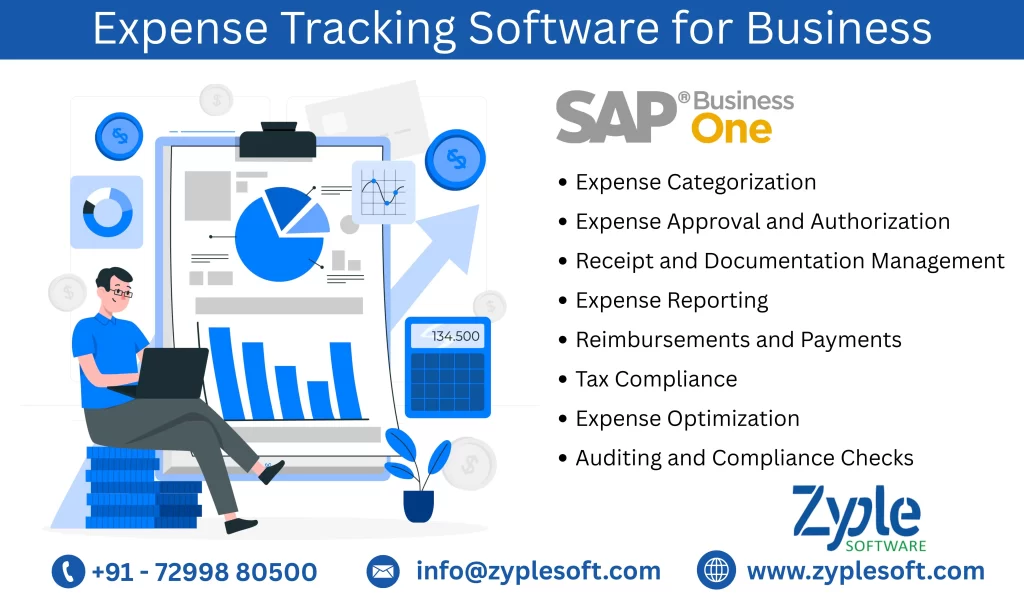
      Features of Expense Tracking Software

      1. Expense Categorization

      Expenses are categorized to give clarity and organization. Common categories include office supplies, rent, utilities, salaries, marketing, travel and entertainment, and so on.

      2. Expense Approval and Authorization

      Companies often develop approval workflows for expenses. In accordance with corporate policies, managers or other designated people examine and approve expense reports that employees submit.

      3. Receipt and Documentation Management

      Keeping receipts, invoices, and other supporting documents is necessary for expense verification and compliance with tax regulations. Many businesses have changed to digital document management for convenience and accessibility.

      4. Expense Reporting

      Businesses generate expense reports to analyze spending patterns, identify cost-saving opportunities, and make better financial decisions. Modern expense management tools often provide powerful reporting and analytics features. 

      5. Reimbursements and Payments

      Once expenses are approved, businesses require a process for reimbursing employees or paying vendors promptly. Automation can accelerate this process.

      6. Tax Compliance

      Expenses are closely linked to tax deductions. Ensuring accurate documentation and compliance with tax regulations can result in significant tax savings.

      7. Expense Optimization

      Expense management isn’t only about control but it’s also about finding ways to reduce expenses. This may involve handling better vendor contracts, optimizing travel expenses or finding more cost-effective suppliers.

      8. Auditing and Compliance Checks

      Regular audits help ensure expenses are managed according to established policies and procedures. Auditors may analyze expense reports, receipts, and financial records to identify irregularities.

      Types of Expense Management Systems

      There are different types of expense management software catering to different needs and preferences of businesses. Here are some common types of expense management systems:

      1. Desktop Software

      Traditional desktop expense management software is installed on a computer to help businesses input expense data, manage receipts and create reports directly on their desktop or laptop.

      2. Mobile Expense Apps

      Mobile expense apps are tailored for smartphones and tablets. They enable businesses to capture receipts, log expenses and track spending. Many of these apps are synchronized with cloud-based platforms for seamless integration.

      3. Enterprise Expense Management Systems

      These systems are designed for large organizations and often include features such as advanced approval workflows, policy enforcement, and integration with other enterprise software like ERP (Enterprise Resource Planning) systems.

      4. Small Business Expense Software

      Designed for small to medium-sized businesses, these systems offer basic expense software for tracking and reporting features at a cost-effective price point.

      5. Travel Expense Management Software

      This focuses on handling travel-related expenses, including booking flights, hotels and transportation for business travel.

      Benefits of Expense Tracking Software

      Here are the following benefits:

      1. Faster and Easy Processes

      Printing paper copies, adding receipts and delivering reports to managers—who would either approve them or send them back to the employee for revision—were the traditional methods of submitting expenses. But with SAP Business One, the workflow is automated. Once the employee clicks “submit,” the report is automatically routed to the appropriate person for approval. After approval, the amount to be reimbursed can be submitted automatically to payroll.

      2. Faster Employee Reimbursement

      With automated expense reimbursement, employees can submit expense reports and corresponding documentation without delay, and managers can quickly and easily examine and approve claims as notifications come in. Hence, these tools put cash back in employees’ bank accounts more quickly and eliminate the frustration that comes with errors and delays, thereby improving employee satisfaction.

      3. Fewer Delays and Errors

      In addition to minimizing the time it takes to reimburse employees, the automation features in SAP software improve accounting accuracy. For example, with manual expense reports, employees might make data-entry errors that could be further compounded when finance staff transcribe the information into spreadsheets. SAP B1 ERP can flag errors and duplicate entries and avoid over-payment or notify managers if the dollar figure seems too high. Additionally, the software has the ability to notify users when a report or payment is past due.

      4. Increased Operational Efficiency

      If you bill expenses directly to clients, employees’ reports must be timely and accurate to increase cash flow. Ideally, SAP Business One ERP is integrated with time tracking, project management, accounting, and enterprise resource planning (ERP) software. When this process is simple for the employees for tracking and the managers who are approving and reporting, your company could see enhanced cash flow.

      And because all employees spend less time on day-to-day, error-prone, and time-consuming manual expense reports, they’re not focused on the “input” portion of the input : output ratio. Rather than that, they can focus on the tasks and projects that bring value to the organization, whether that’s going on sales calls or preparing strategic budgets. This is one main reason that startups can greatly benefit from SAP implementation.

      5. Expense Policy Reinforcement

      Even the most accurate manager may not be up-to-date on every new expense policy and tax change. By enforcing custom rules designed for your business, SAP Business One flags out-of-policy travel expenses. For example, per day meal allowances may have increased per federal guidelines, but employees are submitting expense reports based on the old amounts. Or, an employee may be attempting to request reimbursement for a new addition to the policy, like an ergonomic keyboard, but is being blocked.

      6. Improved Visibility

      SAP B1 ERP includes a dashboard that compiles employee expense data and presents it in an easy-to-understand visual format using charts and other graphics. Metrics such as the average time it takes to approve expense reports or the amount spent by a company by employee or category are available to managers.

      7. Enhanced Fraud Prevention

      That report from the Association of Certified Fraud Examiners says 20.5% of businesses with less than 100 employees and 13.5% of larger organizations have reported fraudulent expense reimbursements. It’s understandable that busy finance teams and managers might manage well-camouflaged fake entries from trusted employees or contracts. Once that money has been paid, it’s painful to get back in. And, if an auditor spots a questionable entry, that raises a big flag and spurs more drilling.

      8. Simplified Reporting

      Reporting and analytics provide real-time insight into company expenditure. Reporting expense options include by employee, by project, and by category. SAP B1 makes it possible to integrate into a single report. Furthermore, companies can implement expense management best practices by:

      • Determining chronic rules violators, high-spending individuals, and each employee’s spending patterns over time.
      • Suggesting which national hotel, car rental, and even restaurant chain companies may want to approach for volume discounts.
      • Encouraging employees to help save money by connecting the dots between frugality and the ability to invest in growth. 

      Businesses can also use these data to pinpoint areas where their spending policies need to be clarified or enforced more effectively.

       9. Increase Compliance

      SAP B1 ERP helps companies stay on the right side of compliance with local, state, and federal tax agencies. Certain expenses, like the majority of entertainment and dues to country, golf, and athletic clubs, are no longer tax deductible, so include them could attract the IRS’s notice. However, businesses can classify expenses into categories like office, travel, and mileage and appropriately tag them. This ERP software also delivers easily accessible electronic copies of reports and receipts, which are helpful if the organization is audited.

      Conclusion of Expense Tracking Software

      Zyple Software provides SAP Business One, an all-inclusive platform that prevents you from using multiple apps. It provides you all the features and functionality you need to manage expense claims and settle under one hood.

      expense tracking - erp software services
      sap software

      What is SAP Software? Meaning, Uses and Examples

      What is SAP Software? Meaning, Uses, and Examples

      sap software

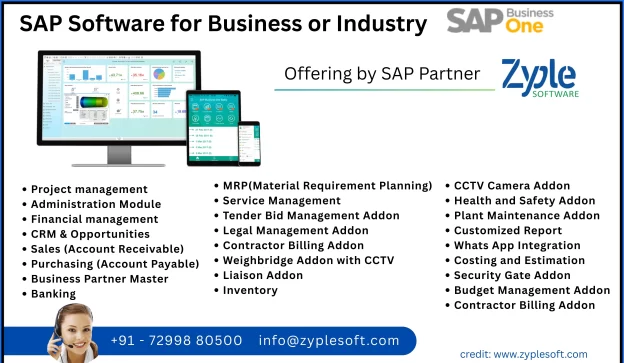
      In the world of enterprise resource planning (ERP), SAP software stands as a dominant solution, widely adopted by organizations globally to improve their business processes. But what exactly is SAP software? How does it function and what makes it a preferred choice for many companies? This article dives deep into the meaning, uses, and examples of SAP software and highlights a top offering by SAP partner Zyple Software, known for delivering best SAP solutions.

      What is SAP Software: Meaning and Definition

      SAP stands for Systems, Applications, and Products in Data Processing. Founded in 1972 in Germany, SAP SE has grown into a global leader in enterprise software, providing solutions that help businesses manage operations and customer relations efficiently.

      At its core, SAP software is an integrated suite of applications designed to help organizations manage their business processes in a unified system. It enables data sharing across departments, reducing redundancy and increasing productivity. Unlike standalone software that focuses on a single task, SAP integrates various business functions such as finance, human resources, supply chain, manufacturing, sales and customer service into one platform.

      SAP software operates on a client-server architecture and often runs on a database management system to store and retrieve data in real-time. This enables businesses to have access to up-to-date and accurate information for decision-making.


      Key Uses of SAP Software

      SAP software caters to a broad spectrum of business needs. Below are the primary uses that demonstrate why it is indispensable for many enterprises:
       

      1. Enterprise Resource Planning (ERP)

      SAP’s flagship product, SAP ERP, helps companies integrate core business functions like accounting, procurement, project management, supply chain operations, MRP and manufacturing. By centralizing these processes, businesses reduce errors and improve operational efficiency.
       

      2. Financial Management

      SAP’s financial modules provide tools for handling accounting, controlling, treasury and risk management. It automates financial reporting and ensures compliance with global accounting standards, helping organizations maintain financial health.
       

      3. Supply Chain Management (SCM)

      Efficient supply chain operations are important for any manufacturing or distribution company. SAP ERP software supports demand planning, procurement, logistics and inventory management, ensuring the right products reach customers on time.
       

      4. Human Capital Management (HCM)

      SAP offers modules to manage the entire employee lifecycle, from recruitment and onboarding to payroll and performance evaluation. This helps HR departments optimize workforce productivity and engagement.
       

      5. Customer Relationship Management (CRM)

      SAP CRM solutions enable companies to manage interactions with current and potential customers, improve sales strategies, and enhance customer service.
       

      6. Business Intelligence and Analytics

      SAP provides powerful data analytics tools that allow businesses to analyze trends, forecast outcomes and make data-driven decisions.

      Examples of SAP Software in Use

      1. Vijay Raja Group uses SAP Business One ERP to manage its company operations and production processes efficiently.
      2. Firefly integrates SAP B1 software to improve its manufacturing and finance operations across global locations.
      3. Vibhava Corporation leverages SAP to manage its diverse product portfolio and optimize marketing and sales.
      4. William Penn employs SAP B1 modules to ensure effective finance, project and inventory management worldwide.
      These examples highlight the versatility and robustness of SAP B1 software in handling complex, large-scale enterprise processes.
       

       How SAP Software Transforms Business Operations?

      The adoption of SAP ERP software offers several transformational benefits:
       
      • Improved Data Accuracy: With centralized data storage, organizations avoid duplication and discrepancies, ensuring consistency.
      • Enhanced Productivity: Automation of routine tasks frees employees to focus on strategic work.
      • Scalability: SAP solutions grow with the business, supporting expanding operations and new business models.
      • Regulatory Compliance: SAP incorporates compliance checks for tax laws, industry standards, and global regulations.
      • Real-Time Reporting: Businesses can make faster, informed decisions based on up-to-date information.
      • Customization and Integration: SAP can be tailored to meet specific industry needs and integrates with other software and platforms seamlessly.

      SAP Software Modules Breakdown

      To understand SAP better, it is essential to look at its core modules:
       
      • SAP FI (Financial Accounting): Manages financial transactions and accounting.
      • SAP CO (Controlling): Supports internal cost control and reporting.
      • SAP MM (Materials Management): Handles procurement and inventory.
      • SAP SD (Sales and Distribution): Manages sales processes and order fulfillment.
      • SAP PP (Production Planning): Oversees manufacturing processes.
      • SAP HCM (Human Capital Management): Manages employee data and HR processes.
      • SAP BW (Business Warehouse): Provides data warehousing and analytics.
      • SAP CRM (Customer Relationship Management): Focuses on customer interactions and sales.
       Each module is designed to cater to specific business functions but can also work together for a holistic business management system.
       

      SAP Cloud Solutions and Digital Transformation

      In recent years, SAP has shifted focus toward cloud-based solutions with SAP S/4HANA Cloud, a next-generation ERP suite designed for the digital age. This cloud platform leverages in-memory computing to process data faster and provide real-time insights. Cloud adoption reduces infrastructure costs and enhances flexibility, making SAP accessible for businesses of all sizes.
       

      Why Partnership with SAP Partners?

      Implementing SAP ERP software is a complex task that requires expert knowledge and experience. This is where SAP partners come in. Zyple Software is a renowned SAP partner that specializes in SAP implementation, customization and support services.
       
      Zyple Software helps businesses:
      • Assess and select the right SAP modules tailored to their unique needs.
      • Ensure smooth migration from legacy systems to SAP platforms.
      • Customize SAP solutions for industry-specific requirements.
      • Provide ongoing support and training to maximize SAP ROI.
      Their expertise ensures businesses can leverage the full potential of SAP ERP software, reduce implementation risks and accelerate digital transformation.
       

      Conclude regards SAP ERP Software for your Business

      SAP software remains a cornerstone for enterprise management in today’s competitive business environment. Its complete suite of applications supports diverse functions across industries, enabling companies to optimize operations, improve decision-making, and innovate continuously.
       
      For organizations looking to implement or upgrade SAP ERP software, partnering with experienced SAP providers like Zyple Software guarantees a strategic approach, smooth deployment and continued success in harnessing SAP’s capabilities.
       
      If you’re ready to transform your business with SAP solutions, contact Zyple Software—trusted SAP Business partners dedicated to helping you unlock efficiency, scalability and growth through customized SAP offerings.