Tag Archives: sap b1 implementation

Quality control in Manufacturing

How To Control Quality in Manufacturing?

How To Control Quality in Manufacturing Industry?
Quality control in Manufacturing

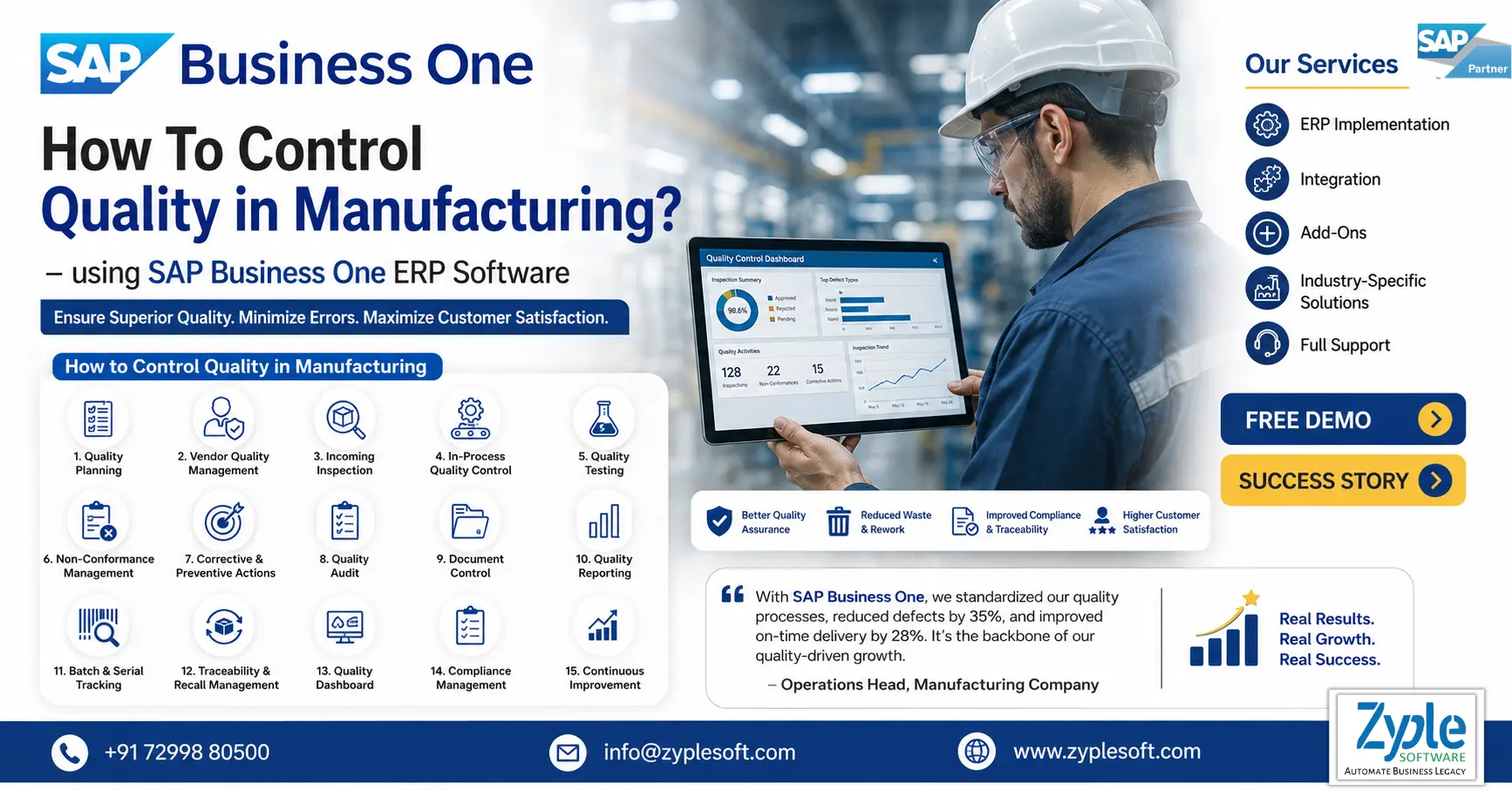
When you make something, you better guarantee there’s nothing faulty about the product. If your customer purchases your product and it doesn’t work, at best, you’ll lose, and at worst, you’ll be served with lawsuit. Here, quality control in manufacturing is crucial. Here, we’ll discuss how to control quality in manufacturing.

What is Quality Control?

Quality control is a process that helps deliver products as planned or helps ensure project deliverables achieve stakeholder requirements. It requires that the company support an environment where everyone, from management to employees, is performing their jobs as perfectly as possible.

What is Quality Control in Manufacturing?

Quality control in manufacturing refers to the processes and systems used to ensure that products achieve specific requirements and are consistent and reliable. This requires planning, designing, implementing, and maintaining a system that provides confidence in a product’s design and production.

Importance of Quality Control in Manufacturing Using SAP B1

Quality control (QC) in manufacturing using SAP Business One (SAP B1) is essential for ensuring product consistency, minimizing wastage, and automating compliance. It delivers real-time inspection, inventory traceability, and quality management of incoming materials, production stages, and finished goods, preventing defective products from reaching customers.

1. Integrated Quality Inspection Points

SAP B1 ERP delivers quality control add-ons that enable inspections at different stages, including goods receipt, purchase order, production receipt, and delivery.

2. Minimized Rework and Costs

By inspecting raw materials and components, companies can avoid defective materials from entering production, minimizing rework, waste, and overall operating expenses.

3. Improved Traceability and Compliance

The system delivers full traceability from procurement to final delivery, helping businesses meet strict industry standards, such as ISO, BIS, or CDSCO. 

4. Improved Product Consistency

Automated inspection checklists ensure that every batch meets defined quality standards and is compliant, which boosts customer satisfaction and minimizes warranty claims.

5. Real-time Reporting and Analysis

Manufacturers gain instant visibility into quality metrics, allowing them to identify trends, analyze non-conformances, and take prompt corrective actions.

Benefits of Quality Control in Manufacturing Using SAP Business One

Manufacturing quality is a standard goal for most businesses in the market, but it is only sometimes a key priority. Depending on their output or brand, different companies have different expectations about their suitable cost of quality. Regardless of those differences, all organizations can accumulate significant benefits by implementing strong quality control practices. That’s because better quality control doesn’t only improve outcomes; it can do so more cost-effectively. It enables you to invest smarter, not more, in quality efforts while reaping all the benefits of solid quality processes.

1. Improved Safety

Ensuring products are made to specification results in safer end products. This is essential in the automotive, aerospace, and pharmaceutical industries, where safety is foremost. Effective quality control helps reduce the risk of malfunctions and accidents associated with faulty products.

2. Contributes To Overall Positive Branding

High-quality products improve a company’s reputation. Consistent delivery of reliable and effective products guarantees positive customer perceptions using SAP implementation.

3. Increased Customer Loyalty

By ensuring product quality, companies can develop a devout customer base. Loyal customers are also likely to recommend your products to others, further expanding the market reach.

4. Decreased Liability Risk

Effective quality control minimizes the risks of product failures that can lead to recalls and legal issues. This saves the company from possible financial liabilities and protects its image from the negative publicity associated with recalls.

5. Automated Inspection Workflows

SAP B1 can automatically trigger inspection tasks when goods are received from suppliers or during production, moving items to designated “QC warehouses” to avoid premature use. 

6. Increased Traceability

The system allows batch-wise or lot traceability, essential for audits and tracking material quality from purchase to finished goods using SAP solutions. 

7. Minimized Operational Costs

By detecting defective materials or products early, before, during, and after production, companies minimize rework and waste. 

8. Optimal Supplier Management

The quality control data helps evaluate suppliers based on defect rates, delivery accuracy, and material consistency. 

9. Regulatory Compliance

Centralized documentation and automated reports make it easier to achieve industry regulations. 

10. Improved Product Consistency

Automated testing against predefined, consistent criteria leads to higher quality finished products and improved customer satisfaction.

Types of Quality Control Methods

1. Quality Control Methods and Techniques

There are different ways to implement good quality control. Every approach has its own set of tools and skills, and they are often used in combination to ensure the highest quality of products in manufacturing.

2. Total Quality Management (TQM)

TQM is an inclusive and structured approach to organizational management that seeks to improve the quality of products and services through continuous refinements in response to continuous feedback. Customer demands define TQM requirements, and the organization endeavors to achieve those with zero defects.

3. Statistical Quality Control (SQC)

SQC requires using statistical methods to monitor and control a process. This helps identify and handle variations in the manufacturing process that might lead to defects, thus ensuring product quality.

4. 100% Inspection Method

This method requires inspecting every single product part or assembly for defects. While resource-intensive, it can be essential in environments where defects can lead to significant safety or functionality issues (e.g., automotive, medical device, and heavy equipment manufacturers).

5. Six Sigma

This quality control method works at improving existing processes, products, or services by discovering and eliminating defects in order to facilitate manufacturing. The purpose is that the manufacturing process will have little to no variance. Six Sigma works by defining the problem, measuring the existing process, and analyzing the root cause of variations and defects to identify the issues. It increases processes by eliminating the root cause of these defects and controlling the process to stay on track.

6. X-Bar Chart

An X-bar chart is used in quality control to track the mean of successive samples of a constant size. The Y-axis evaluates the degree to which the deviation of the tested attribute is acceptable. This control chart is used for characteristics that can be measured on a consistent scale. That includes such things as weight, temperature, thickness, and more. However, it is rarely used alone and is often coupled with an R-chart, which is used to determine the stability and predictability of a process.

7. Lean Quality Control

Lean quality control is a production quality control approach that places customer value at the center of every decision, focusing relentlessly on eliminating waste, reducing waiting times, and streamlining every step of the production process.

Lean quality controlworks by systematically identifying and removing anything that does not add direct value for the customer, including overproduction, unnecessary inventory, long wait times between production steps, and costly rework cycles.

Conclusion of Quality Control in Manufacturing Using SAP Business One

Zyple Software is an authorized SAP B1 partner in India specializing in implementation, digital transformation, migration, licensing, add-on solutions, integration, and consulting for the manufacturing industry. The SAP B1 system places equal emphasis on finding faults and correcting them rapidly without delays. It facilitates compliance audits, supports regulatory traceability requirements, and guarantees consistent quality control for manufacturing operations of every scale.

Are you endeavoring to find the SAP Business One ERP system for your business or industry?

Fill in all the details in the decided contact form; our team will return to you.
    SAP Business One ERP for Paper Industry

    SAP Business One ERP for Paper Industry

    SAP Business One ERP for Paper Industry

    SAP Business One ERP for Paper Industry

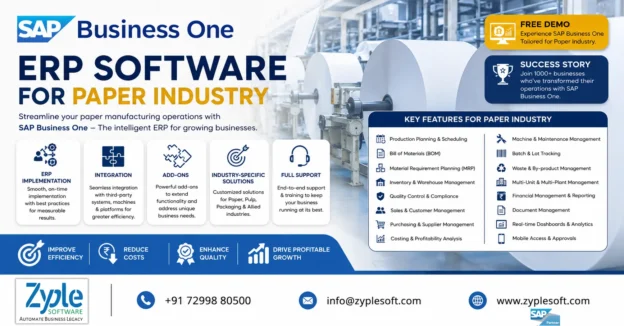
    Paper manufacturers face a multitude of challenges, which include foreign imports, fluctuating paper prices, and plant capacity management. You would require an ERP software system that can handle these issues so that you can improve profitability. SAP Business One ERP for paper industry facilitates processes, optimizes inventory, and improves overall business performance of the paper industry.

    Challenges Faced By The Paper Industry

    The paper industry faces crucial challenges, including severe raw material scarcity, high energy or production costs, and intense pressure to minimize its environmental footprint. The rise of digital alternatives is minimizing demand for graphic papers, while outdated technology and waste management issues hinder operational efficiency.

    1. Raw Material Scarcity and Cost

    Shortages of bamboo, wood, and waste paper for recycling have increased costs, compounded by dependence on imported pulp.

    2. Environmental Concerns and Sustainability

    The paper industry is under pressure to minimize carbon emissions, reduce water consumption, and manage pollution (effluent disposal).

    3. Energy and Utility Costs

    High energy consumption for production, along with rising costs for coal and power, severely impacts profitability.

    4. Technological Obsolescence

    Many paper mills, specifically smaller ones, suffer from low technology adoption, hampering efficiency and modernization.

    5. Declining Demand for Certain Products

    Digital transformation has minimized the demand for newsprint and graphic papers, forcing companies to turn towards packaging, though this transition carries risk.

    6. Competition and Imports

    Increased competition for lower-priced, imported products creates a tough market for domestic competitors.

    7. Regulatory Compliance

    Strict environmental policies and compliance costs regarding forest protection and emission management pose operational hurdles.

    Features of SAP Business One ERP for Paper Industry

    1. Production Planning and Process Control

    • Handles multi-stage paper production from pulp, sheet, and finishing to packaging.
    • Creates and controls bills of materials (BOM) for different paper grades (kraft, duplex, coated, and more).
    • Plans machine capacity (paper machines, cutters, and rewinders).
    • Optimizes production schedules to minimize downtime and waste.
    • Helps facilitate complex manufacturing cycles and improve efficiency.

    2. Raw Material and Inventory Management

    • Tracks raw materials like wood pulp, chemicals, and water usage.
    • Monitors WIP (Work-in-Progress) and finished goods (reams and rolls).
    • Batch or lot tracking for quality and traceability.
    • Multi-warehouse and bin location management.
    • It guarantees accurate stock levels and minimizes wastage.

    3. Quality Control and Compliance

    • Defines quality parameters (GSM, moisture, thickness, and brightness).
    • Performs quality checks at every stage of production.
    • Generates quality certificates and reports.
    • Maintains compliance with industry standards.
    • It ensures consistent paper quality and minimizes rejection rates.

    4. Costing and Profitability Analysis

    • Tracks cost per ton, per reel, and per batch.
    • Monitors raw material, labor, and overhead costs.
    • Online profitability analysis by product type or order.
    • It helps control margins in a cost-sensitive industry.

    5. Sales and Distribution Management

    • Handles bulk orders for distributors, printers, and packaging companies.
    • Manages pricing based on GSM, size, grade, and volume.
    • Tracks dispatch, logistics, and delivery schedules.
    • Customer order lifecycle from quotation, order, and delivery to invoice.
    • It improves order fulfillment and customer satisfaction.

    6. Procurement and Supplier Management

    • It handles procurement of pulp, chemicals, and packaging materials.
    • It includes vendor comparison and purchase planning.
    • It includes automated purchase orders and approvals.

    7. Waste and Scrap Management

    • Tracks production waste, trim loss, and rejected paper.
    • Analyzes scrap generation and reuse or recycling.
    • Improves yield and minimizes environmental impact.
    • Essential for paper industry sustainability.

    8. Financial Management and GST Compliance

    • It includes GST-ready invoicing and tax reporting (India-specific).
    • It includes budgeting, cost centers, and cash flow tracking.
    • Delivers complete financial control in one system.

    9. Batch and Reel Traceability

    • Tracks each paper reel or batch from raw material to delivery.
    • Allows quick recall and quality audits.
    • Crucial for export and large-scale supply chains.

    10. Business Intelligence and Reporting

    • Real-time dashboards for production output, inventory levels, and sales performance.
    • It includes custom MIS reports and analytics.
    • Allows faster, data-driven decisions.

    11. Multi-Branch and Multi-Location Management

    • Handles multiple mills, warehouses, and depots.
    • It includes centralized control with location-wise reporting.
    • Suitable for growing paper manufacturing businesses.

    12. Integration and Scalability

    • It includes integration with machines, barcode systems, and add-ons.
    • Adaptable for SMEs to large operations.
    • Available on SAP B1 HANA for real-time performance.
    • It supports digital transformation and future growth.

    Importance of SAP Business One ERP for Paper Industry

    The enterprise resource planning (ERP) software, SAP Business One (SAP B1) system, is essential for the paper industry by delivering real-time visibility into inventory, optimizing production scheduling, minimizing raw material waste, and improving overall productivity. It allows small and medium-sized manufacturers to handle complex, fluctuating material costs, ensuring regulatory compliance and improved, faster order fulfillment.

    1. Optimized Inventory Management

    Tracks raw materials like wood pulp and chemicals, minimizing excess inventory and preventing stockouts.

    2. Production Planning and Control

    Handles complex workflows, including production orders and machine capacity, to ensure timely delivery using SAP implementation.

    3. Cost Reduction and Waste Minimization

    Identifies inefficiencies in production and minimizes wastage, which is essential for thin-margin operations.

    4. Increased Agility and Compliance

    Allows fast responses to fluctuating market prices and ensures adherence to environmental and industry regulations.

    5. Complete Data Visibility

    Delivers integrated insights into sales, finance, and manufacturing, supporting better decision-making.

    6. User-Friendliness

    Enables growing paper companies to add functionality as needed.

    Benefits of SAP Business One for Paper Industry

    SAP Business One (SAP B1) benefits the paper industry by delivering real-time inventory tracking for raw materials (wood pulp, chemicals) and finished goods, which can minimize waste. It optimizes production planning through automated scheduling, minimizes manual errors, ensures compliance with environmental regulations, and delivers cost-effective, scalable tools designed for small to medium-sized paper manufacturers.

    1. Optimized Inventory and Resource Management

    Real-time visibility into stock levels, such as wood pulp and chemicals, helps prevent stockouts, minimizes carrying costs of excess inventory, and handles raw material consumption.

    2. Improved Production Efficiency

    Automated production scheduling and work order management, including handling complex, multi-stage production processes, reduces downtime and optimizes machine usage using SAP solutions.

    3. Cost Control and Waste Reduction

    Complete tracking of raw material usage, production expenses, and inventory allows better cost control, often leading to lower operating costs and significantly less waste.

    4. Regulatory Compliance

    The SAP software helps paper manufacturers adhere to strict environmental standards and regulations by tracking materials and creating necessary compliance reports.

    5. Improved Supply Chain and Order Management

    Facilitated procurement and demand forecasting help accelerate order fulfillment.

    6. Ease of Use for Growth

    SAP B1 ERP grows with the business, enabling manufacturers to add users and functionalities as operations expand.

    Conclusion of Paper ERP

    Zyple Software is the Best SAP B1 partner in India specializing in implementation, digital transformation, migration, licensing, integration, add-on solutions, and consulting for the paper industry. SAP Business One is transforming the paper industry in India by handling key challenges and improving operational efficiency.

    If you’re skilled, book a demo of SAP Business One.

    Do you demand the SAP Business One ERP software for your business or industry?

    Complete all the details in the provided contact form; our team will get back to you.

      SAP Business One License in Chennai

      SAP Business One License in Chennai

      SAP Business One License in Chennai

      SAP Business One License in Chennai

      Elevate Your Business with the Leading SAP Business One License Provider in Chennai

      Positioned as the leading SAP B1 partner in India, Zyple Software has earned a reputation as a go-to license provider for organizations in Chennai. With a continuous dedication to delivering excellence, we have become synonymous with trust and reliability among businesses of all sizes, spanning the vibrant city of Chennai. With an SAP Business One license in Chennai, we identify that every organization is unique, with distinct needs and aspirations.

      That’s why our customized SAP solutions are thoroughly crafted to handle the specific challenges and requirements of each client, ensuring a seamless fit and maximum impact. Our inclusive suite of services includes the entire spectrum of ERP software solutions, empowering businesses to facilitate their operations, improve productivity, and drive sustainable growth.

      SAP Business One License Services Provided by Zyple in Chennai

      1. License Procurement and Advisory

      • Zyple Software helps businesses choose the right SAP Business One license type based on users, roles, and industry needs.
      • They deliver complete guidance on licensing models, including professional vs limited user licenses and on-premise vs cloud licensing.
      • They also explain license cost structure, adaptability, and ROI clearly.

      2. License Planning and Optimization

      • Analyzes your business processes to prevent over-licensing or under-licensing.
      • Suggests the optimal number of users and modules.
      • Ensures affordable licensing aligned with business growth.

      3. Installation and License Deployment

      • Handles end-to-end installation of SAP B1 along with license activation.
      • Modifies licenses for individual users and departments (finance, sales, inventory, and more).
      • Ensures smooth system setup with minimal downtime.

      4. License Upgrade and Expansion

      • Upgrades licenses when business scales and new users or branches are needed.
      • Supports license conversion (SAP B1 SQL to SAP B1 HANA) and feature upgrades.
      • Allows easy expansion without disrupting operations.

      5. License Migration Support

      • Assists in moving from on-premise to cloud licensing.
      • Handles SAP Business One SQL to SAP Business One HANA migration with license transition.
      • Ensures compliance and data integrity during migration.

      6. Compliance and Maintenance Guidance

      • Delivers clarity on SAP licensing policies and annual maintenance costs.
      • Ensures your organization stays compliant with SAP standards.

      7. Integration with Other Services

      • License services are tightly integrated with implementation, add-on development, consulting, and support and training.
      • This ensures your licensing is not only purchased but fully aligned with your ERP deployment and business processes.

      What is the cost of an SAP Business One License in Chennai?

      In Chennai, SAP Business One license costs typically start around ₹1.36 lakhs per user for professional, perpetual licenses, or roughly ₹3,599 to ₹7,500 per user per month for subscription models. Total project costs for small-sized businesses (5-10 users) range from ₹8 to ₹12 lakhs, while medium-sized businesses (10-50 users) can expect ₹15 to ₹35 lakhs, depending on implementation.

      What are the different types of licenses in SAP Business One?

      SAP Business One (SAP B1) licenses are named-user-based, designed for specific job functions to improve costs. The main types include Professional (full access), Limited (financial, logistics, or CRM), and Starter Package (small business bundle). These can be acquired via subscription or perpetual models for on-premise or cloud deployments.

      1. Professional User

      This type of license is the full-access license, often defined as an all-access pass. It includes access to all functionalities in SAP Business One, like financials, sales, purchasing, inventory, CRM, and customization tools.

      2. Limited User

      This type of license is customized for employees who only need access to specific functional areas.

      • Limited Financial User: This type of limited user license focuses on accounting, banking, and general ledger, including related reports.
      • Limited Logistics User: This type of limited user license focuses on purchasing, inventory, warehouse management, and production.
      • Limited CRM User: This type of limited user license is customized for sales and service teams, focusing on sales opportunities, service, and customer data.

      3. Starter Package User

      An affordable, restricted license customized specifically for small businesses with limited user counts (<10) and less complex needs.

      4. Indirect Access License

      Enables external systems, such as web stores or external apps, to pull or push data into SAP B1.

      How to Choose the Right SAP B1 ERP License in Chennai?

      Choosing the right SAP Business One (SAP B1) ERP license in Chennai requires evaluating your user roles (professional vs limited), choosing between cloud subscription or perpetual on-premise models, and selecting a local partner experienced in GST compliance. Main steps include identifying functional needs, planning for ease of use, and comparing costs, generally starting around ₹80,000 to ₹1,60,000 and more per user depending on type.

      1. Identify User Roles

      • Professional User: It includes full access to all modules (financials, sales, purchasing, CRM, inventory, and production).
      • Limited User: It includes focused access to specific functional areas (limited CRM, limited logistics, and limited financials).
      • Starter Package: It is best for small enterprises needing core ERP, capped at 5 users.

      2. Choose Deployment Type

      • On-Premise (Perpetual): It is a higher upfront, lower long-term cost. It requires in-house IT maintenance.
      • Cloud (Subscription): It is monthly or annual pay-as-you-go. It is ideal for lower initial investment and automatic updates.

      3. Evaluate Future Growth

      Ensure the license structure enables easy upgrading from starter to standard or adding users as your business expands.

      4. Select a Local Partner in Chennai

      Choose Zyple Software, as it is an SAP B1 partner in Chennai with local market knowledge, strong support service, and expertise in GST and Indian compliance.

      Benefits of SAP Business One License in Chennai

      An SAP Business One ERP license in Chennai provides small and medium-sized enterprises (SMEs) an inclusive, localized ERP solution to integrate finance, sales, inventory, and CRM. Main benefits include real-time data access for faster decision-making, improved operational efficiency, scalable cloud or on-premise deployment, and customized, cost-effective licensing models (perpetual or subscription).

      1. Localized and Compliant

      Handles specific needs of Indian businesses, including GST compliance and regional taxation requirements.

      2. Operational Integration

      Connects departments such as finance, purchasing, inventory, and sales, removing information storage using SAP implementation.

      3. Flexible License Types

      • Subscription License: Pay-as-you-go, providing lower upfront costs suitable for growing businesses.
      • Perpetual License: One-time cost with ongoing maintenance, suitable for long-term ownership.

      4. Deployment Flexibility

      Supports both on-premise and cloud, enabling access to data from anywhere.

      5. Scalability and Growth

      Easily add new users or functionalities as your business grows, ensuring long-term utility using SAP software.

      6. Improved Productivity

      Facilitates processes, minimizing manual errors and increasing efficiency.

      7. Expert Local Partner Support

      Zyple Software in Chennai provides end-to-end services, including consultation, implementation, add-on development, and support.

      Conclusion of SAP Business One ERP License in Chennai

      Zyple Software is a trusted SAP B1 partner in India specializing in implementation, digital transformation, migration, licensing, integration, add-on solutions, and consulting for manufacturing, construction, real estate, financial services, agriculture, logistics, retail, technology, energy, healthcare, infrastructure, EPC, and professional services industries. Experience working with Zyple, the SAP B1 license partner in Chennai that prioritizes your success and empowers you to unlock the full potential of SAP B1 ERP software.

      If you’re ready, book a demo of SAP Business One.

      Do you need the SAP Business One ERP system for your business or industry?

      Complete all the details in the assigned contact form; our team will get back to you.

        sap b1 implementation

        What is SAP B1 Implementation? Meaning and Uses

        What is SAP B1 Implementation? Meaning and Uses

        sap b1 implementation

        SAP Business One is designed specifically for small and medium-sized enterprises (SMEs) to simplify and integrate business processes, helping you operate efficiently. This blog shows how to handle the SAP Business One lifecycle, with implementation steps, proven best practices, and solutions to common challenges.

        What is SAP B1 Implementation?

        An SAP ERP implementation is a structured, five-stage process customized to implement SAP Business One for your organization. From project preparation to blueprinting, realization, final preparation, and go-live, every stage focuses on planning, configuration, testing, training, and support. This approach guarantees efficiency, integration, and long-term success

        Why Proper SAP B1 Implementation Matters for SMEs

        Proper implementation of SAP Business One is essential to get the value from the investment made. It ensures maximum ROI, minimizes risks, and supports long-term business growth. A successful SAP implementation improves an organization’s operations by automating workflows, integrating business processes, and providing real-time insights for better decision-making. It also minimizes costs by eliminating redundancies and supports scalability, allowing the system to adapt as business grows.

        Poor implementation leads to downtime, employee resistance from inadequate training, higher costs for error fixes, and missed opportunities for competitive advantages. The SAP B1 system must align with business goals through clear planning, customized configuration, and a scalable design for current and future needs.

        Key Steps in the SAP Business One Implementation Process

        The SAP B1 implementation involves a structured, best-practice approach for success. Following this proven SAP B1 ERP implementation methodology ensures alignment with business needs, reduces risk to the project, and sets the foundation for long-term success, operational efficiency, and user satisfaction.

        1. Project Preparation

        The purpose of this stage is to analyze the objectives and needs of the client and deliver planning and preparation of the project. In this initial stage of the project, the team gathers for a discussion wherein they plan the project to be performed and identify the primary focus areas that need to be considered. A meeting is conducted in which the project manager, consultant, and account manager discuss the technical issues and project management topics to do planning and execution of the project. The project is transferred from sales to the consulting team.

        2. Business Blueprint

        During this stage, a blueprint is created by conducting a workshop with main stakeholders to define scope, schedule, and objectives of the project in addition to the relevant business processes. In this stage, the requirement is considered, and a common understanding of how the client intends to run SAP Business One for their business is achieved.

        Workshops are conducted, which are attended by the SAP Business One project manager and client project manager, who together analyze and define the individual as well as business functional needs of the client. A blueprint is created that is an inclusive documentation of the results collected from the workshops, and it acts as a technical and functional guide for the SAP Business One implementation process.

        3. Project Realization

        This is the most significant of all the SAP Business One Implementation stages, and in this stage, the business process and technical requirements are implemented as documented in the blueprint. The SAP Business One production system is installed and designed by the consultants after validating and updating the configuration. 

        The business consultants, with the support from the client IT administrator, install all SAP Business One components like operating system, database, patches, and more on the client hardware.

        4. Final Preparation of SAP Business One Implementation

        The purpose of this stage is to complete final preparation, including user and administrator training and system management and cutover activities to finalize go-live readiness. The purpose of this stage is to prepare the SAP Business One system and the client organization for production go-live. 

        Main activities of this stage include the completion of the user and administrator training and final fine-tuning of the SAP Business One system. Necessary adjustments and cut-over activities are completed to resolve all essential issues and make the system ready to go live.

        5. Go-Live and Support

        The purpose of this stage is to move from a project-oriented, pre-production environment to live production operation. The developed SAP Business One system is fully implemented in production, and continuous support is delivered to improve live operations. In the project closing stage, the system is used in day-to-day operations, all issues and problems are resolved, and the project is signed off.

        SAP support team monitors the system and handles live business process issues in the continuous improvement stage. A review and performance optimization are scheduled and conducted to consistently review and improve the business processes.

        Benefits of SAP Business One Implementation

        Implementing SAP Business One delivers small and medium-sized enterprises (SMEs) with a unified, scalable ERP solution. It drives growth and operational efficiency by centralizing core business processes, such as financials, sales, inventory, and supply chain management, into a single platform, eliminating data silos and allowing real-time decision-making.

        1. Unified Data and Real-Time Visibility

        Integrates information from various departments (finance, sales, procurement) into one single source of truth. Creates accurate, real-time reports on key performance indicators (KPIs) and financial metrics to make faster, data-driven decisions using SAP solutions.

        2. Facilitated Operations and Automation

        Automates repetitive, time-consuming administrative tasks, minimizing manual errors and boosting employee productivity. Improves inventory control, production planning, and vendor management, which decreases stockouts and shipping delays.

        3. Improved Customer Service

        Handles sales pipelines, track customer interactions, and handle post-sales support in the same system. Prepares your team with accurate client history and stock availability, allowing them to respond to inquiries and resolve issues promptly.

        4. Scalability and Mobility

        The SAP software system is designed to manage increasing volumes of transactions, users, and data as your company expands without compromising performance. Enables remote or field-based employees to access key business data and perform approvals on the go via mobile applications.

        5. Financial Control and Compliance

        Seamlessly integrates banking, accounts payable, accounts receivable, and ledger tasks. Facilitates financial auditing and tax compliance through accurate, tamper-proof record-keeping and reporting.

        6. Cost Efficiency

        By minimizing redundancies and optimizing administrative workflows, businesses experience significantly lowered operational and administrative costs. Improved operations translate to faster paybacks and strong long-term returns on investment.

        Conclusion of SAP B1 Implementation

        Zyple Software is an accredited SAP Business One partner in India specializing in implementation, digital transformation, migration, licensing, integration, add-on solutions and support. The company is offering SAP B1 ERP for the manufacturing, construction, real estate, retail, financial services, agriculture, logistics, technology, energy, healthcare, infrastructure, EPC, and professional services industries. ERP company – Zyple Software specializes in providing end-to-end SAP Business One services to improve business efficiency and improve ROI, resulting in increased business growth.

        If you’re set, book a demo of SAP Business One.

        Do you need the SAP Business One ERP software for your business or industry?

        Complete all the details in the assigned contact form; our team will return to you.
          SAP Business One erp for Maritime Industry

          SAP Business One for Maritime Industry

          SAP Business One ERP for Maritime Industry

          SAP Business One erp for Maritime Industry

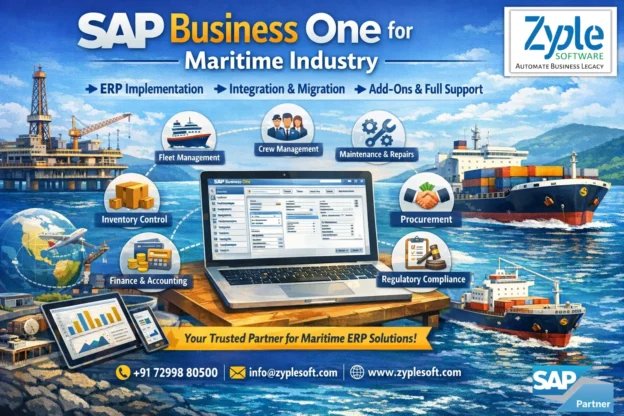
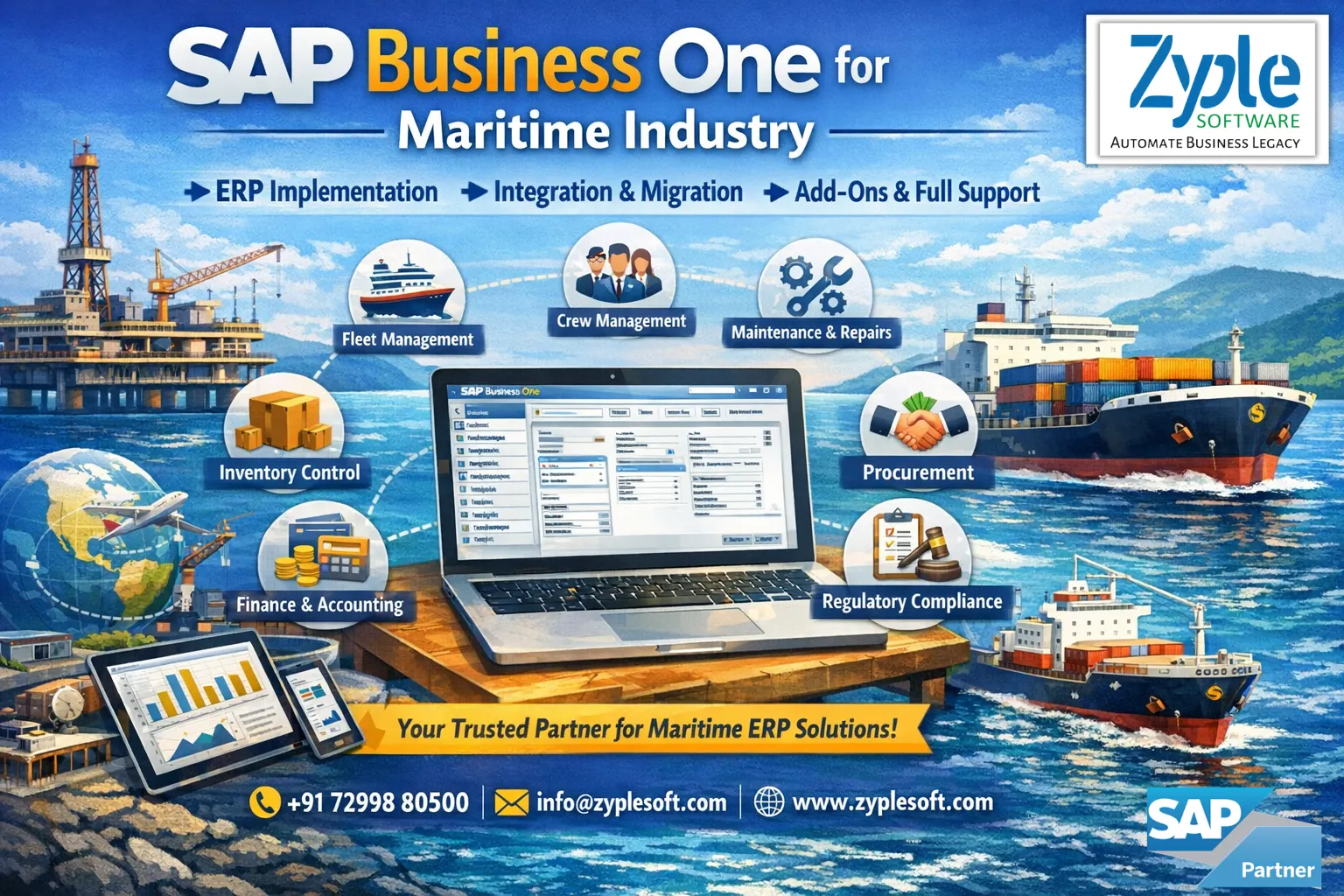
          The maritime industry plays an important role in global trade, requiring accuracy and efficiency at every step. SAP Business One for maritime industry helps handle challenges like fleet management, regulatory compliance, and rising operational costs. SAP Business One ERP delivers designed solutions to facilitate logistics, improve customer relationships, and increase supply chain efficiency. With SAP B1 implementation, maritime companies can gain real-time insights, minimize operational costs, and boost performance.

          Key Challenges in the Maritime Industry

          The maritime industry is struggling with the range of challenges that require forward-thinking solutions for growth and efficiency. Companies must handle issues such as fleet optimization, rising operational costs, and compliance with stringent environmental regulations. The rapid pace of technological change, along with the need for smooth data integration, intensifies the pressure to remain competitive. To succeed, maritime businesses must focus on improving operational workflows, increasing customer experience, and adopting innovative digital tools. 

          Here are the key challenges confronting the maritime sector:

          1. Rising Operational Costs

          Rising fuel prices damage budgets, forcing maritime operators to seek innovative strategies for cost management and efficiency improvements.

          2. Supply Chain Disruptions

          Unforeseen disruptions in global supply chains can obstruct timely operations, necessitating flexible strategies to reduce impacts on maritime logistics.

          3. Safety and Security Risks

          Ensuring the safety of personnel and vessels amid rising security threats requires thorough risk management and training programs.

          4. Increased Competition

          The maritime industry is highly competitive, demanding businesses to innovate and deliver value-added services to stay ahead.

          Features of SAP Business One for Maritime Industry

          1. Fleet Management

          Tracking, managing, and improving vehicle operations, including maintenance, fuel consumption, driver performance, and leasing.

          2. Finance and Accounting

          Automating key financial processes like general ledger, journal entries, budgeting, and bank reconciliation.

          3. Production

          Handling the end-to-end manufacturing process, including bills of materials (BOM) management, production orders, resource planning, and goods movements.

          4. Purchasing

          Handling the entire lifecycle of acquiring goods and services, from vendor selection to final payment.

          5. Operation Management

          Facilitating core processes, such as inventory, purchasing, production, and sales, into one system.

          6. Manufacturing Integration

          Integrating the ERP system with shop-floor systems, such as Manufacturing Execution Systems (MES), PLCs, and IoT devices, to synchronize production data, automate inventory updates, and gain real-time visibility.

          7. Customized Report

          It is a designed data analysis tool customized to display specific business metrics, KPIs, or information not available in standard, out-of-the-box reports.

          8. Business Intelligence and Analytics

          Real-time data analysis allows small and medium-sized enterprises (SMEs) to monitor performance, visualize data via dashboards, and make better decisions.

          9. Forecasting

          Predicting future customer demand, allowing businesses to optimize inventory levels, production schedules, and purchasing to avoid stockouts or excess stock.

          10. Cost Management

          Tracking, allocating, and analyzing expenses and revenues across different business units, departments, or projects to monitor profitability.

          11. Sales and CRM

          Handling the entire customer lifecycle, from initial lead, through sales opportunities, to quotations and orders.

          12. Cash Flow Management

          Real-time tracking and forecasting of incoming and outgoing money to maintain liquidity and guarantee financial stability.

          13. Business Planning

          Facilitating core processes to allow data-driven decision-making through real-time reporting, supporting on-premise or cloud deployment.

          14. Bank Integrations

          Secure, automated connection between the ERP system and banking platforms, allowing seamless, direct exchange of financial data.

          15. Business Partners

          Represents the master data for all external identities in a company interacts with customers, vendors (suppliers), and leads.

          16. Add-Ons

          Extensions that connect directly into the core ERP system to deliver specialized, industry-specific, or improved functionality.

          Importance of SAP Business One for Maritime Industry

          SAP Business One (SAP B1) is important for the maritime industry, providing an integrated, real-time ERP solution that facilitates shipbuilding, inventory, and supply chain operations. It improves project management, minimizes costs through automation, and ensures compliance with maritime regulations. Important reasons include improved data visibility, optimized resource management, and scalable, accurate financial reporting for shipyards and marine services using SAP implementation.

          1. Integrated Project Management

          Handles complex ship construction projects from planning to delivery, tracking milestones and costs in real-time.

          2. Operational Efficiency and Automation

          Automates procurement, inventory management, and supplier communication, minimizing manual workload and errors.

          3. Improved Resource Management

          Allows accurate, real-time monitoring of resources (materials, labor, and machinery) to avoid waste and minimize operational costs.

          4. Financial Control and Compliance

          Delivers accurate, audit-ready financial data and helps in managing industry-specific regulatory standards, minimizing penalties.

          5. Real-Time Analytics and Reporting

          Provides powerful dashboards for analyzing KPIs, helping managers make data-driven decisions on production and sales.

          6. Scalability for Growth

          Supports the expanding requirements of maritime businesses, including improved project complexity, through a scalable, flexible platform.

          7. Supply Chain Optimization

          Facilitates logistics by coordinating procurement and warehousing, improving overall profitability.

          Benefits of SAP Business One ERP for Maritime Industry

          SAP Business One (SAP B1) provides maritime companies a centralized, scalable SAP solutions to optimize fleet operations, manage complex shipbuilding projects, and improve supply chain efficiency. Core benefits include real-time financial oversight, improved inventory control, automated procurement, and regulatory compliance, ensuring increased profitability, minimized downtime, and faster on-time deliveries.

          1. Operational Capabilities and Digital Transformation

          Facilitates processes from order-to-cash, including purchase order generation from sales orders, minimizing manual inaccuracies and accelerating workflows.

          2. Inventory and Logistics Management

          Optimizes inventory levels for shipyards, preventing overstocking, and improves supply chain visibility for logistics, including tracking BP catalog numbers (vendor or customer part numbers).

          3. Improved Fleet and Maintenance Control

          Allows scheduling of preventive maintenance and real-time monitoring of vessel status to reduce costly downtime.

          4. Financial and Contract Management

          Allows tracking of freight contracts and supplier agreements, delivering detailed profitability analysis, financial reporting, and automated payment scheduling.

          5. Real-Time Data and Reporting

          Delivers 360-degree visibility into operations via interactive dashboards, allowing better, faster decision-making for managing complex, long-term projects.

          6. Ease of Use and Integration

          Grows with the business, enabling the addition of users and functionalities, ensuring a future-proof investment.

          Conclusion of Maritime ERP

          As a certified SAP Business One partner, Zyple Software brings unparalleled expertise and dedication to businesses seeking seamless SAP Business One services.

          Do you pursue ERP software for your business or industry?

          Fill in all the details in the allocated form; our team will get back to you.