
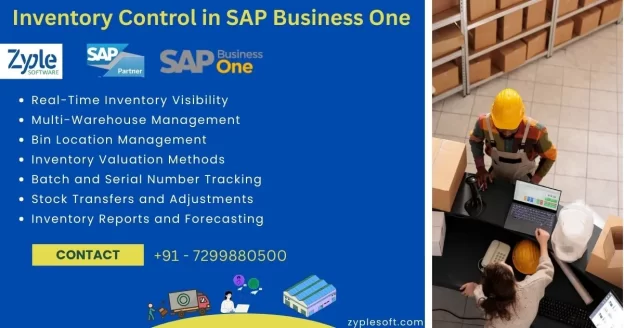
What is Inventory Control in SAP Business One?

Inventory control in SAP Business One is a powerful feature that helps small and midsize enterprises (SMEs) efficiently manage their stock levels, track inventory movement, and optimize warehouse operations. As part of the larger SAP Business One ERP suite, inventory control integrates seamlessly with purchasing, sales, production, and accounting modules and offering businesses real-time visibility and operational efficiency.
What is Inventory Control?
Inventory control, also known as stock control, refers to the processes involved in managing a company’s inventory of goods. It includes tracking quantities, managing stock levels, monitoring stock movements, and make sure that goods are stored, ordered, and used efficiently. The goal is to balance supply and demand while minimizing costs and maximizing service levels.
In SAP Business One, inventory control is not just about counting stock. It offers advanced capabilities like real-time inventory tracking, automated stock updates, bin location management, serial and batch number tracking, multiple units of measure and inventory valuation. These tools help businesses maintain optimal inventory levels, reduce stock-outs and overstocking, and improve cash flow.
Key Features of Inventory Control in SAP Business One
1. Real-Time Inventory Visibility
SAP Business One provides a centralized view of inventory across multiple warehouses and locations. This means decision-makers can access up-to-date information about stock levels, item availability, and movement history in real time. This capability eliminates delays and improves responsiveness to customer demands.
2. Multi-Warehouse Management
With SAP Business One, businesses can manage inventory across multiple warehouses, each with its own settings and parameters. Users can transfer stock between locations, define warehouse hierarchies, and monitor inventory levels across all branches from a single dashboard.
3. Bin Location Management
For businesses with complex storage needs, bin location management allows stock to be tracked at the bin level within each warehouse. This granular control helps optimize space usage and speeds up the picking and packing process.
4. Inventory Valuation Methods
SAP Business One supports several inventory valuation methods such as:
- Standard costing
- Moving average
- FIFO (First In, First Out)
Each method provides insights into inventory costs and helps align accounting practices with business goals.
5. Batch and Serial Number Tracking
For industries like pharmaceuticals, food, and electronics, tracking inventory by batch or serial number is crucial for compliance and traceability. SAP Business One allows you to track each item by unique identifiers, enabling precise control over quality, recalls, and warranty claims.
6. Stock Transfers and Adjustments
Users can easily manage stock transfers between warehouses or bins, and make stock adjustments due to damage, loss, or stocktaking results. These actions are recorded in real-time and integrated into accounting and audit trails.
7. Inventory Reports and Forecasting
SAP Business One comes with built-in inventory reports, like:
- Inventory audit reports
- Inventory valuation reports
- Stock aging reports
- Item-wise sales and purchase analysis
These reports help businesses make data-driven decisions regarding inventory planning, reordering, and demand forecasting.
Benefits of Inventory Control in SAP Business One
- Improved Accuracy: Automated data entry, real-time tracking, and barcode scanning reduce human error and ensure accurate stock levels across all locations.
- Reduced Inventory Costs: Better inventory visibility helps avoid overstocking or understocking, leading to more efficient purchasing decisions and reduced holding costs.
- Enhanced Customer Satisfaction: With accurate stock data, businesses can fulfill orders more reliably and quickly, improving customer service and satisfaction.
- Improve Warehouse Operations: Efficient stock management simplifies warehouse processes like picking, packing, and shipping, reducing lead times and operational inefficiencies.
- Seamless Integration: Inventory control is fully integrated with other modules in SAP B1, such as sales, purchasing, production, and finance. This integration ensures consistent data and streamlines end-to-end business processes.
Who Should Use SAP Business One Inventory Control?
- Manufacturing
- Wholesale and distribution
- Retail
- Food and beverage
- Pharmaceuticals
- Electronics
Common Use Cases of Inventory
- A retail business uses SAP Business One to manage seasonal inventory and avoid stock-outs during peak shopping periods.
- A food distributor leverages batch tracking and expiration date management to comply with safety regulations.
- A manufacturer uses inventory control to ensure raw materials are available for production planning.
Optimizing Inventory Control with SAP Add-Ons
- Barcode scanning
- Advanced warehouse management systems (WMS)
- E-commerce integration
- Demand forecasting powered by AI