SAP Business One Project Costing Add-On for Real Estate
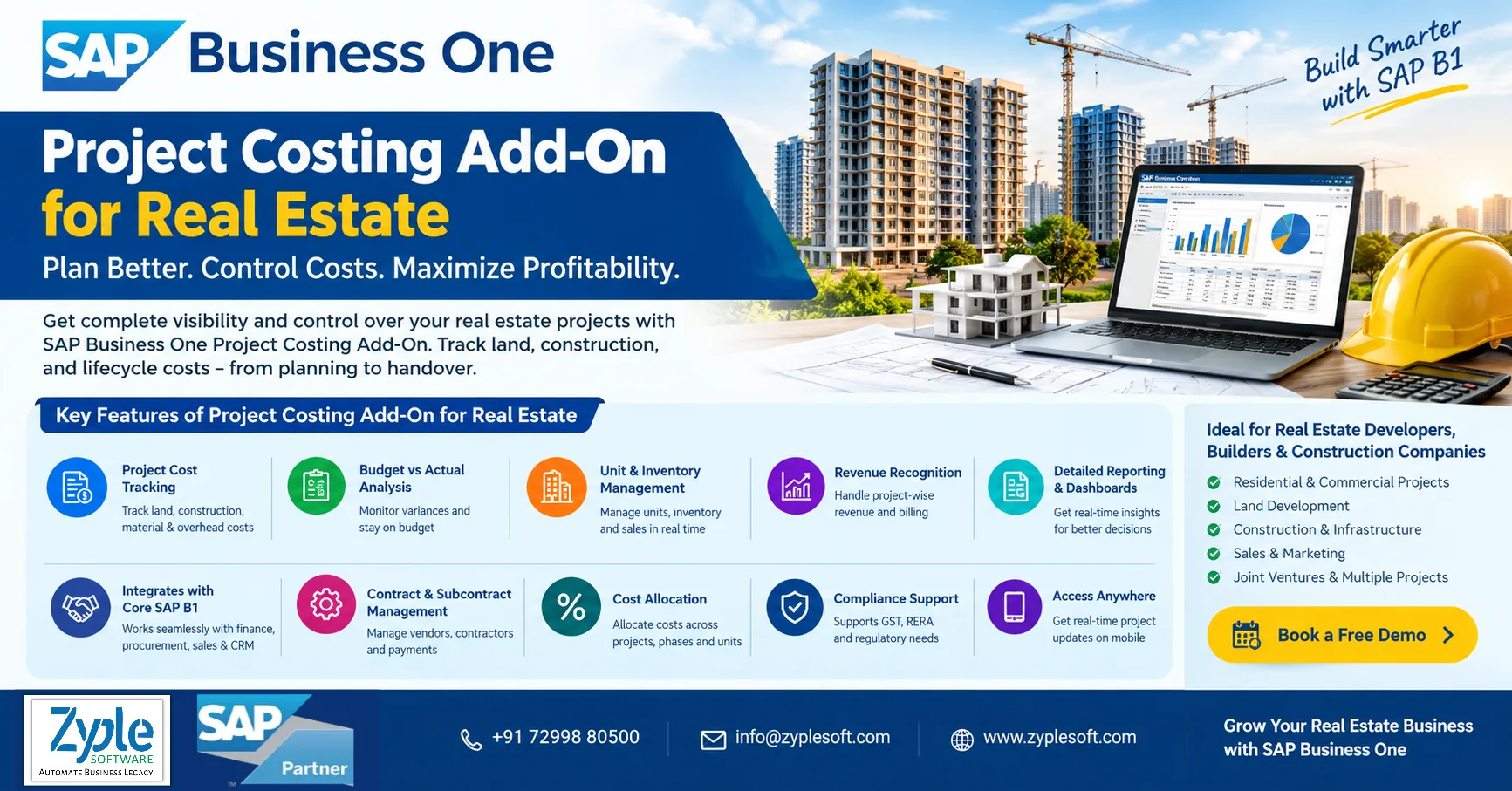
Many real estate companies still depend on Excel spreadsheets or disconnected systems to handle leases, properties, maintenance, and financial operations. As portfolios grow, this often leads to redundant data, manual work, delays, and costly mistakes. The SAP Business One project costing add-on for real estate helps construction and real estate businesses handle project costing and real estate operations within a single system.
Business Challenges the SAP B1 Project Costing Add-On Addresses
The SAP Business One (SAP B1) project costing add-on solves key financial and operational visibility gaps in project-driven businesses.
1. Budget Overruns and Cost Surprises
Inability to track material consumption, subcontractor expenses, and labor in real-time results in unexpected project losses in real estate. The SAP B1 project costing add-on delivers continuous tracking of actual expenses against planned budgets across specific project stages in real estate.
2. Disconnected Data and Manual Storage
Depending on separate spreadsheets for estimates and tracking causes data entry delays and human errors. The SAP Business One project costing add-on centralizes purchasing, inventory issues, timesheets, and general ledger postings into a single workflow.
3. Poor Visibility into Profitability
Companies struggle to define true job profitability or generate accurate Cost of Goods Sold (COGS) per project. The SAP Business One project costing add-on provides real-time analytics and reporting on project margins, open commitments, and financial performance.
4. Inefficient Resource and Labor Allocation
Inaccurate tracking of employee hours and equipment utilization makes future quotations and labor costing unreliable. The SAP Business One project costing add-on links timesheets and resource usage directly to individual project tasks and cost centers.
Features of SAP Business One Project Costing Add-On for Real Estate
1. Project-Wise Cost Planning and Budgeting
- Creates project budgets at the property, tower, or unit level.
- Defines stage-wise budgets like land approvals, construction, finishing, and marketing.
- Maintains cost breakdown structure (CBS) for complete planning.
- Allocates budgets based on area (sq. ft.), unit type, or project stage.
- Compares planned vs. actual costs in real-time.
- Tracks budget variance % and cost overruns.
2. Real-Time Project Cost Tracking
- Captures all project expenses automatically, like materials, labor, and contractors.
- Tracks costs across procurement (like PO, GRPO, and A/P invoices), inventory consumption, and subcontractor billing.
- Monitors open commitments vs. actual spending.
- Views project cost summary dashboards with real-time updates.
3. Cost Center and Multi-Dimensional Allocation
- Defines multiple cost centers like site, department, and project stage.
- Allocates expenses using distribution rules.
- Tracks profitability by project, building, and unit.
- Performs multi-level cost allocation for shared expenses.
4. Complete Cost Components Management
- Tracks different cost categories like land acquisition cost, construction material cost, labor and contractor cost, machinery and equipment cost, legal and approval charges, and marketing and sales expenses.
- Includes overheads and indirect costs in project costing.
5. Project Lifecycle Cost Control
- Handles costing across the full lifecycle, like land purchase, planning and approvals, construction, and sales and handover.
- Tracks stage-wise cost consumption vs. budget.
- Analyzes cost per stage of development.
6. Work Breakdown Structure (WBS) Integration
- Divides projects into stages, activities, and tasks.
- Assigns budgets and costs to every WBS level.
- Monitors task-level cost performance.
7. Contractor and Subcontractor Cost Management
- Handles contractor agreements and billing cycles.
- Tracks subcontractor work orders, running bills (RA bills), and retention amounts.
- Compares contract value vs. actual billed cost.
8. Procurement and Inventory Cost Integration
- Links project costing with purchase orders, goods receipt (GRPO), and inventory usage with the SAP Business One implementation process.
- Tracks material cost per project or site.
- Handles site-wise stock and consumption cost.
9. Revenue and Profitability Tracking
- Tracks sales revenue vs. project cost.
- Calculates project-wise profit margins and unit-wise profitability.
- Monitors cash flow vs project expenses.
- Analyzes ROI per project or property type.
10. Real Estate Unit-Level Costing
- Allocates costs to individual flats, villas, and commercial units.
- Calculates cost per square foot.
- Tracks unit-level profitability before sale.
11. Target Costing and Forecasting
- Defines target cost for every project stage.
- Compares target cost vs actual cost.
- Adjusts budgets dynamically based on progress.
- Forecasts future project expenses and cash requirements.
12. Variation and Change Order Management
- Handles design changes, scope changes, and cost revisions.
- Tracks impact of variations on total project cost.
- Maintains an audit trail of budget revisions.
13. Cash Flow and Fund Management
- Plans project cash inflows and outflows.
- Tracks customer payments, loan disbursements, and vendor payments.
- Ensures project liquidity and funding control.
14. Automated Financial Control
- Seamless integration with general ledger (GL), accounts payable (AP), and accounts receivable (AR).
- Auto-posts project-related financial entries.
- Eliminates manual accounting errors.
15. Real-Time Dashboards and Reporting
- Project costing dashboards for budget vs actual, cost variance, and profitability analysis.
- Drill-down reports from project, stage, and activity to transaction.
- It includes custom MIS reports for management decisions.
16. Multi-Project and Multi-Site Management
- Handles multiple real estate projects simultaneously.
- Compares cost performance across projects and site-wise efficiency.
- It includes centralized control with location-wise tracking.
17. Compliance and Audit Control
- Maintains a complete audit trail of cost transactions.
- Ensures compliance with financial regulations and construction accounting standards.
- Supports project audits and financial reviews.
18. Mobile and Remote Access
- Access to project costing data via mobile or web.
- Real-time updates from site engineers and project managers.
- It includes faster decision-making on the go.
19. Integration with CRM and Sales
- Links costing with customer bookings and sales pipeline.
- Analyzes project profitability based on sales performance.
20. Scalability and Customization
- Custom add-ons for RERA compliance, BOQ management, and contractor billing formats.
- Scalable for small builders and large real estate developers.
Benefits of SAP Business One Project Costing Add-On for Real Estate
The SAP Business One project costing add-on helps real estate developers handle construction and property budgets by tracking real-time expenses, material usage, and subcontractor billings. It connects site costs directly to financial records to avoid budget overruns.
1. Real-Time Budget Tracking
Monitors actual spending against planned estimates for every development stage using SAP solutions.
2. Early Warning Alerts
Receives automatic notifications when project costs approach or exceed set limits.
3. Accurate Forecasting
Uses live data to update financial projections as construction moves forward.
4. Bill of Quantities (BOQ) Tracking
Links material requirements and inventory consumption directly to specific project stages.
5. Subcontractor Control
SAP software facilitates contractor billing cycles, work progress measurement, and payment reconciliations.
6. Equipment Allocation
Monitors machinery and labor deployment across different building sites to reduce waste.
7. Single Source of Truth
Eliminates error-prone spreadsheets by connecting project accounting and site operations.
8. Stage-Wise Analysis
Evaluates profitability and milestone completion for individual sub-projects or properties using SAP Business One add-ons.
9. Audit Readiness
Maintains clear historical records of all vendor transactions and approval workflows.
Conclusion of SAP B1 Project Costing Add-On for Real Estate
As a trusted SAP Business One partner in India, Zyple Software is delivering services like SAP B1 implementation, integration, migration, licensing, add-ons, digital transformation, and support to different industries, like construction, manufacturing, solar, food and beverage, aerospace, oil and gas, healthcare, retail, real estate, jewellery, pharma, and textiles.
SAP Business One is an ERP software customized for small and medium-sized enterprises that connects finance, production, inventory, material requirements planning (MRP), procurement, sales, CRM, and reporting and analytics into one platform. For construction and real estate businesses, it can improve project costing, procurement, subcontractor billing, and inventory management.
If you’re involved, subscribe a demo of SAP Business One.
Do you claim the SAP B1 ERP solution for your business or industry?
Finish all the details in the demonstrated contact form; our team will reach out to you.
Read Also: SAP Business One for Real Estate
Frequently Asked Questions (FAQs)
1.How can SAP Business One Project Costing Add-On help real estate companies control project costs?
The project costing add-on helps real estate developers monitor budgets, actual expenses, material costs, labor, subcontractor bills, and overheads project-wise. This provides management better visibility into cost overruns and project profitability.
2.Can the SAP Business One Project Costing Add-On handle multiple real estate projects?
Yes. It can deliver centralized project-wise cost tracking for multiple residential, commercial, and infrastructure projects, helping businesses compare budgets, actual costs, progress, and profitability.
3.Can SAP Business One integrate project costing with procurement and inventory?
Yes. Procurement and inventory transactions can be linked with projects, helping real estate companies accurately monitor purchased and consumed materials and allocate costs to the relevant project or project phase.
4.Is SAP Business One Project Costing suitable for small and medium-sized real estate developers?
Yes. SAP Business One is customized for growing businesses and can be extended with industry-specific add-ons to support project costing, budgeting, procurement, finance, inventory, and reporting requirements.
5.How can I get the SAP Business One Project Costing Add-On for my real estate business?
You can consult an experienced SAP Business One partner like Zyple Software to evaluate your project costing requirements, demonstrate the solution, and recommend the appropriate implementation and customization approach for your real estate business.