SAP Business One vs. NetSuite: Which ERP Fits Mid-Market Companies Best?
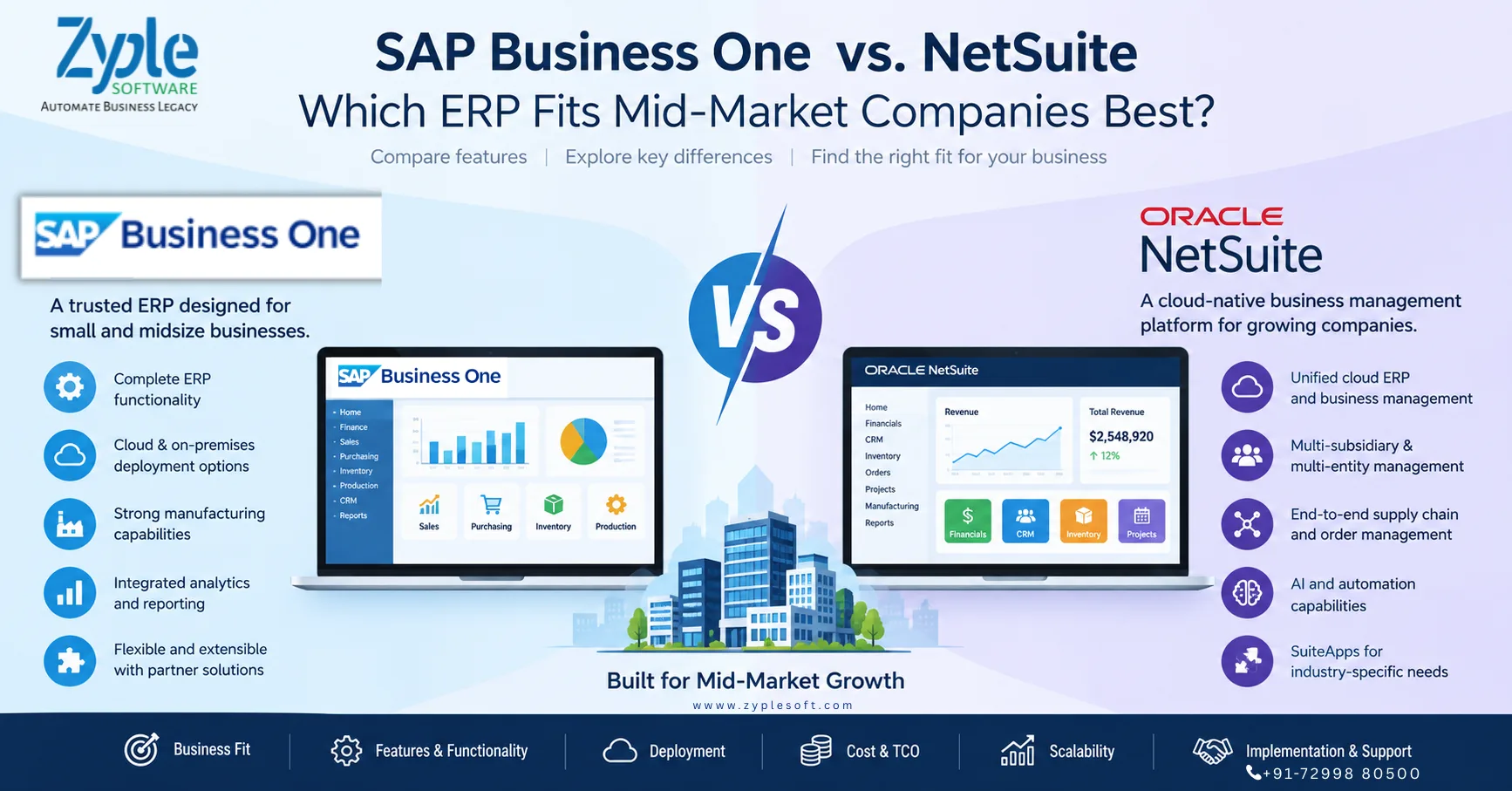
Choosing an ERP system is one of the most important technology decisions a growing company can make. The right ERP should not only handle accounting and financial reporting but also connect purchasing, inventory, sales, production, projects, customer management, supply chain and business analytics.
Two ERP platforms frequently considered by growing and mid-market businesses are SAP Business One and Oracle NetSuite.
Both provide integrated ERP capabilities, but they approach the mid-market from somewhat different directions. SAP Business One is designed specifically for small and midsize businesses and can be deployed in cloud or on-premises environments. NetSuite is a cloud-native business management suite covering ERP, financials, CRM, inventory, order management, projects, manufacturing and related processes.
So, SAP Business One vs. NetSuite is not simply a question of which ERP has more features. The more useful question is:
Which ERP architecture, deployment model, industry capability, customization approach and total cost structure best match the company’s current operations and future growth plans?
SAP Business One vs. NetSuite at a Glance
| Business Requirement | SAP Business One | Oracle NetSuite |
|---|---|---|
| Target market | Small and midsize businesses | Small and midsize businesses and growing companies |
| ERP | Integrated ERP | Integrated cloud ERP/business management suite |
| Financial management | Yes | Yes |
| Sales & CRM | Yes | Yes |
| Purchasing | Yes | Yes |
| Inventory management | Yes | Yes |
| Manufacturing | Yes | Yes |
| Supply chain | Yes | Yes |
| Project management | Yes | Yes |
| Business intelligence | Integrated reporting and analytics | SuiteAnalytics and dashboards |
| Cloud deployment | Available | Cloud/SaaS |
| On-premises deployment | Available | Primarily cloud-based |
| SAP HANA option | Yes | Not applicable |
| Multi-company capabilities | Yes | Yes |
| Industry extensions | Partner ecosystem and industry solutions | SuiteApps and partner ecosystem |
| Customization | Partner extensions, SDK/APIs and add-ons | SuiteCloud customization and SuiteApps |
| Mobile access | Yes | Yes |
| Best evaluation approach | Match business processes and deployment requirements | Match cloud operating model and business requirements |
The exact functionality available can depend on edition, localization, configuration, add-ons, integrations and implementation approach. Therefore, companies should validate requirements against the current product version before making a purchasing decision.
What is SAP Business One?
SAP Business One is an ERP solution designed specifically for small and midsize businesses and subsidiaries of larger organizations.
SAP positions Business One as a single ERP system covering areas such as financial management, purchasing, inventory, sales, customer relationships, reporting and analytics.
Its functional coverage includes:
- Financial accounting
- Accounts payable and receivable
- Banking and reconciliation
- Purchasing
- Inventory management
- Sales management
- CRM
- Production
- MRP
- Warehouse management
- Service management
- Project management
- Reporting and analytics
- Fixed assets
- Budgeting and controlling
- Business intelligence
- Mobile access
SAP also documents industry-oriented capabilities for areas including manufacturing, professional services, retail, wholesale distribution and consumer products.
SAP Business One deployment options
SAP Business One can be deployed using different approaches, including cloud and on-premises deployment. SAP’s technical documentation also highlights mobile access and deployment flexibility.
This can be particularly relevant for companies that want more control over infrastructure, databases or deployment architecture.
For better deployment and implementation, you can contact with SAP Business One partners.
What is Oracle NetSuite?
Oracle NetSuite is a cloud-based business management and ERP platform designed to bring financial and operational processes into a unified system.
NetSuite describes its ERP platform as covering accounting, orders, inventory, projects, production, supply chain and warehouse operations, while also supporting multiple subsidiaries, business units and legal entities.
NetSuite’s broader platform includes capabilities around:
- Financial management
- Accounting
- CRM
- Inventory
- Order management
- Procurement
- Supply chain
- Manufacturing
- Project management
- E-commerce
- Analytics
- Multi-subsidiary management
- Revenue management
- Cloud integrations
Oracle has also been expanding AI capabilities in NetSuite. Its 2026 releases include developments around natural-language interaction, AI-assisted finance processes and agent-oriented functionality
SAP Business One vs. NetSuite: Key Differences
The biggest differences become clearer when the ERP decision is examined from the perspective of business model, deployment, manufacturing, customization, international operations and cost structure.
1. Company Size and Market Focus
SAP Business One is explicitly positioned by SAP for small and midsize businesses and subsidiaries of larger enterprises.
NetSuite is also strongly positioned around growing and midsize organizations, with a broader cloud business-management architecture.
For a mid-market organization, both can therefore be relevant.
The important question is not simply:
“Is the company big enough?”
Instead, ask:
- How complex are the company’s operations?
- How many legal entities are involved?
- How many locations or plants exist?
- Is manufacturing involved?
- How much customization is required?
- Does the business need on-premises deployment?
- How important is cloud-only architecture?
- Which countries and tax environments need to be supported?
- What integrations are required?
2. Cloud vs. On-Premises ERP
This is one of the clearest architectural differences to consider.
SAP Business One supports cloud and on-premises deployment models.
NetSuite is fundamentally a cloud/SaaS ERP platform.
For a company that wants a cloud-only operating model with vendor-managed infrastructure, NetSuite’s architecture may align naturally with that requirement.
For an organization that wants to evaluate cloud versus on-premises deployment, SAP Business One provides more deployment flexibility.
This matters particularly for companies with:
- Internal infrastructure requirements
- Specific data-control policies
- Manufacturing environments
- Existing IT infrastructure
- Integration requirements
- Local hosting considerations
3. Manufacturing Capabilities
Manufacturing companies should evaluate ERP systems differently from service businesses.
A manufacturer may require:
- Bill of materials
- Production orders
- Material requirements planning
- Inventory planning
- Procurement
- Batch management
- Serial numbers
- Quality processes
- Production costing
- Warehouse management
- Subcontracting
- Work-in-progress tracking
- Shop-floor integration
- Machine or MES integration
SAP Business One for manufacturing includes capabilities and SAP specifically highlights manufacturing among its supported industries.
NetSuite also provides manufacturing functionality and its current documentation includes manufacturing among its ERP capabilities and release areas.
For manufacturers, however, the important comparison is not simply whether both systems have “manufacturing.”
The evaluation should go deeper:
Can the ERP model the company’s actual production processes without excessive customization?
That is where implementation workshops and proof-of-concept demonstrations become important.
4. Financial Management
Both platforms provide comprehensive financial-management capabilities.
SAP Business One includes accounting, financial reporting, banking and reconciliation, budgeting, controlling and related financial functions.
NetSuite similarly provides integrated financial management as part of its ERP platform.
For CFOs, the comparison should therefore go beyond basic accounting.
Important evaluation areas include:
- Multi-company accounting
- Consolidation
- Taxation
- Accounts receivable
- Accounts payable
- Cash-flow visibility
- Budgeting
- Cost accounting
- Profitability analysis
- Financial close
- Audit requirements
- Management reporting
The ERP that best fits the company is the one that supports these processes with the appropriate level of control and automation.
5. Multi-Company and International Operations
Growing companies frequently expand from one company into multiple:
- Legal entities
- Branches
- Countries
- Business units
- Warehouses
- Plants
NetSuite emphasizes management of multiple subsidiaries, business units and legal entities from its unified platform.
SAP Business One can also support subsidiaries and multi-company business environments. SAP explicitly describes Business One as suitable for subsidiaries of larger enterprises.
For an international business, evaluation should include:
- Country localization
- Tax requirements
- Currency management
- Intercompany processes
- Consolidation
- Banking
- Compliance
- Reporting requirements
A demo using the company’s actual transactions is much more useful than comparing feature checklists alone.
6. Customization and Industry-Specific Requirements
Mid-market companies rarely operate exactly like the ERP vendor’s standard demonstration company.
For example, a construction company may need:
- BOQ management
- Project costing
- Contractor billing
- Retention
- WIP
- Site inventory
- Subcontractor management
A manufacturer may need:
- Production planning
- Batch traceability
- Quality management
- Machine integration
- MES
- Costing
A jewellery company may require:
- Metal/bullion tracking
- Stone management
- Manufacturing processes
- Job work
- Variance analysis
This is why ERP extensibility matters.
SAP Business One is designed to be flexible and extensible, with partner solutions and extensions available for specific business requirements.
NetSuite provides customization capabilities through its SuiteCloud ecosystem and SuiteApps.
The practical question is:
How much of the company’s process can be handled through standard functionality, and how much requires customization or third-party extensions?
7. Analytics and Business Intelligence
ERP value is increasingly tied to how quickly management can turn transactional data into decisions.
SAP Business One provides integrated reporting, dashboards, analytics and real-time business information. SAP also highlights interactive analysis and customizable reporting.
NetSuite provides analytics and dashboards across its cloud business-management platform, with continued development of AI-assisted analysis and natural-language capabilities.
For a CFO or CEO, useful questions include:
- Can I see gross margin by product?
- Can I monitor inventory aging?
- Can I compare plants?
- Can I identify slow-moving inventory?
- Can I monitor project profitability?
- Can I track production costs?
- Can I monitor receivables?
- Can I analyze sales by customer and region?
- Can management access dashboards without depending on IT?
These questions provide a better ERP comparison than simply asking which product has “better analytics.”
8. Total Cost of Ownership
ERP cost is more than the software license.
A realistic ERP budget should include:
Total Cost of Ownership = Software + Implementation + Infrastructure + Integrations + Add-ons + Customization + Training + Support + Upgrades
For SAP Business One, the cost structure can vary depending on:
- User licenses
- Deployment model
- Database choice
- Implementation scope
- SAP Business One Add-ons
- Integrations
- Customization
- Support requirements
For NetSuite, organizations should consider:
- Subscription
- Users
- Modules
- Implementation
- Customization
- Integrations
- SuiteApps
- Support
- Additional services
Therefore, comparing only the quoted license price can produce a misleading result.
A better approach is to request a 3-year or 5-year total cost of ownership model from both vendors or implementation partners.
SAP Business One vs. NetSuite for Different Business Types
| Business Type | Key ERP Evaluation Areas |
|---|---|
| Manufacturing | Production, MRP, inventory, costing, quality, shop-floor integration |
| Construction | Project costing, subcontracting, billing, procurement, WIP |
| Distribution | Inventory, purchasing, sales, warehouses, logistics |
| Retail | Sales, inventory, customer management, integrations |
| Pharma | Batch traceability, quality, inventory, compliance |
| Jewellery | Item characteristics, manufacturing, job work, costing |
| Professional Services | Projects, timesheets, billing, financials |
| Multi-company Group | Consolidation, intercompany, currencies, reporting |
| Export Business | Multi-currency, taxation, logistics, compliance |
| EPC | Projects, procurement, subcontracting, costing, billing |
The right ERP can vary even among companies in the same industry because operational complexity differs significantly.
SAP Business One vs. NetSuite: Questions CFOs Should Ask
Before selecting either ERP, ask both implementation teams:
1. What will the complete 3-year cost be?
Include licenses, implementation, integrations, add-ons, customization, training and support.
2. Which processes work out of the box?
Separate standard functionality from custom development.
3. What happens when our business grows?
Ask about users, companies, branches, warehouses, countries and transaction volumes.
4. How easily can we integrate existing applications?
Consider:
- CRM
- E-commerce
- Payroll
- Banking
- MES
- POS
- Logistics
- Tax systems
- Mobile applications
Excessive customization can affect implementation complexity and future maintenance.
6. What reporting will management receive?
Request actual CEO/CFO dashboards rather than generic demonstrations.
7. What is the implementation methodology?
Understand:
- Discovery
- Business blueprint
- Configuration
- Data migration
- Testing
- Training
- Go-live
- Post-go-live support
ERP success depends heavily on implementation quality and ongoing support.
SAP Business One vs. NetSuite: Which One Should a Mid-Market Company Choose?
There is no universal ERP winner for every mid-market company.
SAP Business One can be evaluated when a company wants an ERP specifically positioned for small and midsize businesses, broad core ERP functionality, manufacturing and industry capabilities, extensibility, and flexibility around deployment.
NetSuite can be evaluated when a company is looking for a cloud-native business management platform with integrated financials, CRM, inventory, supply chain, manufacturing, projects and multi-entity capabilities.
The decision should ultimately be based on the company’s:
- Business processes
- Industry
- Number of users
- Number of companies
- Geographic footprint
- Manufacturing complexity
- Integration requirements
- Deployment preferences
- Customization requirements
- Budget
- Growth strategy
- Internal IT capabilities
Instead of asking “Which ERP is better?”, a more useful question is:
“Which ERP can support our business processes with the least unnecessary complexity and the right long-term total cost?”
SAP Business One vs. NetSuite: Decision Checklist
Before signing an ERP contract, create a scorecard covering these areas:
Business Fit
- Finance
- Sales
- Purchasing
- Inventory
- Manufacturing
- Projects
- CRM
Technology
- Cloud
- On-premises requirements
- Mobile access
- APIs
- Integration
- Data migration
Growth
- Multiple companies
- Multiple locations
- International operations
- New business units
- Increased users
- Increased transaction volumes
Financial
- License/subscription
- Implementation
- Customization
- Add-ons
- Integration
- Training
- Support
- 3–5 year TCO
Implementation
- Partner experience
- Industry experience
- Project methodology
- Data migration
- Testing
- User training
- Go-live support
Final Conclusion
SAP Business One vs. NetSuite is a business-fit decision, not simply a feature comparison.
Both ERP system can address substantial mid-market requirements. SAP Business One provides an ERP platform specifically designed for small and midsize organizations, with financials, sales, purchasing, inventory, analytics and industry capabilities, alongside cloud and on-premises deployment options.
NetSuite provides a cloud-based unified business-management platform covering ERP, financials, CRM, inventory, projects, manufacturing, supply chain and multi-entity operations, with ongoing AI and automation enhancements.
For a mid-market company, the best ERP evaluation is therefore based on business-process fit, implementation requirements, deployment model, scalability, integrations, industry functionality and total cost of ownership.
A structured demo using your company’s real workflows, reports, master data and transactions can reveal far more than a generic product presentation.
Frequently Asked Questions
Is SAP Business One suitable for mid-market companies?
Yes. SAP Business One is specifically positioned by SAP for small and midsize businesses and subsidiaries of larger organizations.
Is NetSuite suitable for mid-market companies?
Yes. NetSuite is designed as a cloud business-management platform serving growing organizations and provides capabilities across financials, ERP, CRM, inventory, projects, manufacturing and supply chain.
What is the main difference between SAP Business One and NetSuite?
One important difference is deployment architecture: SAP Business One supports cloud and on-premises deployment options, while NetSuite is fundamentally a cloud/SaaS platform.
Which ERP is better for manufacturing?
Both platforms offer manufacturing capabilities. The appropriate choice depends on the manufacturer’s production processes, MRP requirements, costing, quality, integrations, localization, customization and implementation requirements.
Can SAP Business One handle multiple companies?
SAP Business One can be used by subsidiaries and organizations operating across multiple business entities, with the exact capabilities depending on configuration and localization.
Is NetSuite only for finance?
No. NetSuite extends beyond financial management into CRM, inventory, order management, projects, production, supply chain and warehouse operations.
Does SAP Business One support SAP HANA?
Yes. SAP Business One can integrate with SAP HANA, and SAP documents HANA-based deployment and analytics capabilities for Business One.
How should a company compare SAP Business One and NetSuite?
Companies should compare both platforms using their actual requirements, including finance, manufacturing, inventory, projects, multi-company operations, integrations, deployment, customization, implementation methodology and long-term TCO.
Are you are looking for any ERP? and which is best suitable for your business.
Fill your contact details in form, Zyple Software’s team contact you with best solutions.