How to Implement Enterprise Resource Planning (ERP) Software in a Manufacturing Unit?
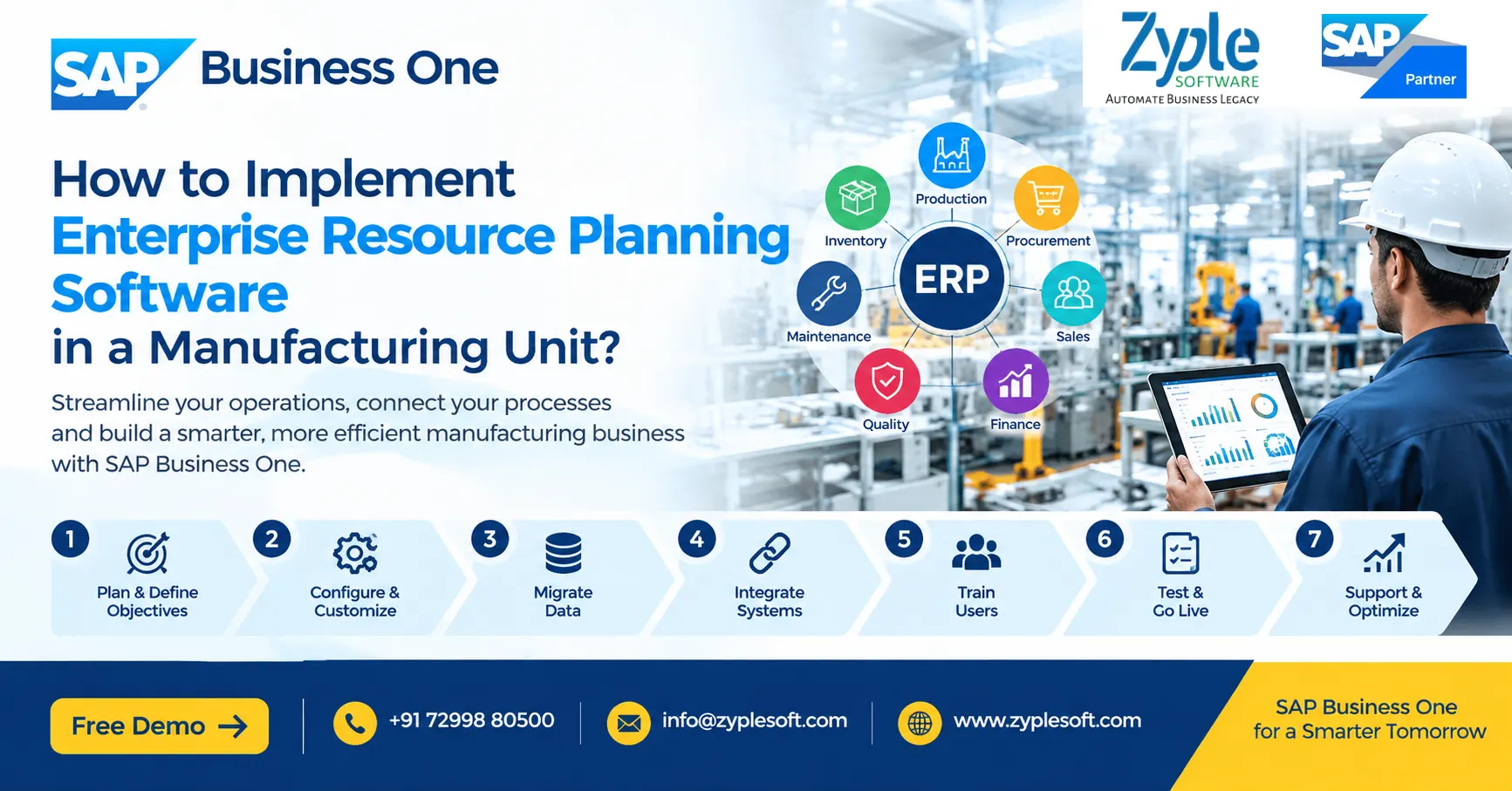
Implementing enterprise resource planning (ERP) software in a manufacturing unit is a strategic project that connects finance, procurement, inventory, production, sales, quality, maintenance, warehouse operations, and other business functions through a centralized system.
For a manufacturing company, ERP implementation is not simply about installing software. It involves understanding existing processes, defining business requirements, configuring the ERP system, migrating accurate data, integrating machines and applications, training employees, testing workflows, and continuously improving operations after go-live.
A well-planned manufacturing ERP implementation can provide better production visibility, inventory control, material planning, costing, financial reporting, traceability, procurement management, and operational coordination.
This guide explains how to implement ERP software in a manufacturing unit, what steps are involved, common challenges, implementation timelines, data migration considerations, user training requirements, and how to select an ERP system suitable for manufacturing.
What is ERP Software for Manufacturing?
Manufacturing ERP software is an integrated business management system that connects the major processes involved in running a manufacturing organization.
Depending on the ERP platform and business requirements, manufacturing ERP can manage:
- Production planning
- Bill of Materials (BOM)
- Material Requirements Planning (MRP)
- Production orders
- Inventory management
- Warehouse management
- Procurement
- Supplier management
- Sales and distribution
- Quality management
- Batch and serial number tracking
- Machine and equipment maintenance
- Job work and subcontracting
- Costing
- Financial accounting
- Budgeting
- Customer relationship management
- Human resource and payroll integration
- Business intelligence and dashboards
Instead of maintaining separate spreadsheets and disconnected applications, an ERP system creates a common source of business data.
Why Should a Manufacturing Unit Implement ERP?
Manufacturing companies often operate across multiple interconnected processes. A purchasing decision affects inventory, inventory affects production, production affects finished goods, sales affects dispatch, and all of these transactions eventually affect financial accounting.
Without an integrated ERP system, companies may face:
- Duplicate data entry
- Spreadsheet dependency
- Inventory discrepancies
- Poor production visibility
- Delayed financial reporting
- Difficult material planning
- Inaccurate product costing
- Procurement delays
- Limited shop-floor visibility
- Difficulty tracking batches or serial numbers
- Manual reconciliation
- Poor coordination between departments
ERP implementation brings these processes together.
Key benefits of manufacturing ERP include:
1. Centralized data
Finance, inventory, production, purchasing, sales, and management can work from connected information.
2. Better inventory control
Companies can track raw materials, work-in-progress, finished goods, batches, serial numbers, warehouses, and stock movements.
3. Improved production planning
MRP and production planning tools can help organizations determine material and production requirements based on demand, inventory, and production data.
4. Better costing
ERP systems can connect material consumption, labor, overheads, purchasing costs, and production information to improve cost visibility.
5. Real-time business visibility
Management dashboards can provide information about sales, inventory, production, purchasing, receivables, payables, and profitability.
6. Improved traceability
Batch and serial-number tracking can help manufacturers trace materials and finished products through relevant stages of the supply chain.
How to Implement ERP Software in a Manufacturing Unit
A successful ERP implementation should follow a structured methodology rather than attempting to automate every process simultaneously.
Step 1: Define the Business Objectives
Before selecting or configuring an ERP system, define what the manufacturing unit wants to achieve.
Start by identifying current operational problems.
For example:
- Why are inventory records inaccurate?
- Why are production schedules frequently delayed?
- Why is material availability difficult to determine?
- Why does product costing take too long?
- Why are purchase requirements generated manually?
- Why is management unable to obtain real-time production information?
- Why does month-end financial reporting take several days?
- Where are manual approvals creating delays?
Then convert these problems into measurable objectives.
Examples:
- Reduce manual data entry.
- Improve inventory accuracy.
- Increase production visibility.
- Improve material planning.
- Reduce procurement delays.
- Improve production costing.
- Accelerate financial reporting.
- Improve batch traceability.
Clearly defined objectives make it easier to measure ERP implementation success.
Step 2: Form an ERP Implementation Team
ERP implementation requires participation from both management and operational users.
A typical implementation team may include:
- Project sponsor
- ERP project manager
- Finance representative
- Production representative
- Procurement representative
- Inventory/warehouse representative
- Sales representative
- Quality representative
- IT representative
- Key users from different departments
- ERP implementation partner
The project team should have authority to make decisions about processes, data, approvals, reports, and system configuration.
Step 3: Document Existing Manufacturing Processes
Before configuring ERP software, document how the business currently operates.
This is commonly called As-Is process mapping
For manufacturing, map processes such as:
Procure-to-Pay
Purchase request → Purchase order → Goods receipt → Quality inspection → Supplier invoice → Payment
Plan-to-Produce
Demand → MRP → Material planning → Production order → Material issue → Production → Receipt of finished goods
Order-to-Cash
Sales quotation → Sales order → Production/planning → Delivery → Invoice → Collection
Inventory
Goods receipt → Put-away → Stock transfer → Material issue → Production consumption → Finished goods receipt → Dispatch
Process mapping identifies unnecessary manual activities, duplicated work, approval gaps, and integration requirements.
Step 4: Define the To-Be Process
Once the current processes are documented, design the desired future processes.
This is the To-Be process.
The objective should not be to copy every existing manual process into the ERP system.
Instead, ask:
- Can this process be standardized?
- Can approval be automated?
- Can data be entered only once?
- Can the ERP generate this document automatically?
- Can departments share the same data?
- Can an existing spreadsheet be eliminated?
- Can the process be integrated with another system?
A strong ERP implementation uses the software’s standard capabilities wherever practical and introduces customization only when there is a genuine business requirement.
Step 5: Select the Right Manufacturing ERP
ERP selection should be based on business requirements rather than only software features or license price.
Evaluate the ERP across areas such as:
Manufacturing
- BOM management
- Production orders
- MRP
- Capacity planning
- Material consumption
- Production reporting
- Scrap management
- By-products
- Subcontracting
- Production costing
Inventory
- Multi-warehouse management
- Batch management
- Serial numbers
- Bin locations
- Stock transfers
- Inventory counting
- Traceability
Finance
- General ledger
- Accounts payable
- Accounts receivable
- Cost centers
- Budgets
- Fixed assets
- Tax management
- Financial reporting
Procurement
- Purchase requests
- Purchase orders
- Goods receipts
- Supplier invoices
- Approval workflows
- Supplier management
Sales
- Quotations
- Sales orders
- Delivery
- Invoicing
- Customer management
- Pricing
Integration
Check whether the ERP can integrate with:
- CRM
- E-commerce
- Banking systems
- Tax systems
- Payroll
- CAD/PDM/PLM
- MES
- Barcode systems
- Weighbridges
- IoT devices
- Machine data
- Business intelligence tools
Step 6: Prepare a Detailed ERP Implementation Plan
Create an implementation roadmap before configuration begins.
A typical roadmap may include:
1. Project initiation
2. Requirement gathering
3. Process mapping
4. ERP configuration
5. Customization
6. Integration
7. Data migration
8. User training
9. Testing
10. User acceptance testing
11. Go-live preparation
12. ERP go-live
13. Post-go-live support
14. Continuous optimization
Assign responsibilities and deadlines to each phase.
Step 7: Configure the ERP System
ERP configuration converts the organization’s approved business processes into system settings.
Typical manufacturing configuration includes:
- Company structure
- Warehouses
- Item master
- Units of measurement
- Business partners
- Chart of accounts
- Tax configuration
- Number series
- BOMs
- Production parameters
- Planning parameters
- Purchasing rules
- Sales processes
- Approval workflows
- Cost centers
- User roles
- Authorization levels
Configuration should be documented so that future administrators understand how the system has been designed.
Step 8: Clean and Migrate Master Data
Data migration is one of the most important parts of an ERP implementation.
Common manufacturing master data includes:
- Item master
- Raw materials
- Finished products
- Semi-finished products
- BOMs
- Customers
- Suppliers
- Warehouses
- Bin locations
- Price lists
- Opening inventory
- Opening balances
- Outstanding receivables
- Outstanding payables
- Fixed assets
Do not simply upload old spreadsheet data into the new ERP.
First:
Extract → Clean → Validate → Standardize → Map → Test → Migrate
Duplicate items, incorrect units, obsolete materials, incomplete BOMs, and inconsistent customer or supplier records should be addressed before final migration.
Step 9: Integrate ERP With Manufacturing Systems
Modern manufacturing environments frequently use multiple systems.
ERP may need to exchange information with:
- Manufacturing Execution Systems (MES)
- Barcode scanners
- Weighing systems
- Production machines
- IoT platforms
- Quality systems
- CRM platforms
- E-commerce systems
- Payroll applications
- Banking platforms
- Tax platforms
- Business intelligence tools
For example, production data generated on the shop floor may need to flow into the ERP system so that management can view production progress, material consumption, and production performance.
Integration requirements should be defined before go-live rather than being treated as an afterthought.
Step 10: Configure Manufacturing-Specific Workflows
A manufacturing ERP should reflect the company’s actual production model.
Different manufacturing environments may require different processes.
Discrete Manufacturing
Common requirements include:
- BOM
- Production orders
- Component consumption
- Routing
- Work centers
- Assembly
- Finished goods
Process Manufacturing
Additional requirements may include:
- Batch management
- Formula management
- Co-products
- By-products
- Yield
- Quality parameters
- Expiry management
Make-to-Stock Manufacturing
ERP planning should support production based on forecast or expected demand.
Make-to-Order Manufacturing
Production may be triggered by customer orders.
Engineer-to-Order Manufacturing
The ERP may need integration with engineering, project management, costing, and document management processes.
Understanding the production model is therefore critical before ERP configuration.
Step 11: Set Up Manufacturing Planning and MRP
Material Requirements Planning is a major ERP capability for manufacturing organizations.
MRP can help determine:
- What materials are required?
- How much is required?
- When are materials required?
- What is already available?
- What is on order?
- What needs to be purchased?
- What needs to be produced?
The effectiveness of MRP depends heavily on accurate master data, including:
- BOMs
- Lead times
- Minimum order quantities
- Inventory levels
- Planning parameters
- Production information
- Open purchase orders
- Open sales orders
- Forecasts
Poor master data can produce poor planning results even when the ERP software itself is capable.
Step 12: Define Roles, Approvals and Internal Controls
ERP implementation should also improve process control.
Define who can:
- Create purchase orders
- Approve purchases
- Modify master data
- Create production orders
- Issue inventory
- Adjust stock
- Approve payments
- Create customers
- Change prices
- Post financial transactions
Role-based access can help organizations establish appropriate segregation of duties and approval workflows.
Step 13: Train Employees Before Go-Live
ERP adoption depends heavily on user understanding.
Training should be role-specific.
For example:
Production users
- Production orders
- Material issues
- Finished goods receipt
- Production reporting
Warehouse users
- Goods receipt
- Stock transfer
- Picking
- Inventory counting
- Batch/serial tracking
Purchase users
- Purchase requests
- Purchase orders
- Goods receipts
- Supplier management
Finance users
- Journal entries
- AP/AR
- Reconciliation
- Cost centers
- Financial reporting
Management
- Dashboards
- KPIs
- Financial reports
- Production visibility
- Inventory analytics
Training should use realistic business scenarios rather than only theoretical demonstrations.
Step 14: Conduct ERP Testing
Testing should be performed before the system goes live.
Important testing stages include:
Unit Testing
Individual configurations and functions are tested.
Integration Testing
Connected processes are tested together.
For example:
Sales order → MRP → Purchase order → Goods receipt → Production → Finished goods → Delivery → Invoice → Accounting.
User Acceptance Testing
Actual business users test whether the ERP supports their daily processes.
Data Migration Testing
Migrated master data and opening balances are validated.
Performance Testing
The system is tested under realistic transaction volumes where appropriate.
Step 15: Prepare for ERP Go-Live
Before go-live, create a detailed checklist.
Confirm:
- Master data is validated.
- Opening balances are approved.
- Users are trained.
- User permissions are configured.
- Integrations are tested.
- Reports are validated.
- Printers and devices are configured.
- Barcode processes are tested.
- Production processes are tested.
- Backup procedures are established.
- Support contacts are available.
- Cutover responsibilities are assigned.
A final go-live decision should be based on agreed readiness criteria rather than simply reaching a calendar date.
Step 16: Go Live With a Controlled Cutover
ERP go-live means the organization begins using the new ERP system for live business transactions.
Depending on the organization’s size and risk profile, implementation teams may choose:
- Big-bang go-live
- Phased rollout
- Module-based rollout
- Plant-by-plant rollout
- Location-based rollout
The appropriate approach depends on factors such as company size, number of plants, process complexity, integrations, user readiness, and operational risk.
Step 17: Provide Post-Go-Live Support
ERP implementation does not end on the go-live date.
The first few weeks may reveal:
- User questions
- Configuration issues
- Reporting requirements
- Data problems
- Integration errors
- Workflow changes
- Additional training needs
A post-go-live support period helps resolve these issues quickly.
After stabilization, the organization can move into continuous improvement.
Common ERP Implementation Challenges in Manufacturing
Manufacturing ERP projects can face several challenges.
1. Poor Master Data
Incorrect BOMs, item codes, inventory quantities, units, or lead times can affect downstream processes.
2. Excessive Customization
Too much customization can increase implementation complexity, maintenance requirements, and upgrade considerations.
3. Resistance to Process Changes
Employees accustomed to spreadsheets or legacy applications may initially find a new ERP workflow unfamiliar.
4. Lack of Management Involvement
ERP projects require decisions from business leadership, particularly when processes need standardization.
5. Inadequate Testing
Insufficient testing can cause operational problems after go-live.
6. Poor Training
Employees need practical training based on their actual responsibilities.
7. Treating ERP as Only an IT Project
ERP affects finance, production, procurement, inventory, sales, management, and operations. It should therefore be treated as a business transformation project rather than only a software installation.
How Long Does ERP Implementation Take in a Manufacturing Unit?
There is no universal ERP implementation timeline.
The duration depends on:
- Number of users
- Number of plants
- Number of warehouses
- Manufacturing complexity
- Number of modules
- Data volume
- Number of integrations
- Customization requirements
- Reporting requirements
- User readiness
- Data quality
A small manufacturing implementation may be significantly shorter than a multi-plant enterprise implementation.
The best way to estimate the timeline is to complete a requirements and scope assessment before committing to a project schedule.
How Much Does Manufacturing ERP Implementation Cost?
Manufacturing ERP implementation cost depends on the complete project scope rather than only the software license.
Potential cost components include:
- ERP licenses or subscriptions
- Implementation services
- Configuration
- Customization
- Data migration
- Integration
- Reports and dashboards
- Add-ons
- Hardware
- Cloud infrastructure
- Training
- Support
- Annual maintenance or subscription costs
A useful ERP budget should therefore calculate the Total Cost of Ownership (TCO) rather than comparing only license prices.
How to Measure ERP Implementation Success?
After implementation, manufacturing companies should measure business outcomes.
Useful KPIs include:
Inventory KPIs
- Inventory accuracy
- Inventory turnover
- Stock-out frequency
- Excess inventory
- Slow-moving inventory
Production KPIs
- Production plan adherence
- Production cycle time
- Machine utilization
- Scrap percentage
- Yield
- Production variance
Procurement KPIs
- Purchase order cycle time
- Supplier lead time
- Purchase price variance
- On-time supplier delivery
Financial KPIs
- Gross margin
- Working capital
- Receivable days
- Payable days
- Cost variance
ERP Adoption KPIs
- Manual transactions eliminated
- User adoption
- Data accuracy
- Report usage
- Process automation
The exact KPIs should be selected according to the organization’s business objectives.
Manufacturing ERP Implementation Best Practices
Follow these principles for a more structured implementation:
1. Define measurable business objectives.
2. Involve key users from the beginning.
3. Document current processes.
4. Design standardized future processes.
5. Clean master data before migration.
6. Minimize unnecessary customization.
7. Test complete end-to-end workflows.
8. Train users by role.
9. Establish clear project ownership.
10. Plan integrations early.
11. Define go-live readiness criteria.
12. Provide post-go-live support.
13. Measure business results after implementation.
14. Continuously improve ERP processes.
Why SAP Business One Can Be Considered for Manufacturing?
For small and midsize manufacturing companies, SAP Business One is an ERP platform designed to integrate core business functions such as financial management, purchasing, inventory, sales, customer management, and operations.
For manufacturing organizations, the platform can support capabilities such as:
- Bill of Materials
- Production orders
- MRP
- Inventory management
- Procurement
- Sales
- Financial management
- Warehouse management
- Batch and serial-number management
- Cost accounting
- Reporting and analytics
Manufacturers may also extend ERP functionality through integrations and industry-specific add-ons depending on their requirements.
The right configuration depends on the organization’s manufacturing processes, number of users, locations, integrations, reporting needs, and regulatory requirements.
ERP Implementation Checklist for a Manufacturing Company
Before starting an ERP project, ask:
Business
- What business problems are we solving?
- What processes need standardization?
- Which KPIs need improvement?
Manufacturing
- How are BOMs maintained?
- How are production orders created?
- How is material consumption recorded?
- How is production costing calculated?
- How is scrap tracked?
- How are subcontracting activities managed?
Inventory
- How many warehouses are involved?
- Is batch or serial tracking required?
- Are bin locations required?
- How frequently is stock counted?
Finance
- What financial reports are required?
- How are cost centers managed?
- What tax and compliance requirements apply?
Integration
- Does the ERP need to integrate with MES?
- Are machines or IoT devices involved?
- Is barcode integration required?
- Are banking, CRM, payroll, or e-commerce integrations required?
Implementation
- Who owns the project?
- Who are the key users?
- What data needs to be migrated?
- What training is required?
- What are the go-live criteria?
Frequently Asked Questions About Manufacturing ERP Implementation
What is the first step in implementing ERP in a manufacturing company?
The first step is to define business objectives and document current processes. The organization should identify operational problems, required improvements, users, processes, data, integrations, and expected outcomes before configuring the ERP.
How does ERP help a manufacturing company?
ERP can connect production, inventory, procurement, sales, finance, and other business functions. This can improve data visibility, planning, traceability, reporting, and process coordination.
What modules are required for manufacturing ERP?
Common modules include financial management, purchasing, inventory, sales, production, MRP, warehouse management, quality, maintenance, costing, and reporting. The required modules depend on the company’s processes.
How is data migrated to a manufacturing ERP?
Data is typically extracted from legacy systems or spreadsheets, cleaned, standardized, mapped to the new ERP structure, validated, tested, and then migrated. Master data and opening balances should be validated before final migration.
Can ERP integrate with manufacturing machines?
Yes. Depending on the ERP platform and integration architecture, ERP can be integrated with MES, IoT platforms, barcode systems, weighing systems, machines, quality systems, and other applications.
Is ERP suitable for small manufacturing companies?
ERP can be used by small, midsize, and larger manufacturing organizations. The appropriate solution depends on company size, process complexity, budget, number of users, locations, and future growth requirements.
How can manufacturers avoid ERP implementation failure?
Manufacturers can reduce implementation risks by defining clear objectives, involving business users, maintaining accurate master data, controlling customization, testing end-to-end processes, training employees, and providing post-go-live support.
What is the difference between ERP and manufacturing software?
Manufacturing software may focus primarily on production activities, while ERP integrates manufacturing with business functions such as finance, procurement, inventory, sales, customer management, and reporting.
What is MRP in manufacturing ERP?
Material Requirements Planning (MRP) is a planning capability that helps determine the materials and quantities required for production based on factors such as demand, inventory, supply, BOMs, and planning parameters.
Should a manufacturing company customize its ERP?
Customization should be considered when a genuine business requirement cannot be adequately handled through standard ERP functionality or appropriate configuration. Excessive customization can increase complexity and long-term maintenance requirements.
Final Takeaway
Implementing enterprise resource planning software in a manufacturing unit requires much more than selecting an ERP product. A successful implementation combines process analysis, ERP configuration, accurate master data, manufacturing planning, integration, testing, employee training, controlled go-live, and continuous improvement.
The most effective approach is to start with business requirements, map manufacturing processes, select an ERP that fits those requirements, standardize workflows where possible, migrate clean data, train users, and measure results after implementation.
For manufacturing organizations evaluating ERP, the objective should not simply be to replace spreadsheets or legacy software. The objective should be to create an integrated operating environment where production, inventory, procurement, sales, finance, and management work from connected and reliable information.
Contact for ERP Services with Zyple Software as per your manufacturing industry needs or fill details in form.