Move from QuickBooks to SAP Business One: Complete ERP Migration Guide
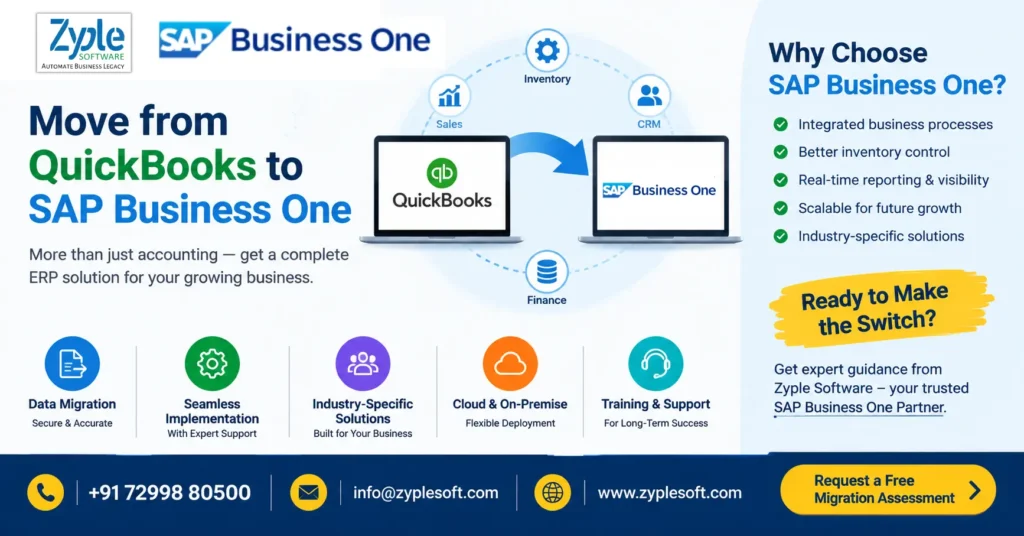
Move from QuickBooks to SAP Business One: When and How to Upgrade Your ERP
QuickBooks can be an effective accounting solution for managing financial transactions, invoicing, expenses, and basic reporting. However, as a business grows, accounting alone may no longer be enough.
Manufacturing companies, distributors, trading businesses, construction companies, project-based organizations, and multi-location businesses often need a system that connects finance, sales, purchasing, inventory, production, projects, CRM, service, and management reporting in one environment.
This is where moving from QuickBooks to SAP Business One can become an important ERP transformation decision.
SAP Business One is designed to integrate core business functions rather than treating accounting as a standalone activity.
The bigger question is therefore not:
“Can SAP Business One replace QuickBooks?”
It is:
“Has the business outgrown an accounting-centric system and reached the point where an integrated ERP can improve operational visibility and control?”
This guide explains the migration process, benefits, costs, data migration considerations, implementation timeline, common challenges, and questions businesses should ask before moving from QuickBooks to SAP Business One.
QuickBooks vs SAP Business One: What Changes After Migration?
The biggest difference is the scope of the platforms.
| Business Requirement | QuickBooks | SAP Business One |
|---|---|---|
| Accounting & financial management | ✓ | ✓ |
| Accounts receivable/payable | ✓ | ✓ |
| Sales management | Basic/varies by edition | ✓ |
| Purchasing | ✓ | ✓ |
| Inventory management | ✓ | ✓ |
| Multi-location operations | Limited/edition dependent | ✓ |
| Manufacturing | Limited/through integrations | ✓ |
| MRP | Limited/through integrations | ✓ |
| Production planning | Limited | ✓ |
| CRM & opportunities | Limited/through integrations | ✓ |
| Project management | Limited/through integrations | ✓ |
| Service management | Limited | ✓ |
| Business dashboards | ✓ | ✓ |
| Integrated operational ERP | Limited | ✓ |
| Industry-specific add-ons | Through ecosystem | ✓ |
| HANA database option | No | ✓ |
The exact capabilities available can depend on the SAP Business One version, deployment model, localization, and implemented add-ons.
The important distinction is that SAP Business One can connect financial and operational processes into a common ERP environment.
Why Are Businesses Moving Away From QuickBooks?
Businesses typically start considering ERP migration when their existing accounting system no longer provides sufficient operational visibility.
Common warning signs include:
1. Finance and operations work in separate systems
The finance team may use QuickBooks while sales, inventory, production, procurement, or project teams depend on spreadsheets and separate applications.
This can create duplicated data and reconciliation work.
2. Too many Excel spreadsheets
If employees maintain separate spreadsheets for:
- Inventory
- Production
- Purchasing
- Sales forecasts
- Job costing
- Project expenses
- Customer outstanding
- Vendor payments
- Management reporting
the organization may have reached the point where an integrated ERP deserves evaluation.
3. Inventory visibility becomes difficult
Growing businesses may need visibility into:
- Multiple warehouses
- Batch/serial numbers
- Stock transfers
- Purchase receipts
- Production consumption
- Finished goods
- Available-to-promise inventory
- Slow-moving stock
An ERP system can connect these transactions with purchasing, sales, finance, and production processes.
4. Management reporting takes too long
Executives increasingly expect answers such as:
- What is our current gross margin?
- Which products are profitable?
- Which customers have outstanding payments?
- What is our inventory value?
- Which projects are exceeding budget?
- What is our production cost?
- What is our purchase commitment?
- Which orders are delayed?
If answering these questions requires manually combining data from multiple sources, an ERP evaluation may be appropriate.
What Happens to QuickBooks Data During SAP Business One Migration?
One of the most important questions businesses ask is:
“Do we need to enter everything again?”
Not necessarily.
A properly planned migration can transfer selected historical and master data from QuickBooks and other business systems into SAP Business One.
Typical migration data may include:
Master Data
- Customer master
- Vendor master
- Item master
- Chart of accounts
- Price lists
- Tax information
- Warehouses
- Sales representatives
- Payment terms
Opening Balances
Depending on the migration strategy:
- General ledger opening balances
- Customer receivables
- Vendor payables
- Inventory balances
- Bank balances
- Other relevant opening positions
Transactional/Historical Data
Businesses may choose to migrate selected historical transactions depending on:
- Regulatory requirements
- Reporting requirements
- Data volume
- Business continuity requirements
- Migration budget
A common strategy is to migrate the required opening data into SAP Business One while retaining older historical data in an accessible archive.
The right approach should be decided during the discovery and migration-planning phase.
QuickBooks to SAP Business One Migration Process
A structured migration generally follows several stages.
Step 1: Business Process Assessment
Before configuring SAP Business One, the implementation team should understand how the business currently operates.
This includes reviewing:
- Finance
- Sales
- Procurement
- Inventory
- Manufacturing
- Projects
- Service
- Reporting
- Approvals
- Integrations
This stage identifies what should be standardized, automated, integrated, or redesigned.
Step 2: QuickBooks Data Assessment
The existing QuickBooks data should be reviewed for:
- Duplicate customers
- Duplicate vendors
- Inactive items
- Incorrect account mappings
- Inconsistent naming
- Missing tax information
- Old master records
- Data quality issues
Migration is an opportunity to clean the data before importing it into SAP Business One.
Step 3: SAP Business One Chart of Accounts Mapping
The existing accounting structure needs to be mapped to the SAP Business One chart of accounts.
For example:
QuickBooks Account → SAP Business One Account
This mapping should be carefully reviewed by the finance team before migration.
Step 4: Master Data Migration
Approved customer, vendor, item, warehouse, pricing, and other master data can then be prepared for SAP Business One.
Data templates and validation rules should be established before importing information.
Step 5: Configuration & Add-ons
SAP Business One can be configured according to business requirements.
Depending on the industry, additional Add-on solutions may be required for areas such as:
- E-invoice
- E-way bill
- Payroll
- Bank integration
- MES
- Production
- Quality
- Plant maintenance
- Weighbridge
- Security gate
- Contractor billing
- Project management
- Industry-specific workflows
The objective should be to use standard SAP Business One capabilities wherever practical and add extensions where genuine business requirements exist.
How Much Does It Cost to Move From QuickBooks to SAP Business One?
There is no single QuickBooks-to-SAP Business One migration price that applies to every business.
The total investment can depend on:
1. Number and type of users
SAP Business One licensing requirements depend on the required user types and system configuration.
2. Deployment model
Businesses may evaluate:
- Cloud deployment
- On-premise deployment
- Hosted environments
3. Business complexity
A simple trading company may require a different implementation scope from a:
- Manufacturing company
- Construction company
- EPC organization
- Multi-branch distributor
- Jewellery manufacturer
- Pharmaceutical company
4. Integrations
Additional effort may be required for:
- Banking
- E-commerce
- CRM
- Payroll
- GST systems
- E-invoicing
- Manufacturing systems
- MES
- Existing applications
5. Data migration
Migration effort depends on:
- Number of records
- Historical transactions
- Data quality
- Number of entities
- Number of warehouses
- Required historical reporting
6. Customization and add-ons
Industry-specific requirements can affect implementation costs.
Therefore, businesses should request a scope-based SAP Business One proposal rather than comparing only license prices.
How Long Does QuickBooks to SAP Business One Migration Take?
The implementation timeline depends heavily on the scope.
A relatively straightforward SAP Business One implementation may require less time than a complex manufacturing, multi-company, multi-location, or highly integrated deployment.
Factors include:
- Number of users
- Number of branches
- Manufacturing complexity
- Data migration volume
- Number of integrations
- Custom reports
- Add-ons
- Approval workflows
- Localization
- User training
- Testing requirements
A good implementation plan normally includes:
Discovery → Blueprint → Configuration → Development/Integration → Data Migration → Testing → Training → Go-Live → Support
Businesses should avoid choosing an ERP implementation timeline solely on the basis of the shortest promised duration. The quality of process mapping, testing, migration, training, and go-live preparation can materially affect the outcome.
Is SAP Business One Suitable for Manufacturing Companies Moving From QuickBooks?
For growing manufacturers, this can be one of the most significant reasons to evaluate SAP Business One.
A manufacturing company may need to manage:
- Bill of Materials
- Production orders
- Material requirements planning
- Production issues
- Finished goods
- Work-in-progress
- Inventory
- Procurement
- Quality processes
- Production costing
- Capacity planning
- Sales orders
- Delivery
- Financial accounting
Instead of maintaining separate spreadsheets for each process, SAP Business One can connect these activities within an ERP framework. Read more about SAP Business One for Manufacturing.
For manufacturers considering QuickBooks migration, the key question is often whether the organization needs integrated production and financial visibility, rather than simply a replacement accounting application.
What About Construction and EPC Companies?
Construction and EPC businesses often have different requirements from traditional trading companies.
They may need to monitor:
- Projects
- BOQs
- Procurement
- Site inventory
- Subcontractors
- Project expenses
- Contractor billing
- WIP
- Budget vs actual
- Customer billing
- Receivables
- Project profitability
A QuickBooks-based finance process combined with spreadsheets can become increasingly difficult to manage as project complexity increases.
SAP Business One, together with appropriate industry solutions and integrations, can be evaluated for connecting financial and project-related processes. know more about SAP Business one for Construction.
Benefits of Moving From QuickBooks to SAP Business One
A successful migration can provide several potential business benefits.
One Integrated Business System
Finance, sales, purchasing, inventory, production, CRM, and other processes can operate from connected data.
Better Management Visibility
Executives can access operational and financial information from a common ERP environment.
Reduced Spreadsheet Dependency
Automating repetitive processes can reduce dependence on manually maintained spreadsheets.
Improved Inventory Control
Businesses can obtain more structured visibility into stock movements, warehouses, purchasing, sales, and production.
Better Production Visibility
Manufacturers can connect production orders, BOMs, material requirements, inventory, and costing.
Stronger Process Controls
Approval workflows and standardized processes can help businesses establish greater control over purchasing, sales, expenses, and other activities.
Scalable ERP Foundation
Businesses can build additional integrations, reports, dashboards, and industry-specific capabilities as requirements evolve.
7 Common Mistakes When Migrating From QuickBooks to SAP Business One
Mistake 1: Treating ERP implementation as software installation
ERP implementation is fundamentally a business process transformation project, not simply installing software.
Mistake 2: Migrating dirty data
Duplicate and incorrect data can create problems in the new ERP.
Clean before migration.
Mistake 3: Migrating everything without a strategy
Not every historical transaction necessarily needs to be loaded into the new system.
Define the reporting and compliance requirements first.
Mistake 4: Ignoring integrations
Businesses often discover late in the project that they need connections with banks, payroll, websites, CRM, production systems, or government-related processes.
Identify integrations early.
Mistake 5: Underestimating user training
Even a technically successful ERP project can struggle if users do not understand the new processes.
Mistake 6: Customizing everything
Customization should solve a genuine business requirement. Excessive customization can increase complexity and future maintenance requirements.
Mistake 7: Selecting an implementation partner only on price
The implementation partner’s experience with your industry, processes, integrations, migration requirements, and post-go-live support should also be considered.
QuickBooks to SAP Business One Migration Checklist
Before signing an implementation agreement, ask these questions:
Business
- What processes are currently handled in QuickBooks?
- Which processes are managed in Excel?
- Which departments require integration?
- How many branches or locations are involved?
Finance
- What chart of accounts will be used?
- How will opening balances be migrated?
- What tax and statutory requirements apply?
- What financial reports are required?
Data
- What QuickBooks data will be migrated?
- How many years of history are required?
- Who will clean and validate the data?
- How will migration accuracy be tested?
Operations
- Is inventory required?
- Is manufacturing required?
- Is MRP required?
- Are projects required?
- Is CRM required?
- Are service processes required?
Technology
- Cloud or on-premise?
- SQL or SAP HANA?
- What third-party systems need integration?
- What add-ons are required?
Implementation
- Who is responsible for project management?
- What is the implementation scope?
- What testing process will be followed?
- What training will users receive?
- What support is available after go-live?
When Should You Consider Moving From QuickBooks to SAP Business One?
A business may want to evaluate SAP Business One when several of these conditions exist:
- Revenue and transaction volume are increasing
- Multiple departments need shared information
- Excel is being used for critical operational processes
- Inventory has become difficult to control
- Manufacturing or MRP requirements are increasing
- Management needs real-time business visibility
- Multiple branches or warehouses are involved
- Finance and operations use disconnected systems
- Project profitability is difficult to calculate
- Manual reporting consumes significant management time
- The business needs a scalable ERP platform
The decision should ultimately be based on the organization’s processes, requirements, budget, and growth plans.
Why Choose Zyple Software for SAP Business One Implementation?
For businesses evaluating a move from QuickBooks to SAP Business One, Zyple Software provides SAP Business One implementation and related services.
Zyple Software is an SAP Business One Partner offering:
- SAP Business One implementation
- SAP B1 integration
- SAP Business One licenses
- Industry-specific solutions
- SAP Business One add-ons
- Data migration support
- Custom integrations
- Training
- Post-go-live support
Zyple Software’s website currently highlights 60+ SAP Business One implementations, 60+ clients, 20+ industries, and 20+ add-ons.
The company has also received an SAP performance award for SAP Business One implementation, providing an additional documented credential that businesses can consider when evaluating implementation partners.
For a migration project, the most important consideration is matching the implementation scope to the organization’s actual processes rather than simply replacing one accounting system with another.
QuickBooks to SAP Business One: Frequently Asked Questions
1. Can QuickBooks data be migrated to SAP Business One?
Yes. Relevant QuickBooks master data, opening balances, and selected historical information can be migrated depending on the agreed migration strategy.
2. Do I need to stop using QuickBooks immediately?
Usually, businesses plan a controlled transition. QuickBooks can remain in use during the implementation until the agreed cutover point.
3. Can I migrate historical QuickBooks transactions?
Historical transaction migration is possible depending on the required data, format, volume, reporting needs, and migration scope. Some businesses migrate selected history and retain older records in an archive.
4. Is SAP Business One only for manufacturing companies?
No. SAP Business One is used across different business models, including trading, distribution, manufacturing, services, and other sectors.
5. Can SAP Business One manage inventory?
Yes. Inventory management is one of the core areas supported by SAP Business One.
6. Can SAP Business One handle manufacturing?
Yes. SAP Business One provides manufacturing-related capabilities including BOMs, production orders and MRP functionality, subject to the implemented version and configuration.
7. Can SAP Business One integrate with other software?
Yes. SAP Business One can be integrated with other applications and business systems depending on the technical architecture and requirements.
8. How much does QuickBooks to SAP Business One migration cost?
There is no universal price. Licensing, users, implementation scope, data migration, integrations, add-ons, deployment model, and customization requirements can all affect the total project investment.
9. How long does migration take?
The timeline depends on users, locations, processes, data, integrations, customization, testing, and training requirements.
10. Is SAP Business One available on the cloud?
Yes, SAP Business One can be deployed in cloud environments. The specific deployment architecture and commercial model should be discussed with the implementation partner.
11. Can SAP Business One replace QuickBooks completely?
For businesses using QuickBooks primarily for accounting but requiring broader ERP functionality, SAP Business One can serve as the core ERP platform. The exact replacement scope should be determined during requirements analysis.
12. Should a growing business move from QuickBooks to SAP Business One?
The answer depends on business requirements. Companies experiencing increasing operational complexity, spreadsheet dependency, inventory challenges, manufacturing requirements, multiple locations, or demand for integrated reporting may want to evaluate SAP Business One.
Final Thoughts: Is It Time to Move From QuickBooks to SAP Business One?
Moving from QuickBooks to SAP Business One is more than an accounting software upgrade.
It can represent a transition from financial record-keeping to integrated business management.
For a growing organization, the objective should be to create a connected system where:
Sales → Purchasing → Inventory → Production → Projects → Finance → Management Reporting
work together using consistent business data.
If your organization has outgrown QuickBooks and is evaluating SAP Business One, start with a structured assessment of your current processes, data, integrations, reporting requirements, and future growth plans.
Planning a QuickBooks to SAP Business One Migration?
Talk to Zyple Software for an SAP Business One migration and implementation assessment.
Zyple Software – SAP Business One Partner
Call:+91 72998 80500
Mail: info@zyplesoft.com
Website: www.zyplesoft.com
Request an SAP Business One Demo and discuss your migration requirements. Or else, fill details in given form, so our team will contact you.